
1. Terminadoview
The Roku Select Series HD TV provides a streamlined entertainment experience. This 32-inch 720p HD television integrates the Roku operating system for easy access to streaming content, live TV, and various applications. It features a voice remote for convenient control and includes technologies like Bluetooth Headphone Mode and Dolby Audio for enhanced sound.
Principais características
- Transmissão contínua: Fast Wi-Fi and quick app launches for immediate entertainment access.
- Extensive Content: Access to thousands of streaming apps, free movies, shows, and live TV channels.
- Tela inicial personalizável: Organize apps and content for personalized viewindo.
- Atualizações automáticas de software: Ensures access to the latest features and applications.
- Integração de casa inteligente: Compatible with Roku Voice, Siri, Alexa, and Google Assistant for voice control. Supports Apple AirPlay for content sharing.
- Clear HD Picture: 720p HD resolution with Roku Smart Picture technology for optimized visuals.
- Controle remoto de voz: Search, play, and control streaming with voice commands.
- Áudio aprimorado: Designed for clear speech and louder sound with Dolby Audio technology.
- Bluetooth Headphone Mode: Private listening with wireless headphones.
Image: Roku 32-inch Select Series HD Smart TV with included remote control.
2. O que está na caixa
Verifique se todos os componentes estão presentes antes de prosseguir com a instalação.
- Roku Select Series 32" HD TV
- Suportes e parafusos
- Roku Voice Remote with batteries (2 AAA)
- Cabo de energia
- Manual do usuário (este documento)

Image: Contents of the Roku Select Series TV packaging.
3. Configuração
3.1 Desembalagem
Retire cuidadosamente a TV e todos os acessórios da embalagem. Guarde a embalagem para futuras necessidades de transporte ou assistência técnica.
3.2 Fixação do suporte
- Coloque a TV com a tela virada para baixo sobre uma superfície macia e limpa para evitar arranhões.
- Alinhe os suportes da TV com os orifícios dos parafusos na parte inferior da TV.
- Fixe os suportes utilizando os parafusos fornecidos. Certifique-se de que estejam bem apertados.
3.3 Conectando Periféricos
Conecte seus dispositivos às portas apropriadas na parte traseira da TV.
- HDMI: Connect up to three HDMI devices (e.g., cable box, gaming console, Blu-ray player) to the HDMI ports.
- USB: Use the USB port for media playback or connecting compatible accessories.
- Óptico (S/PDIF): Para conexão a um sistema de áudio externo.
- Cabo de energia: Conecte o cabo de alimentação à TV e, em seguida, a uma tomada de parede.
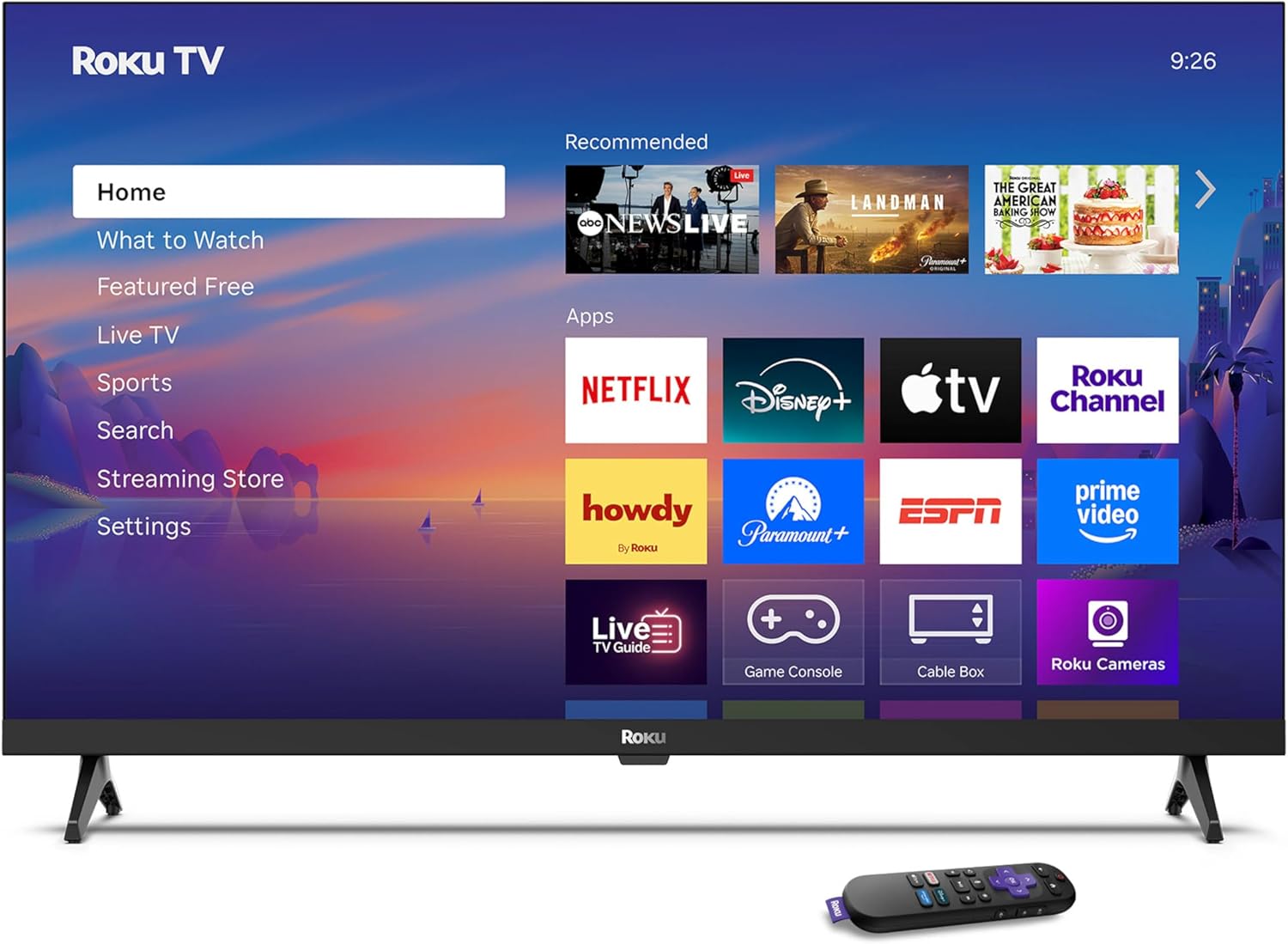
Image: Rear panel connections including HDMI, USB, and optical ports.
3.4 Inicialização da alimentação e conexão de rede
- Plug in the TV and press the power button on the remote or TV.
- Follow the on-screen instructions to select your language and connect to your Wi-Fi network.
- Activate your Roku account or create a new one.
Vídeo: Um excessoview of the Roku TV operating system, demonstrating its user interface and features. This video is provided by Roku, Inc.
4. Instruções de operação
4.1 Using the Voice Remote
The Roku Voice Remote allows for intuitive control of your TV and streaming content.
- Pesquisa por voz: Press and hold the voice button and speak your command to search for content, launch apps, or control playback.
- Navegação: Use the directional pad to move through menus and select items.
- Atalhos do aplicativo: Dedicated buttons provide quick access to popular streaming services.

Image: Features of the Roku Voice Remote, highlighting voice control and shortcut buttons.
4.2 Navigating the Home Screen
The Roku Home Screen provides access to all your installed apps, inputs, and settings.
- Lar: Returns you to the main home screen.
- O que assistir: Discover recommended content.
- TV ao vivo: Access free live television channels.
- Streaming Store: Browse and add new streaming channels.
- Configurações: Adjust TV and system preferences.

Image: The Roku TV home screen interface.
4.3 Adjusting Picture and Sound Settings
Personalize o seu viewA experiência de áudio e vídeo pode ser ajustada através do menu de configurações.
- Modo de imagem: Select from predefined modes like Standard, Vivid, Sports, or Movie. Roku Smart Picture automatically optimizes settings.
- Modo de som: Escolha som profissionalfiles or enable features like Night Mode for reduced volume fluctuations.
- Bluetooth Headphone Mode: Pair your wireless headphones for private audio.

Image: Picture mode settings on the Roku TV.

Image: Bluetooth Headphone Mode in use.

Image: Dolby Audio technology for clear sound.
5. Manutenção
5.1 Limpeza da tela
Para limpar a tela da TV, limpe-a suavemente com um pano macio, seco e sem fiapos. Para manchas persistentes, esfregue levemente.ampLimpe o pano com água ou uma solução de limpeza segura para telas. Evite usar produtos químicos agressivos ou materiais abrasivos.
5.2 Atualizações de Software
Sua Roku TV recebe atualizações de software automaticamente quando conectada à internet. Essas atualizações oferecem novos recursos, melhorias de desempenho e correções de erros. Para um desempenho ideal, certifique-se de que sua TV permaneça conectada à internet.
6. Solução De Problemas
If you encounter issues with your Roku TV, refer to the following common solutions:
- Sem energia: Verifique se o cabo de alimentação está firmemente conectado tanto à TV quanto a uma tomada elétrica em funcionamento. Tente usar outra tomada.
- Sem imagem/som: Verify that the correct input source is selected. Check all cable connections (HDMI, audio). Restart the TV by unplugging it for 30 seconds and plugging it back in.
- Remoto não funciona: Replace the AAA batteries in the remote. Ensure there are no obstructions between the remote and the TV. For voice remote issues, re-pair the remote if necessary (refer to Roku support for specific steps).
- Problemas de conexão de rede: Restart your Wi-Fi router and modem. Go to the TV's settings menu, then Network, and try reconnecting to your Wi-Fi network.
- O aplicativo não carrega/trava: Try restarting the app. If the issue persists, remove the app from the home screen, restart the TV, and then re-add the app from the Streaming Store.
7. Especificações
| Recurso | Detalhe |
|---|---|
| Tamanho da tela | 32 polegadas |
| Tecnologia de exibição | LIDERADO |
| Resolução | 720p |
| Taxa de atualização | 60 Hz |
| Características especiais | Bluetooth Headphone Mode, Dolby Audio, Voice Remote |
| Tecnologia de Conectividade | Wifi Bluetooth |
| Total de portas HDMI | 3 |
| Total de portas USB | 1 |
| Entrada de áudio | HDMI |
| Sistema operacional | Roku OS |
| Tipo de montagem | Suporte de mesa, suporte de parede |
| Padrão de montagem VESA | 200 x 200 mm |
| Dimensões do produto (P x L x A) | 7"P x 28.3"L x 18.3"A |
| Peso do item | 7.5 libras |
| Número do modelo | 32R2D5 |
| UPC | 829610008974 |
8. Informações de garantia
8.1 Garantia limitada
Roku warrants the hardware against defects in materials and workmanship under normal use for a period of one (1) year from the date of purchase ("Warranty Period"). If Roku determines that the device’s hardware is defective during the Warranty Period, Roku’s sole obligation, and your exclusive remedy, will be to either repair or replace the unit with either a new or rebuilt device, at its option. This warranty applies if the product is used in accordance with the provided documentation.
8.2 Política de Devolução
You may return a device for any reason:
- Within thirty (30) days from the date of purchase from Roku.
- Within the applicable return period if purchased from an authorized reseller or distributor.
Additional details regarding product returns can be found on the Roku support site.
9. Suporte
For further assistance, troubleshooting guides, and frequently asked questions, please visit the official Roku support website: