
1. Introdução
The EDIFIER MP330 is a portable Bluetooth speaker designed to deliver a high-quality audio experience with its retro aesthetic and advanced features. It supports Hi-Res audio and offers versatile connectivity options.

Image: The EDIFIER MP330 portable Bluetooth speaker, showcasing its brown finish and integrated leather handle.
2. Conteúdo da embalagem
Por favor, marque a caixa para os seguintes itens:
- EDIFIER MP330 Speaker x 1
- Cabo USB-C para USB-C x 1
- Guia de início rápido x 1
- Important Safety Information x 1

Image: A visual representation of the EDIFIER MP330 speaker and its included accessories: USB-C cable, quick start guide, and safety information.
3. Produto acabadoview
3.1 Controles e Portas
The EDIFIER MP330 features intuitive controls and essential ports for various audio sources.
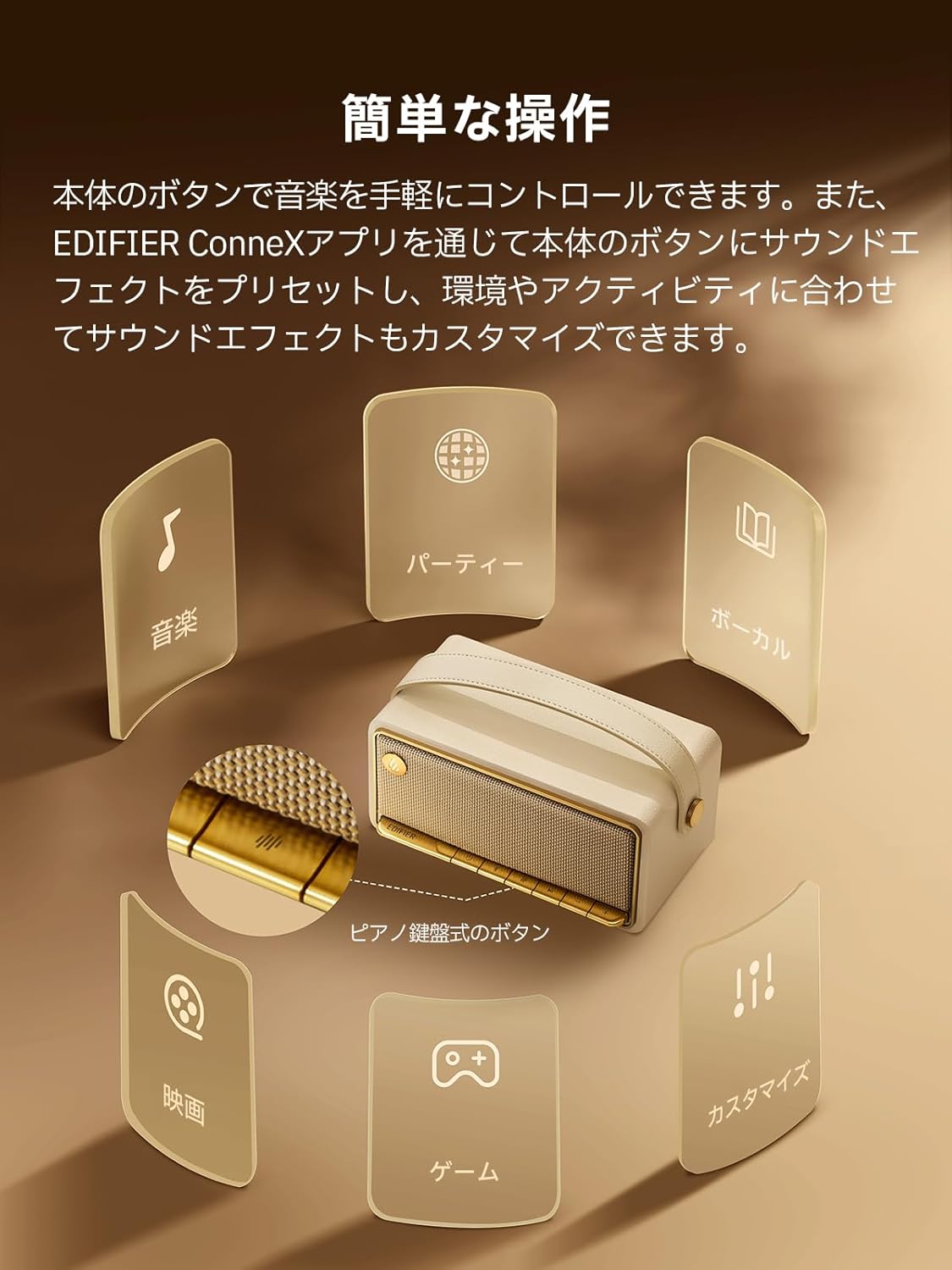
Image: A diagram illustrating the control buttons and indicator lights on the EDIFIER MP330 speaker, showing their functions for power, mode selection, playback, and volume.
- Botão de energia: Pressione e segure para ligar/desligar.
- Botão de modo: Short press to cycle through Bluetooth, USB-C, and microSD card input modes.
- Botão Reproduzir/Pausar: Pressione rapidamente para reproduzir ou pausar o áudio.
- Botão de aumentar o volume/próxima faixa: Pressione rapidamente para aumentar o volume e pressione longamente para a próxima faixa.
- Botão para diminuir o volume/faixa anterior: Pressione rapidamente para diminuir o volume, pressione e segure para voltar à faixa anterior.
- Porta USB-C: For charging and audio input.
- Slot para cartão microSD: Para reproduzir áudio files directly from a microSD card.
4. Configuração
4.1 Carregando o alto-falante
Before first use, fully charge the speaker using the provided USB-C cable and a compatible power adapter (not included). The indicator light will show charging status.
4.2 Ligar/Desligar
- Para ligar: Pressione e mantenha pressionado o botão Liga/Desliga até que a luz indicadora acenda.
- Para desligar: Pressione e mantenha pressionado o botão Liga/Desliga até que a luz indicadora se apague.
4.3 Emparelhamento Bluetooth
Para conectar seu dispositivo via Bluetooth:
- Power on the MP330 speaker. The Bluetooth indicator will flash, indicating it is in pairing mode.
- No seu dispositivo (smartphone, tablet, etc.), ative o Bluetooth e procure por dispositivos disponíveis.
- Select "EDIFIER MP330" from the list of devices.
- Uma vez conectado, o indicador Bluetooth permanecerá aceso.
4.4 Conexão Multiponto
The MP330 supports connecting to two Bluetooth devices simultaneously. After connecting the first device, put the speaker back into pairing mode and connect the second device. You can then switch between audio sources by pausing playback on one device and starting it on the other.

Image: Two mobile phones displaying music playback interfaces, indicating a multipoint Bluetooth connection to the EDIFIER MP330 speaker.
4.5 Emparelhamento estéreo (TWS)
For an enhanced stereo sound experience, you can pair two MP330 speakers together:
- Ensure both MP330 speakers are powered on and not connected to any Bluetooth device.
- On one speaker, press and hold the Bluetooth button until it enters TWS pairing mode (indicator light will flash a specific pattern).
- The two speakers will automatically connect to each other. One speaker will become the left channel and the other the right.
- Após o emparelhamento, conecte seu dispositivo à caixa de som principal via Bluetooth, conforme descrito na seção 4.3.

Image: Two EDIFIER MP330 speakers, one black and one ivory, positioned to illustrate stereo pairing, with a Bluetooth logo and arrows indicating connection.
5. Instruções de operação
5.1 Comutação dos modos de entrada
Short press the Mode button to switch between Bluetooth, USB-C, and microSD card input modes. The indicator light will change color to reflect the active mode.
5.2 USB-C Audio Playback
Connect the MP330 to your computer using the provided USB-C cable. The speaker will automatically switch to USB-C audio mode. Select "EDIFIER MP330" as the audio output device on your computer.

Image: A diagram showing the EDIFIER MP330 speaker connected to a computer via a USB-C cable, indicating USB-C audio playback.
5.3 microSD Card Playback
Insira um cartão microSD contendo áudio files into the microSD card slot. The MP330 will automatically switch to microSD card mode and begin playback.

Image: A diagram illustrating how to insert a microSD card into the dedicated slot on the EDIFIER MP330 speaker.
5.4 Using the EDIFIER Connex App
Download the EDIFIER Connex app to unlock extended features and customize your listening experience. The app allows you to:
- Alterne as fontes de entrada.
- Controle a reprodução.
- Customize sound effects (equalizer presets or custom settings).
- Access the electronic user manual and other settings.

Image: Multiple smartphone screens displaying the EDIFIER Connex app interface, highlighting various control and customization options for the speaker.
6. Manutenção
To ensure the longevity and optimal performance of your EDIFIER MP330 speaker, follow these maintenance guidelines:
- Limpeza: Use a soft, dry cloth to clean the speaker's surface. Avoid using abrasive cleaners, solvents, or strong chemicals, as they may damage the finish.
- Armazenar: Guarde a caixa de som em local fresco e seco, longe da luz solar direta, temperaturas extremas e alta umidade.
- Exposição à água: The speaker is not waterproof. Avoid exposing it to water, rain, or excessive moisture.
- Manuseio: Manuseie a caixa de som com cuidado. Evite deixá-la cair ou submetê-la a impactos fortes.
- Cuidados com a bateria: For optimal battery life, avoid fully discharging the battery frequently. If storing for an extended period, charge the battery to about 50% every few months.
7. Solução De Problemas
If you encounter issues with your EDIFIER MP330 speaker, refer to the following common troubleshooting steps:
- Sem energia:
- Certifique-se de que o alto-falante esteja totalmente carregado.
- Check if the power button is pressed and held correctly to turn on the device.
- Sem som:
- Verify the volume level on both the speaker and your connected device.
- Ensure the correct input mode (Bluetooth, USB-C, microSD) is selected.
- If using Bluetooth, ensure the speaker is properly paired and connected to your device.
- If using a microSD card, ensure the card is inserted correctly and contains playable audio files.
- Problemas de emparelhamento Bluetooth:
- Make sure the speaker is in Bluetooth pairing mode (flashing indicator light).
- Desative e reative o Bluetooth no seu dispositivo.
- Aproxime a caixa de som do seu dispositivo e afaste-a de possíveis fontes de interferência.
- Try unpairing and re-pairing the speaker from your device's Bluetooth settings.
- Stereo Pairing Not Working:
- Ensure both speakers are not connected to any other Bluetooth device before initiating TWS pairing.
- Follow the TWS pairing steps carefully (Section 4.5).
- Problemas de conectividade de aplicativos:
- Ensure Bluetooth is enabled and the speaker is connected to your device.
- Update the EDIFIER Connex app to the latest version.
- Reinicie o alto-falante e o seu dispositivo.
If the problem persists after trying these steps, please contact Edifier customer support for further assistance.
8. Especificações
Detailed technical specifications for the EDIFIER MP330 speaker:

Image: A comparison chart highlighting key specifications of the EDIFIER MP330 and MP230 models, including output power, Bluetooth version, battery capacity, playback time, and Hi-Res audio support.
| Recurso | Especificação |
|---|---|
| Nome do modelo | MP330 |
| Tipo de alto-falante | Speaker Portátil |
| Material | Madeira (MDF) |
| Cor | Marrom |
| Potência de saída | 40 W RMS |
| Versão Bluetooth | 6.0 |
| Capacidade da bateria | 4800mAh |
| Tempo de reprodução | Até 19 horas (com 50% do volume) |
| Resposta de frequência | 53Hz-40kHz |
| Áudio de alta resolução | Supported (up to 24bit/96kHz) |
| Conectividade | Bluetooth, USB-C, microSD card |
| Dimensões (L x P x A) | 20.7 x 11.6 x 10.1 cm |
| Peso | 1.13 kg |
| Método de controle | Aplicativo, Botão de pressão |
| Relação sinal-ruído (S/N) | 85 dB |

Image: A technical drawing showing the dimensions (width, depth, height) and weight of the EDIFIER MP330 speaker.
9. Garantia e Suporte
For warranty information, please refer to the warranty card included in your product packaging or visit the official Edifier website. If you require technical support or have questions about your EDIFIER MP330 speaker, please contact Edifier customer service through their official channels.
Edifier Oficial Website: www.edifier.com