
1. Introdução
The SonicWall NSa3800 Next-Generation Firewall is designed to provide advanced security and network performance for large enterprises and distributed networks. This appliance offers robust threat prevention, secure SD-WAN capabilities, and high throughput to protect your network infrastructure.
Os principais recursos incluem:
- High firewall throughput and threat prevention capabilities.
- Multiple Ethernet and SFP+ interfaces for flexible connectivity.
- Support for a large number of concurrent connections and VPN tunnels.
- Integration with SonicWall services like Capture ATP sandboxing, intrusion prevention, and TLS 1.3 inspection.

Figure 1: SonicWall NSa3800 Next-Generation Firewall, front view.
2. Configuração
This section outlines the steps for physically setting up your SonicWall NSa3800 appliance.
2.1 Desembalagem e Inspeção
Carefully unpack the NSa3800 appliance and its accessories. Inspect all components for any signs of damage. If any items are damaged or missing, contact SonicWall support immediately.
2.2 Painel frontal acimaview
Familiarize yourself with the front panel ports and indicators.

Figure 2: Front panel of the SonicWall NSa3800, showing 1 GbE Management port, Console port, 2 USB 3.0 ports, 10x10G SFP+ interfaces, 24x1GE Cu interfaces, and Power button.
2.3 Painel Traseiro Sobreview
Understand the rear panel connections, including power and optional redundant power.
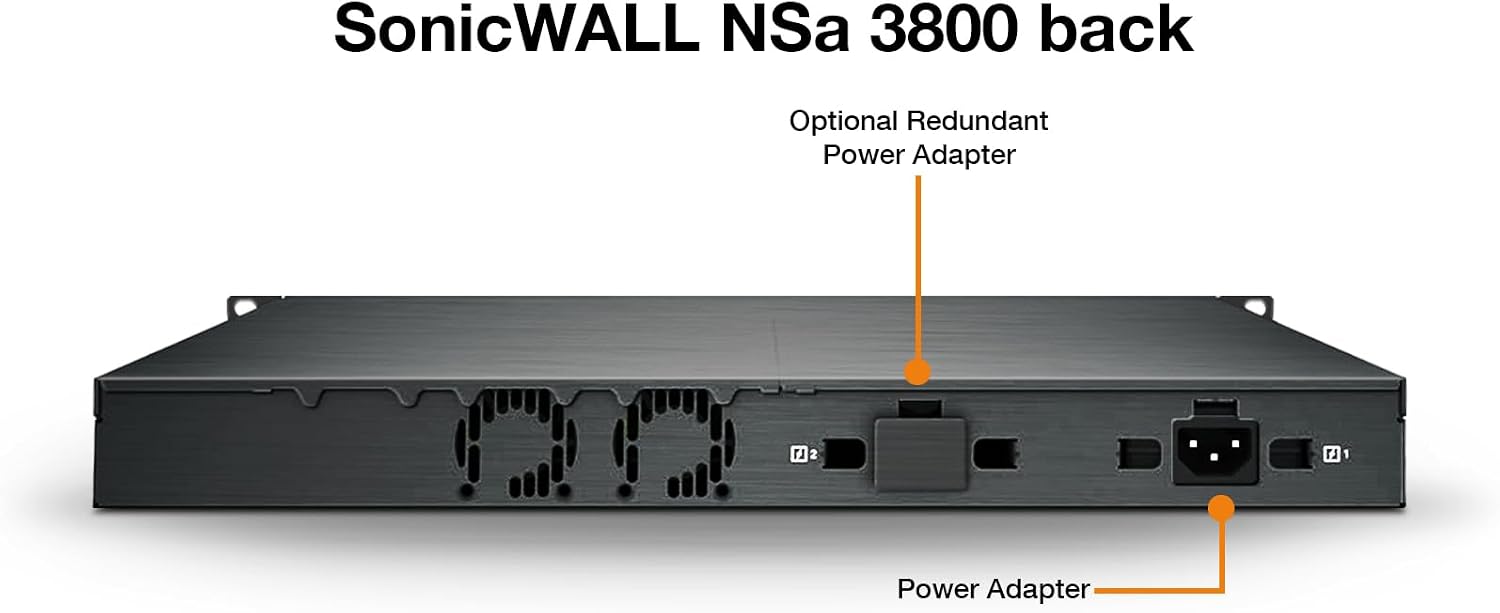
Figure 3: Rear panel of the SonicWall NSa3800, indicating the Power Adapter input and an Optional Redundant Power Adapter slot.
2.4 Montagem em Rack
The NSa3800 is designed for rack installation. Secure the appliance in a standard 19-inch rack using the provided rack-mount kit. Ensure adequate ventilation around the unit.

Figure 4: SonicWall NSa3800 appliance securely mounted in a server rack.
2.5 Inicialização e conectividade
- Connect the power cable to the appliance and a grounded power outlet.
- Pressione o botão liga/desliga no painel frontal.
- Connect the 1 GbE Management port to your network for initial configuration.
- For advanced configuration, connect a console cable to the Console port and use a terminal emulator.
- The NSa3800 supports zero-touch deployment, simplifying initial setup and configuration.
3. Operating the NSa3800
The SonicWall NSa3800 operates on SonicOS, providing a comprehensive suite of security and networking features. This section covers general operational aspects.
3.1 Funcionalidade principal
The NSa3800 functions as a Next-Generation Firewall, offering:
- Firewall Inspection: Stateful packet inspection and deep packet inspection for network traffic.
- Threat Prevention: Intrusion Prevention System (IPS), anti-malware, and Capture ATP sandboxing.
- Secure SD-WAN: Optimizes network performance and security for distributed environments.
- VPN: Supports IPSec VPN and SSL VPN for secure remote access and site-to-site connectivity.
- TLS 1.3 Inspection: Decrypts and inspects encrypted traffic for hidden threats.
3.2 Performance Metrics
The NSa3800 is engineered for high performance in demanding network environments.
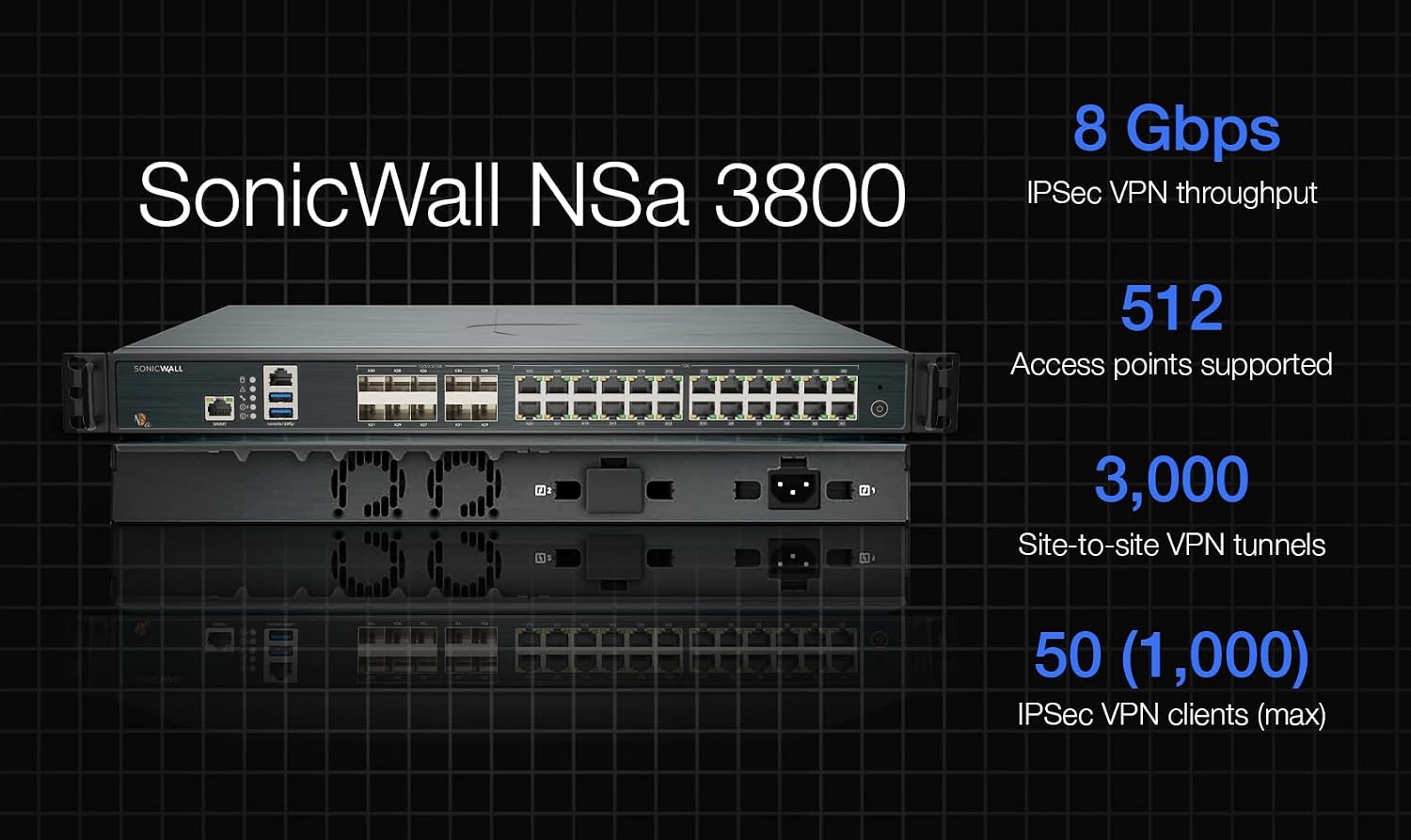
Figure 5: Performance metrics for the SonicWall NSa3800, including IPS Throughput, Anti-Malware Inspection Throughput, Threat Protection Throughput, Firewall Inspection Throughput, TLS/SSL inspection and encryption throughput, and IPSec VPN Throughput.
3.3 Deployment Scenarios
The NSa3800 can be deployed in various network architectures, including Internet Edge and Campus/Private Edge Network configurations.

Figure 6: Deployment options for the NSa Series, showing how the NGFW integrates into Internet Edge and Campus/Private Edge Network setups.
4. Manutenção
Regular maintenance ensures optimal performance and security of your NSa3800 appliance.
- Atualizações de firmware: Regularly check for and apply the latest SonicOS firmware updates to ensure you have the most current security features and bug fixes.
- Backups de configuração: Periodically back up your appliance configuration. This allows for quick recovery in case of unforeseen issues.
- Monitoramento do sistema: Monitor system logs and performance metrics through the SonicOS interface to identify and address potential issues proactively.
- Inspeção física: Ensure the appliance has adequate airflow and that all cables are securely connected. Keep the environment clean and free of dust.
5. Solução De Problemas
Esta seção fornece etapas básicas de solução de problemas comuns.
- Sem energia: Verify the power cable is securely connected to both the appliance and the power outlet. Check the power button status.
- Problemas de conectividade de rede: Ensure Ethernet cables are properly connected to the correct ports. Check network configurations in SonicOS. Verify upstream network devices (modems, switches) are functioning.
- Desempenho lento: Review system logs for high resource utilization. Check for active threats or misconfigured security policies that might be impacting performance.
- Acessando a interface de gerenciamento: Confirm your computer's IP address is in the same subnet as the management interface. Clear browser cache or try a different browser.
- Consulte a documentação: For detailed troubleshooting, refer to the comprehensive SonicWall NSa3800 administration guide available on the official SonicWall support portal.
6. Especificações
Detailed technical specifications for the SonicWall NSa3800 Next-Generation Firewall.
| Recurso | Especificação |
|---|---|
| Marca | Sonicwall |
| Nome do modelo | NSa3800 |
| Número do modelo | 03-SSC-1843 |
| Tecnologia de Conectividade | Ethernet |
| Sistema operacional | SonicOS |
| Número de portas | 32 |
| Taxa de transferência de dados | 20 Gigabit por segundo |
| Largura de banda da porta LAN | 10 Gbps |
| Padrão de comunicação sem fio | 802.11ac |
| Classe de Banda de Frequência | Banda dupla |
| Usos recomendados | Negócios |
| Recurso especial | Qualidade de Serviço |
| UPC | 758479318439 |
| GTIN | 758479318439 |
7. Garantia e Suporte
For warranty information, please refer to the official SonicWall warranty policy available on their website or contact your authorized SonicWall reseller. SonicWall provides comprehensive technical support for its products.
7.1 Suporte Técnico
If you encounter issues that cannot be resolved using this manual or the online documentation, please contact SonicWall Technical Support. Have your product serial number and a detailed description of the issue ready.
You can find support resources, including knowledge bases, forums, and contact information, on the official SonicWall support portal: www.sonicwall.com/support


