
1. Introdução
This manual provides essential information for the proper setup, operation, and maintenance of your Piegricdiat SF3000 Portable Handheld HD Gaming Set. Please read this manual thoroughly before using the device to ensure optimal performance and user safety. The SF3000 is a versatile handheld device designed for gaming, multimedia playback, and emergency charging.
2. Produto acabadoview
The SF3000 features a compact design with a 4.5-inch IPS HD display, dual-core processor, and a 3000 mAh battery. It supports multiple emulators for a wide range of retro games and offers additional functionalities such as an e-book reader, video player, and emergency power bank.
2.1 Componentes do dispositivo

Figura 1: Frente view of the SF3000 Handheld Gaming Set.
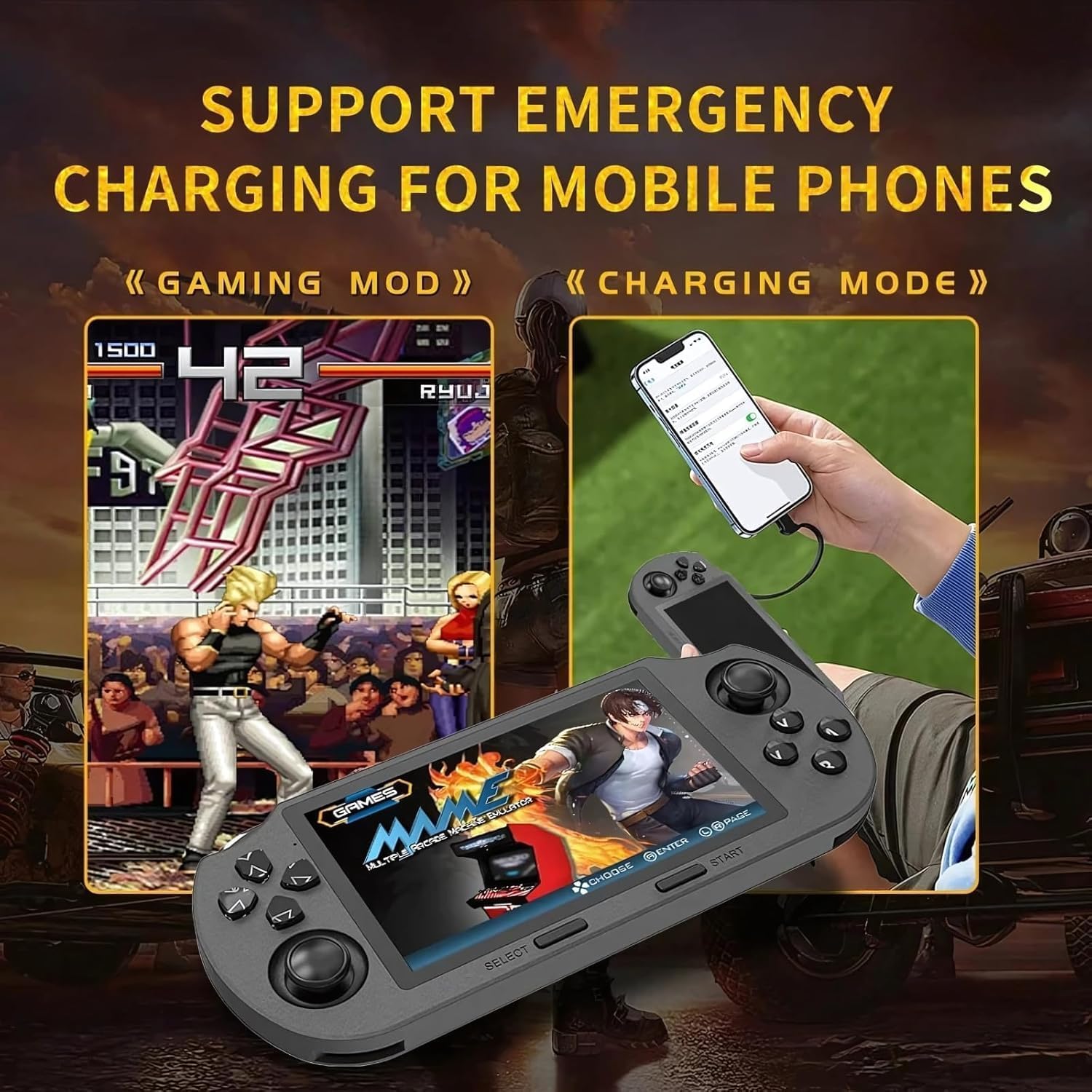
Figure 2: Labeled controls and ports on the SF3000.
- D-pad: Entrada direcional para navegação e jogo.
- Controles analógicos: Two analog sticks for precise movement in games.
- Function Buttons (A, B, X, Y): Primary action buttons for gameplay.
- Botão Selecionar: Used for menu selections and in-game functions.
- Botão Iniciar: Used to start games and pause.
- Bumper Buttons (L, R): Located on the top edge for additional controls.
- Botão de energia: Para ligar/desligar o dispositivo.
- Slot para cartão TF: For inserting the 64GB TF card containing games.
- Porta Type-C: Para carregamento e transferência de dados.
- Plug do fone de ouvido: 3.5mm port for audio output.
- Volume +/-: Buttons to adjust audio volume.

Figura 3: Voltar view of the SF3000, showing the integrated stand.
- Suporte integrado: Located on the back for hands-free viewindo.
- Botões L2/R2: Additional shoulder buttons on the back for extended control.
3. Configuração
3.1 Carregamento Inicial
Before first use, fully charge the SF3000. Connect the included USB Type-C cable to the device's Type-C port and the other end to a compatible USB power adapter (not included) or a computer's USB port. The charging indicator will show the charging status. A full charge typically takes 3-4 hours.
3.2 Ligar/Desligar
- Para ligar: Slide the 'ON' switch located on the top edge of the device. The screen will illuminate, displaying the welcome screen.
- Para desligar: Slide the 'OFF' switch. The device will shut down.
4. Instruções de operação
4.1 Navegando pelos menus
Use the D-Pad or the left analog stick to navigate through the main menu and game lists. Press the 'A' button (or 'Enter' as indicated on-screen) to select an option or launch a game. Use the 'B' button (or 'Return') to go back to the previous menu.
4.2 Jogando Jogos
The SF3000 supports various emulators including MAME, PS1, FC, SFC, and GBC. To play a game:
- From the main menu, select the desired emulator (e.g., 'PlayStation', 'Family Computer').
- Browse the list of available games using the D-Pad or analog stick.
- Select a game by pressing the 'A' button. The game will begin to load.
- Once loaded, use the D-Pad, analog sticks, and function buttons (A, B, X, Y, L, R, L2, R2) for gameplay. Refer to the specific game's controls for detailed instructions.
- To exit a game or access in-game menus (if available), press the 'Start' button.
4.3 Ajuste de volume
Adjust the game volume using the Volume +/- buttons located on the top edge of the device.
5. Recursos Multimídia
Beyond gaming, the SF3000 offers additional multimedia functionalities:

Figure 4: Icons representing multimedia features including video playback, digital photo album, and e-book reading.
- Leitor de e-books: Access and read e-books directly on the device.
- Reprodutor de vídeo: Play compatible video files.
- Digital Photo Album: View imagens armazenadas.
- Carregador de telefone de emergência: The device can function as an emergency power bank for mobile phones. Connect your mobile phone to the SF3000 using a compatible USB cable via the Type-C port.

Figure 5: The SF3000 being used to emergency charge a mobile phone.
6. Manutenção
- Limpeza: Use um pano macio e seco para limpar o dispositivo. Evite usar produtos de limpeza líquidos ou materiais abrasivos.
- Armazenar: Guarde o dispositivo em local fresco e seco, longe da luz solar direta e de temperaturas extremas.
- Cuidados com a bateria: Para prolongar a vida útil da bateria, evite descarregar completamente o dispositivo com frequência. Carregue o dispositivo regularmente, mesmo que não o utilize por longos períodos.
7. Solução De Problemas
- Dispositivo não liga: Ensure the device is fully charged. Check the power switch position.
- Games not loading: Verify that the TF card is properly inserted. Some games may require specific emulator settings (not user-adjustable in this manual).
- Problemas com a tela: If the screen is unresponsive or displays abnormalities, try restarting the device.
- Problemas de carregamento: Ensure the Type-C cable and power adapter are functioning correctly.
8. Especificações
| Recurso | Especificação |
|---|---|
| Tamanho da tela | 4.5 polegadas |
| Tipo de exibição | LCD HD IPS |
| CPU | Núcleo duplo de 1.2 GHz |
| Capacidade de armazenamento de memória | 64 GB (TF Card) |
| Capacidade da bateria | 3000 mAh |
| Tempo de trabalho | 5–7 horas |
| Fonte de energia | Alimentado por bateria |
| Interface | Tipo C |
| Material | Plástico |
| Dimensões do produto | 7.4 x 3.6 x 3.6 polegadas |
| Supported Emulators | MAME, PS1, FC, SFC, GBC (and more) |
9. Informações de segurança
As crianças devem usar este dispositivo sob supervisão de um adulto.
10. Vídeos oficiais do produto
SF3000 Portable Handheld HD Gaming Set Overview
Este vídeo oferece uma visão geral.view of the SF3000 Portable Handheld HD Gaming Set, demonstrating its features and functionality. It highlights the device's design, screen quality, and game selection interface.