
1. Introdução
This manual provides essential information for the safe and effective operation of your GEPRC Cinelog30 V3 O4 Air Unit Pro FPV Drone. Please read this manual thoroughly before operating the drone to ensure proper setup, flight, and maintenance procedures are followed.
The Cinelog30 V3 O4 Air Unit Pro is equipped with an O4 Pro Air Unit for ultra-sharp 4K/120fps footage, offering superior color accuracy and enhanced low-light performance. Its aluminum-reinforced frame, dust-proof port covers, and impact-resistant camera canopy provide robust protection. The TAKER F722 45A AIO flight system, optimized PID tuning, 1404 3850KV motors, and HQprop triple-blade propellers ensure smooth and responsive handling. An integrated PDB with anti-spark circuitry, modular receiver bays, and tool-free canopy swaps facilitate customization and maintenance. The advanced structural design isolates camera vibration for smooth 4K footage even during aggressive maneuvers.
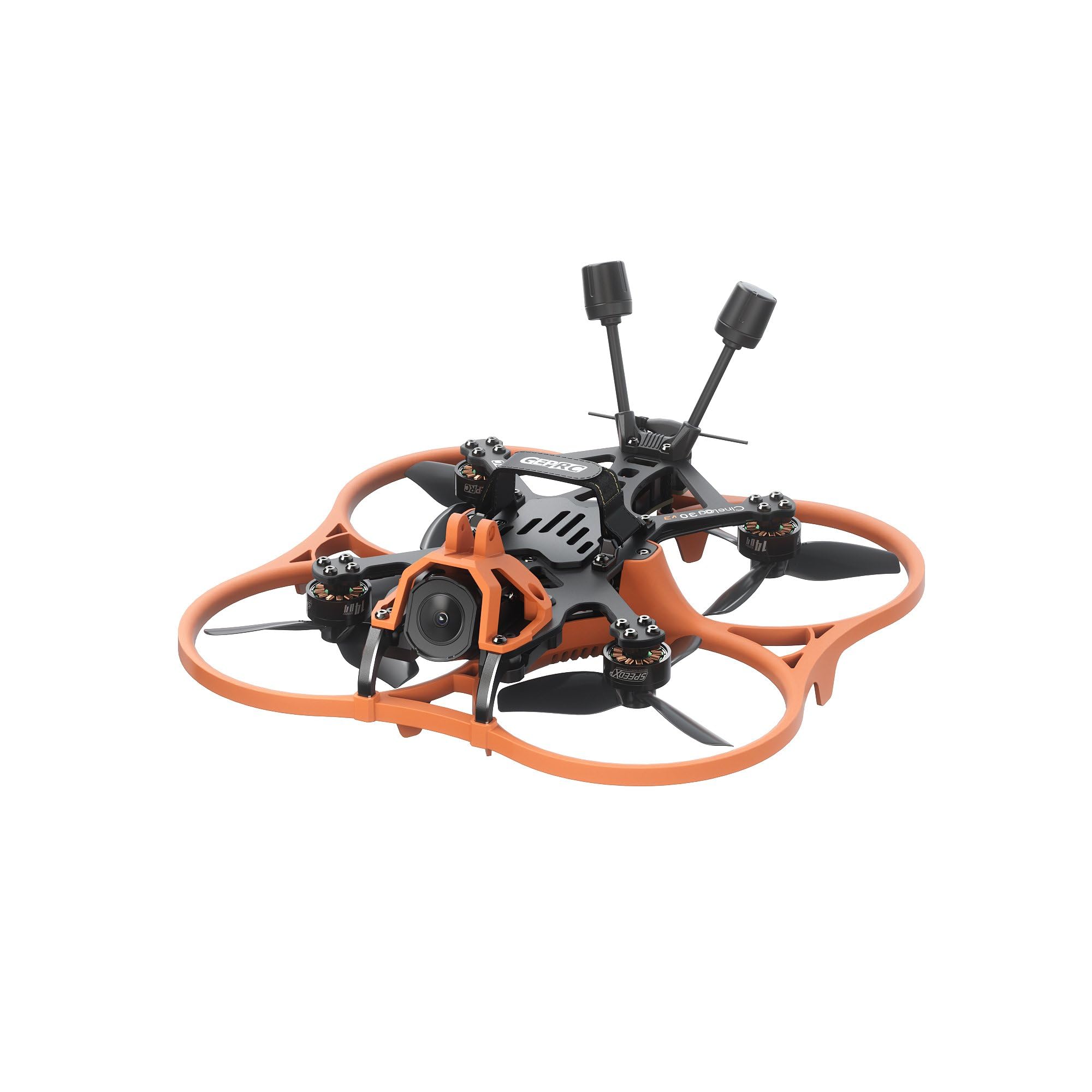
Figura 1.1: Visão de cima para baixo view of the GEPRC Cinelog30 V3 O4 Air Unit Pro FPV Drone.
2. Conteúdo da embalagem
Verifique se todos os itens listados abaixo estão presentes em sua embalagem:
- 1 x Cinelog30 V3 Quadcopter
- 1 x Protective Frame (transparent black)
- 2 x HQprop DT76mmx3 V2 (pair)
- 1 x 15*150mm Battery Strap
- 1 x Chave de fenda em forma de L de 1.5 mm
- 1 x Grey Canopy
- 1 x Black Canopy
- 1 x Spare Screw Pack (includes 1 x M2 rivet nut, 4 x M2*4.5 button-head hex socket screw, 4 x M2*6 button-head hex socket screw, 4 x M2*4 button-head hex socket screw, 1 x M2*12 button-head screw)
- 1 x Battery Anti-slip Pad
- 1 x Damping Ball Puncher
- 1 x Frequency Pairing Ejector pin
- 2 x Dampbola
3. Configuração
3.1 Instalação da Hélice
Carefully attach the HQprop DT76mmx3 V2 propellers to the motors. Ensure each propeller is oriented correctly according to the motor rotation direction. Incorrect installation can lead to unstable flight or damage.

Figura 3.1: Frente view of the drone with propellers installed.
3.2 Conexão da Bateria
Connect a compatible LiHV 4S 660mAh-720mAh battery to the XT30 connector. Secure the battery using the provided battery strap and anti-slip pad to prevent movement during flight. Always ensure the battery is fully charged before flight.
3.3 Receiver Binding (ELRS 2.4G)
For the ELRS 2.4G version, follow the standard ExpressLRS binding procedure for your specific radio transmitter. Typically, this involves powering on the drone three times consecutively, waiting for the LED to flash rapidly, then initiating the binding process on your transmitter. Refer to your ExpressLRS module manual for detailed instructions.
3.4 Verificações iniciais
Before the first flight, perform the following checks:
- Verify all screws are tightened.
- Certifique-se de que as hélices estejam firmemente fixadas e sem danos.
- Confirm the flight controller (FC) is properly configured and calibrated using Betaflight or a similar configurator.
- Check that the O4 Air Unit Pro is functioning and transmitting video feed.
- Perform a range check with your radio transmitter.
4. Instruções de operação
4.1 Lista de verificação pré-voo
- Verifique o volume da bateriatage on both drone and radio transmitter.
- Inspect propellers for any cracks or damage.
- Certifique-se de que a área de voo esteja livre de obstáculos e pessoas.
- Confirm GPS lock (if applicable and configured) and home point set.
- Verify video feed quality from the O4 Air Unit Pro.
4.2 Decolagem e Pouso
Arm the motors using the designated switch on your radio transmitter. Slowly increase throttle to lift off. Maintain a stable hover before proceeding with flight maneuvers. For landing, slowly decrease throttle while maintaining control, aiming for a soft touchdown. Disarm motors immediately after landing.

Figure 4.1: Rear-top view of the drone, showing antenna placement.
Modos de voo 4.3
The drone supports various flight modes configurable via Betaflight. Familiarize yourself with these modes and their functions before attempting advanced maneuvers. Start with stable modes for beginners and progress to acrobatic modes as your skills develop.
4.4 Recording with O4 Air Unit Pro
The O4 Air Unit Pro allows for high-quality video recording. Refer to the O4 Air Unit Pro manual for specific instructions on recording settings, storage, and file transfer. Ensure sufficient storage is available before flight.
5. Manutenção
5.1 Inspeção regular
After each flight, inspect the drone for any signs of damage, loose screws, or worn components. Pay close attention to the frame, propellers, motors, and wiring.

Figura 5.1: Lateral view of the drone, highlighting the camera and frame structure.
5.2 Limpeza
Keep the drone clean from dust, dirt, and debris. Use a soft brush or compressed air to clean motors and electronic components. Avoid using liquids directly on electronics.
5.3 Substituição da hélice
Replace any bent, cracked, or chipped propellers immediately. Damaged propellers can cause vibrations, reduce flight efficiency, and lead to unstable flight. Use only genuine HQprop DT76mmx3 V2 propellers or approved alternatives.
5.4 atualizações de firmware
Verifique periodicamente o site oficial do GEPRC. website for firmware updates for the flight controller and O4 Air Unit Pro. Keeping your firmware updated ensures optimal performance and access to new features.
6. Solução De Problemas
6.1 Unstable Flight / Loss of Control
- Verifique as hélices: Ensure all propellers are undamaged and correctly installed.
- Vinculativo: Re-verify that the drone is properly bound to your radio transmitter.
- Flight Controller Configuration: Incorrect PID tuning or sensor calibration can cause instability. Connect to Betaflight and check settings.
- Motor/ESC Issues: Inspect motors for damage or debris. Check ESCs for proper function.
6.2 No Video Feed from O4 Air Unit Pro
- Poder: Ensure the O4 Air Unit Pro is receiving power.
- Antena: Check that the O4 antenna is securely connected and undamaged.
- Emparelhamento: Confirm the O4 Air Unit Pro is correctly paired with your FPV goggles.
- cabos: Inspect all video transmission cables for secure connections.
6.3 Propeller Interference with Frame
In rare cases, propellers may come into contact with the frame or camera plate, especially after impacts or hard landings. Inspect the area between the propellers and the frame/camera for any signs of rubbing or obstruction. Ensure all damping balls and frame components are correctly seated and not deformed. If the issue persists, contact support.

Figura 6.1: Close view of the drone's front, showing the camera and propeller clearance.
7. Especificações
| Recurso | Especificação |
|---|---|
| Modelo | Cinelog30 V3 O4 Pro Quadcopter |
| Modelo de quadro | GEP-CL30 V3 Carbon Fiber Plate |
| Carbon Fiber Plate Thickness | 2.5 mm |
| Distância entre eixos | 128 mm |
| Sistema de voo | TAKER F722 45A 32Bit AIO |
| UCM | STM32F722RET6 |
| Giroscópio | ICM 42688-P |
| Firmware do FC | GEPRC_F722_AIO |
| Clarão | 16MB |
| ESC | 32Bit 45A |
| Motor | SPEEDX2 1404 3850KV |
| Hélice | HQprop DT76mmx3 V2 |
| Conector de bateria | XT30 |
| VTX | O4 AIR Unit Pro |
| Câmera | O4 |
| Antena | O4 original |
| Receptor | PNP (digital built-in VTS receiver) / ELRS2.4G / TBS NanoRX |
| Peso | 187±2g |
| Bateria recomendada | LiHV 4S 660mAh-720mAh |
| Tempo de voo | 8'10" (Tested at slow cruising speeds; actual times may vary) |
| Resolução de captura de vídeo | 4K |
| Tecnologia de Conectividade | USB |
| Peso do item | 190 gramas |
| Capacidade da bateria | 660 Miliamp Horas |
| Formato de captura de vídeo | MP4 |
| Tipo de controle | Controle remoto |
| Tecnologia de comunicação sem fio | ExpressLRS |
| Dimensões do item C x L x A | 7.99"C x 7.99"L x 3.54"A |
8. Informações de garantia
GEPRC products are covered by a manufacturer's warranty against defects in materials and workmanship. The specific terms and duration of the warranty may vary by region and product. For detailed warranty information, including coverage, limitations, and how to make a claim, please refer to the official GEPRC website or contact your local distributor. Keep your proof of purchase for warranty service.
9. Suporte
For technical assistance, troubleshooting, or general inquiries regarding your GEPRC Cinelog30 V3 O4 Air Unit Pro FPV Drone, please visit the official GEPRC support page on their website. You can often find FAQs, firmware downloads, and contact information for customer service. Online communities and forums dedicated to FPV drones can also be valuable resources for peer support and tips.

Figura 9.1: parte superior view of the drone, showing internal component layout.