
1. Produto acabadoview
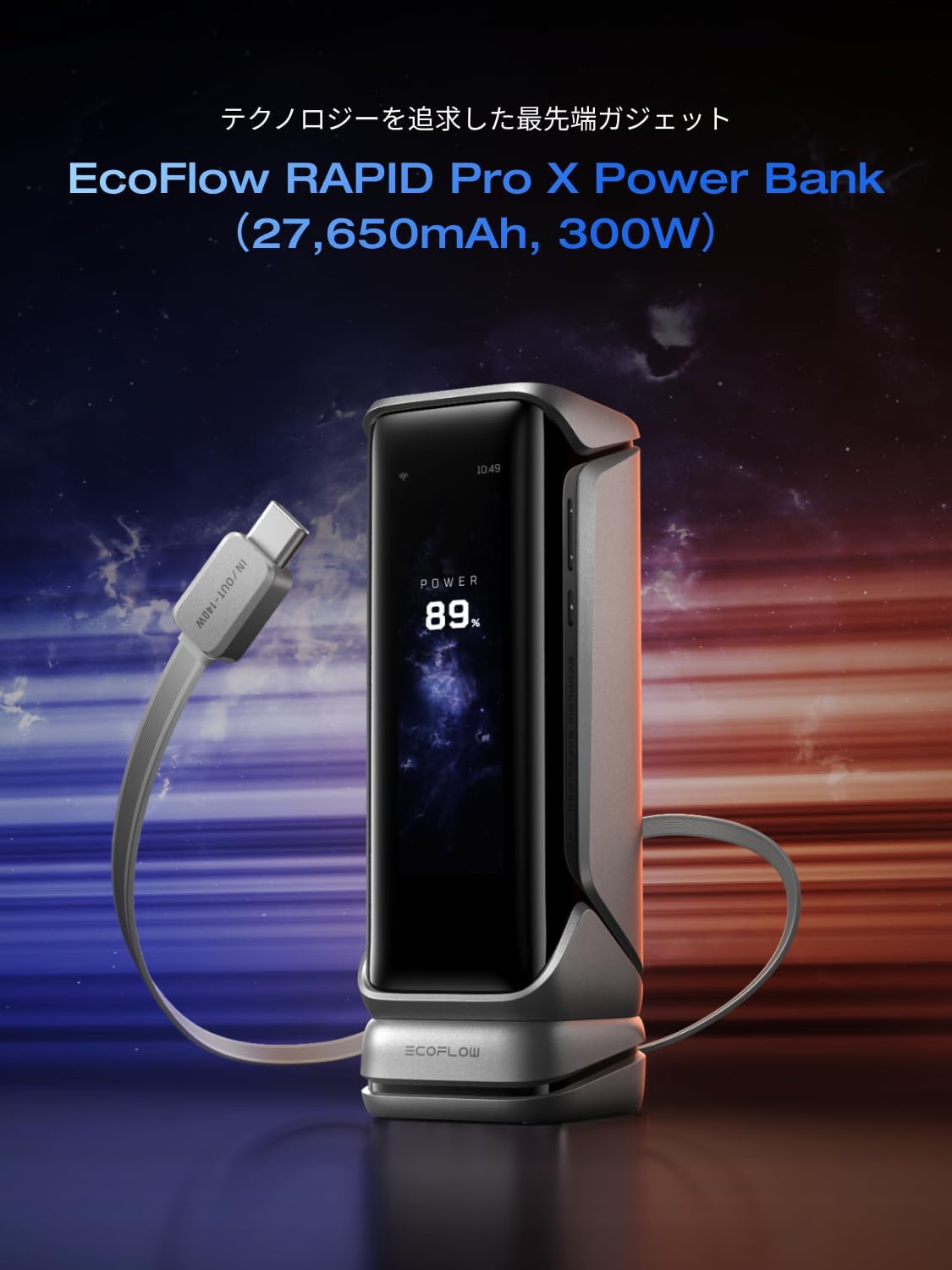
The EcoFlow RAPID Pro X is a high-capacity, fast-charging mobile battery designed to power multiple devices efficiently. Featuring a 27,650mAh capacity and up to 300W total output, it supports rapid charging for smartphones, tablets, and laptops. Its smart display and app control offer intuitive monitoring and customization, while advanced protection features ensure safe and reliable operation.
2. Principais características
2.1 Ultra-Fast Charging and High Capacity
The RAPID Pro X incorporates EcoFlow's proprietary fast-charging technology, enabling up to 320W self-charging. It utilizes seven 3950mAh high-power, high-rate cells to enhance charge and discharge rates. With a substantial 27,650mAh capacity, it can fully charge an iPhone 17 approximately 4 times, a MacBook Air 1.3 times, or a game console 1.4 times.
2.2 Multi-Device Charging with Smart Power Distribution
This device supports simultaneous charging for up to four devices with a combined high output of 300W. Each output circuit operates independently. For example, you can charge two MacBook Pros, one smartphone, and one iPad concurrently. The dedicated EcoFlow app allows real-time monitoring and optimization of charging status for each port, automatically distributing optimal power to connected devices. A single USB port can deliver up to 140W, and the Pogo Pin input supports up to 320W.

2.3 Smart Display and App Control
The EcoFlow RAPID Pro X features a 3.9-inch high-resolution LCD color display, providing a clear overview of charging mode, power consumption, and remaining battery life. The EcoFlow app allows for customizable display settings, including creating original standby screen designs, adjusting clock themes, using an hourglass function, and setting standby animations. This smart management system enables intuitive control and remote monitoring via your smartphone.

2.4 Advanced Protection and Durability
Equipped with the X-GUARD function, the internal temperature sensor performs 10 million temperature checks daily to prevent overheating, ensuring high safety during rapid charging. The smart Battery Management System (BMS) and Energy Management System (EMS) provide robust protection. EcoFlow's X-VELO battery technology enhances power density. The device is durable, capable of storage at temperatures as low as -20°C, making it suitable for both outdoor and daily use.

3. Guia de configuração
3.1 Desembalagem e Conteúdo da Embalagem
Carefully remove all components from the packaging. The standard package includes the EcoFlow RAPID Pro X Mobile Battery unit and a USB-C charging cable. Please check for any visible damage before use.
3.2 Carregamento Inicial
Before first use, it is recommended to fully charge the RAPID Pro X. Connect the provided USB-C cable to a compatible power adapter (not included) and the device. For the fastest charging experience, use the optional EcoFlow RAPID Pro 320W GaN fast charger (sold separately) via the Pogo Pin input, which can charge the device from 0% to 80% in approximately 20 minutes.

3.3 EcoFlow App Installation
To unlock the full potential of your RAPID Pro X, download the EcoFlow app from your device's app store (iOS or Android). Follow the in-app instructions to pair your mobile battery via Bluetooth or Wi-Fi. The app allows for advanced settings, monitoring, and firmware updates.
4. Instruções de operação
4.1 Carregamento de dispositivos externos
Connect your devices to the available USB-C ports on the RAPID Pro X using appropriate charging cables. The device will automatically detect the connected device and deliver optimal power. The LCD screen will display the charging status and power output for each port.
4.2 Using Functional Expansion Modules
The RAPID Pro X supports magnetic functional expansion modules (sold separately) to enhance its capabilities. These modules can snap onto the device, providing additional features such as an Apple Watch charger or an integrated USB-C cable. Simply attach the desired module to the designated magnetic port on the RAPID Pro X.

4.3 Monitoring with Display and App
The integrated 3.9-inch LCD provides real-time information on battery percentage, charging/discharging status, and individual port outputs. For more detailed insights and remote control, use the EcoFlow app. The app allows you to customize display themes, monitor power usage, and manage charging settings from your smartphone.

5. Manutenção
5.1 Limpeza
To clean the exterior of the RAPID Pro X, use a soft, dry cloth. Avoid using abrasive cleaners, solvents, or harsh chemicals, as these can damage the finish or internal components. Ensure all ports are free from dust and debris.
5.2 Armazenamento
When storing the device for extended periods, ensure it is charged to approximately 50-80% capacity. Store it in a cool, dry place, away from direct sunlight and extreme temperatures. The RAPID Pro X is designed to withstand storage temperatures as low as -20°C, but optimal performance is maintained within typical room temperatures.
6. Solução De Problemas
6.1 O dispositivo não está carregando
- Ensure the charging cable is securely connected to both the RAPID Pro X and the power source.
- Verify that the power adapter is functioning correctly and provides sufficient output.
- Check the charging port for any obstructions or damage.
6.2 External Device Not Charging
- Confirm that the RAPID Pro X has sufficient battery charge.
- Experimente uma porta USB-C ou um cabo diferente.
- Ensure the external device is compatible with the charging specifications of the RAPID Pro X.
6.3 O monitor não responde
- Press the power button briefly to wake the display.
- If the issue persists, try restarting the device by holding the power button until it turns off, then turn it back on.
6.4 Aviso de sobreaquecimento
- If an overheating warning appears, disconnect all devices and allow the RAPID Pro X to cool down in a well-ventilated area.
- Avoid charging or using the device in direct sunlight or enclosed spaces with poor airflow.
7. Especificações técnicas
| Recurso | Especificação |
|---|---|
| Marca | EF ECOFLUXO |
| Número do modelo | EF-HB-140-X |
| Capacidade da bateria | 27,650 mAh |
| Tipo de Bateria | Íon de lítio |
| Potência total de saída | 300 W |
| USB-C Port Output (Max) | 140 W |
| Pogo Pin Input (Max) | 320 W |
| Número de portas | 3 (USB-C) |
| Peso do produto | 0.7 kg (700 gramas) |
| Dimensões do produto (C x L x A) | 16.6 x 5.8 x 5.5 cm |
| Mostrar | LCD de 3.9 polegadas |
| Conectividade de aplicativos | Sim |
| País de origem | China |
8. Garantia e Suporte
8.1 Informações de garantia
The EcoFlow RAPID Pro X Mobile Battery comes with a Garantia de 2 ano a partir da data da compra. Esta garantia cobre defeitos de fabricação e mau funcionamento sob condições normais de uso. Guarde o comprovante de compra para solicitações de garantia.
8.2 Suporte ao cliente
For technical assistance, troubleshooting, or warranty inquiries, please contact EcoFlow customer support. You can find contact details on the official EcoFlow website or through the EcoFlow app. When contacting support, please have your product model number (EF-HB-140-X) and purchase information ready.
9. Vídeo do produto
This video demonstrates the EcoFlow RAPID Pro X Mobile Battery in various usage scenarios, showcasing its fast charging capabilities, smart display, and modular accessories. (Note: Video URL is a placeholder as a specific one was not provided in the product data.)


