
1. Introdução
This manual provides instructions for the proper use and care of your Zoop Digital Watch, Model 16051PP04. This watch features a digital display, chronograph, stopwatch, and alarm functions, designed for durability and everyday use.

Figura 1: Frente view of the Zoop Digital Watch 16051PP04.
Principais características:
- Tela digital: Visor de horas nítido e fácil de ler.
- Cronógrafo: Para cronometrar eventos.
- Cronômetro: Precise time measurement.
- Função de alarme: Configuração diária de alarme.
- Movimento de quartzo: Garante cronometragem precisa.
- Acrylic Glass: Durable and impact-resistant watch face.
- Resistência à água: Up to 50 meters (suitable for splashes, not swimming).
- Construção durável: ABS case and PU strap with military camouflage print.
2. Configuração inicial
Before using your watch, please familiarize yourself with the buttons and their basic functions.

Figura 2: Lateral view showing watch buttons.
Funções dos botões:
- LUZ (Canto superior esquerdo): Illuminates the display.
- MODE / ADJ (Bottom Left): Cycles through modes (Time, Alarm, Stopwatch) and enters adjustment mode.
- ST/STOP (Top Right): Starts/stops stopwatch or chronograph.
- RESET / SET/STOP (Bottom Right): Resets stopwatch/chronograph or confirms settings in adjustment mode.
Definir hora e data:
- Na tela de exibição de hora normal, pressione o MODE / ADJ button repeatedly until the time setting mode is activated (usually indicated by flashing digits).
- Use o ST/PARAR button to adjust the flashing digit (hours, minutes, year, month, day).
- Pressione o MODE / ADJ botão para avançar para o próximo item de configuração.
- Após concluir todas as configurações, pressione o RESET / SET/STOP botão para sair do modo de configuração.
3. Instruções de operação
Usando o cronômetro:
- Pressione o MODE / ADJ Pressione o botão até que o visor do cronômetro apareça (geralmente '00:00:00').
- Imprensa ST/PARAR para começar a cronometrar.
- Imprensa ST/PARAR novamente para parar a cronometragem.
- Imprensa RESET / SET/STOP para zerar o cronômetro.
Configurando o alarme:
- Pressione o MODE / ADJ Pressione o botão até que a tela de configuração do alarme apareça.
- Use o ST/PARAR button to adjust the flashing hour digit.
- Pressione o MODE / ADJ botão para alternar para a configuração de minutos.
- Use o ST/PARAR button to adjust the flashing minute digit.
- Imprensa RESET / SET/STOP to confirm the alarm time and activate/deactivate the alarm.
Usando a Luz:
Pressione o LUZ button (top left) to illuminate the display for a few seconds, allowing for visibility in low-light conditions.
4. Manutenção e Cuidados
Resistência à água:
Your watch is water resistant up to 50 meters. This means it is suitable for everyday use, splashes, rain, and brief immersion in water. Não é adequado para nadar, mergulhar ou tomar banho com água quente. Não pressione os botões enquanto o relógio estiver molhado ou submerso.
Limpeza:
Limpe a caixa e a pulseira do relógio com um pano macio e seco. Para sujeira mais persistente, use um pano levemente umedecido.amp cloth can be used, followed by drying thoroughly. Avoid using chemical cleaners or solvents, as these can damage the watch materials.
Substituição da bateria:
The watch is powered by a long-lasting quartz battery. When the display becomes dim or the watch stops functioning, the battery may need replacement. It is recommended to have the battery replaced by a qualified watch technician to ensure proper sealing and water resistance.
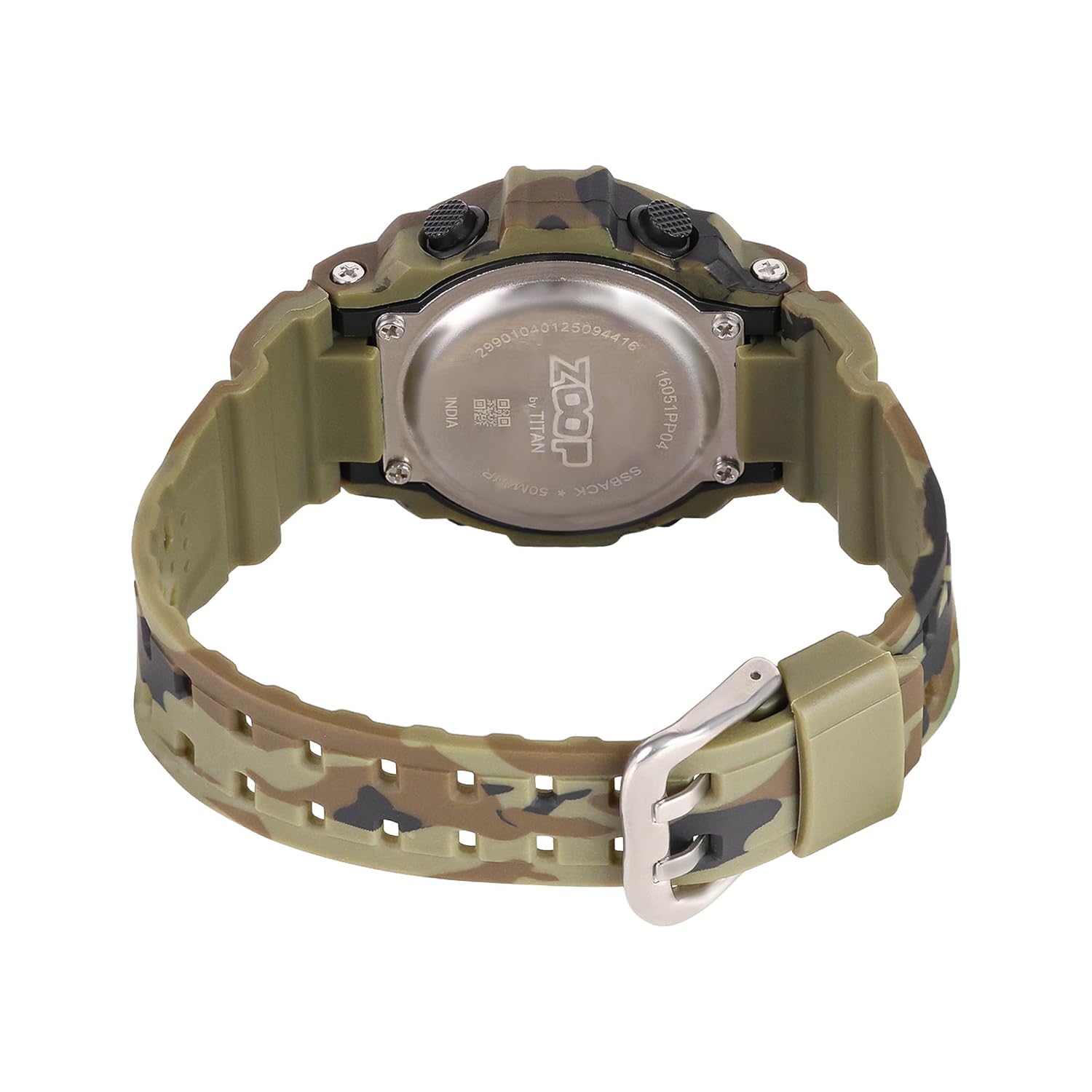
Figure 3: Watch case back, showing water resistance and model details.
5. Solução De Problemas
| Problema | Possível causa | Solução |
|---|---|---|
| A tela está em branco ou com brilho reduzido. | Bateria fraca. | Substitua a bateria. |
| O tempo é impreciso. | Configuração de hora incorreta ou bateria fraca. | Reset time; if problem persists, replace battery. |
| Os botões não respondem. | O relógio pode estar bloqueado ou apresentar uma falha interna. | Try pressing all buttons to reset. If unresponsive, consult service. |
| Água dentro do relógio. | Water resistance compromised (e.g., buttons pressed underwater, extreme temperature changes). | Immediately take to a service center. Do not attempt to dry it yourself. |
6. Especificações

Figure 4: Watch dimensions, showing case size.
- Número do modelo: 16051PP04
- Tipo de exibição: Digital
- Tipo de movimento: Quartzo
- Material da caixa: Plástico ABS
- Material da alça: PU (poliuretano)
- Material cristalino: Acrílico
- Diâmetro da caixa: 34 milímetros
- Espessura da caixa: 10.3 milímetros
- Largura de banda: 2.1 centímetros
- Profundidade de resistência à água: 50 metros
- Tipo de fecho: Fivela
- Peso do item: 150 gramas
- País de origem: Índia
7. Garantia e Suporte
Two Year Guarantee:
This Zoop Digital Watch comes with a two-year limited guarantee from the date of purchase, covering manufacturing defects. This warranty does not cover damage resulting from improper use, accidents, unauthorized repairs, or normal wear and tear.
Informações de contato do fabricante:
For warranty claims, service, or support, please contact:
Titan Company Limitada
#3, SIPCOT Industrial Complex
Hosur - 635126, Tamil Nadu, India