
1. Introdução
This manual provides detailed instructions for the proper use and maintenance of your KAPEYDESI Captain 400 Wireless Gaming Headset. Please read this manual thoroughly before using the product to ensure optimal performance and longevity.

Figure 1: KAPEYDESI Captain 400 Wireless Gaming Headset in Midnight Blue.
2. Conteúdo da embalagem
Verifique se todos os itens estão presentes na embalagem:
- 1x Captain 400 Wireless Gaming Headset
- 1x Detachable Noise-canceling Microphone
- 1x USB Transmitter (2.4GHz dongle)
- 1x Cabo de carregamento tipo C
- 1x cabo auxiliar de 3.5 mm
- 1x Manual do Usuário (este documento)
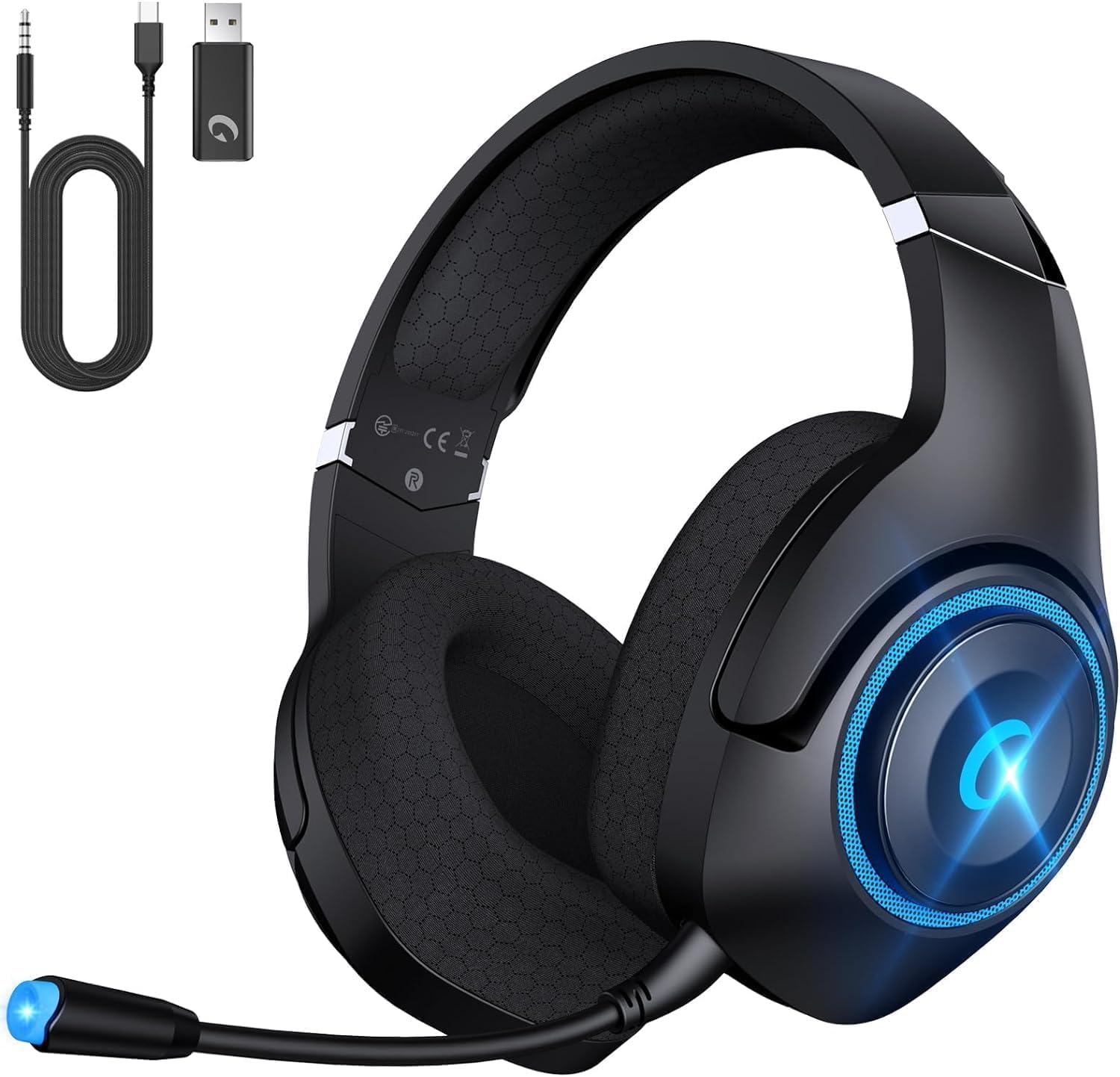
Figure 2: Headset with included USB transmitter, Type-C charging cable, and 3.5mm Aux cable.
3. Produto acabadoview
3.1 Recursos do fone de ouvido
- Drivers de áudio: 50mm PET dynamic drivers for precise sound reproduction.
- Microfone: Detachable, omni-directional, with Environmental Noise Canceling (ENC) technology.
- Conforto: Breathable mesh earmuffs, wide head beam protection, adaptive ear shell design, ultra-light construction.
- Conectividade: 2.4GHz Wireless, Bluetooth 5.2, 3.5mm Wired.
- Duração da bateria: Up to 40 hours (25 hours with LED lights active).
- Carregamento: USB Type-C, approximately 2.5 hours for a full charge. Supports use while charging.
3.2 Controles e Portas
The headset features intuitive controls for easy operation:
- Controle deslizante de volume: Ajusta o nível de saída de áudio.
- Botão de energia: Liga/desliga o fone de ouvido.
- Botão Mudo: Ativa/desativa o som do microfone.
- Interruptor de modo: Alterna entre os modos sem fio de 2.4 GHz e Bluetooth.
- Porta USB Tipo-C: Para carregar o fone de ouvido.
- Conector de áudio de 3.5 mm: Para conexão com fio.
- Porta do microfone: Para fixar o microfone removível.

Figure 3: Detachable microphone and control layout on the headset.
4. Configuração e conexão
4.1 2.4GHz Wireless Connection (PC, PS4, PS5, Nintendo Switch)
- Plug the USB Transmitter into an available USB port on your device (PC, PS4, PS5, or Nintendo Switch dock).
- Power on the Captain 400 headset by pressing and holding the Power button.
- Ensure the headset is in 2.4GHz mode (indicated by a specific LED color or voice prompt).
- The headset will automatically pair with the USB Transmitter. A successful connection will be indicated by a steady LED light on the headset.
Video 1: Instructions on connecting the CT400 Gaming Headphones with Nintendo Switch.
Video 2: Instructions on connecting the Captain 400 Gaming Headset with PC.
Video 3: Instructions on connecting the CT400 Gaming Headset with PS5.
4.2 Bluetooth 5.2 Connection (Phones, Tablets, Nintendo Switch)
- Power on the Captain 400 headset.
- Double-click the Mode Switch button to enter Bluetooth pairing mode. The LED indicator will flash, signifying it's ready to pair.
- On your mobile device or Nintendo Switch, go to Bluetooth settings and select "Captain 400" from the list of available devices.
- Once connected, the LED indicator on the headset will become steady.
4.3 Wired Connection (Devices with 3.5mm Jack, Xbox Series)
- Ensure the headset is powered off for wired mode.
- Connect one end of the 3.5mm Aux Cable to the 3.5mm audio jack on the headset.
- Connect the other end of the 3.5mm Aux Cable to your device's 3.5mm audio port.
- Note for Xbox: An adapter (not included) may be required to connect the 3.5mm cable directly to an Xbox controller.

Figure 4: Visual representation of the three available connection modes.
5. Instruções de operação
5.1 Ligar/Desligar
- Para ligar, pressione e mantenha pressionado o botão Liga/Desliga até que o indicador LED acenda.
- Para desligar, pressione e mantenha pressionado o botão Liga/Desliga até que o indicador LED se apague.
5.2 Controle de volume
- Use the Volume Slider on the headset to increase or decrease the audio volume.
5.3 Utilização do microfone
- Attach the detachable microphone to the microphone port on the headset.
- To mute the microphone, press the Mute button. Press again to unmute.
- Adjust the flexible microphone boom for optimal voice pickup.
- Observação: The microphone may not function with Nintendo Switch in certain modes. Contact customer support if microphone issues persist with PS5.
Vídeo 4: Acabouview of the Captain 400 Gaming Headset Wireless with Mic.
5.4 iluminação LED
- The headset features LED lighting. You can disable the lights at any time to conserve battery life. Refer to the specific button on your headset for LED control.
6. Carregamento
To charge the Captain 400 headset:
- Connect the Type-C Charging Cable to the USB Type-C port on the headset.
- Connect the other end of the charging cable to a compatible USB power source (e.g., PC, wall adapter).
- O indicador LED mostrará o status do carregamento. Uma carga completa leva aproximadamente 2.5 horas.
- The headset provides voice prompts when the battery level falls below 3%.
- O fone de ouvido pode ser usado enquanto carrega.

Figure 5: Battery life and charging information for the headset.
7. Manutenção e cuidados
- Limpe o fone de ouvido regularmente com um pano macio e seco.
- Evite expor os fones de ouvido a temperaturas extremas, umidade ou luz solar direta.
- Do not attempt to disassemble or repair the headset yourself. This may void the warranty.
- Guarde os fones de ouvido em local fresco e seco quando não estiverem em uso. O design dobrável permite um armazenamento compacto.
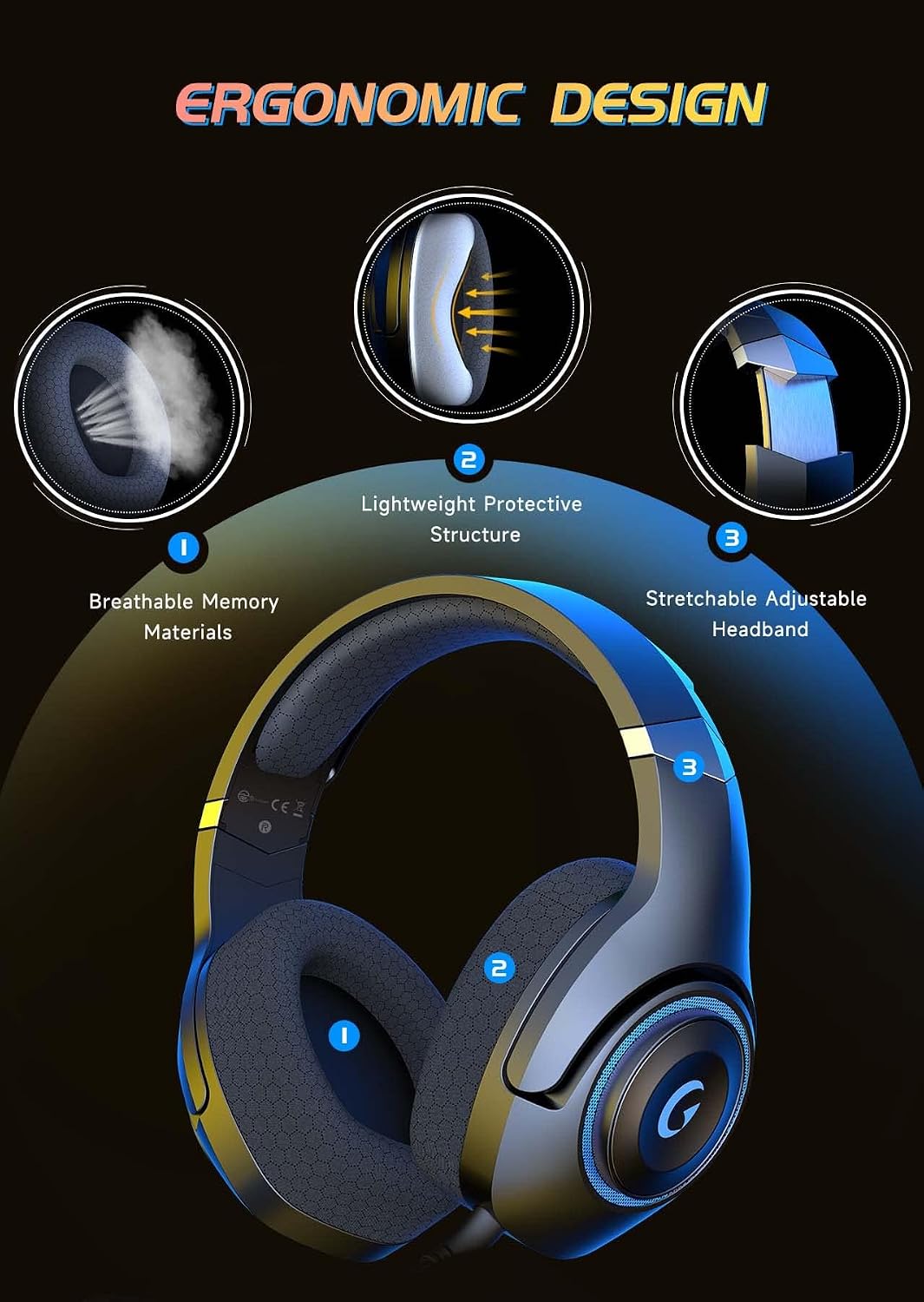
Figure 6: Ergonomic design features contributing to headset comfort and durability.
8. Solução De Problemas
| Problema | Solução possível |
|---|---|
| Nenhum som nos fones de ouvido | Check volume levels on both headset and device. Ensure correct connection mode (2.4GHz, Bluetooth, or wired). Verify headset is powered on and charged. |
| Microfone não funciona | Ensure microphone is securely attached and not muted. Check device's audio input settings. Note: Microphone may not work with Nintendo Switch in some modes. |
| Headset not pairing (2.4GHz) | Ensure USB Transmitter is correctly plugged in. Verify headset is in 2.4GHz mode. Try unplugging and re-plugging the transmitter. |
| Headset not pairing (Bluetooth) | Ensure headset is in Bluetooth pairing mode (flashing LED). Make sure Bluetooth is enabled on your device and select "Captain 400". |
| Bateria de curta duração | Ensure LED lights are off if not needed. Fully charge the headset before use. Battery life is up to 25 hours with LEDs on. |
9. Especificações
- Nome do modelo: Capitão 400
- Tecnologia de conectividade: Wired (3.5mm jack), Wireless (2.4GHz USB dongle, Bluetooth V5.2)
- Tipo de driver de áudio: Driver Dinâmico
- Tamanho do driver de áudio: 50 milímetros
- Controle de ruído: Sound Isolation (ENC Microphone)
- Duração da bateria: 40 Hours (without LED), 25 Hours (with LED)
- Tempo de carregamento: 2.5 horas
- Versão Bluetooth: 5.2
- Faixa Bluetooth: 49 pés
- Impedância: 20 Ohms
- Material: Acrylonitrile Butadiene Styrene (ABS), Mesh Earmuffs, Plastic
- Peso do item: 1.1 libras
10. Garantia e suporte
KAPEYDESI is committed to providing comprehensive assistance to all users. For any product-related inquiries or support, please contact our expert customer support team. We ensure responses within 12-24 hours.
For contact information, please refer to the packaging or the official KAPEYDESI website.