
boAt Airdopes Prime 412
boAt Airdopes Prime 412 TWS Earbuds User Manual
Model: Airdopes Prime 412
Introdução
This manual provides detailed instructions for the safe and efficient use of your boAt Airdopes Prime 412 True Wireless Stereo (TWS) Earbuds. Please read this manual thoroughly before using the product to ensure optimal performance and longevity.
O que está na caixa
- TWS Earbuds (Left and Right)
- Estojo de carregamento
- Additional Earmuffs (S, M, L sizes)
- Cabo de carregamento USB
- Manual do usuário
Produto acimaview
The boAt Airdopes Prime 412 are True Wireless Stereo earbuds designed for an immersive audio experience. They feature 11mm dynamic drivers, AI-ENx™ Technology for clear calls, multipoint connectivity, and a dedicated gaming mode.

Image: The boAt Airdopes Prime 412 earbuds in their charging case, showcasing the Midnight Black color.
Configurar
1. Carregando os fones de ouvido e o estojo
Before first use, fully charge the earbuds and the charging case. Connect the provided USB cable to the charging port on the case and a power source. The LED indicator on the case will show charging status.
- A full charge provides up to 50 hours of total playtime.
- ASAP Charge: 10 minutes of charging provides up to 240 minutes of playback.

Image: A visual representation of the earbuds' 50-hour playtime and ASAP Charge feature, showing a person enjoying music.
2. First-Time Pairing (Google Fast Pair)
- Certifique-se de que o Bluetooth do seu smartphone esteja ativado.
- Abra o estojo de carregamento com os fones de ouvido dentro.
- A pop-up notification for Google Fast Pair will appear on your Android device.
- Tap "Connect" to pair the earbuds.
- You can personalize the pairing name and locate misplaced buds through this feature.

Image: The Google Fast Pair Service logo, indicating quick and easy pairing for Android devices.
3. Emparelhamento manual
- Abra o estojo de carregamento. Os fones de ouvido entrarão automaticamente no modo de emparelhamento.
- On your device, go to Bluetooth settings and search for "Airdopes Prime 412".
- Select "Airdopes Prime 412" to connect.
4. Conectividade multiponto
The Airdopes Prime 412 supports connecting to two devices simultaneously. This allows seamless switching between audio sources, such as taking a call on your phone while listening to music on your laptop.

Image: Illustration of multipoint connectivity, showing the earbuds simultaneously connected to a smartphone (displaying a call) and a tablet (playing music).
5. boAt Hearables App Installation
For enhanced features and customization, download the boAt Hearables App. Scan the QR code or visit the provided link to download.

Image: A smartphone screen displaying the boAt Hearables App with a QR code for scanning and downloading the application. Link: https://l.ead.me/bdAX6k
Instruções de operação
1. Ligar/desligar
- Ligar: Open the charging case, or long-press the touch control on both earbuds for 3 seconds.
- Desligar: Place the earbuds back into the charging case and close the lid, or long-press the touch control on both earbuds for 5 seconds.
2. Controles de toque
The earbuds feature intuitive touch controls. Functions can be customized via the boAt Hearables App.
| Ação | Função |
|---|---|
| Um toque (fone de ouvido esquerdo/direito) | Reproduzir/Pausar música, atender/encerrar chamada |
| Toque duplo (fone de ouvido direito) | Próxima faixa |
| Toque duplo (fone de ouvido esquerdo) | Faixa anterior |
| Long Press 2 seconds (Left/Right Earbud) | Ativar Assistente de Voz |
| Toque triplo (fone de ouvido esquerdo/direito) | Toggle BEAST Mode (Gaming Mode) |
3. Calling Functions (AI-ENx™ Technology)
The Airdopes Prime 412 features 4 microphones with AI-ENx™ Technology for clear voice calls by reducing environmental noise.

Imagem: Uma explosão view diagram of an earbud highlighting the 4 microphones and AI-ENx™ Technology for enhanced call clarity.
4. Gaming Mode (BEAST Mode)
Activate BEAST Mode for a low-latency gaming experience (60ms). This reduces audio delay, providing a competitive edge in games.
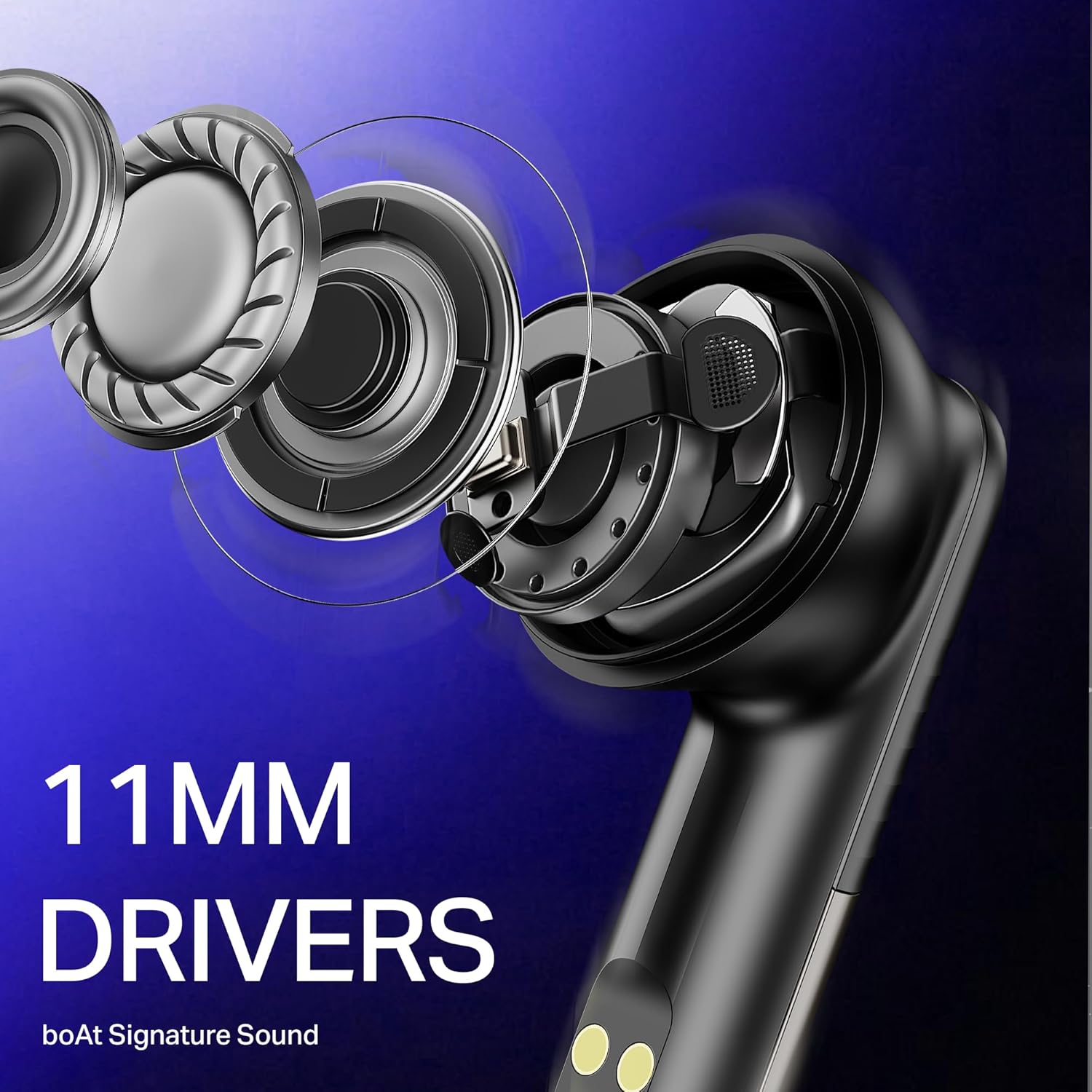
Image: The boAt Airdopes Prime 412 earbuds next to a smartphone displaying a first-person shooter game, emphasizing the low-latency BEAST Mode for gaming.
Manutenção
1. Limpeza
- Limpe regularmente os fones de ouvido e o estojo de carregamento com um pano macio, seco e sem fiapos.
- Retire as pontas auriculares e limpe-as com água e sabão neutro, secando-as completamente antes de recolocá-las.
- Não utilize produtos de limpeza abrasivos ou solventes.
2. Armazenamento
- Guarde os fones de ouvido no estojo de carregamento quando não estiverem em uso para protegê-los e mantê-los carregados.
- Evite armazenar em temperaturas extremas ou alta umidade.
3. Resistência à água (IPX5)
The Airdopes Prime 412 are IPX5 rated, meaning they are resistant to sweat and light splashes of water. They are not designed for submersion in water. Ensure earbuds are dry before placing them back in the charging case.
Solução de problemas
| Problema | Solução possível |
|---|---|
| Fones de ouvido não emparelham | Ensure earbuds are charged. Turn off and on Bluetooth on your device. Forget "Airdopes Prime 412" from your device's Bluetooth list and try pairing again. |
| Apenas um fone de ouvido funcionando | Place both earbuds back in the case, close the lid, wait a few seconds, then open again. Ensure both earbuds are charged. |
| Volume baixo ou má qualidade de som | Adjust volume on your device. Ensure ear tips are correctly sized and sealed in your ear. Clean any debris from the earbud nozzles. |
| O estojo de carregamento não carrega | Verifique o cabo USB e o adaptador de energia. Certifique-se de que a porta de carregamento esteja limpa e livre de detritos. |
| Connectivity issues (disconnections) | Ensure your device is within the 10-meter Bluetooth range. Avoid obstacles between the earbuds and your device. Update the boAt Hearables App and earbud firmware if available. |
Especificações
| Recurso | Detalhe |
|---|---|
| Nome do modelo | Airdopes Prime 412 |
| Número do modelo | PB0004 |
| Versão Bluetooth | v5.4 |
| Alcance Bluetooth | 10 metros |
| Tipo de driver de áudio | Driver Dinâmico |
| Tamanho do driver | 11 milímetros |
| Microfones | 4 Mics with AI-ENx Technology |
| Tempo total de jogo | Até 50 horas |
| Carga ASAP | 10 minutos de carga = 240 minutos de reprodução |
| Modo de jogo | BEAST Mode (60 ms low latency) |
| Resistência à água | IPX5 |
| Método de controle | Toque, Aplicativo |
| Dispositivos compatíveis | Smartphones, Laptops, Tablets, Smart TVs |
| Peso | 50 gramas |
| Material | Plástico |
Garantia
The boAt Airdopes Prime 412 comes with a Garantia de 1 ano A garantia é válida a partir da data da compra. Guarde o comprovante de compra para eventuais solicitações de garantia. A garantia cobre defeitos de fabricação, mas não cobre danos causados por uso indevido, acidentes ou modificações não autorizadas.
Apoiar
For further assistance, technical support, or warranty claims, please contact boAt customer service. You can find contact details on the official boAt website or through the boAt Hearables App.
Manufacturer: Imagine Marketing Limited
Unit no. 204 & 205, 2nd floor, D-wing & E-wing,Corporate Avenue, Andheri Ghatkopar Link Road,
Mumbai, Mumbai City, MH 400093 IN
Ask a question about this manual
Ask about setup, troubleshooting, compatibility, parts, safety, or missing instructions. Manuals+ will review the question and use this page’s manual context to help answer it.