
Introdução
This manual provides detailed instructions for the setup, operation, and maintenance of your SPYPOINT FORCE-PRO 30 Megapixel 4K Trail Camera. Designed for outdoor monitoring, this camera captures high-resolution photos and videos, making it ideal for wildlife observation and security. Please read this manual thoroughly to ensure proper use and optimal performance of your device.
Conteúdo da embalagem
Verify that all items listed below are present in your package. If any items are missing or damaged, please contact SPYPOINT customer support.
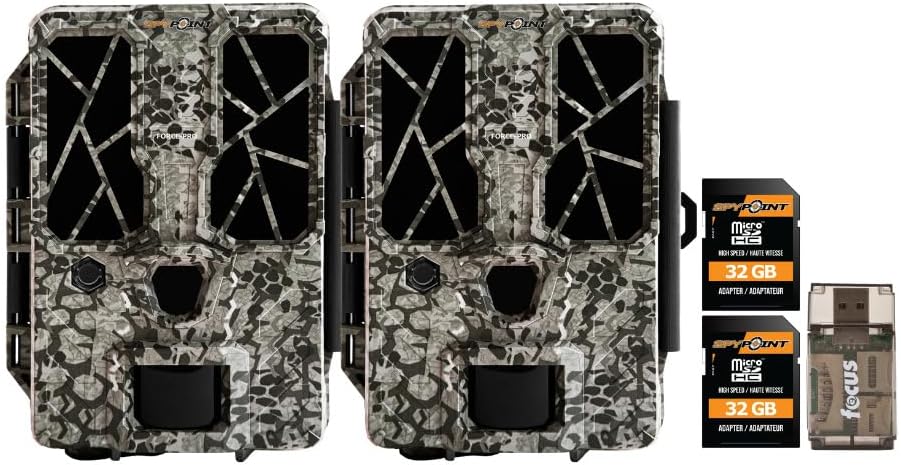
- 2 x SPYPOINT FORCE-PRO 30 Megapixel Trail Camera
- 2 x SPYPOINT MicroSD 32GB Ultra High Speed Class 10 Memory Card
- 1 x Focus All-In-One High Speed Card Reader

Produto acimaview
The SPYPOINT FORCE-PRO is a robust trail camera designed for reliable performance in outdoor environments. It features advanced imaging capabilities and user-friendly controls.
Principais características
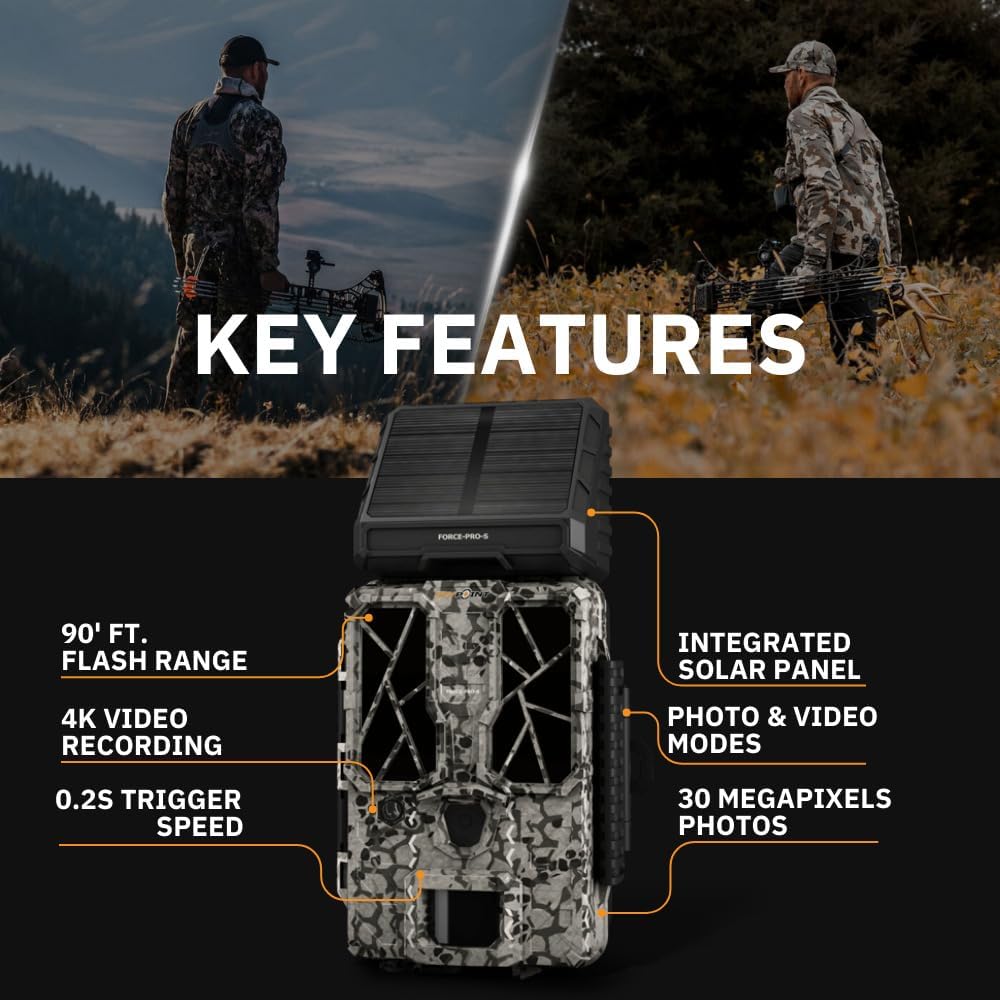
- Alta resolução: 30 Megapixel photos and 4K video recording with sound.
- Velocidade de disparo rápida: Ultra-fast 0.2-second trigger speed to capture quick movements.
- Ampla faixa de detecção: 110-foot detection range.
- Powerful Flash: 90-foot flash range with 54 LEDs for clear night images.
- Painel Solar Integrado: For extended battery life and reduced maintenance.
- Dual-SIM Cellular: Automatically connects to the best available network for reliable transmission (if cellular model).



Configurar
1. Power Source Installation
The FORCE-PRO camera is equipped with an integrated solar panel for charging its internal battery. For initial setup or extended use without sufficient sunlight, an external power source can be used.
- Bateria interna: Ensure the camera's internal battery is charged. The integrated solar panel will charge it during daylight hours.
- Alimentação externa (opcional): If using an external 12V power source (not included), connect it to the camera's 12V jack.
2. Inserção do cartão microSD
A MicroSD card is required to store photos and videos. Two 32GB MicroSD cards are included in this bundle.
- Localize o slot para cartão MicroSD na câmera.
- Insira o cartão MicroSD com os contatos dourados voltados para a parte traseira da câmera até ouvir um clique.
- Para remover, pressione o cartão suavemente até que ele se solte.
3. Inicialização e Configuração Básica
- Turn the camera ON using the power switch.
- Follow the on-screen prompts (if available) or refer to the camera's menu for initial settings such as date, time, and language.
- Format the MicroSD card through the camera's menu for optimal performance.
4. Montando a Câmera
The camera can be mounted using a strap, tripod, or other compatible mounting accessories. While specifications mention 'Tabletop Mount', for outdoor use, secure mounting is crucial.
- Escolha um local que ofereça uma visão clara. view da área de monitoramento desejada.
- Ensure the camera is securely fastened to prevent movement from wind or animals.
- Position the camera to avoid direct sunlight into the lens, which can cause overexposure.
Instruções de operação
Modos de câmera
- Modo de foto: Captures still images when triggered.
- Modo de vídeo: Records video clips when triggered.
- Modo Foto + Vídeo: Captures a photo followed by a video clip.
Ajustando as configurações
Access the camera's menu using the built-in screen and navigation buttons to customize settings:
- Resolução: Select desired photo (up to 30MP) and video (up to 4K) resolution. Higher resolutions consume more storage.
- Atraso do gatilho: Defina o intervalo de tempo entre acionamentos consecutivos.
- Sensibilidade: Adjust the motion sensor sensitivity to suit the environment and avoid false triggers.
- Horário de funcionamento: Define specific times the camera should be active.
- Data/Hora Stamp: Enable or disable the date and time overlay on images/videos.
Recuperação de dados
- Cartão MicroSD: Remove the MicroSD card from the camera and insert it into the included Focus All-In-One High Speed Card Reader. Connect the card reader to a computer to access files.
- Aplicativo SPYPOINT: For cellular models, use the SPYPOINT mobile application to view and manage captured media remotely. The app also allows for camera settings adjustments and firmware updates.
Manutenção
- Limpeza: Regularly clean the camera lens and housing with a soft, dry cloth. Avoid abrasive materials or harsh chemicals.
- Verificação da bateria: Monitor battery levels, especially during periods of low sunlight. The integrated solar panel helps maintain charge, but supplemental charging may be needed.
- Atualizações de firmware: Periodically check for and install firmware updates via the SPYPOINT app or website para garantir desempenho ideal e acesso a novos recursos.
- Armazenar: When not in use, store the camera in a cool, dry place away from direct sunlight.
Solução de problemas
- Camera Not Triggering: Check motion sensor sensitivity, ensure no obstructions, and verify battery level.
- Qualidade de imagem/vídeo ruim: Clean the lens, check resolution settings, and ensure proper lighting conditions.
- Problemas de energia: Ensure the internal battery is charged or an external power source is properly connected. Check for any damage to power cables.
- Erros do cartão MicroSD: Reformat the MicroSD card (backing up data first) or try a different card. Ensure the card is properly inserted.
- Connectivity Problems (Cellular Models): Verify cellular signal strength in the camera's location. Check your SPYPOINT app for data plan status.
Especificações
| Recurso | Especificação |
|---|---|
| Modelo | FORÇA-PRO |
| Resolução da foto | 30 megapixels |
| Resolução de vídeo | 4K |
| Velocidade do Gatilho | 0.2 segundos |
| Faixa de detecção | 110 pés |
| Alcance do Flash | 90 pés |
| LEDs | 54 |
| Fonte de energia | Integrated Solar Panel, Corded Electric (external 12V option) |
| Conectividade | USB, Wired (for data transfer), Cellular (for remote management) |
| Material | Plástico |
| Resistência à água | Resistente à água |
| Tipo de foco | Foco automático |
| UPC | 196271434986 |
Garantia e Suporte
For warranty information, technical support, or service inquiries, please refer to the official SPYPOINT webou entre em contato diretamente com o departamento de atendimento ao cliente. Guarde seu comprovante de compra para eventuais solicitações de garantia.
PONTO ESPIÃO Website: www.spypoint.com