
Introdução
Obrigado pela compra.asing the Hisense 43A69Q 4K UHD Smart VIDAA TV. This manual provides essential information for setting up, operating, and maintaining your television. Please read it thoroughly before using the product to ensure safe and correct operation. Keep this manual for future reference.
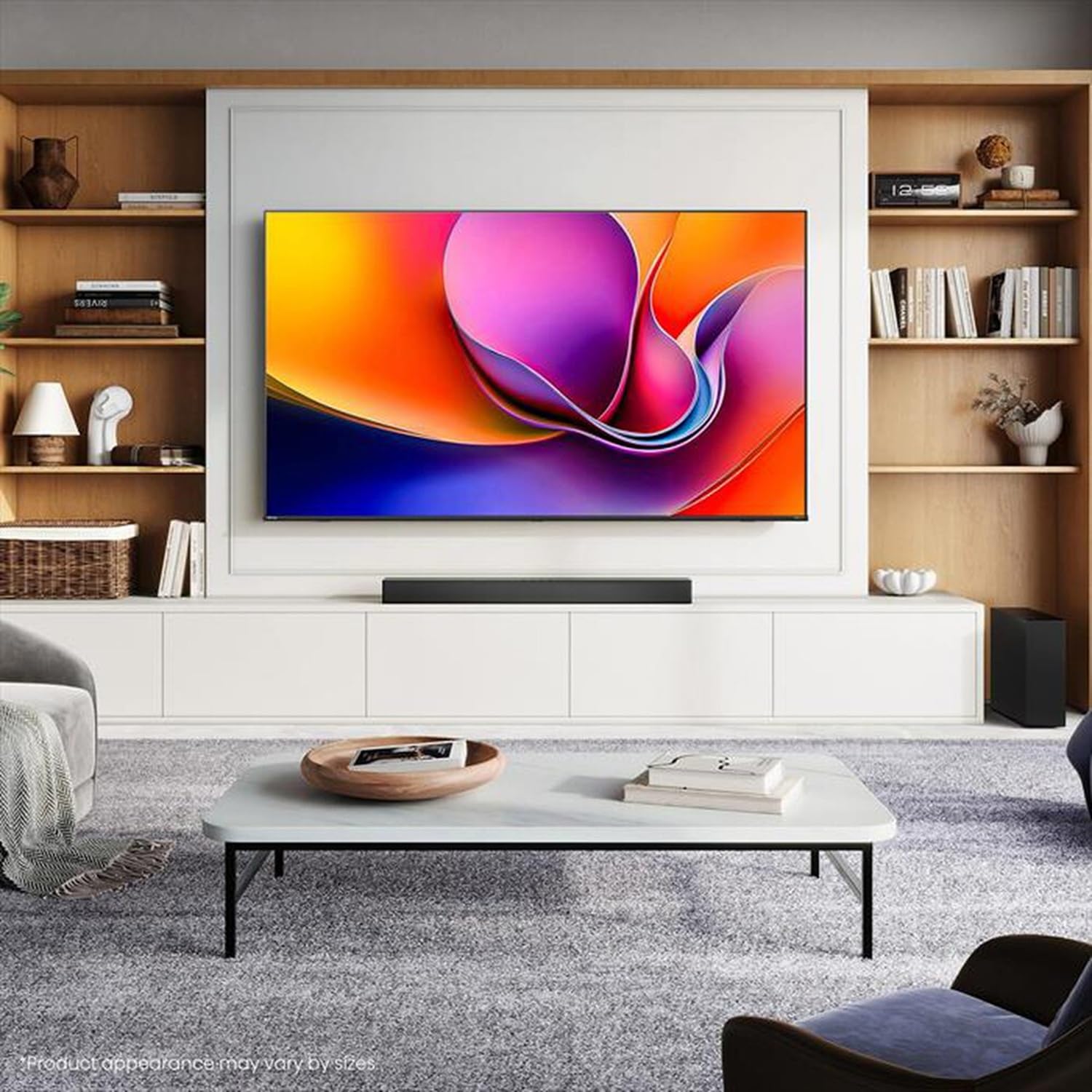
Image: Hisense 43A69Q 4K UHD Smart VIDAA TV. This image shows the television from the front, highlighting its slim bezel design and display.
Informações de segurança
Siga sempre estas precauções básicas de segurança ao usar sua televisão:
- Não exponha a TV à chuva ou umidade.
- Não abra o gabinete da TV. Encaminhe todos os serviços de manutenção a pessoal qualificado.
- Garanta uma ventilação adequada ao redor da TV. Não obstrua as aberturas de ventilação.
- Proteja o cabo de alimentação para que não seja pisado ou comprimido.
- Desligue a TV da tomada durante tempestades com raios ou quando não for utilizá-la por longos períodos.
- Keep the TV away from heat sources like radiators, heat registers, stoves, or other heat-producing appliances.
O que está na caixa
Verifique se todos os componentes estão presentes:
- Hisense 43A69Q 4K UHD Smart VIDAA TV
- Controle remoto com pilhas
- Cabo de alimentação
- TV Stand Components (2 legs)
- Parafusos para instalação do suporte
- Guia de instalação rápida
- Manual do usuário (este documento)
Configurar
1. Desembalagem
Carefully remove the TV from its packaging. It is recommended that two people handle the TV to prevent damage or injury. Retain the packaging materials for future transport or servicing.
2. Instalação do suporte
If you are not wall-mounting the TV, attach the stand:
- Coloque a TV com a tela virada para baixo sobre uma superfície macia e limpa para evitar danos à tela.
- Alinhe cada pé do suporte com os encaixes correspondentes na parte inferior da TV.
- Fixe cada pé com os parafusos fornecidos. Certifique-se de que estejam bem apertados.
- Com cuidado, levante a TV e coloque-a na posição vertical sobre uma superfície estável e nivelada.
3. Montagem na parede (opcional)
The Hisense 43A69Q is compatible with VESA standard wall mounts (200x300 mm). Wall mount kits are sold separately. Follow the instructions provided with your wall mount kit and ensure professional installation if you are unsure.
4. Conectando dispositivos externos
Connect your devices to the TV's ports:
- HDMI: Connect Blu-ray players, game consoles, or set-top boxes to the HDMI ports (HDMI1, HDMI2, HDMI3). This model features HDMI 2.1 with ALLM and VRR (60Hz) support on all ports, and eARC on HDMI3.
- USB: Plug in USB drives for media playback (2 USB 2.0 ports).
- Antena/Cabo: Connect your antenna or cable TV signal to the RF tuner input.
- Ethernet: Para uma conexão de internet com fio estável, conecte um cabo Ethernet à porta RJ45.
- Saída de áudio: Use the S/PDIF optical output for digital audio to a soundbar or receiver, or the headphone jack for private listening.
5. Power On & First-Time Setup
After connecting all devices:
- Ligue o cabo de alimentação à TV e, em seguida, a uma tomada de parede.
- Pressione o botão Liga/Desliga no controle remoto ou na própria TV.
- Siga as instruções na tela para a configuração inicial, incluindo a seleção do idioma, a conexão de rede (Wi-Fi ou Ethernet) e a busca de canais.
- Log in to your VIDAA account or create a new one to access smart features.
Operando a TV
1. Controle remotoview
Familiarize yourself with the remote control buttons for basic functions like power, volume, channel, input selection, and smart app shortcuts.
2. Navigating VIDAA Smart OS
The VIDAA Smart OS provides a user-friendly interface. Use the directional buttons and OK button on your remote to navigate menus, launch applications, and adjust settings.
3. Usando recursos inteligentes
Access pre-installed applications like Netflix, YouTube, and Amazon Prime Video directly from the home screen. Additional apps can be downloaded from the VIDAA App Store.
4. Picture & Sound Settings
Adjust picture modes (Standard, Dynamic, Cinema, Game) and sound modes (Standard, Music, Speech) to optimize your viewing experience. Advanced settings allow fine-tuning of brightness, contrast, color, and audio equalizer.
This TV supports Dolby Vision and HDR10 for enhanced picture quality, and DTS Virtual X for immersive audio.
5. Recursos de conectividade
- Wi-Fi e Bluetooth: Connect wirelessly to your home network and Bluetooth devices like headphones or speakers.
- Compartilhamento de tela: Use built-in screen sharing features (e.g., AirPlay 2 support) to mirror content from compatible mobile devices.
- Modo de Jogo PLUS: For gaming, enable Game Mode PLUS to reduce input lag (≤ 20 ms) and utilize VRR (Variable Refresh Rate) for smoother gameplay.
Manutenção
1. Limpando a TV
Para limpar a tela, limpe-a suavemente com um pano macio e sem fiapos. Para manchas persistentes, esfregue levementeampen the cloth with water or a specialized screen cleaner. Never spray cleaner directly onto the screen. Clean the TV cabinet with a soft, dry cloth.
2. Atualizações de software
Your TV may receive software updates to improve performance and add new features. Ensure your TV is connected to the internet. You can usually check for updates in the TV's settings menu under 'System' or 'About TV'.
Solução de problemas
Se você encontrar problemas, tente estas soluções comuns:
- Sem energia: Verifique se o cabo de alimentação está firmemente conectado tanto à TV quanto à tomada. Tente usar outra tomada.
- Sem imagem/som: Ensure the correct input source is selected. Check all cable connections. Restart connected devices.
- Controle remoto não funciona: Substitua as pilhas. Certifique-se de que não haja obstruções entre o controle remoto e o sensor infravermelho da TV.
- Problemas de conexão de rede: Restart your router and modem. Reconnect the TV to your Wi-Fi network or check the Ethernet cable.
- Qualidade de imagem ruim: Check antenna/cable connections. Adjust picture settings. Ensure the source content is high quality.
For persistent problems, consult the Hisense support website ou entre em contato com o atendimento ao cliente.
Especificações
| Recurso | Especificação |
|---|---|
| Marca | Hisense |
| Nome do modelo | 43A69Q |
| Tamanho da tela | 43 polegadas (108 cm) |
| Resolução | 4K Ultra HD 3840x2160 |
| Taxa de atualização | 60 Hz |
| Sistema operacional | VIDAA sistema operacional inteligente |
| Tecnologia HDR | HDR, HDR10, HDR10+ decoding, Dolby Vision, HLG |
| Tecnologia de Áudio | DTS Virtual X (2x7W speakers) |
| Portas HDMI | 3 (HDMI 2.1 with ALLM, VRR (60Hz); HDMI3 also with eARC) |
| Portas USB | 2 (USB 2.0) |
| Conectividade | Wi-Fi (IEEE 802.11 a/b/g/n/ac-2.4G,5G), Bluetooth, Ethernet |
| Compatibilidade VESA | 200x300 milímetros |
| Classe de eficiência energética (SDR/HDR) | E / G |
| Dimensões (com suporte) | 963 mm (L) x 608 mm (A) x 222 mm (P) |
| Peso líquido (com suporte) | 6.9 kg |
Garantia e Suporte
Hisense products are covered by a manufacturer's warranty. Please refer to the warranty card included with your product or visit the official Hisense webConsulte o site para obter os termos e condições detalhados da garantia específicos para a sua região.
For technical support, troubleshooting assistance, or service requests, please contact Hisense customer support through their official website ou as informações de contato fornecidas na documentação do produto.