
1. Introdução
This instruction manual provides detailed guidance for the Newmight 7-in-1 USB-C Docking Station, a versatile multiport adapter designed to expand connectivity for compatible USB-C devices. It offers dual HDMI outputs, multiple USB data ports, and power delivery capabilities to enhance your workstation setup.
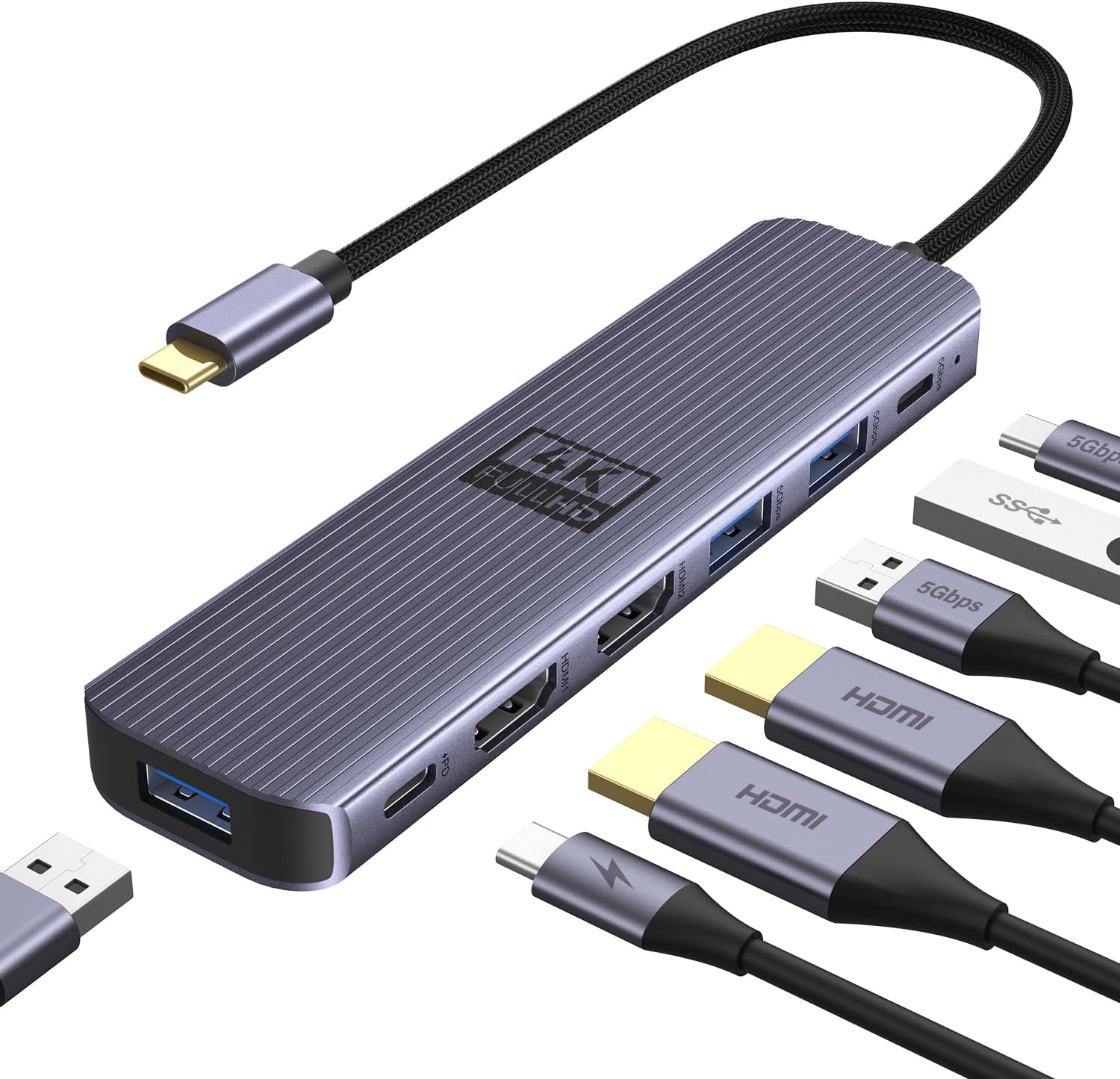
Figura 1: Overview of the Newmight 7-in-1 USB-C Docking Station and its connected cables.
2. Principais características
- Conectividade 7 em 1: Integrates dual HDMI 4K@60Hz, three USB-A 3.0 ports (5Gbps), one 100W Power Delivery (PD) charging port, and one USB-C 3.0 data port (5Gbps). All ports can be used simultaneously.
- Tela dupla 4K a 60Hz: Supports extending or duplicating your display across two 4K@60Hz monitors for Windows systems. For macOS, it supports dual 4K@60Hz in mirror/extend (SST mode).
- Transferência de dados em alta velocidade: Three USB 3.0 ports offer 5Gbps transfer speeds for quick data exchange with external devices like mice, keyboards, and storage.
- Fornecimento de energia de 100 W: Supports up to 100W fast charging for compatible laptops and tablets, ensuring continuous power supply.
- Compatibilidade ampla: Works with most Type-C laptops featuring Thunderbolt 3/4 or USB-C with DisplayPort Alternate Mode (DP Alt Mode), including MacBook Pro/Air (2016+), Dell XPS, HP Spectre, ThinkPad, Surface Book 2, and Google Chromebook Pixel.
- Design durável e portátil: Constructed from anodized aluminum alloy for resistance to fingerprints, scratches, and wear, with efficient heat dissipation. Its compact size facilitates easy portability.

Figura 2: Detalhado view of the docking station's ports and their functions.
3. Configuração e conexão
- Verify Laptop Compatibility: Ensure your laptop's USB-C port supports video output (DisplayPort Alternate Mode or Thunderbolt 3/4). Some USB-C ports only support data transfer and are not compatible with this docking station for video output.
- Conectar ao laptop: Plug the USB-C connector of the docking station into a compatible USB-C port on your laptop. The device is Plug and Play, requiring no driver installation.
- Conectar monitores externos: Use HDMI cables to connect your monitors to the two HDMI ports on the docking station.
- Conecte dispositivos USB: Plug your USB-A 3.0 devices (e.g., mouse, keyboard, USB drives) into the available USB-A ports. Connect USB-C data devices to the USB-C data port.
- Fornecimento de energia (opcional): For laptop charging, connect your laptop's original USB-C power adapter to the 100W PD charging port on the docking station.

Figure 3: Visual guide for identifying compatible USB-C ports on your laptop.

Figura 4: Example setup with a laptop connected to dual HDMI displays.
4. Instruções de operação
4.1 Modos de exibição
The docking station supports various display configurations depending on your operating system:
- Windows: Supports extending or duplicating your display across two 4K@60Hz monitors (A-B-C mode).
- MacOS: Due to macOS limitations, all MacBook models can only mirror the display on two screens (A-A-A / A-B-B) and cannot support Multi-Stream Transport (MST) mode (A-B-C).
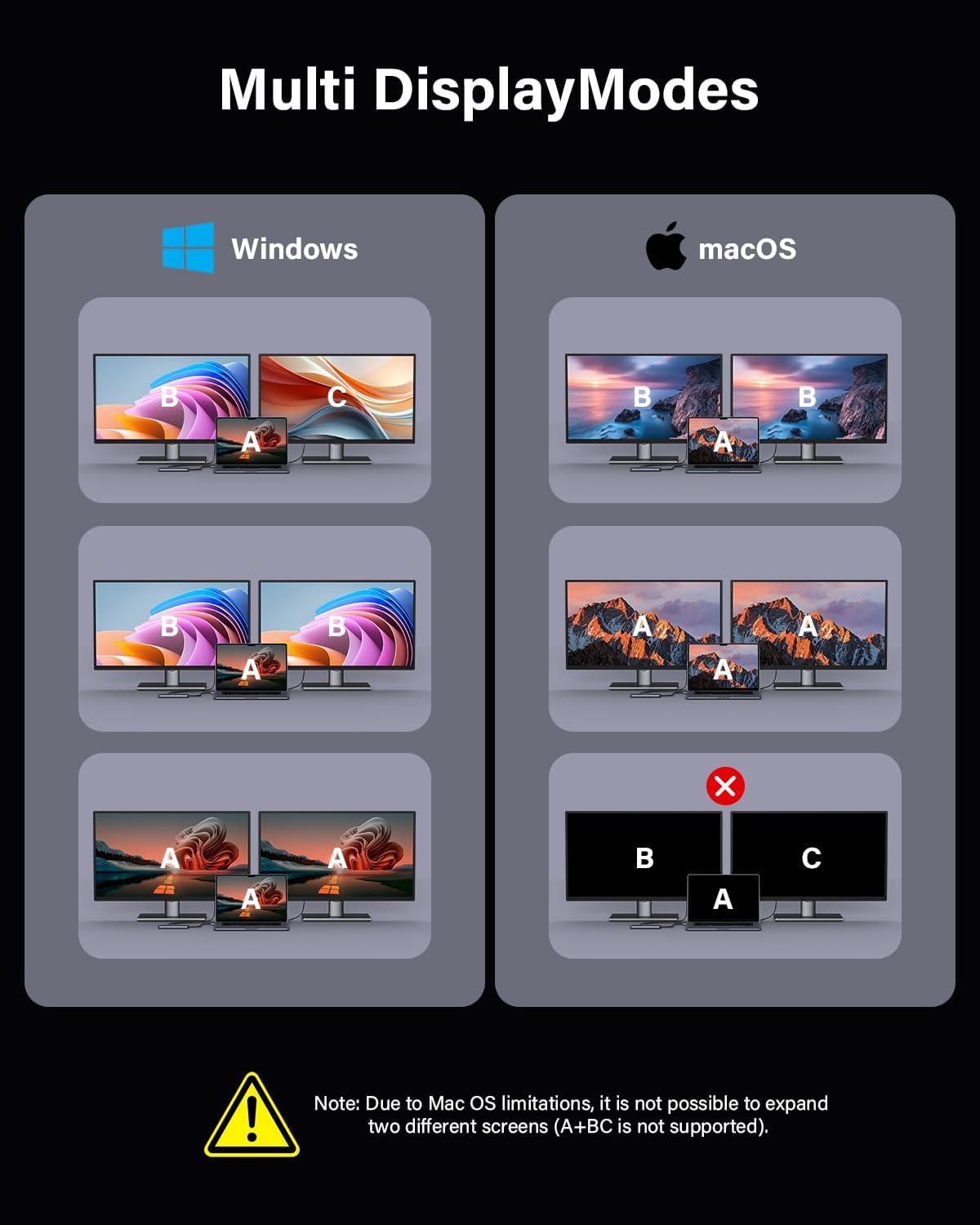
Figure 5: Visual representation of supported display modes for different operating systems.
4.2 Transferência de dados
Utilize the USB 3.0 ports for high-speed data transfer up to 5Gbps. This allows for quick transfer of large files, photos, and videos without significant delays.

Figure 6: The docking station supports high-speed data transfer for efficient workflow.
4.3 Fornecimento de energia
The dedicated 100W PD charging port ensures your compatible laptop or tablet receives sufficient power while connected to the docking station, eliminating the need for a separate charger for your host device.
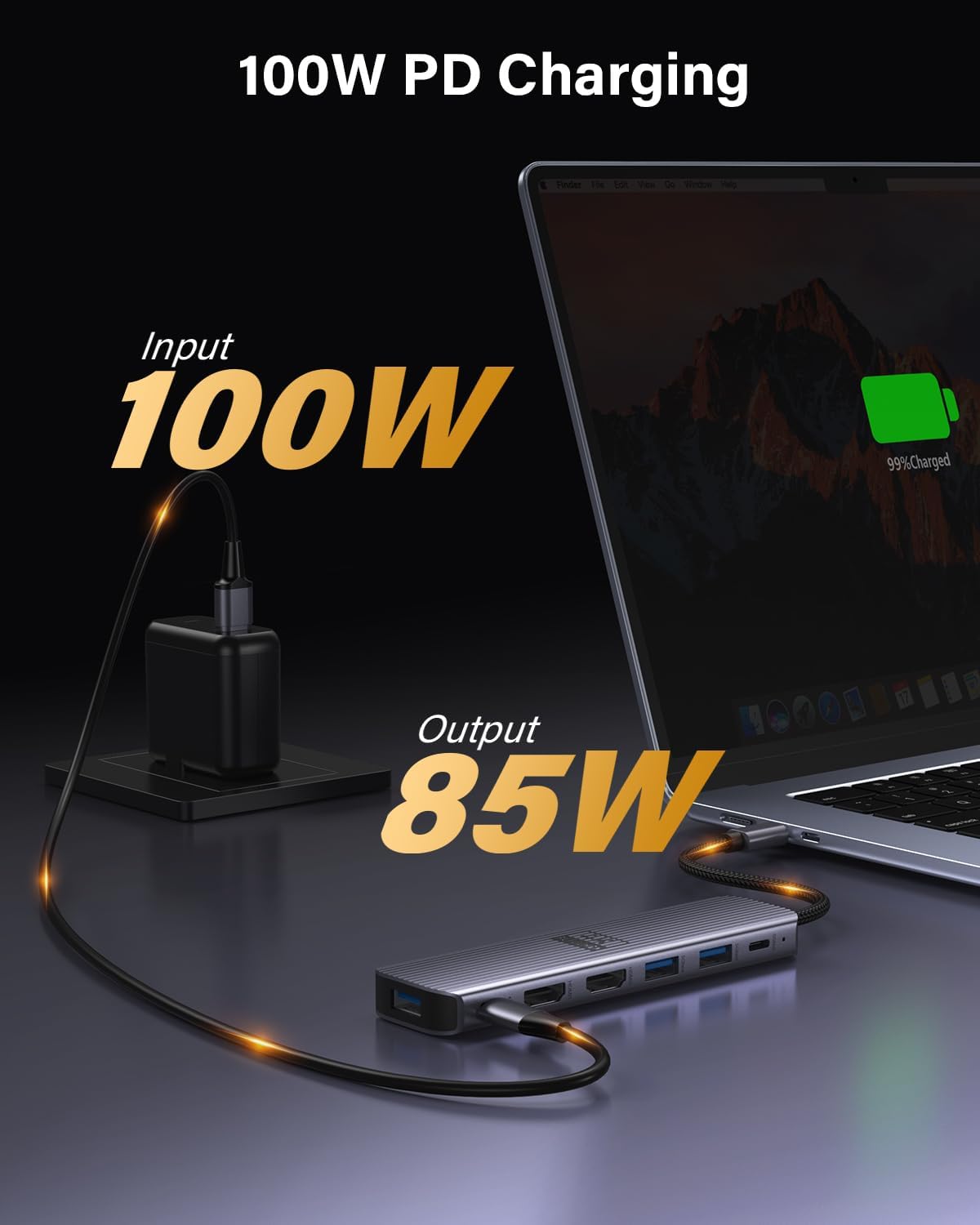
Figure 7: Power Delivery functionality for charging your laptop through the docking station.
5. Manutenção
- Limpeza: Use um pano macio e seco para limpar a superfície da base de carregamento. Evite produtos de limpeza líquidos ou materiais abrasivos.
- Armazenar: Guarde o dispositivo em local fresco e seco, longe da luz solar direta e de temperaturas extremas.
- Manuseio: The anodized aluminum alloy construction is designed for durability and heat dissipation. Handle with care to prevent damage to ports or cables.
6. Solução De Problemas
- Sem saída de vídeo:
- Ensure your laptop's USB-C port supports video output (DP Alt Mode or Thunderbolt 3/4).
- Check all HDMI cable connections between the docking station and monitors.
- Verify that the monitors are powered on and set to the correct input source.
- For macOS users, remember that MST (A-B-C) mode is not supported; only mirror or SST extend (A-B-B) is available.
- Dispositivos USB não reconhecidos:
- Ensure the docking station is securely connected to your laptop.
- Tente conectar o dispositivo USB diretamente ao seu laptop para confirmar se ele funciona de forma independente.
- Reinicie o seu laptop e reconecte a estação de acoplamento.
- Carregamento lento:
- Ensure you are using a compatible USB-C power adapter connected to the PD port.
- Verify that your laptop supports 100W Power Delivery.
7. Especificações
| Recurso | Detalhe |
|---|---|
| Modelo | Estação de ancoragem USB-C 7 em 1 |
| Portos | 2x HDMI 4K@60Hz, 3x USB-A 3.0, 1x USB-C 3.0 Data, 1x USB-C 100W PD Charging |
| Taxa de transferência de dados | 5 Gigabits Per Second (USB 3.0 ports) |
| Fornecimento de energia | Até 100W |
| Material | Liga de alumínio anodizado |
| Peso do item | 2.12 onças |
| Dimensões da embalagem | 7.95 x 3.19 x 0.75 polegadas |
8. Garantia e Suporte
The Newmight 7-in-1 USB-C Docking Station comes with a Garantia de 12 meses. For any technical assistance or inquiries, please contact Newmight customer support for suporte técnico vitalício.
9. Vídeos oficiais do produto
Newmight 7-in-1 USB-C Docking Station Overview
Este vídeo oferece uma visão geral concisa.view of the Newmight 7-in-1 USB-C Docking Station, highlighting its features and connectivity options.