
1. Introdução
Obrigado pela compra.asing the Dyurwa ZY02 Portable Bluetooth Speaker. This manual provides essential information for setting up, operating, and maintaining your speaker. Please read it thoroughly before use to ensure optimal performance and longevity of your device.
2. Informações de segurança
- Não exponha o alto-falante a temperaturas extremas ou à luz solar direta por períodos prolongados.
- Evite deixar cair ou submeter o alto-falante a impactos fortes.
- Mantenha a caixa de som longe de aparelhos médicos, pois ela pode interferir no funcionamento dos mesmos.
- Não tente desmontar, reparar ou modificar o alto-falante por conta própria. Se necessário, entre em contato com pessoal de serviço qualificado.
- Ensure the charging port cover is securely closed when using the speaker near water to maintain its IPX7 waterproof rating.
3. Conteúdo da embalagem
- 1 x Dyurwa ZY02 Portable Bluetooth Speaker
- 1 x cabo de carregamento tipo C
- 1 x Quick Start Guide (this document)
4. Produto acabadoview
Controles e portas
Familiarize yourself with the buttons and ports on your Dyurwa ZY02 speaker:

Figure 1: Top-mounted control buttons and side profile of the Dyurwa ZY02 speaker.
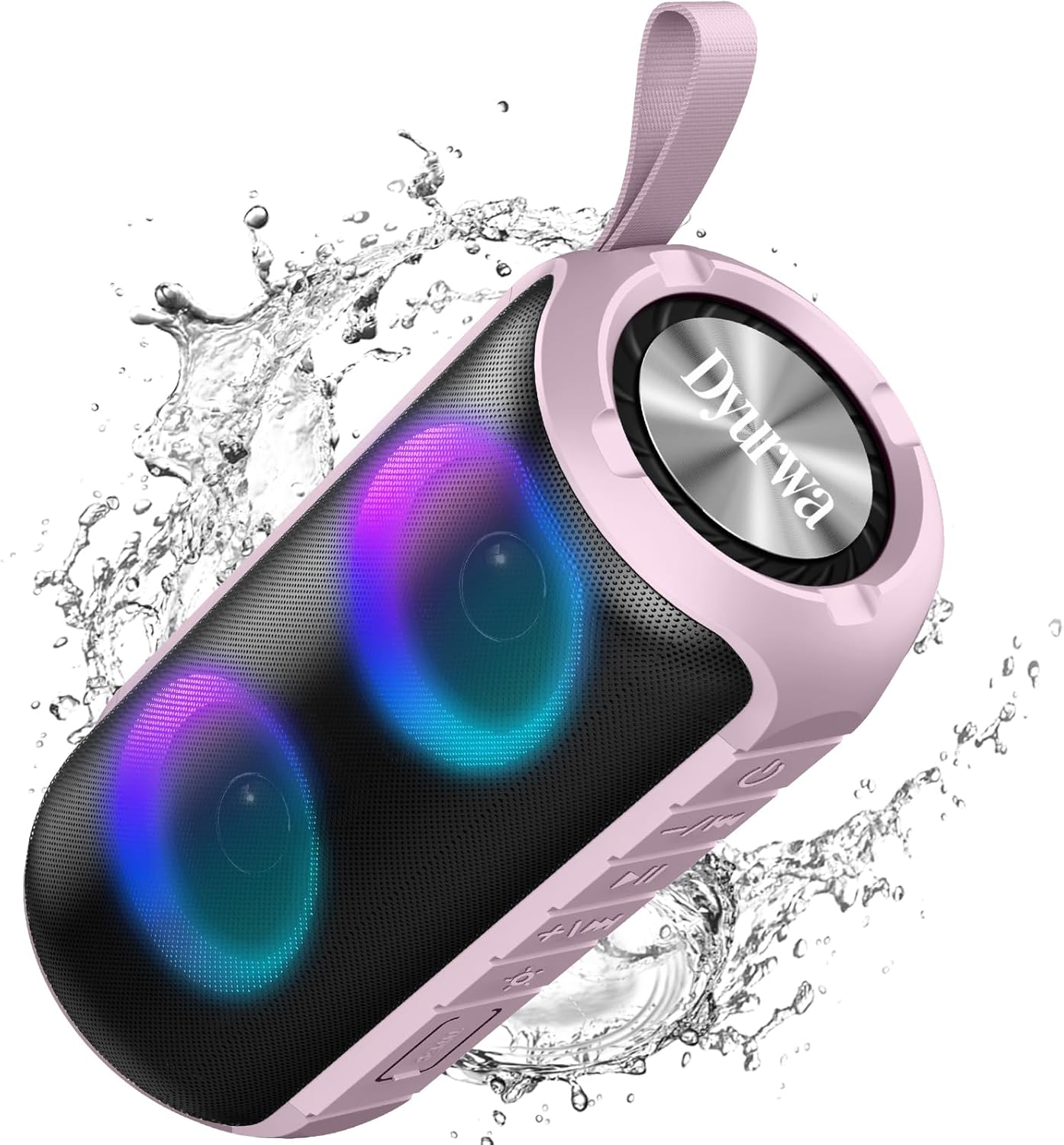
Figure 2: The sealed port area on the Dyurwa ZY02 speaker, revealing the Type-C charging port and a memory card slot.
Vídeo 1: Uma breve revisãoview of the Dyurwa ZY02 speaker's physical features, including its buttons, ports, and dynamic LED lighting effects.
5. Configuração
5.1 Carregando o alto-falante
Before first use, fully charge your speaker. Use the provided Type-C charging cable to connect the speaker to a compatible USB power source. The charging time is approximately 2-3 hours.

Figure 3: The Dyurwa ZY02 speaker highlighting its 12-hour battery life, with a note that continuous playtime varies by volume and light settings.
5.2 Emparelhamento Bluetooth
- Power on the speaker by pressing and holding the power button. The LED indicator will flash, indicating it's in pairing mode.
- No seu dispositivo (smartphone, tablet, computador), ative o Bluetooth e procure por dispositivos disponíveis.
- Select "ZY02" from the list of devices.
- Once connected, the speaker will emit an audible confirmation, and the LED indicator will remain solid.

Figure 4: The Dyurwa ZY02 speaker connected to a laptop, illustrating its Bluetooth 5.3 multi-device compatibility.
Emparelhamento estéreo sem fio verdadeiro (TWS) 5.3.
To pair two ZY02 speakers for a stereo sound experience:
- Ensure both speakers are powered off and not connected to any device.
- Ligue os dois alto-falantes.
- On one speaker (this will be the primary speaker), double-press the power button. It will search for the secondary speaker.
- Once connected, both speakers will emit a confirmation tone, and their LED indicators will synchronize.
- Conecte seu dispositivo à caixa de som principal via Bluetooth, conforme descrito na seção 5.2.
6. Instruções de operação
6.1 Funções Básicas
- Ligar/desligar: Pressione e segure o botão liga/desliga por 3 segundos.
- Reproduzir/Pausar: Pressione rapidamente o botão Reproduzir/Pausar.
- Aumentar o volume: Pressione rapidamente o botão '+'.
- Volume baixo: Pressione rapidamente o botão '-'.
- Próxima faixa: Pressione e segure o botão '+'.
- Faixa anterior: Pressione e segure o botão '-'.
6.2 modos de iluminação RGB
The speaker features dynamic RGB lights that can be customized:

Figure 5: The Dyurwa ZY02 speaker displaying its dynamic RGB lighting, with an icon indicating the button to browse different vibrant modes.
- Alterar modo de luz: Short press the light button (often indicated by a sun or lightbulb icon) to cycle through available RGB lighting effects.
- Apague as luzes: Continue pressing the light button until the lights turn off.
- The lights can also pulse with the rhythm of the music.
Video 2: Demonstration of the Dyurwa ZY02 speaker's RGB lighting features, showing how the lights change and react to sound.
6.3 Chamadas em modo mãos-livres
With its built-in microphone, the speaker supports hands-free calling when connected to your smartphone:

Figure 6: The Dyurwa ZY02 speaker facilitating a hands-free call in an office environment, showcasing its built-in microphone functionality.
- Atender/encerrar chamada: Pressione rapidamente o botão Reproduzir/Pausar.
- Rejeitar chamada: Pressione longamente o botão Reproduzir/Pausar.
7. Manutenção
7.1 Design à prova d'água (IPX7)
The Dyurwa ZY02 speaker features an IPX7 waterproof rating, meaning it can be submerged in up to 1 meter of water for 30 minutes. This makes it suitable for use in showers, by the pool, or at the beach.

Figure 7: The Dyurwa ZY02 speaker demonstrating its IPX7 waterproof capability by being partially submerged in water.

Figure 8: The Dyurwa ZY02 speaker on a beach, showcasing its durable and IPX7 waterproof design, suitable for outdoor use.
- Certifique-se sempre de que a tampa da porta de carregamento esteja bem vedada antes de expor a caixa de som à água.
- After exposure to water, wipe the speaker dry with a soft cloth.
- Do not charge the speaker if the charging port is wet.
7.2 Limpeza
Use um pano macio e macioamp Use um pano para limpar a parte externa da caixa de som. Não utilize produtos químicos agressivos ou abrasivos.
8. Solução De Problemas
| Problema | Possível causa | Solução |
|---|---|---|
| A caixa de som não liga. | Bateria fraca | Carregue totalmente a caixa de som. |
| Não foi possível emparelhar com o dispositivo. | Bluetooth not enabled on device; speaker not in pairing mode; too far from device | Ensure Bluetooth is on, speaker is in pairing mode, and within 10 meters. Restart both devices. |
| Sem som ou volume baixo | Volume too low on speaker or device; incorrect audio source | Increase volume on both speaker and device. Check device's audio output settings. |
| Falha no emparelhamento do TWS | Speakers not reset or too far apart | Certifique-se de que ambas as caixas de som estejam desconectadas de outros dispositivos. Coloque-as próximas uma da outra e tente novamente o emparelhamento TWS. |
9. Especificações
| Recurso | Detalhe |
|---|---|
| Marca | Dyurwa |
| Número do modelo | ZY02 |
| Tecnologia de Conectividade | Bluetooth, AUX |
| Tecnologia sem fio | Bluetooth 5.3 |
| Modo de saída de áudio | Estéreo |
| Potência máxima de saída do alto-falante | 180 Watts |
| Capacidade da bateria | 1800mAh |
| Vida média da bateria | 12 Hours (varies by volume/light settings) |
| Tempo de carga da bateria | 2-3 horas |
| Classificação à prova d'água | IPX7 |
| Intervalo de Conexão | >10M |
| Dimensões do item (P x L x A) | 2.54"P x 5"L x 4"A |
| Peso | 216g |
| Mídia Integrada | Cabo de energia |
| Número de canais de áudio | 2.0 |
| Tipo de driver de áudio | Driver Dinâmico |
10. Garantia e Suporte
The Dyurwa ZY02 Portable Bluetooth Speaker comes with a limited warranty. For specific warranty details and support inquiries, please refer to the warranty card included in your package or contact Dyurwa customer service.
For technical support or further assistance, please visit the official Dyurwa website ou entre em contato com a equipe de atendimento ao cliente.