
1. Introdução
This manual provides detailed instructions for the installation, operation, and maintenance of your SEVEKO Smart Door Lock Model 2031. This smart lock offers multiple unlocking methods including fingerprint, keypad, mobile application, physical keys, and IC cards. It is designed for residential and rental property use, providing enhanced security and convenience.
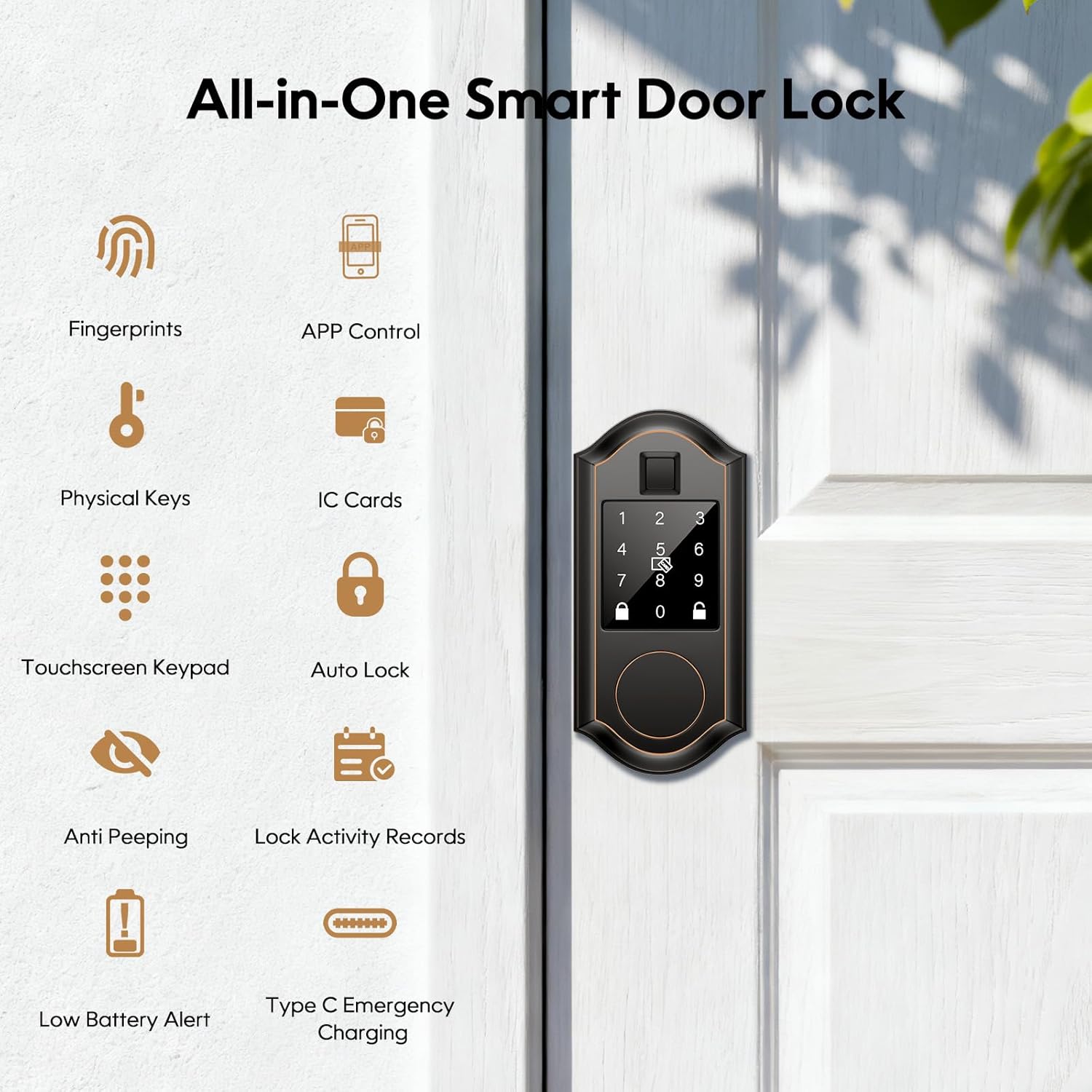
Imagem: Acimaview of the SEVEKO Smart Door Lock's features, including various unlocking methods and security functions.
2. Informações de segurança
- Leia todas as instruções cuidadosamente antes da instalação e uso.
- Não tente desmontar ou consertar a fechadura por conta própria. Entre em contato com o suporte ao cliente para obter assistência.
- Utilize somente as pilhas especificadas. Não misture pilhas novas com usadas ou pilhas de tipos diferentes.
- Keep physical keys in a secure location outside the property, accessible only for emergencies.
- Protect your passcodes and fingerprints from unauthorized access.
- Ensure the door is properly aligned and closes smoothly before installing the lock to prevent damage.
3. Conteúdo da embalagem
Verifique se todos os componentes estão presentes na embalagem:
- Smart Door Lock Set with Deadbolt
- 2 chaves físicas
- 4 Cartões IC
- Parafusos de montagem
- Manual do usuário
4. Especificações
| Recurso | Detalhe |
|---|---|
| Marca | SEVEKO |
| Nome do modelo | 2031 |
| Tipo de bloqueio | Deadbolt |
| Material | Metal, Zinco |
| Cor | Bronze esfregado a óleo |
| Dimensões do item (C x L x A) | 2.64 x 1.96 x 6.57 polegadas (67 x 50 x 167 mm) |
| Peso do item | 2.64 libras |
| Método de controle | Aplicativo |
| Protocolo de conectividade | Bluetooth |
| Recurso especial | Smart Deadbolt with Key Hole |
| Compatibilidade com Smart Home | Google Home Assistant, Amazon Alexa (Gateway required) |
| Resistência às intempéries | IP54 (Dust and water splash resistant), Frost Resistant (down to -22°F), Heat Resistant (up to 158°F) |
| Fonte de energia | Batteries (not included), Type-C Emergency Charging Port |

Image: The SEVEKO Smart Door Lock is designed to withstand various weather conditions, including frost, heat, and water splashes.
5. Configuração e instalação
5.1 Verificações de pré-instalação
- Espessura da porta: Ensure your door thickness is between 1-3/8 inches to 1-3/4 inches (35mm to 45mm).
- Diâmetro do furo: The existing hole diameter should be 2-1/8 inches (54mm).
- Fundo: The latch supports backsets of 2-3/8 inches (60mm) or 2-3/4 inches (70mm). Adjust the latch as needed.

Image: Door dimensions and latch adjustments required for proper installation of the smart lock.

Image: Correct orientation for the latch hole during installation to ensure proper lock function.
5.2 Etapas de instalação
Installation can be completed in minutes with a screwdriver. Refer to the detailed manual included in the package for step-by-step visual instructions.
- Prepare the door and frame according to the pre-installation checks.
- Install the latch into the door edge, ensuring it is vertically aligned.
- Instale o conjunto externo, passando o cabo pelo orifício da porta.
- Instale a placa de montagem interna.
- Conecte o cabo ao conjunto interno.
- Mount the interior assembly to the door.
- Install batteries (4 x AA, not included) into the interior assembly.
- Test the lock functionality.
5.3 App Setup (TT Lock)
Download the TT Lock app from your smartphone's app store. Follow the in-app instructions to pair your lock via Bluetooth and begin managing users and settings.
6. Instruções de operação
6.1 Métodos de desbloqueio
- Impressão digital: Place your registered fingerprint on the sensor. The lock will unlock in approximately 0.3 seconds. The lock supports over 50 unique fingerprints with 99.9% recognition accuracy.

Image: Quick fingerprint unlock feature.
- Keypad Passwords: Enter your 6-digit passcode on the touchscreen keypad. For added security, use the anti-peeping feature by entering random numbers before and after your actual code. If an incorrect code is entered four times, the lock will temporarily disable for five minutes.

Image: Touchscreen keypad operation with anti-peeping functionality.
- Desbloqueio de APP: Use the TT Lock app on your smartphone to unlock the door via Bluetooth.
- Chaves Físicas: Insert and turn one of the provided physical keys into the keyhole for manual unlocking. This serves as an emergency backup.

Image: Emergency unlocking options using a physical key or Type-C power.
- Cartões IC: Tap a registered IC card on the designated area of the lock to unlock.
6.2 Função de travamento automático
The lock features an automatic locking function. You can set the auto-lock delay between 5 and 900 seconds via the TT Lock app. This ensures the door locks automatically after a set period, providing peace of mind.
Image: The auto-lock feature automatically secures the door after a user-defined time.
6.3 App Control Features (TT Lock)
The TT Lock app allows for comprehensive management of your smart lock:
- Gerenciamento de usuários: Add, modify, or delete users and their access methods (fingerprints, passcodes, IC cards).
- Registro de atividades: View a record of door lock activity, including who unlocked the door and when.
- Passcode Generation & Sharing: Create various types of passcodes (permanent, one-time, timed, recurring, custom) and share them with family, guests, or service providers.

Image: The TT Lock app enables easy management of access for various users.

Image: Steps for generating and sharing passcodes through the TT Lock app.
- Remote Management (Gateway Required): By connecting the optional G2 gateway (sold separately), you can monitor entry activity in real-time and manage access rights remotely from your phone, even when away from home.
6.4 Integração com Casa Inteligente
With the G2 gateway (sold separately), the SEVEKO Smart Door Lock can integrate with Google Home Assistant and Amazon Alexa, allowing for voice control of your lock.
Image: The smart lock can be controlled via voice commands through Amazon Alexa or Google Assistant when connected to a gateway.
7. Manutenção
7.1 Gerenciamento de bateria
- The lock will provide a low battery alert (audible beep) when the battery level is critical. Replace batteries promptly to ensure continuous operation.
- In case of complete battery depletion, use the Type-C emergency charging port with a power bank or the physical keys to unlock the door.
- Use 4 AA alkaline batteries. Do not use rechargeable batteries as they may not provide sufficient voltage.
7.2 Limpeza
Limpe a parte externa da fechadura com um pano macio e seco. Evite usar produtos de limpeza abrasivos ou solventes que possam danificar o acabamento ou os componentes eletrônicos.
8. Solução De Problemas
| Problema | Possível causa | Solução |
|---|---|---|
| Bloqueio não responde | Baterias descarregadas | Replace batteries or use Type-C emergency power. |
| Impressão digital não reconhecida | Finger is dirty, wet, or not placed correctly; fingerprint not registered. | Ensure finger is clean and dry. Reposition finger. Re-register fingerprint in the app. |
| Teclado não responde | Incorrect code entered multiple times; keypad malfunction. | Wait 5 minutes if locked out. Re-enter correct code. Check batteries. |
| App cannot connect to lock | Bluetooth is off; lock is out of range; app issue. | Ensure Bluetooth is enabled on your phone. Move closer to the lock. Restart the app or phone. |
| O travamento automático não está funcionando. | Auto-lock feature disabled or incorrect time set in app. | Verify auto-lock settings in the TT Lock app. |
| Lock is stiff or difficult to operate | Desalinhamento durante a instalação; detritos no mecanismo. | Check door and lock alignment. Ensure no obstructions. Re-installation may be required. |
9. Garantia e suporte
SEVEKO provides 1-year professional factory support and lifetime assistance for every purchase. If you encounter any issues or have questions regarding your smart door lock, please contact SEVEKO customer support for a solution.
Contact information can typically be found on the product packaging or the official SEVEKO website.