
1. Introdução
The XTOOL D6 is an advanced OBD2 diagnostic scanner designed for comprehensive vehicle system analysis. It offers full system diagnostics, 15 essential service functions, and supports modern vehicle protocols like FCA AutoAuth and CAN FD. This manual provides detailed instructions for setting up, operating, and maintaining your XTOOL D6 device.

Image 1.1: XTOOL D6 main screen overview, illustrating its diagnostic capabilities and supported features.
2. Conteúdo da embalagem
Verifique se todos os itens estão presentes no seu pacote:
- XTOOL D6 Diagnostic Tablet
- Main OBD2 Diagnostic Cable
- USB Cable for PC Connection/Charging
- Adaptador de energia
- Customized Carrying Case
- Manual do usuário (este documento)
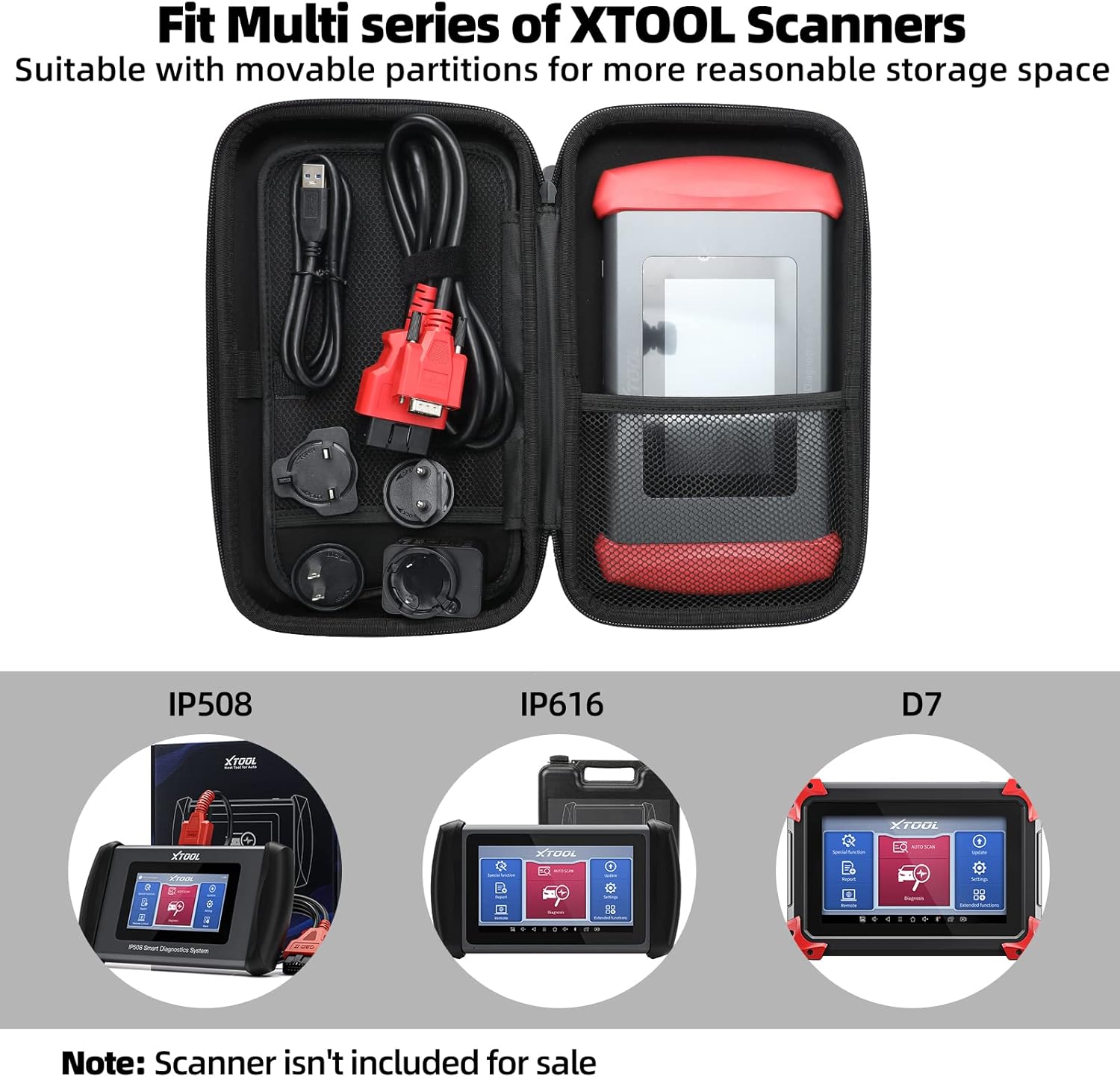
Image 2.1: The XTOOL D6 scanner and its accessories stored within the customized carrying case.
3. Configuração
3.1 Inicialização e Registro
- Pressione e segure o botão liga/desliga para ligar o dispositivo.
- Siga as instruções na tela para selecionar seu idioma e região.
- Connect the device to a Wi-Fi network for internet access.
- Register your device by creating an XTOOL account or logging in if you already have one. This is essential for software updates and warranty activation.
3.2 Atualizações de Software
The XTOOL D6 offers free lifetime software updates. Regularly updating your device ensures access to the latest vehicle coverage, diagnostic functions, and performance enhancements.
- No menu principal, toque em Atualizações ícone.
- The system will check for available updates.
- Select the desired updates and tap Download or Instalar. Ensure a stable internet connection during this process.
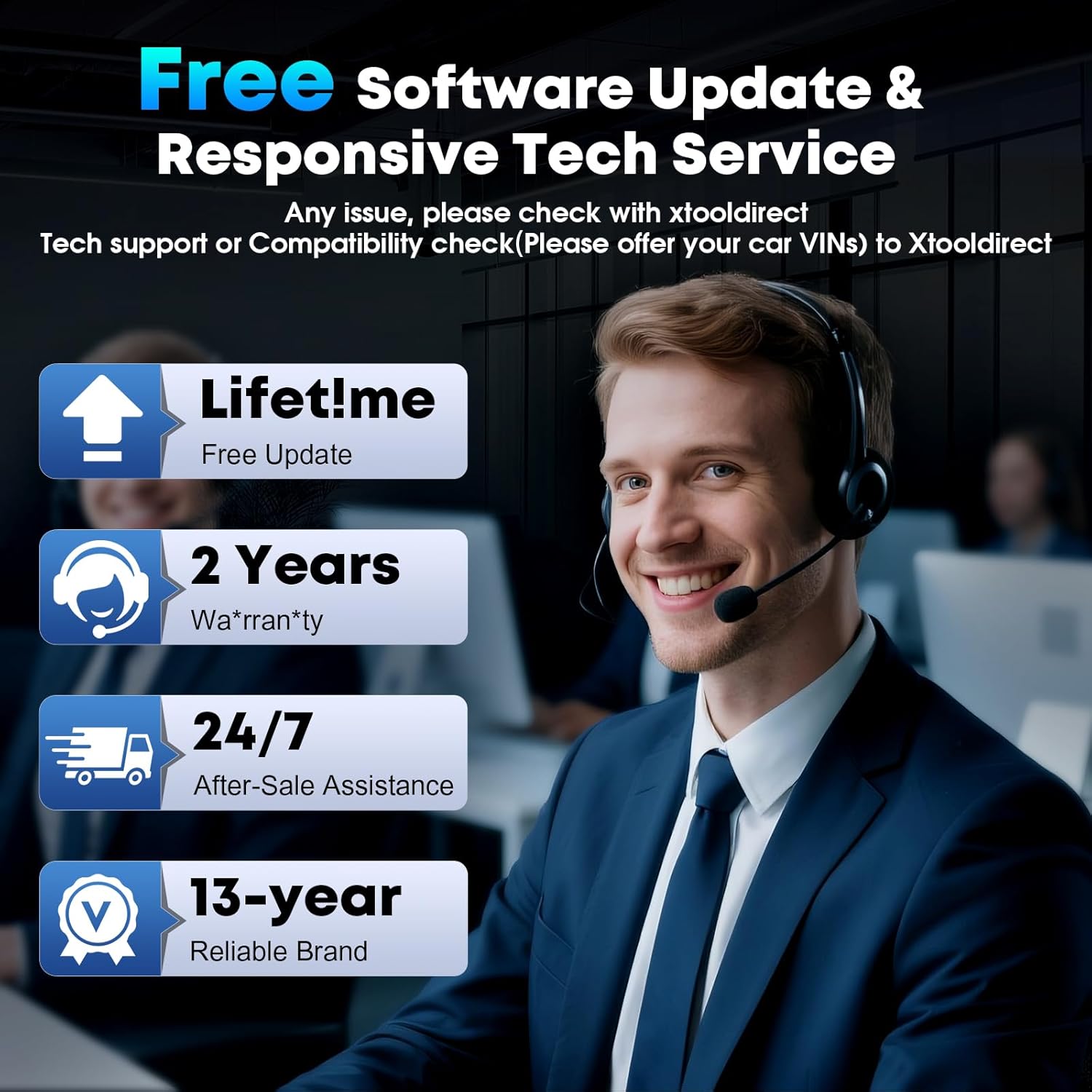
Image 3.1: The XTOOL D6 offers free lifetime software updates and dedicated technical support.
4. Instruções de operação
4.1 Conectando-se a um veículo
- Localize a porta OBD2 do veículo, geralmente localizada embaixo do painel, do lado do motorista.
- Connect the main diagnostic cable to the XTOOL D6 device.
- Plug the other end of the diagnostic cable into the vehicle's OBD2 port.
- Gire a chave de ignição do veículo para a posição... ON posição (motor desligado).
4.2 Diagnóstico completo do sistema
The XTOOL D6 can perform comprehensive diagnostics on all available electronic control units (ECUs) in a vehicle, including Engine (ECM), Transmission (TCM), ABS, SRS, TPMS, HVAC, and more.
- No menu principal, selecione Diagnóstico or Varredura automática.
- Para Varredura automática, the device will automatically identify the vehicle's VIN and scan all systems.
- Para Diagnóstico, you may need to manually select the vehicle make, model, and year.
- Uma vez conectado, você pode:
- Read Diagnostic Trouble Codes (DTCs)
- Clear DTCs
- View Live Data Stream (graphical or numerical)
- Perform Actuation Tests
- View Dados de quadro congelado
4.3 Special Functions (15+ Relearns)
The D6 offers over 15 essential service functions for common maintenance tasks:
- Redefinição de óleo
- Reinicialização do freio de estacionamento eletrônico (EPB)
- Reinicialização do Sistema de Gerenciamento de Bateria (BMS)
- Cam Crank Position/Crankshaft Sensor Relearn (CKP Relearn)
- Reaprendizagem do Corpo de Borboleta
- Tire Pressure Monitoring System (TPMS) Relearn
- ABS Auto Bleed
- Codificação do Injetor
- Calibração da Suspensão
- Reaprendizado de transmissão
- E mais.
To access these functions, select Função especial from the main menu and choose the desired service.
4.4 AutoVIN and Live Data
The AutoVIN feature automatically identifies vehicle information for faster diagnostics. The device also displays real-time live data streams, allowing you to monitor up to 4 parameters simultaneously for detailed analysis.
4.5 FCA AutoAuth and CAN FD Support
The XTOOL D6 supports FCA AutoAuth for secure access to 2018+ Chrysler, Jeep, Dodge, and 2017+ Fiat vehicles. It also supports the CAN FD protocol for modern vehicles, including GM 2020+ models. Observação: FCA AutoAuth requires account registration via AutoAuth's website, not through XTOOL.
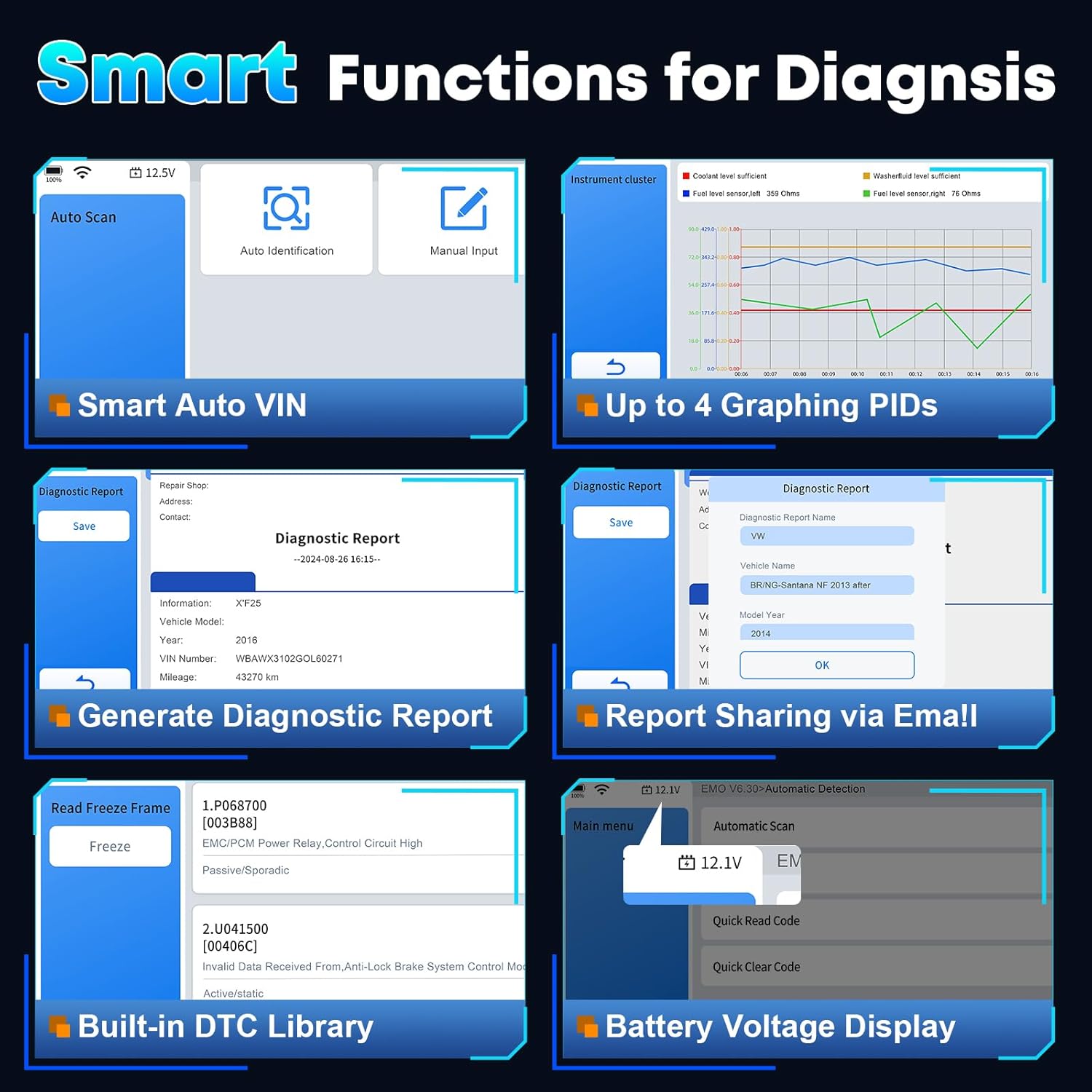
Imagem 4.1: Terminadoview of smart diagnostic functions available on the XTOOL D6.

Image 4.2: XTOOL D6 extensive vehicle coverage, language support, and protocol compatibility.
5. Manutenção
5.1 Cuidados com o dispositivo
- Mantenha o dispositivo limpo usando um pano macio e seco. Evite produtos de limpeza abrasivos.
- Store the device in its customized carrying case when not in use to protect it from drops, scratches, and dust. The case is designed to be waterproof and oilproof.
- Evite expor o dispositivo a temperaturas extremas ou à luz solar direta por períodos prolongados.
- Ensure all cables are properly connected and disconnected to prevent damage to ports.
5.2 Gerenciamento de software
- Regularly perform software updates as described in Section 3.2.
- Periodically clear diagnostic reports and unnecessary data to free up storage space. The device has 32GB internal storage, expandable via microSD.
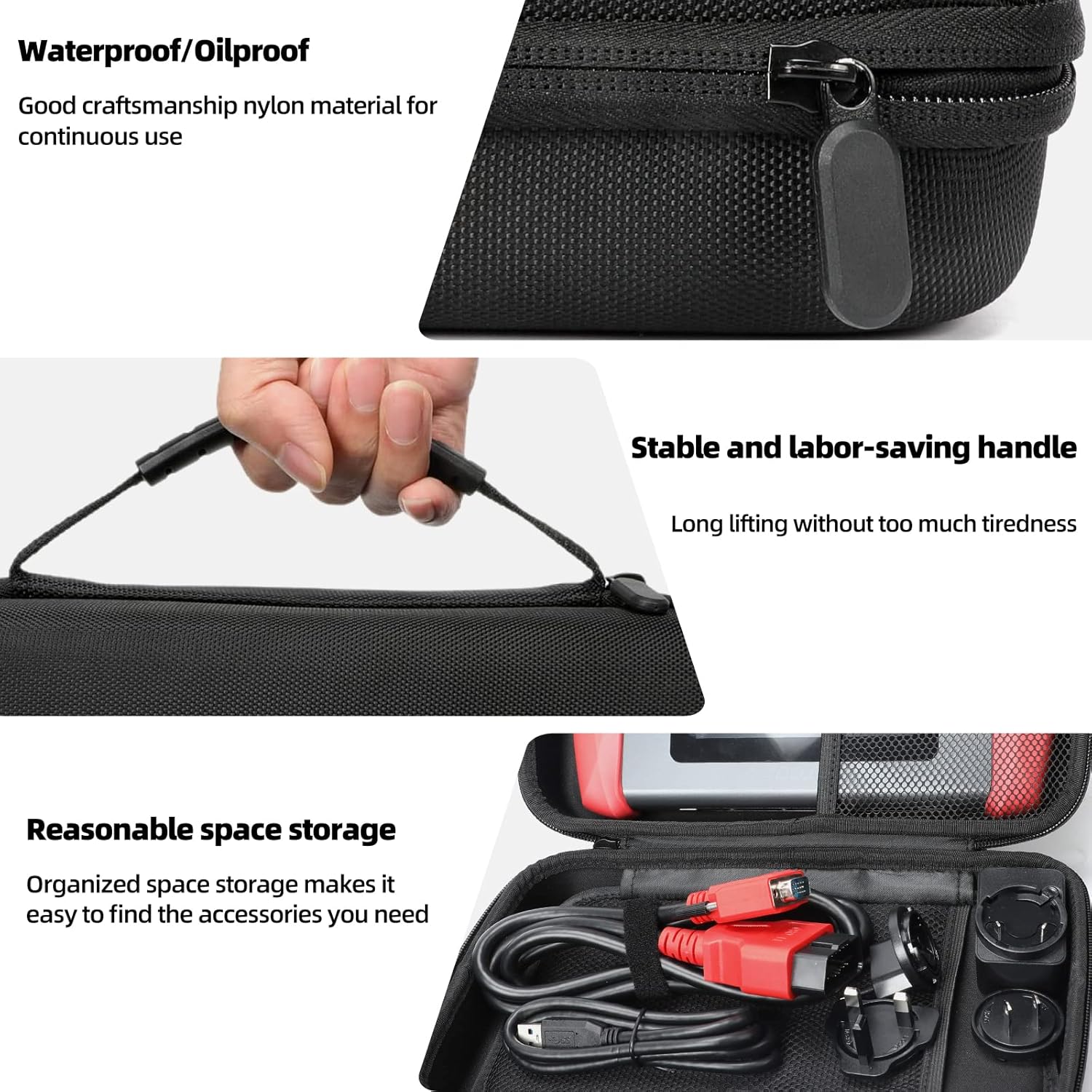
Image 5.1: Features of the XTOOL D6 carrying case, designed for protection and portability.
6. Solução De Problemas
If you encounter issues with your XTOOL D6, refer to the following common troubleshooting steps:
- Dispositivo não liga: Ensure the battery is charged. Connect the device to a power source using the provided USB cable and adapter.
- Sem comunicação com o veículo: Verify that the diagnostic cable is securely connected to both the D6 and the vehicle's OBD2 port. Ensure the vehicle's ignition is in the ON position. Check for any blown fuses in the vehicle's OBD2 circuit.
- Congelamento de software ou desempenho lento: Restart the device. Ensure you have the latest software updates installed. Clear unnecessary diagnostic reports to free up storage.
- Problemas de conexão Wi-Fi: Check your Wi-Fi router and network settings. Ensure the device is within range of the Wi-Fi signal.
- FCA AutoAuth access issues: Confirm that you have registered and activated your account on the AutoAuth website. Ensure your device is connected to the internet.
For persistent issues, please contact XTOOL customer support.
7. Especificações
| Recurso | Especificação |
|---|---|
| Marca | X-TOOL |
| Modelo | D6 |
| Sistema operacional | Linux |
| Tamanho da tela | Tela sensível ao toque HD de 5.45 polegadas |
| Bateria | Bateria integrada de 3150 mAh |
| Armazenar | 32 GB (expansível via microSD) |
| Conectividade | Wi-Fi, USB |
| Protocolos Suportados | CAN FD, FCA AutoAuth, OBD2 standard protocols |
| Cobertura de Veículos | 90+ brands, 10,000+ vehicles (1996+ US, 2003+ EU, 2008+ Asian) |
8. Garantia e Suporte
The XTOOL D6 diagnostic scanner comes with a 2-year warranty, ensuring coverage against manufacturing defects and malfunctions under normal use.
8.1 Suporte Técnico
XTOOL provides responsive technical support. If you have any questions regarding the device's operation, compatibility, or require assistance with diagnostics, please contact XTOOL Direct support.
- For support, please visit the official XTOOL website ou consulte as informações de contato fornecidas na embalagem do seu produto.
- When contacting support, please provide your device's serial number (SN) and a detailed description of the issue.