
1. Produto acabadoview
The Dyness 12V 100Ah Bluetooth LiFePO4 Battery is a high-performance, deep-cycle lithium iron phosphate battery designed for various applications including RVs, camping, home solar systems, and off-grid power solutions. It features integrated Bluetooth 5.0 for real-time monitoring and a robust Battery Management System (BMS) with low-temperature protection, ensuring reliability and safety.
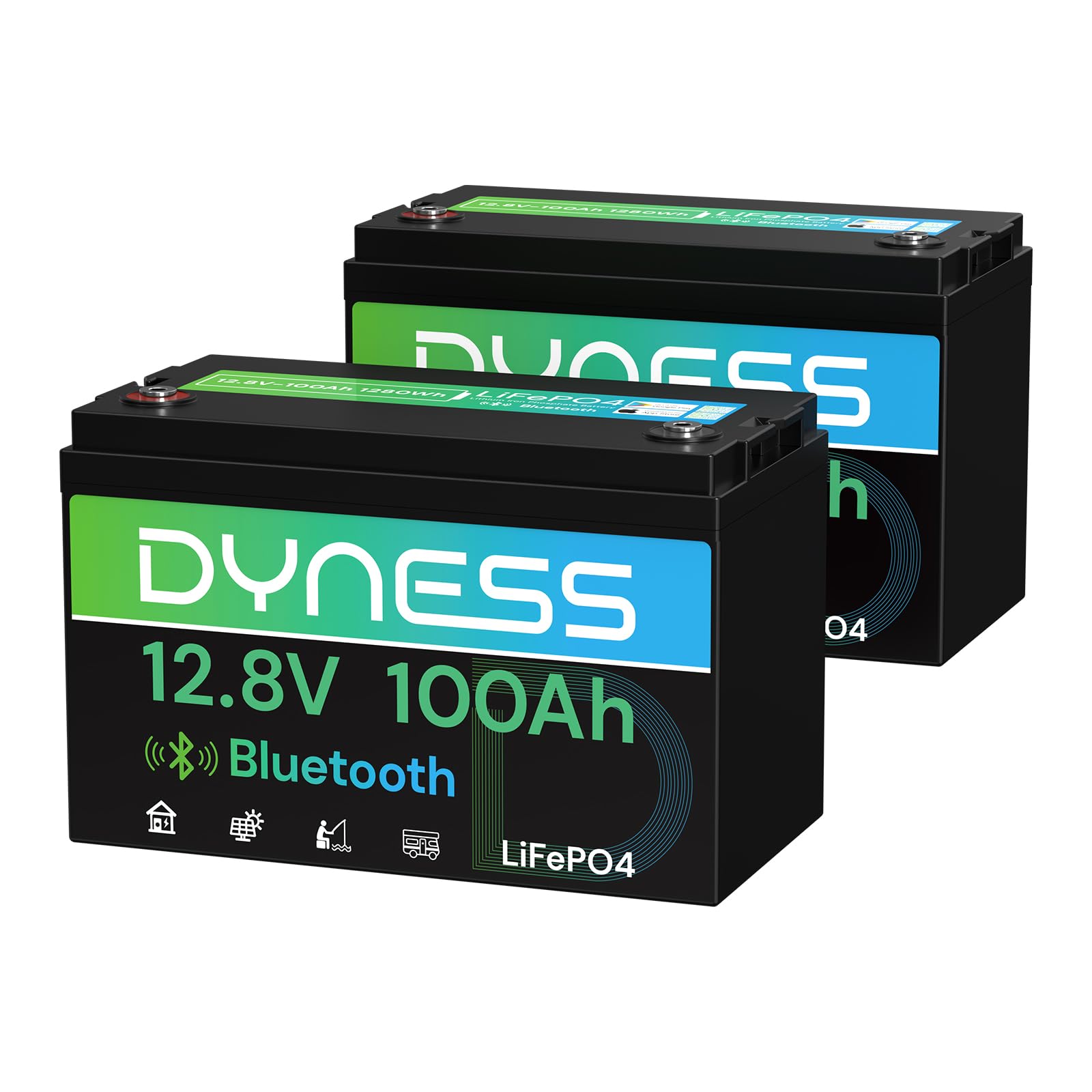
Image 1.1: Dyness 12V 100Ah Bluetooth LiFePO4 Battery showing its dimensions (13.00 in / 330mm length, 6.77 in / 172mm width, 8.43 in / 214mm height) and terminal screw sizes (8mm / 5/16 in and 16mm / 5/8 in).
2. Informações de segurança
Please read and understand all safety instructions before installing or operating the battery. Failure to follow these instructions may result in serious injury, property damage, or voiding of the warranty.
- Always wear appropriate personal protective equipment, including safety glasses and insulated gloves, when handling batteries.
- Do not short-circuit the battery terminals. This can cause severe arcing, fire, or explosion.
- Do not expose the battery to open flames, excessive heat, or direct sunlight for prolonged periods.
- Do not disassemble, puncture, or modify the battery. Internal components are not user-serviceable.
- Use only chargers specifically designed for LiFePO4 batteries with appropriate voltage e configurações atuais.
- Assegure-se de que haja ventilação adequada ao redor da bateria durante o carregamento e a descarga para evitar o acúmulo de calor.
- Mantenha a bateria fora do alcance de crianças e animais de estimação.
- In case of fire, use a Class D fire extinguisher. Water or CO2 extinguishers may be ineffective or dangerous.
- If the battery is damaged or leaking, avoid contact with the electrolyte and seek professional assistance.
3. Conteúdo da embalagem
Ao desembalar, verifique se todos os itens estão presentes:
- Dyness 12V 100Ah Bluetooth LiFePO4 Battery (Model AR1.2-BT)
- Terminal bolts and washers
- Manual do usuário (este documento)
4. Recursos do Produto
- Monitoramento Bluetooth em tempo real: The advanced smart Bluetooth 5.0 technology allows for real-time monitoring of battery voltage, current, capacity, and overall system performance through the dedicated "Dyness" app. Maintain a distance within 10 meters for optimal connection.
- Premium A+ Grade Cells & 100A BMS Protection: Engineered with top-tier A-Grade LiFePO4 cells, this battery offers exceptional longevity, higher power density, and inherent safety. The integrated 100A Battery Management System (BMS) provides comprehensive protection against overcharging, over-discharging, over-current, overheating, and short circuits. It also includes an upgraded low-temperature cut-off function for safe operation in cold environments.
- Ideal Lead-Acid Battery Replacement: This Dyness LiFePO4 battery is a direct, maintenance-free replacement for traditional lead-acid and AGM/SLA batteries. It offers 1280Wh of usable energy, a 10-year lifespan, and over 4000 deep cycles, significantly outperforming standard lead-acid batteries.
- Expandable Energy Storage: The battery supports flexible configuration, allowing expansion up to 4 series and 4 parallel connections (4S4P) with a maximum of 16 batteries. This enables the creation of a powerful 51.2V 400Ah system, providing up to 20.48kWh of energy storage to meet diverse power demands.
- Proteção de baixa temperatura: Designed for cold climates, the battery's low-temperature protection automatically disconnects charging when the battery temperature drops below 32°F (0°C) and resumes charging at 41°F (5°C). Additionally, it automatically cuts off power at -4°F (-20°C) to prevent damage to the battery cells, ensuring safe use in winter conditions for RVs, cabins, off-grid systems, or marine applications.
- Fast & Safe Charging Optimized: For optimal battery health and performance, it is recommended to recharge the battery at 0.2C using a LiFePO4-specific charger.
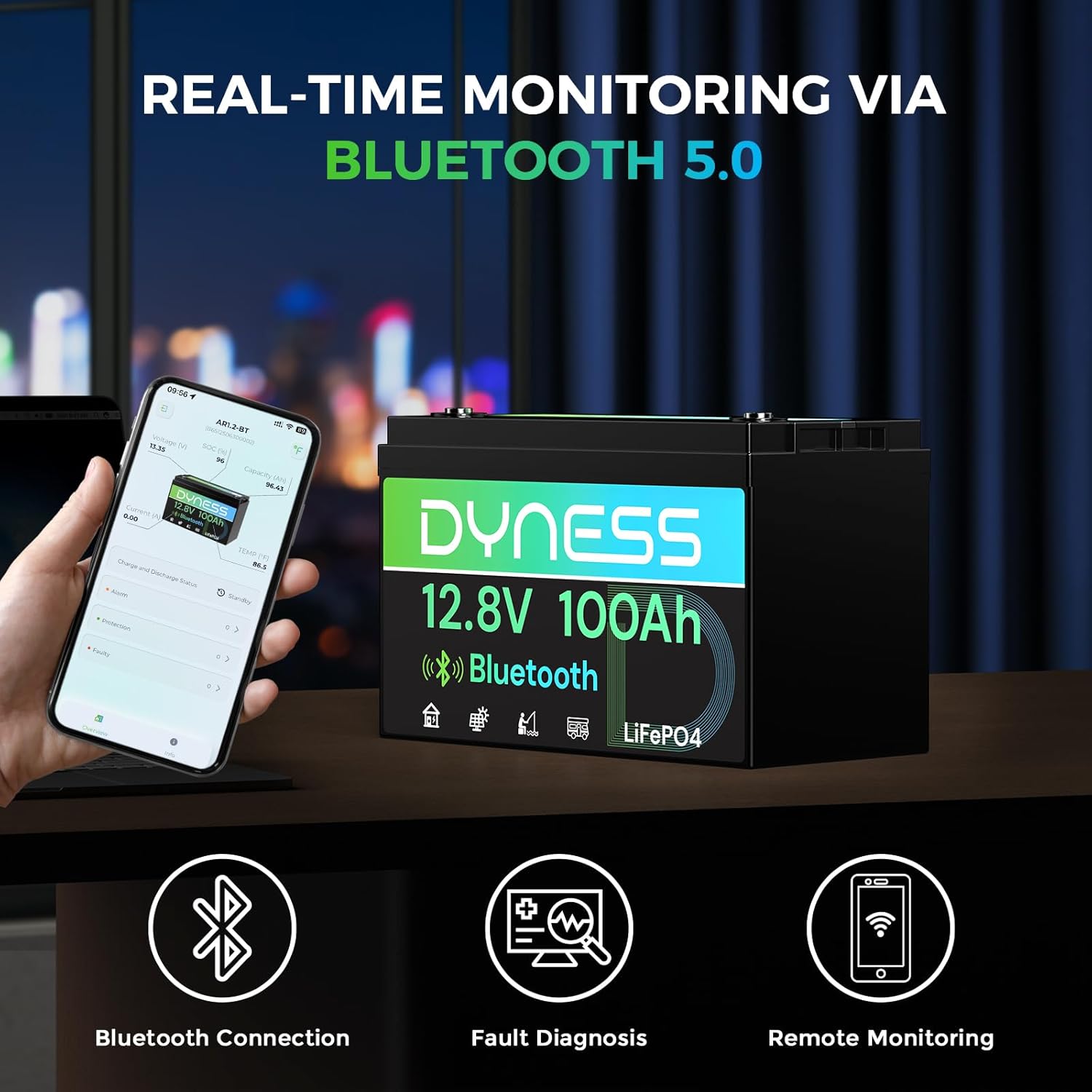
Image 4.1: A smartphone screen showing the Dyness app interface, displaying real-time battery data such as voltage, state of charge (SOC), and temperature, with the Dyness battery in the background.

Image 4.2: An illustrative internal view of the battery, highlighting the A+ Grade LiFePO4 cells and the integrated circuit board representing the Battery Management System (BMS), emphasizing quality and safety features.

Image 4.3: The Dyness battery placed in a snowy landscape with a vehicle in the background, illustrating its low-temperature protection feature for reliable operation in cold weather.
5. Configuração e instalação
5.1 Instalação Física
- Inspeção: Before installation, inspect the battery for any visible damage.
- Montagem: Secure the battery in a clean, dry, and well-ventilated area. Ensure it is protected from direct sunlight, moisture, and extreme temperatures.
- Conexões: Connect the battery terminals using appropriate cables and connectors. Ensure all connections are tight and secure to prevent arcing and overheating. Connect the positive (+) terminal to the positive (+) load/charger and the negative (-) terminal to the negative (-) load/charger.
- Series/Parallel Configuration (Optional): If connecting multiple batteries, refer to the operating instructions for proper series and parallel wiring diagrams.
5.2 Bluetooth App Setup
The Dyness app allows you to monitor your battery in real-time.
- Baixe o aplicativo: Scan the QR code below or search for "Dyness" in your device's app store (Google Play Store for Android, Apple App Store for iOS).
- Ativar Bluetooth: Certifique-se de que o Bluetooth esteja ativado em seu smartphone ou tablet.
- Conectar à bateria: Open the Dyness app. The app will scan for nearby Dyness batteries. Select your battery from the list to connect. Ensure you are within 10 meters of the battery for a stable connection.

Image 5.1: A graphic displaying QR codes for downloading the "Dyness" app from both the Google Play Store and Apple App Store, facilitating easy access for users.
6. Instruções de operação
6.1 Operação Geral
Once installed and connected, the Dyness LiFePO4 battery operates automatically, managed by its internal BMS. It will provide power to your connected devices and accept charge from compatible sources.
6.2 Monitoring with the Dyness App
Use the Dyness app to monitor the battery's status:
- Volumetage: Exibe o vol atual da bateriatage.
- Atual: Shows the charging or discharging current.
- Capacity (SOC): Indicates the remaining battery capacity as a percentage.
- Temperatura: Monitors the internal battery temperature.
- Alarms/Protections: The app will display any active alarms or protection events triggered by the BMS (e.g., over-voltage, sub-voltage, over-current, high/low temperature).

Image 6.1: A visual representation of the Dyness app on a smartphone, displaying various battery parameters like voltage, SOC, and current, superimposed against a backdrop of an RV, indicating remote monitoring capabilities.
6.3 Conexões em Série e Paralelo
The Dyness 12V 100Ah battery can be connected in series or parallel to achieve higher voltage or capacity. Always ensure all batteries are of the same model and state of charge before connecting.
- Conexão Paralela: Connect positive to positive and negative to negative terminals to increase capacity (Ah) while maintaining the same voltage (V).
- Conexão em série: Conecte o terminal positivo de uma bateria ao terminal negativo da bateria seguinte para aumentar a voltagem.tage (V) mantendo a mesma capacidade (Ah).
- Maximum Configuration: Up to 4 batteries can be connected in series (4S) and up to 4 parallel strings can be created (4P), for a maximum of 16 batteries in a 4S4P configuration (51.2V 400Ah).

Image 6.2: A rack system filled with multiple Dyness 12.8V 100Ah Bluetooth LiFePO4 batteries, demonstrating the potential for expandable energy storage configurations.
For detailed wiring diagrams and safety precautions for series/parallel connections, consult a qualified electrician or refer to advanced battery system guides.

Image 6.3: A collage showing four common application scenarios for the Dyness battery: RVs, camping, off-grid homes, and home energy storage, highlighting its versatility.
7. Manutenção
The Dyness LiFePO4 battery is designed to be maintenance-free. However, following these guidelines will ensure optimal performance and longevity:
- Carregamento: For optimal battery health, recharge the battery at a rate of 0.2C (20A for a 100Ah battery). Always use a LiFePO4-specific charger.
- Armazenar: If storing the battery for an extended period, ensure it is charged to approximately 50% State of Charge (SOC) and stored in a cool, dry place away from direct sunlight and extreme temperatures. Periodically check the SOC and recharge if necessary.
- Inspeção do terminal: Periodically check battery terminals for corrosion or loose connections. Clean and tighten as needed.
- Limpeza: Mantenha a bateria limpa e livre de poeira e detritos. Use um pano seco para a limpeza.
8. Solução De Problemas
If you encounter issues with your Dyness battery, refer to the following common troubleshooting steps:
| Problema | Possível causa | Solução |
|---|---|---|
| Bateria não carrega | Charger not connected, charger fault, low-temp protection active, BMS protection triggered. | Check charger connection and functionality. Verify charger is LiFePO4 compatible. Check battery temperature via app; charging will resume when temperature rises above 0°C (32°F). Check app for BMS alarms. |
| A bateria não está descarregando/sem saída de energia. | Load not connected, load fault, over-discharge protection, low-temp power cut-off, BMS protection triggered. | Check load connections. Check battery voltage via app; if too low, recharge. Check battery temperature via app; power will resume when temperature rises above -20°C (-4°F). Check app for BMS alarms. |
| Problemas de conexão Bluetooth | Out of range, Bluetooth disabled, app issue. | Ensure you are within 10 meters of the battery. Verify Bluetooth is enabled on your device. Restart the app or your device. |
| Calor ou cheiro incomum | Internal fault, short circuit, overcharging. | Immediately disconnect the battery from all loads and chargers. Do not attempt to use or repair. Contact Dyness customer support. |
If the problem persists after attempting these steps, please contact Dyness customer support for further assistance.
9. Especificações
| Especificação | Valor |
|---|---|
| Marca | Dyness |
| Nome do modelo | AR1.2-BT |
| Volumetage | 12.8 Volts |
| Capacidade | 100 Ah |
| Energia | 1280 Wh |
| Tipo de célula da bateria | Fosfato de ferro e lítio (LiFePO4) |
| Max. Series/Parallel Configuration | 4S4P (16 batteries) |
| Low-Temp Charge Cut-off | 0°C (32°F) |
| Low-Temp Discharge Cut-off | -20°C (-4°F) |
| Dimensões do item (C x L x A) | 13.00 x 6.77 x 8.43 polegadas |
| Peso do item | 23 libras |
10. Garantia e Suporte
Garantia: The Dyness 12V 100Ah Bluetooth LiFePO4 Battery comes with a 5-year manufacturer's warranty. This warranty covers defects in materials and workmanship under normal use. Please retain your proof of purchase for warranty claims.
Suporte ao cliente: Dyness provides professional technical support and online customer service with a fast response time within 24 hours. If you have any product-related issues, questions, or require assistance with troubleshooting, please do not hesitate to contact the Dyness support team directly. They are available to assist you.
For the latest contact information, please visit the official Dyness website or refer to the contact details provided with your purchase.