
SANSUI W12
Manual do usuário dos fones de ouvido com tradução automática SANSUI W12
Modelo: W12 | Marca: SANSUI
1. Introdução
The SANSUI W12 AI Translation Earbuds are designed to facilitate real-time language translation, high-definition calls, and immersive audio experiences. Featuring advanced Bluetooth 6.0 technology and an open-ear design, these earbuds offer comfort and functionality for various daily activities, including travel, business, and learning.

Image: SANSUI W12 AI Translation Earbuds and their compact charging case.
Video: A detailed physical display of the SANSUI W12 AI Translation Earbuds, showcasinseu design e características.
2. O que está na caixa
Upon unboxing your SANSUI W12 AI Translation Earbuds, you should find the following items:
- SANSUI W12 AI Translation Earbuds (Left and Right)
- Estojo de carregamento
- Cabo de carregamento USB-C
- W12 Manual do Usuário
- SANSUI AI Smart App User Guide

Image: All items included in the SANSUI W12 product packaging.
3. Configuração
3.1. Download e instalação do aplicativo
The SANSUI AI Smart App is essential for utilizing the full translation capabilities of your earbuds. You can download it via QR code or by searching in your device's app store.
- Leia o código QR: Locate the QR code on the product packaging or in the included user guide. Use your phone's built-in QR code scanner to scan it. This will direct you to a download page.
- Select Your System: On the download page, select your operating system (Android or iOS).
- Baixe na App Store: You will be redirected to the Google Play Store (for Android) or the Apple App Store (for iOS). Download and install the "SANSUI" app.
- Direct Search: Alternatively, open your device's app store (Google Play Store or Apple App Store) and search for "SANSUI" to find and install the app directly.
Video: Instructions for downloading and connecting the SANSUI App on Android devices.
Video: Tutorial for downloading the SANSUI AI Smart App on iOS devices.
3.2. Emparelhamento Bluetooth
Follow these steps to pair your SANSUI W12 earbuds with your smartphone:
- Certifique-se de que o Bluetooth esteja ativado em seu smartphone.
- Abra o estojo de carregamento e retire os dois fones de ouvido. Eles entrarão automaticamente no modo de emparelhamento.
- On your phone, go to Bluetooth settings and search for available devices.
- Select "SANSUI W12" from the list of available devices to connect.
- Once connected, open the SANSUI AI Smart App. In the app, click the "+" sign to search for and connect to your earbuds within the application.

Image: The SANSUI AI Smart App interface, displaying EQ settings and device connection status.
4. Instruções de operação
4.1. Real-Time Translation
The SANSUI W12 earbuds support over 100 languages for real-time translation through the AI Smart App.
- Open the SANSUI AI Smart App and navigate to the AI function window.
- Select your desired translation mode (e.g., Voice Translation, Text Translation, Simultaneous Interpretation, Conversation Translation).
- Choose the source and target languages for translation.
- Press the record button or follow the on-screen prompts to begin the translation conversation.

Image: Demonstrates various scenarios where the earbuds facilitate communication, such as learning, travel, and business meetings.
Vídeo: Um excessoview of the SANSUI W12 AI Translation Earbuds model experience, highlighting its features in use.
4.2. Reprodução de áudio e chamadas
The earbuds provide immersive 8D surround sound and clear communication with dual microphones and advanced noise cancellation.
- Reprodução de música: Enjoy high-fidelity audio for music. The AI Smart App allows for customizable sound effects and EQ settings.
- High-Definition Calls: The dual microphones and noise cancellation ensure clear voice transmission during calls.
- Smart Meeting Recording: Utilize the smart meeting recording feature for transcribing conversations.

Image: A user wearing the earbuds, with icons representing key functionalities: Music, Audio control, Calls, Smart meeting transcription, AI models, and Translation.
4.3. Design ergonômico e conforto
The SANSUI W12 features an open-ear design with TPEE ear hooks for comfort and stability.
- Design de ouvido aberto: Allows for ambient sound awareness, enhancing safety during activities like cycling or jogging.
- Ajuste seguro: TPEE elastic ear hooks prevent the earbuds from falling out during physical activity.
- Adequado para quem usa óculos: The slim ear hooks are designed to be comfortable for users who wear glasses.

Image: A visual comparison of open-ear versus in-ear earbud designs, emphasizing the comfortable and secure fit of the SANSUI W12.

Image: A person wearing the SANSUI W12 earbuds comfortably with eyeglasses, showcasing the ergonomic design for glasses wearers.
5. Manutenção
To ensure the longevity and optimal performance of your SANSUI W12 AI Translation Earbuds, follow these maintenance guidelines:
- Limpeza: Limpe delicadamente os fones de ouvido e o estojo de carregamento com um pano macio e seco. Evite usar materiais abrasivos ou produtos químicos agressivos.
- Resistência à água: The earbuds feature a nano-coating for water resistance, protecting against sweat and light rain. However, they are not designed for submersion in water. Avoid prolonged exposure to moisture.
- Carregamento: Use the provided USB-C cable for charging. Ensure the charging ports are clean and dry before connecting.
- Armazenar: Guarde os fones de ouvido no estojo de carregamento quando não estiverem em uso para protegê-los e mantê-los carregados. Armazene-os em local fresco e seco, longe de temperaturas extremas.
6. Solução De Problemas
Se você tiver problemas com seus fones de ouvido SANSUI W12, consulte as seguintes soluções comuns:
- Earbuds Not Connecting to Phone:
- Certifique-se de que o Bluetooth esteja ativado em seu telefone.
- Certifique-se de que os fones de ouvido estejam carregados e fora do estojo de carregamento.
- Esqueça o dispositivo nas configurações de Bluetooth do seu telefone e tente emparelhar novamente.
- Reinicie o seu telefone e os fones de ouvido.
- Problemas de download de aplicativos:
- Verifique sua conexão com a internet.
- Certifique-se de que o sistema operacional do seu dispositivo esteja atualizado.
- Clear the cache of your app store (Google Play Store or Apple App Store).
- If scanning the QR code doesn't work, try searching for "SANSUI" directly in the app store.
- Translation Inaccuracies or Lag:
- Ensure a stable internet connection for optimal real-time translation.
- Fale de forma clara e em ritmo moderado.
- Check the selected languages in the app to ensure they are correct.
- Update the SANSUI AI Smart App to the latest version.
- Má qualidade de som:
- Certifique-se de que os fones de ouvido estejam posicionados corretamente em suas orelhas.
- Adjust the EQ settings within the SANSUI AI Smart App.
- Limpe qualquer resíduo dos alto-falantes dos fones de ouvido.
7. Especificações
| Recurso | Detalhe |
|---|---|
| Nome do modelo | W12 |
| Marca | SANSUÍ |
| Tecnologia de Conectividade | Sem fio (Bluetooth 6.0) |
| Alcance Bluetooth | 15 metros |
| Duração da bateria (fones de ouvido) | Até 8 horas por carga |
| Duração total da bateria (com capa) | 42 horas |
| Tempo de carregamento | 1.5 horas (Tipo C) |
| Tamanho do driver de áudio | 14.2 milímetros |
| Controle de Ruído | Cancelamento de ruído ativo |
| Nível de resistência à água | Water Resistant (Nano-coating) |
| Peso do item (fones de ouvido) | 8.3 g por fone de ouvido |
| Tipo de controle | App Control / Touch Control / Volume Control |
| Dispositivos compatíveis | Cellphones, Gaming Consoles, Laptops, Tablets, Telephones |
| Características especiais | Integrated Equalizer, Noise Cancellation, Surround Sound, Touch Control, Volume Control, AI Translation, Smart Meeting Recording |

Image: Technical diagram highlighting the Bluetooth 6.0 technology and 14.2mm dynamic driver for superior audio performance.
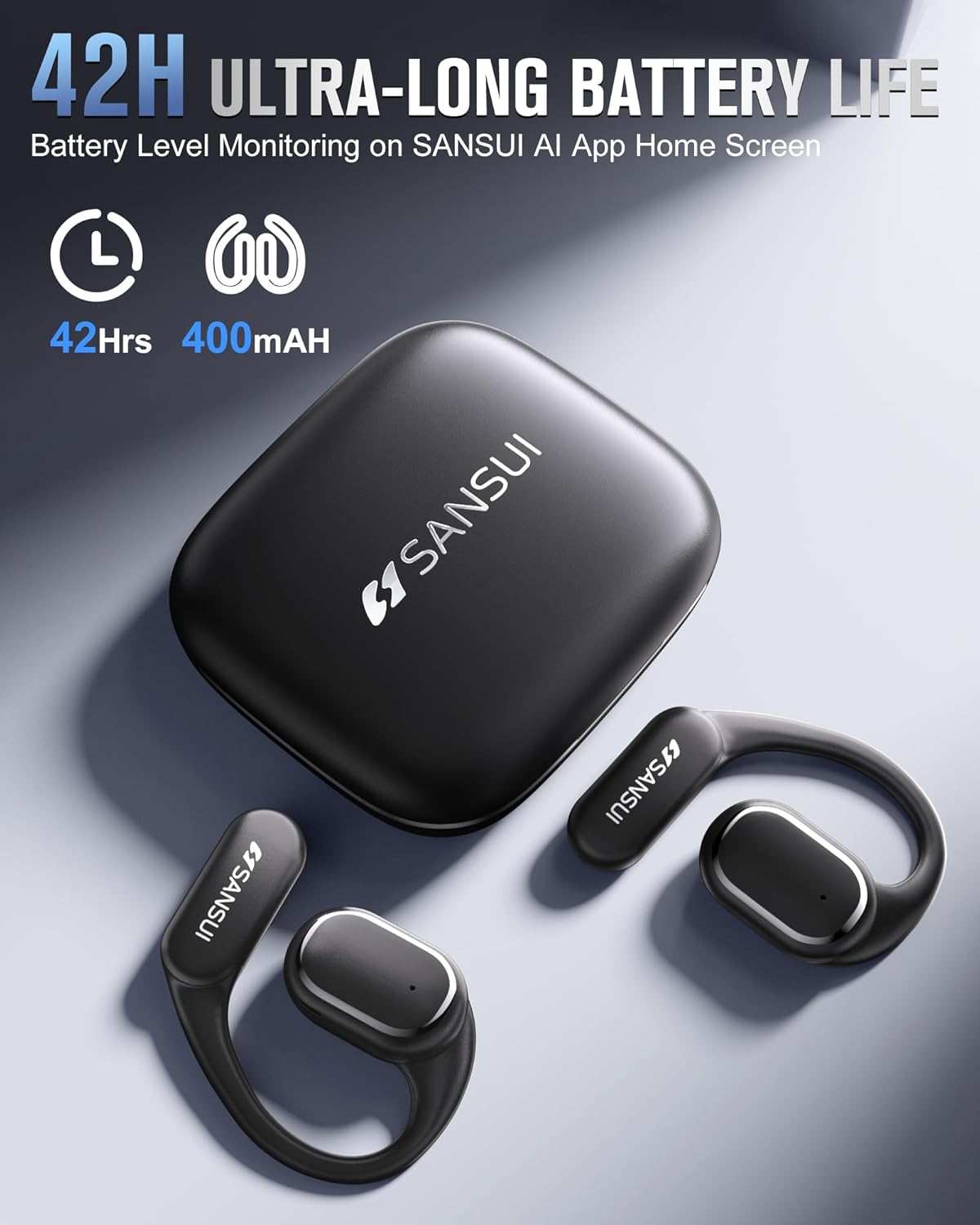
Image: The SANSUI W12 earbuds and charging case, illustrating the 42-hour ultra-long battery life.
8. Garantia e Suporte
SANSUI is committed to providing quality products and customer satisfaction. For any inquiries or support needs, please refer to the following:
- Garantia: The product comes with a standard manufacturer's warranty. Please refer to the warranty card included in your packaging for specific terms and conditions.
- Suporte ao cliente: For technical assistance, troubleshooting, or general inquiries, please visit the official SANSUI website or contact their customer service. Contact information can be found in the user manual or on the SANSUI AI Smart App.
- Planos de proteção: Extended protection plans are available for purchase separately to cover your device beyond the standard warranty period.
Ask a question about this manual
Ask about setup, troubleshooting, compatibility, parts, safety, or missing instructions. Manuals+ will review the question and use this page’s manual context to help answer it.