
1. Introdução
The LOTUS Smartwatch 50203/1 Naya Lite is designed to integrate health tracking and activity control into your daily routine. This smartwatch allows you to monitor health metrics, track various sports activities, and manage calls directly from your wrist. Its versatile and modern design ensures both functionality and comfort for daily use.
2. O que está na caixa
- LOTUS Smartwatch 50203/1 Naya Lite
- 1 Carregador
- Manual do usuário (este documento)
3. Configuração
3.1. Carregando o dispositivo
Before initial use, fully charge your smartwatch. Connect the provided charger to the charging port on the back of the watch and plug the USB end into a compatible power adapter (not included) or a computer's USB port. The watch display will indicate charging status. A full charge typically takes approximately 2 hours.
3.2. Instalação e pareamento do aplicativo
- Baixe o aplicativo: Procurar the official LOTUS Smartwatch application in your smartphone's app store (Google Play Store for Android or Apple App Store for iOS). Install the application.
- Ativar Bluetooth: Certifique-se de que o Bluetooth esteja ativado em seu smartphone.
- Abra o aplicativo: Launch the LOTUS Smartwatch app and follow the on-screen instructions to create an account or log in.
- Adicionar dispositivo: Within the app, navigate to the 'Add Device' or 'Pair Device' section. The app will search for available smartwatches.
- Selecione seu smartwatch: Select 'LOTUS 50203/1 Naya Lite' from the list of discovered devices. Confirm the pairing request on both your smartphone and the smartwatch if prompted.
- Configuração completa: Siga as instruções restantes no aplicativo para concluir a configuração inicial, incluindo a configuração pessoal.file preferências de informações e notificações.
4. Instruções de operação
4.1. Navegação Básica
- Tela sensível ao toque: Swipe left, right, up, or down to navigate through menus and functions. Tap to select an option.
- Botão lateral: Press the side button to return to the home screen or to wake the display. A long press may access power options or specific features.
4.2. Fazendo e recebendo chamadas
Once paired with your smartphone, the smartwatch allows you to manage calls directly. Ensure your watch is connected via Bluetooth to your phone.
- Recebendo chamadas: Quando uma chamada for recebida, o relógio exibirá o identificador de chamadas. Toque no ícone verde para atender ou no ícone vermelho para rejeitar.
- Fazendo chamadas: Access the 'Phone' or 'Dialer' function on your smartwatch. You can dial numbers directly or select contacts from your synced phonebook.
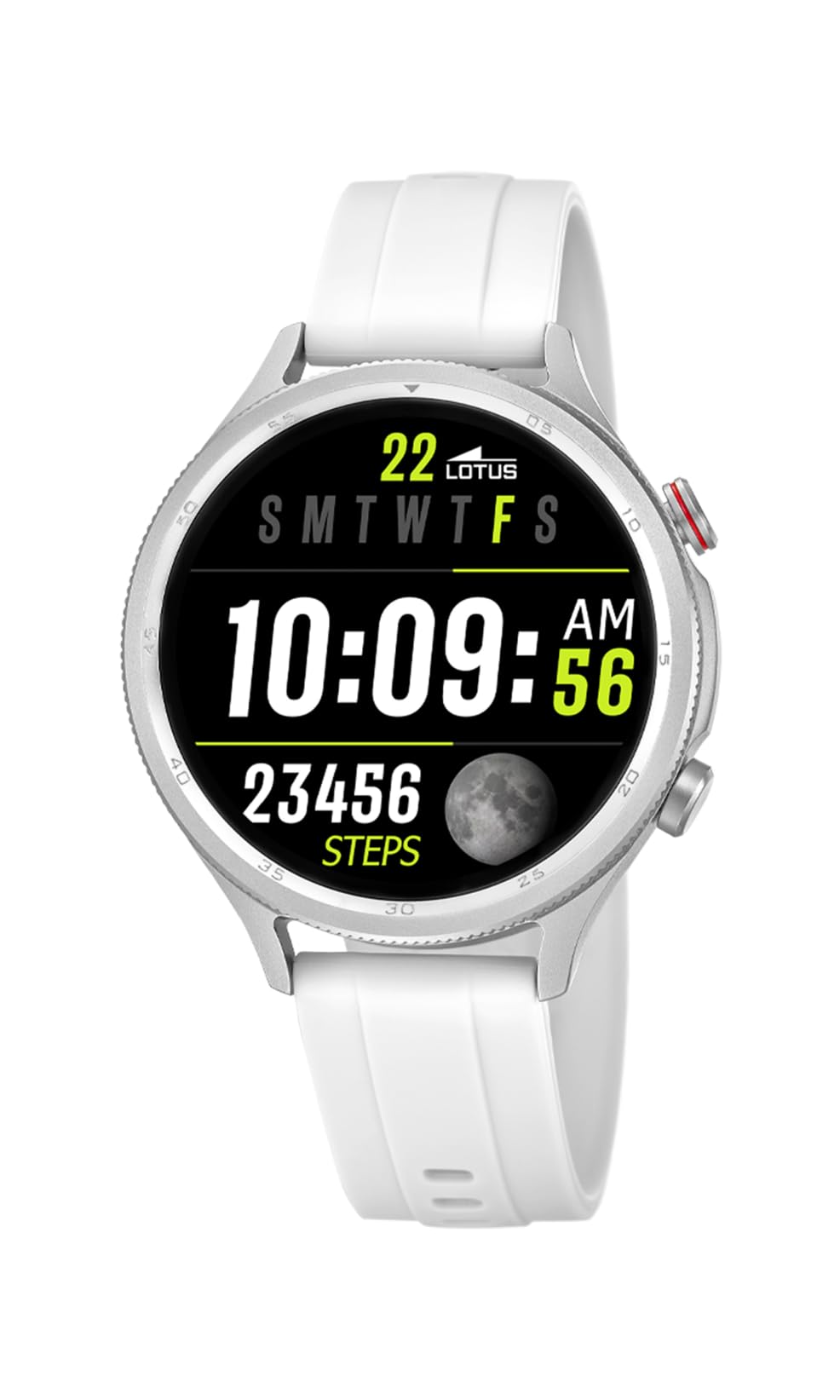
Image: The Lotus Smartwatch 50203/1 Naya Lite allows for convenient call management directly from your wrist.
4.3. Controle de música
Control music playback on your smartphone directly from your smartwatch. Navigate to the 'Music Control' feature on your watch. You can play, pause, skip tracks, and adjust volume.
4.4. Monitoramento de atividades e esportes
The smartwatch tracks various fitness metrics and supports multiple sports modes.
- Passos e calorias: The watch automatically counts your steps and estimates calories burned throughout the day. View your daily progress on the watch face or in the app.
- Modos esportivos: Access the 'Sports' menu to select from various activities (e.g., running, walking, cycling). The watch will record duration, distance, and other relevant data for your chosen activity.

Image: The smartwatch display provides real-time updates on your activity metrics.
4.5. Monitoramento de saúde
- Monitor de sono: Wear the smartwatch to bed to track your sleep patterns. The app provides detailed analysis of your sleep quality.
- Other Health Metrics: The watch may offer additional health monitoring features. Refer to the app for a complete list and instructions on how to use them.
4.6. Assistente de voz com IA
Activate the AI Voice Assistant feature on your smartwatch to perform tasks using voice commands. Ensure your watch is connected to your smartphone and the voice assistant feature is enabled in the app.
5. Manutenção
5.1. Limpando seu smartwatch
Regularly clean your smartwatch and strap to prevent skin irritation and maintain functionality.
- Limpe a tela e a carcaça com um pano macio e seco.amp, pano sem fiapos.
- For the rubber strap, use mild soap and water, then rinse thoroughly and dry completely before wearing.
- Evite usar produtos químicos agressivos, produtos de limpeza abrasivos ou solventes.
5.2. Cuidados com a bateria
- Evite descarregar completamente a bateria com frequência.
- Não exponha o relógio a temperaturas extremas, pois isso pode reduzir a vida útil da bateria.
- Use apenas o carregador fornecido.
5.3. Resistência à água (IP65)
The LOTUS Smartwatch 50203/1 Naya Lite is rated IP65 water resistant. This means it is protected against dust ingress and low-pressure water jets from any direction. It is suitable for everyday use and can withstand splashes or light rain. It is not suitable for swimming, showering, or prolonged submersion in water.
6. Solução De Problemas
- Relógio que não liga: Certifique-se de que o relógio esteja totalmente carregado. Conecte-o ao carregador por pelo menos 30 minutos.
- Não foi possível emparelhar com o telefone: Make sure Bluetooth is enabled on your phone and the watch. Ensure the watch is within range. Restart both the watch and your phone, then try pairing again through the app.
- As notificações não estão aparecendo: Check app settings on your phone to ensure notification permissions are granted for the LOTUS Smartwatch app. Also, verify notification settings within the smartwatch app itself.
- Dados de atividade imprecisos: Ensure the watch is worn snugly on your wrist. Calibrate your personal information (height, weight, age) in the app for better accuracy.
- Tela não responde: Try restarting the smartwatch. If the issue persists, contact customer support.
7. Especificações
| Marca | LÓTUS |
| Modelo | 50203/1 |
| Fabricante | Time Road SL. |
| Tipo de exibição | Digital |
| Tipo de material | Liga de zinco |
| Tipo de material da banda | Borracha |
| Cor da Banda | Branco |
| Nível de resistência à água | IP65 (resistente à água) |
| Bateria | 1 bateria não padrão (incluída) |
| Componentes Incluídos | 1 Carregador |
8. Garantia e Suporte
For warranty information and customer support, please refer to the documentation provided with your purchase or visit the official LOTUS website. Guarde o comprovante de compra para solicitações de garantia.
Fabricante: Time Road SL.