
ESX VMX1000DAB
ESX Vision VMX1000DAB User Manual
Universal 1-DIN Multi-Angle Media Moniceiver with 10 Inch Touchscreen
Introdução
Thank you for choosing the ESX Vision VMX1000DAB Multi-Angle Media Moniceiver. This device is a universal 1-DIN car multimedia system featuring a 10-inch touchscreen display. It offers advanced connectivity options including wireless Apple CarPlay and Android Auto, DAB+ digital radio, Bluetooth hands-free calling and audio streaming, and a versatile media player. This manual provides essential information for the proper installation, operation, and maintenance of your VMX1000DAB unit.
O que está na caixa
Carefully unpack your ESX Vision VMX1000DAB and ensure all items are present:
- VMX1000DAB Moniceiver Unit
- Receptor GPS
- DAB+ Window Adhesive Antenna
- Microfone externo
- Mounting Hardware and Cables (ISO harness, USB cables, RCA cables)
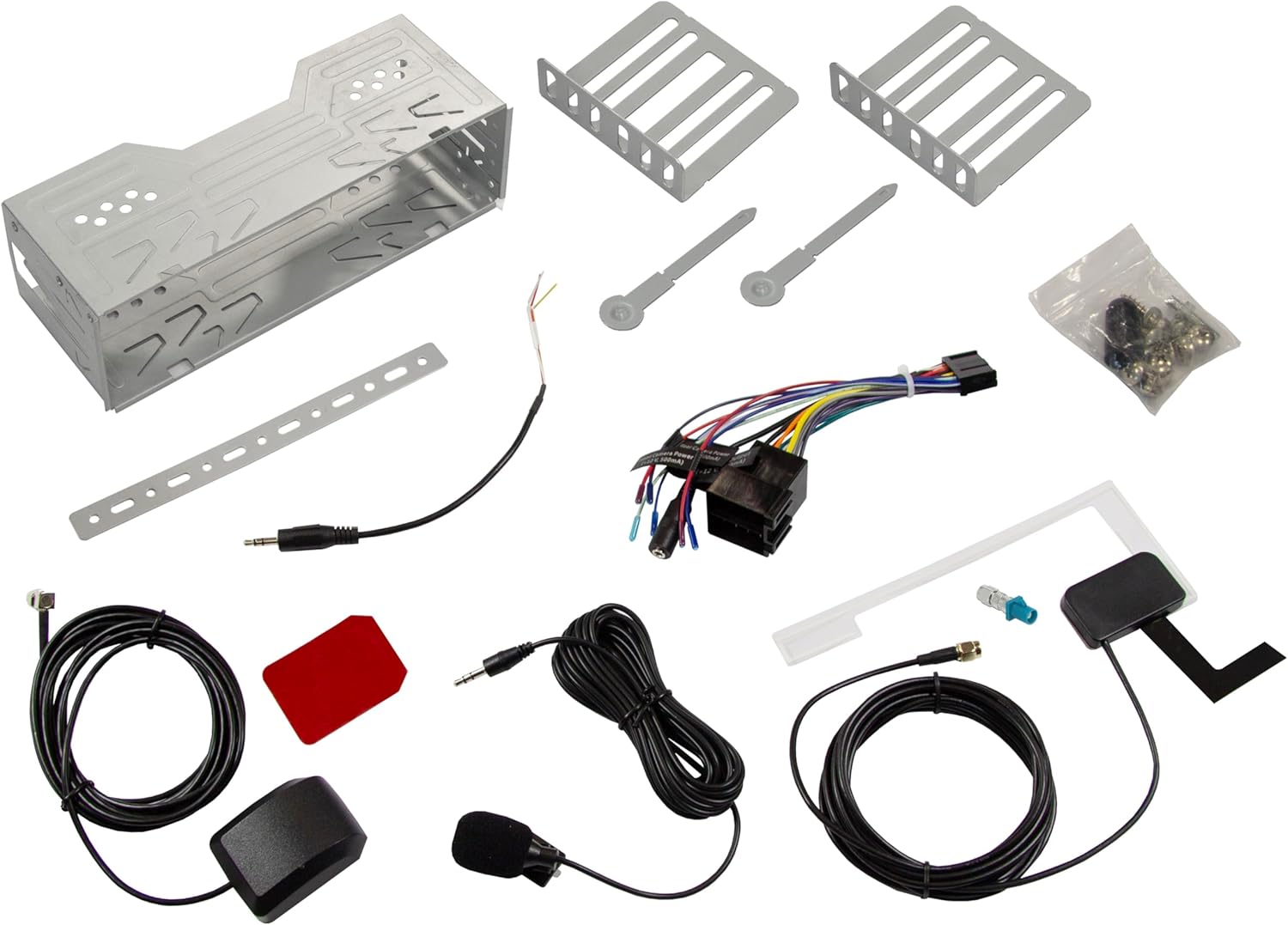
Image: All components included in the ESX Vision VMX1000DAB package.
Configuração e instalação
The VMX1000DAB is designed for universal 1-DIN installation. Professional installation is recommended to ensure correct wiring and functionality.
1. Montagem da Unidade
- Install the 1-DIN chassis into your vehicle's dashboard opening using the provided mounting cage and brackets.
- The 10-inch monitor is multi-angle adjustable and removable for anti-theft protection. To attach, slide the monitor onto the front of the main unit until it clicks securely into place. To remove, press the release button (if applicable) and slide it off.

Image: The VMX1000DAB unit with its detachable monitor.
2. Conexões de fiação
Connect the wiring harness, antennas, and external devices to the rear of the moniceiver. Refer to the wiring diagram provided with your unit for specific connections.
- Cabo de alimentação/alto-falante: Connect the main ISO harness to your vehicle's wiring.
- Portas USB-A: Estão disponíveis duas portas USB-A. Uma para reprodução de mídia e carregamento (1.5 A) e outra específica para Apple CarPlay/Android Auto e carregamento (1.5 A).
- Saídas pré-amplificadas RCA: Six 4V RCA preamplifier outputs (FL/FR/RL/RR/SUB1/SUB2) for connecting external amplificadores.
- RCA AUX Inputs: Stereo audio (L/R) and video input for external sources.
- Entradas da câmera: Dedicated RCA inputs for front and rear cameras.
- Antena GPS: Connect the GPS receiver for optimized navigation.
- Antena DAB+: Connect the included DAB+ window adhesive antenna for digital radio reception.
- Microfone Externo: Plug in the external microphone for clear hands-free calls.
- Controle do volante: Connect to your vehicle's analog steering wheel controls (learnable function).

Image: Rear connections of the VMX1000DAB unit.
Instruções de operação
The VMX1000DAB features a user-friendly interface controlled via its 10-inch touchscreen, a large volume knob, and four function keys.
1. Controles Básicos
- Ligar/desligar: Press and hold the power button (usually integrated with the volume knob).
- Volume: Rotate the large knob to adjust the volume.
- Teclas de função: Use the dedicated function keys for quick access to common features.
- Tela sensível ao toque: Navigate menus and control functions by touching the display icons.

Image: VMX1000DAB Home Screen with various application icons.
2. Apple CarPlay e Android Auto
The VMX1000DAB supports both wireless and wired (via USB) Apple CarPlay and Android Auto. This allows you to mirror and control compatible smartphone apps directly from the 10-inch touchscreen.
- Conexão sem fio: Enable Bluetooth and Wi-Fi on your smartphone and pair it with the VMX1000DAB. Follow the on-screen prompts to initiate CarPlay or Android Auto.
- Conexão com fio: Connect your smartphone to the dedicated USB-A port using a certified USB cable.
- Características: Access navigation apps (e.g., Google Maps with Live Trading), music streaming services (e.g., Spotify), phone calls, messages, and other compatible applications.
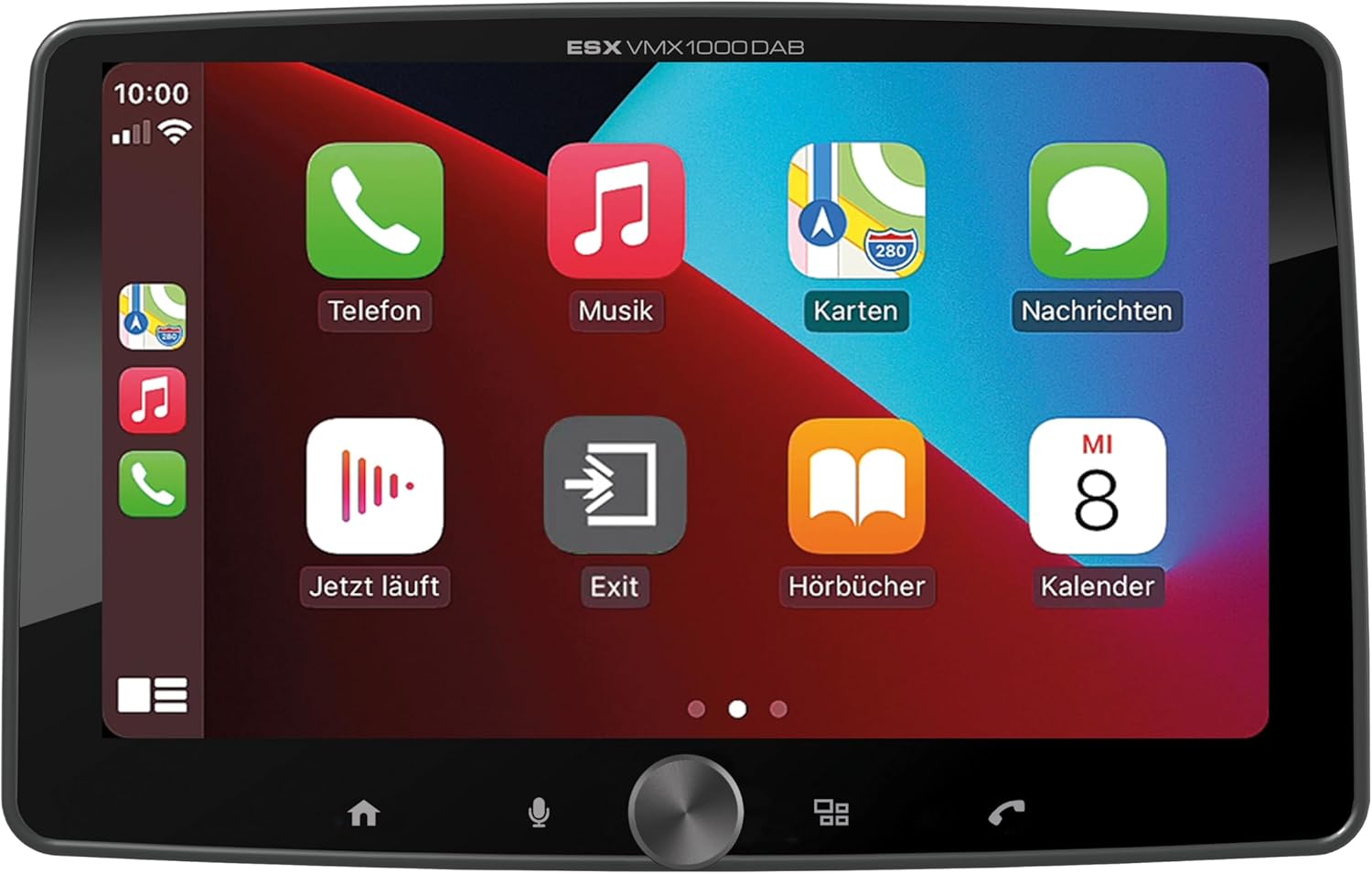
Image: Apple CarPlay interface on the VMX1000DAB.
3. Funções de rádio
- Rádio digital DAB+: Select the DAB+ source to enjoy high-quality digital radio. Ensure the DAB+ antenna is properly installed.
- Rádio FM/AM: Tune into FM or AM stations. The RDS (Radio Data System) function provides station information and traffic announcements where available.
- Predefinições de estação: Salve suas estações favoritas para acesso rápido.
4. Conectividade Bluetooth
- Emparelhamento: Go to the Bluetooth menu on the moniceiver and your smartphone. Procurar and select the VMX1000DAB to pair.
- Chamadas com viva-voz: Make and receive calls directly through the moniceiver using the external microphone and your car's speakers.
- Streaming de áudio: Play music from your smartphone via Bluetooth audio streaming (A2DP).
5. Reprodutor de mídia
The integrated media player supports various audio, video, and photo formats from USB storage devices.
- Formatos compatíveis: AVI, FLV, MOV, MKV, WMV (video); WMA, MP3, FLAC (audio); JPEG, PNG, BMP (photo).
- Reprodução USB: Insert a USB drive into the media USB-A port. The unit will automatically detect and allow you to browse and play media files.
6. Entradas da câmera
Connect front and rear cameras to the dedicated RCA inputs for enhanced safety and parking assistance. The unit will automatically switch to the rear camera view when reverse gear is engaged (if properly wired).
7. Configurações de som
The VMX1000DAB features a 4 x 80 Watt max integrated amplifier. Access the equalizer (EQ) and sound settings to customize your audio experience. Future software updates (available from ESX homepage) will include advanced audio features such as variable high-pass/low-pass filters, time alignment for front, rear, and subwoofer, and dual HD camera input support.
Manutenção
To ensure the longevity and optimal performance of your ESX Vision VMX1000DAB, follow these maintenance guidelines:
- Limpando a tela: Use um pano macio e sem fiapos para limpar suavemente a tela sensível ao toque. Para manchas persistentes, pressione levemente o pano.ampLimpe o pano com água ou um produto de limpeza seguro para telas. Evite materiais abrasivos ou produtos químicos agressivos.
- Limpeza da unidade: Wipe the main unit and buttons with a dry, soft cloth. Do not allow liquids to enter the unit.
- Conexões: Verifique periodicamente todas as conexões de cabos para garantir que estejam seguras e livres de corrosão.
- Atualizações de software: Check the official ESX homepage for available software updates to benefit from new features and improvements.
Solução de problemas
If you encounter issues with your VMX1000DAB, refer to the following common troubleshooting steps:
- Sem energia: Check the power connections and the vehicle's fuse box. Ensure the unit is properly seated in its harness.
- Sem som: Verify speaker connections. Check volume levels and ensure the mute function is not active. Confirm that the correct audio source is selected.
- Problemas de conexão Bluetooth: Ensure Bluetooth is enabled on both the moniceiver and your smartphone. Delete previous pairings and attempt to re-pair. Try restarting both devices.
- CarPlay/Android Auto não está conectando: For wired connections, try a different USB cable or port. For wireless, ensure Wi-Fi is also enabled on your phone. Check for any software updates for your phone or the moniceiver.
- Recepção de rádio deficiente: Check the antenna connection. For DAB+, ensure the adhesive antenna is correctly positioned and not obstructed.
- Tela sensível ao toque não responde: Try restarting the unit. If the issue persists, a factory reset might be necessary (refer to the on-screen settings for this option).
- Monitor Detachment: Ensure the monitor is fully inserted and clicked into place. If it detaches easily, inspect the locking mechanism for any damage.
Se essas etapas não resolverem o problema, entre em contato com o suporte ao cliente ou com um técnico qualificado.
Especificações
| Recurso | Detalhe |
|---|---|
| Marca | Extensão ESX |
| Número do modelo | VMX1000DAB |
| Tecnologia de Conectividade | AUX, Bluetooth, USB, Wi-Fi |
| Método de controle | Touch, Mechanical Knob |
| Características especiais | Apple CarPlay/Android Auto (Wireless & USB), Removable Monitor with CLICK System |
| Dispositivos compatíveis | Smartphones |
| Modo de saída de áudio | Estéreo |
| Codificação de vídeo | AVI, FLV, MOV, MKV, WMV |
| Formatos de áudio | WMA, MP3, FLAC |
| Formatos de imagem | Arquivos JPEG, PNG e BMP |
| Potência de saída (RMS) | 80 Watts (per channel, max) |
| Wat totaltage | 320 Watts (máx.) |
| Número de canais | 4 |
| PréampSaídas mais duradouras | 4V RCA (FL/FR/RL/RR/SUB1/SUB2) |
| Entrada USB | USB Type A (with 1.5A charging) |
| Conteúdo da embalagem | Moniceiver, GPS receiver, DAB+ window adhesive antenna |
Garantia e Suporte
Informações sobre garantia: Please refer to your purchase documentation, retailer, or the official ESX webConsulte o site para obter os termos e condições detalhados da garantia aplicáveis à sua região.
Suporte ao cliente: For technical assistance, troubleshooting beyond this manual, or inquiries regarding service, please contact your authorized ESX dealer or visit the official ESX homepage for support resources and contact information.
Atualizações de software: New functions and software updates are periodically released and made available free of charge via the ESX homepage. It is recommended to check for updates to ensure your device has the latest features and performance enhancements.
Ask a question about this manual
Ask about setup, troubleshooting, compatibility, parts, safety, or missing instructions. Manuals+ will review the question and use this page’s manual context to help answer it.