1. Produto acabadoview
The Generic FS899L Digital Multimeter is a versatile and reliable tool designed for accurate electrical measurements in various applications, including home, industrial, and automotive diagnostics. This device features True RMS measurement, a 6000-count display, and auto-ranging functionality for ease of use. It is equipped with a clear color screen, backlight, and a built-in torch for visibility in diverse lighting conditions. The FS899L is USB rechargeable, offering extended operation after a short charging period, and incorporates advanced safety features for user protection.
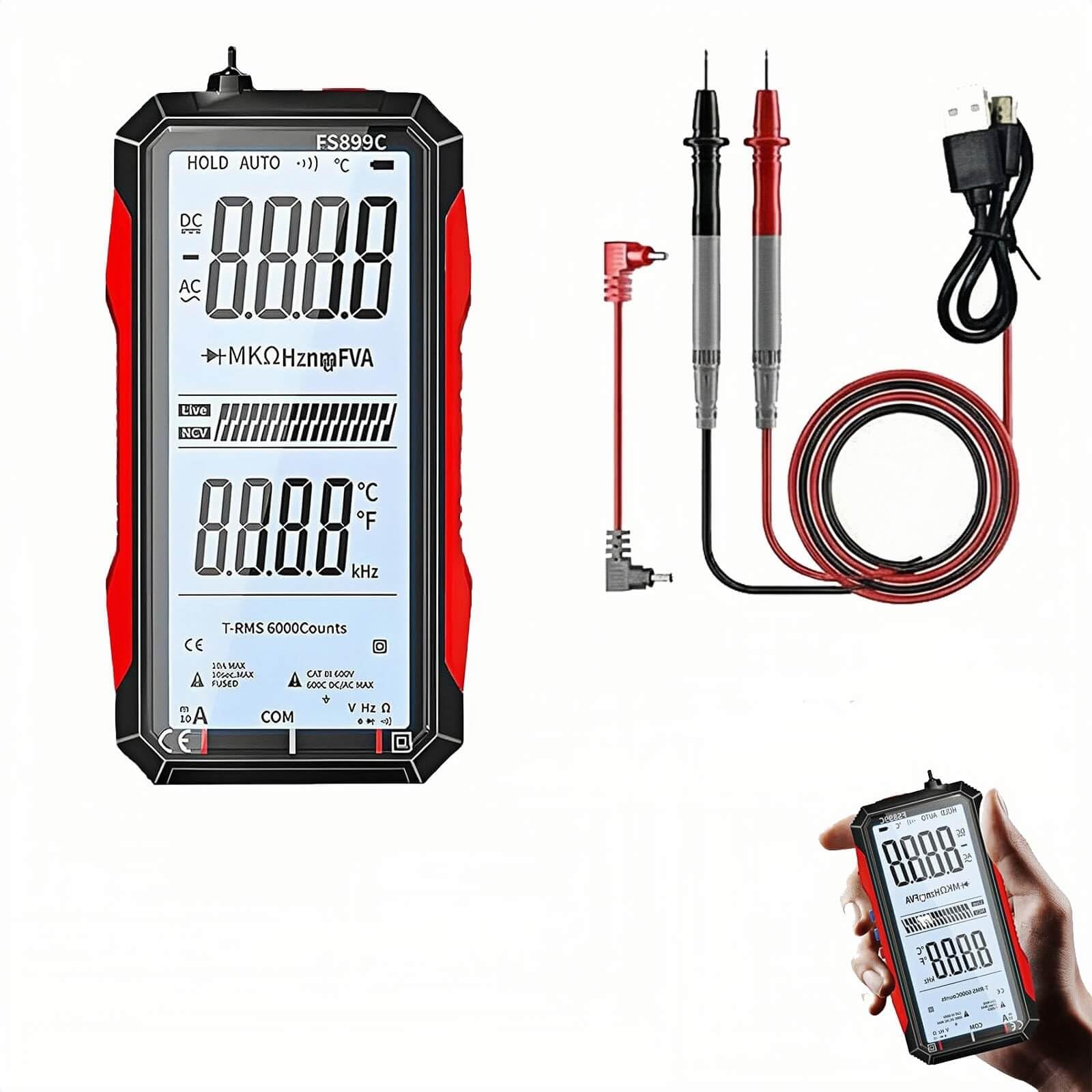
Figure 1: FS899L Digital Multimeter with test leads.
2. Informações de segurança
Always adhere to safety precautions when using any electrical testing equipment. Failure to do so may result in electric shock, injury, or damage to the device or equipment under test.
- Não ultrapasse as classificações: Nunca aplique voltage or current that exceeds the maximum specified limits for the multimeter. Refer to the specifications section for detailed ratings.
- Inspecione os cabos de teste: Before each use, inspect test leads for any damage, cracks, or exposed wiring. Replace damaged leads immediately.
- Proper Personal Protective Equipment (PPE): Always wear appropriate PPE, such as safety glasses and insulated gloves, when working with electrical circuits.
- De-energize Circuits: Whenever possible, de-energize circuits before making connections or disconnections.
- Evite condições úmidas: Do not use the multimeter in wet or damp ambientes.
- Double-Fuse Protection: The FS899L is equipped with double-fuse protection and overload safeguards. However, proper usage is still essential to prevent damage.
- Impact-Resistant Housing: The device features an impact-resistant housing for durability, but avoid dropping or subjecting it to severe mechanical shock.

Figure 2: The FS899L features a durable, impact-resistant shell.
3. Componentes do produto
The FS899L Digital Multimeter package typically includes:
- FS899L Digital Multimeter unit
- Cabos de teste (vermelho e preto)
- Cabo de carregamento USB
- Manual do usuário
Multimeter Features:
- Ampla tela colorida: A 4.8-inch color screen with backlight for clear readings.
- Botões de função: For selecting modes, data hold, and other functions.
- Jacks de entrada: Para conectar cabos de teste.
- Porta USB: Para recarregar a bateria interna.
- Suporte: Integrated kickstand for hands-free operation.

Figure 3: USB charging port and test probe inputs.

Figure 4: Multimeter with its integrated kickstand for convenient viewindo.
4. Configuração
4.1 Carregamento Inicial
The FS899L Digital Multimeter is USB rechargeable. Before first use, or if the battery is low, connect the provided USB charging cable to the multimeter's USB port and to a standard USB power adapter (not included). A full charge typically takes approximately 2 hours and provides up to 8 hours of continuous use.

Figure 5: The multimeter is USB rechargeable for convenience.
4.2 Conectando os Cabos de Teste
- Insira o fio de teste preto no conector de entrada 'COM' (Comum).
- Insert the red test lead into the appropriate input jack for your measurement:
- Para voltage, resistance, capacitance, frequency, diode, and continuity measurements, insert the red lead into the 'VΩHz' jack.
- For current measurements (mA/A), insert the red lead into the 'mA/A' jack.
4.3 Ligar/Desligar
Press and hold the power button to turn the multimeter on or off. The device may also feature an auto-power-off function to conserve battery life.
5. Instruções de operação
The FS899L features auto-ranging, simplifying operation by automatically selecting the correct measurement range. Use the function buttons to select the desired measurement mode.

Figure 6: The multimeter is suitable for detailed circuit diagnostics.
5.1 Modos de Medição
- Volumetage Medição (CA/CC): Selecione o volumetage mode. Connect the test leads in parallel to the circuit or component to measure voltage.
- Medição de corrente (CA/CC): Select the current mode. Connect the multimeter in series with the circuit to measure current. Ensure the correct input jack is used for current.
- Medição de Resistência: Select the resistance mode. Ensure the circuit is de-energized before measuring resistance. Connect the leads across the component.
- Medição de capacitância: Select the capacitance mode. Ensure capacitors are discharged before testing.
- Medição de frequência: Select the frequency mode to measure the frequency of an AC signal.
- Medição de temperatura: The multimeter can measure ambient temperature.
- NCV (Vol sem contatotage) Detecção: Use this feature to detect the presence of AC voltage sem contato direto.
- Medição de diodo: Test diodes for proper function.
- Teste de continuidade: The on/off buzzer indicates continuity (low resistance).
- Live Line Identification: For identifying live wires.

Figura 7: Examples of multi-function testing capabilities.
5.2 Função de retenção de dados
Press the 'HOLD' button to freeze the current reading on the display. This is useful for capturing readings in difficult-to-access areas or for later review. Press 'HOLD' again to release the reading.
5.3 Backlight and Torch
The 4.8-inch color screen includes a backlight for improved visibility in low-light conditions. A built-in torch provides additional illumination for the work area. Activate these features using the dedicated buttons.
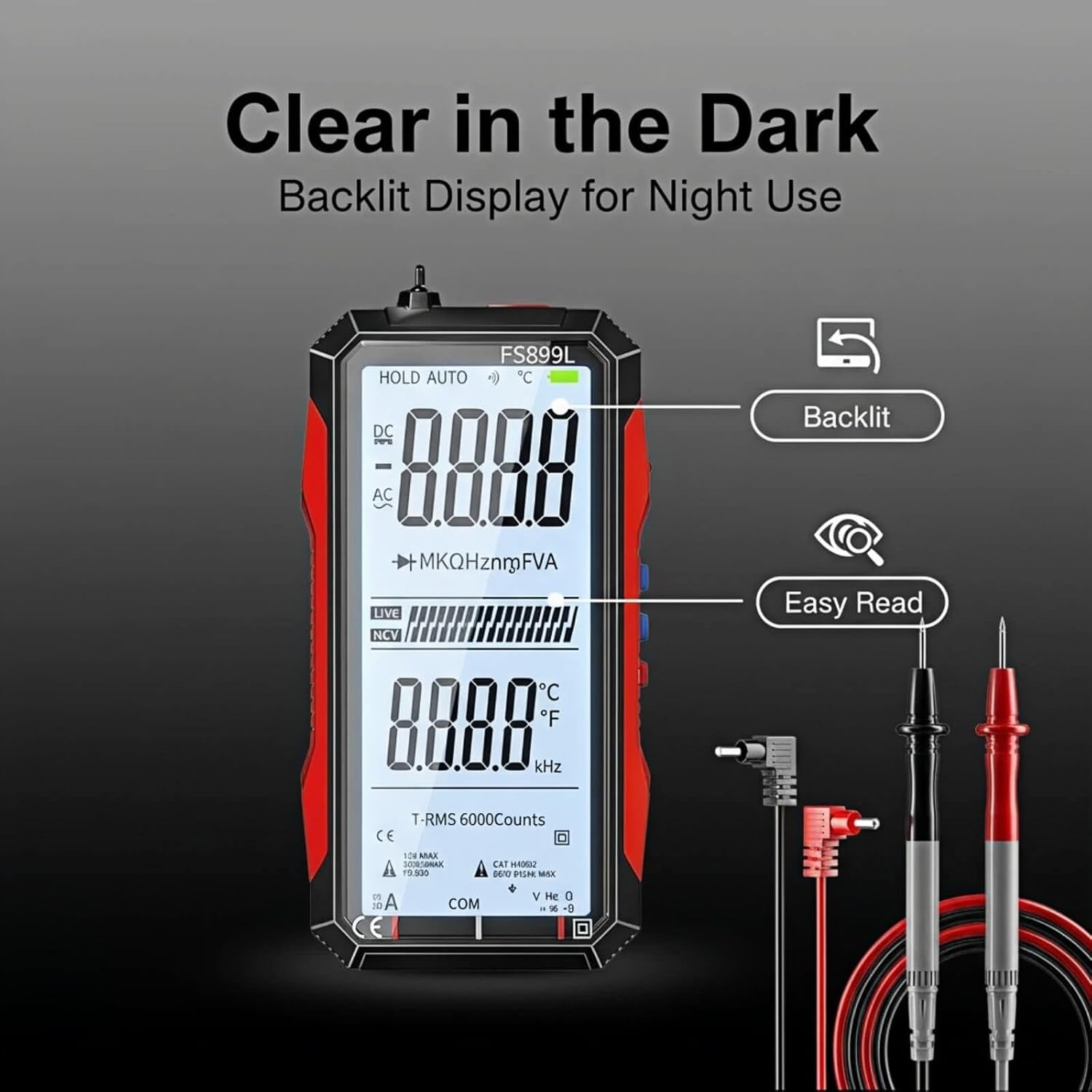
Figure 8: Clear backlit display for use in the dark.
6. Manutenção
6.1 Limpeza
Limpe o terminal do multímetro.asing com anúncioamp pano. Não utilize produtos de limpeza abrasivos ou solventes. Certifique-se de que o dispositivo esteja desligado e desconectado de qualquer circuito antes de limpá-lo.
6.2 Cuidados com a bateria
To maintain battery health, charge the multimeter regularly, especially if it will not be used for an extended period. Avoid fully discharging the battery frequently.
6.3 Substituição de fusíveis
The FS899L is designed with double-fuse protection. If the multimeter fails to measure current or shows incorrect current readings, the fuse may need replacement. Refer to a qualified technician for fuse replacement to ensure proper fuse type and rating are used.
6.4 Armazenamento
Store the multimeter in a cool, dry place, away from direct sunlight and extreme temperatures. Disconnect test leads when storing.
7. Solução De Problemas
- Sem tela/Dispositivo não liga:
- Ensure the battery is charged. Connect the multimeter to a USB charger for at least 30 minutes.
- Pressione e mantenha pressionado o botão liga/desliga firmemente.
- Leituras incorretas:
- Verify test leads are correctly inserted into the appropriate input jacks for the selected measurement mode.
- Check that the test leads are not damaged.
- Ensure the circuit is properly connected and de-energized for resistance/capacitance measurements.
- For current measurements, check the fuse.
- A tela está escura:
- Activate the backlight feature.
- Charge the battery, as low battery can affect display brightness.
8. Especificações
| Recurso | Especificação |
|---|---|
| Marca | Genérico |
| Número do modelo | TE 56524958 |
| Mostrar | 6000 Counts, 4.8-inch Color Screen with Backlight |
| Tipo de medição | RMS verdadeiro |
| Fonte de energia | USB Rechargeable (Corded Electric for charging) |
| Duração da bateria | Approx. 8 hours after 2-hour charge |
| Vol operacional mínimotage | 60 Microvolts |
| Vol operacional máximotage | 600 Volts |
| Dimensões do item (C x L x A) | 2.8 x 1.2 x 5.5 polegadas |
| Peso do item | 12.3 onças |
| Classificação de segurança | Meets IEC safety ratings, double-fuse protection, overload safeguards |
| Características | Auto-Ranging, NCV Detection, Data Hold, Torch |
9. Garantia e Suporte
Para informações sobre garantia ou suporte técnico, consulte a documentação fornecida com sua compra ou entre em contato diretamente com o vendedor. Guarde o comprovante de compra como prova de aquisição.