
1. Produto acabadoview
The GODIYMODULES 12x12mm Big Key Module Button Light Touch Switch is a versatile input component designed for various microcontroller platforms, including Arduino, SCM, ARM, and Raspberry Pi. This module provides a simple digital output, signaling a high level when pressed and a low level when released. It features a 3-pin interface for easy connection.
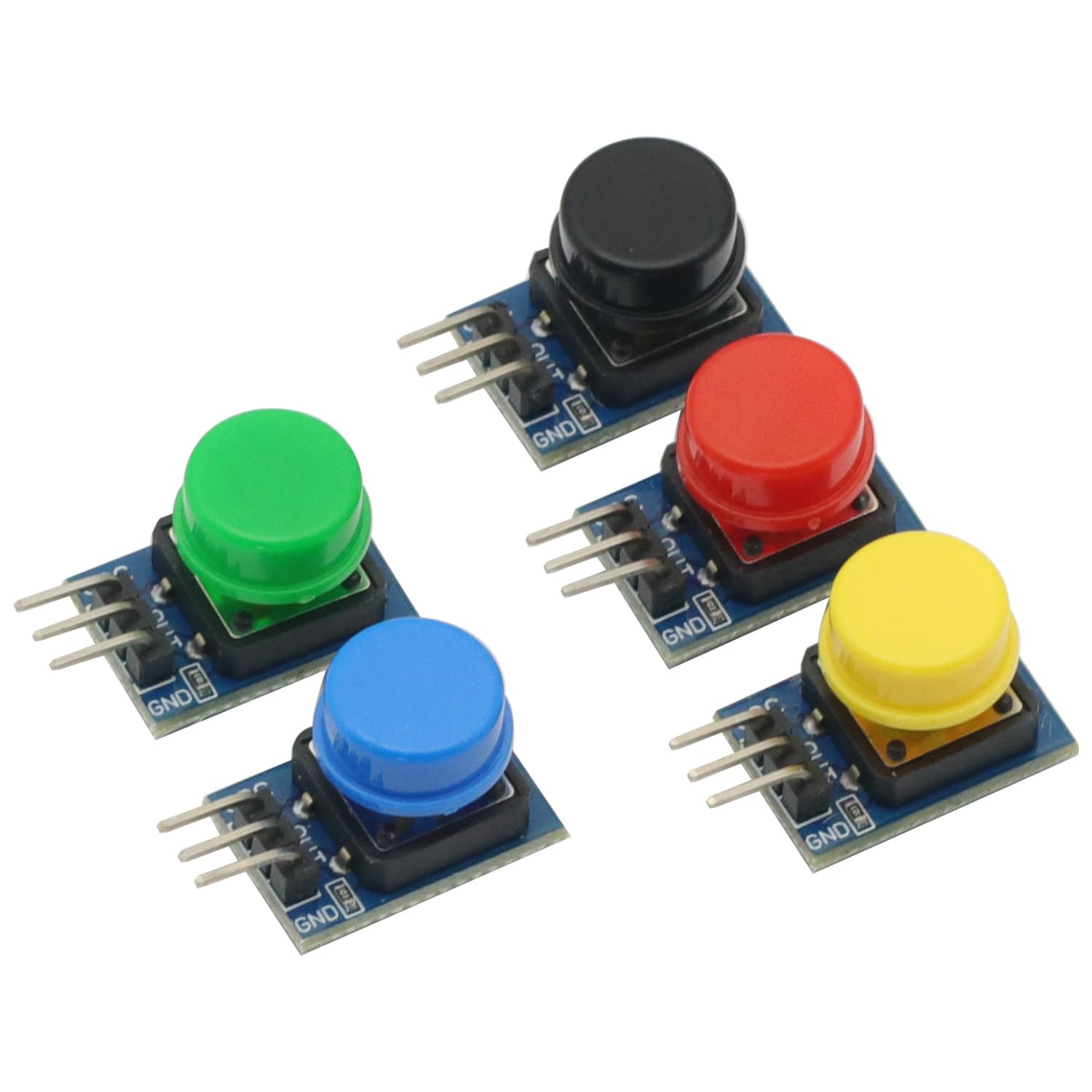
Figura 1: Sobreview of the 5-piece 12x12mm Big Key Module Button set. Each button is mounted on a small PCB segment, connected in a row, featuring distinct colors.
Conteúdo da embalagem:
- 5 x 12x12mm Big Key Module Button Light Touch Switches (one each of Black, Blue, Yellow, Red, Green)
2. Configuração e conexão
This section details the steps required to correctly connect the Big Key Module Button to your development board.
2.1 Descrição da pinagem
Each button module features a 3-pin interface. Understanding these pins is crucial for proper connection.
- VCC: Power supply input (3.5V to 5V DC).
- GND: Conexão de aterramento.
- FORA: Digital output pin.

Figura 2: Pinout labels for the VCC, OUT, and GND connections on each button module.
2.2 Etapas de conexão
- Conecte o VCC pin of the button module to the 3.3V or 5V power supply output of your development board (e.g., Arduino, Raspberry Pi).
- Conecte o Terra pin of the button module to the Ground (GND) pin of your development board.
- Conecte o FORA pin of the button module to a digital input pin on your development board.
- Ensure all connections are secure and correctly aligned to prevent damage to the module or development board.

Figura 3: Lado view illustrating the 3-pin headers for connection.
3. Instruções de operação
The Big Key Module Button operates as a simple digital input device.
- When the button is pressionado, o FORA pin will output a High Digital Level (typically 3.3V or 5V, depending on VCC).
- When the button is lançado, o FORA pin will output a Low Digital Level (typically 0V).
You can read the state of the button using the digital read function on your microcontroller. For example, in Arduino, you would use digitalRead(pinNumber) to get the current state.
4. Manutenção
To ensure the longevity and reliable operation of your Big Key Module Buttons, follow these maintenance guidelines:
- Limpeza: Keep the modules free from dust and debris. Use a soft, dry cloth for cleaning. Avoid using liquids or abrasive materials.
- Armazenar: Store the modules in a dry, cool environment, away from direct sunlight and extreme temperatures.
- Manuseio: Handle the modules by their PCB edges to avoid touching the electronic components or bending the pins.
5. Solução De Problemas
If you encounter issues with your Big Key Module Button, refer to the following troubleshooting tips:
- No Output/Incorrect Output:
- Verify that VCC and GND connections are correct and secure.
- Certifique-se de que a fonte de alimentação voltage is within the specified range (3.5V - 5V).
- Check the connection of the OUT pin to your microcontroller's digital input.
- Test with a different digital input pin on your microcontroller.
- Inspect the module for any visible damage or bent pins.
- Botão não responde:
- Ensure the button is fully pressed and released.
- Check for any physical obstructions preventing the button from moving freely.
6. Especificações
| Recurso | Especificação |
|---|---|
| Nome do produto | Módulo chave |
| Tamanho do módulo | 11 x 22 mm |
| Tamanho do botão | 12 x 12 mm |
| Vol operacionaltage | CC 3.5 V - 5 V |
| Tipo de saída | Digital Level (Press High, Release Low) |
| Interface | 3P Interface (VCC, GND, OUT) |
| Plataformas compatíveis | Arduino, SCM, ARM, Raspberry Pi |
| Conteúdo da embalagem | 5PCS Big Key Module Button Light Touch Switch (Assorted Colors) |
| Peso do item | 0.704 ounces (approx. 20g for 5PCS) |
| Dimensões da embalagem | 3.94 x 1.97 x 0.39 polegadas |
7. Garantia e Suporte
For specific warranty information or technical support, please refer to the retailer or manufacturer's official webGuarde o comprovante de compra para eventuais solicitações de garantia.