
1. Produto acabadoview
The Hunter ZenTech 52 Inch Smart Ceiling Fan (Model 53638) is designed for both indoor and covered outdoor spaces, offering quiet, efficient performance with advanced smart home integration. This 5-blade fan features a slim DC motor, adjustable LED lighting with TrueLight technology, and Wi-Fi connectivity for control via the HunterSMART app, Amazon Alexa, Google Assistant, and Apple HomeKit. It is ENERGY STAR certified and damp-rated for versatile use.
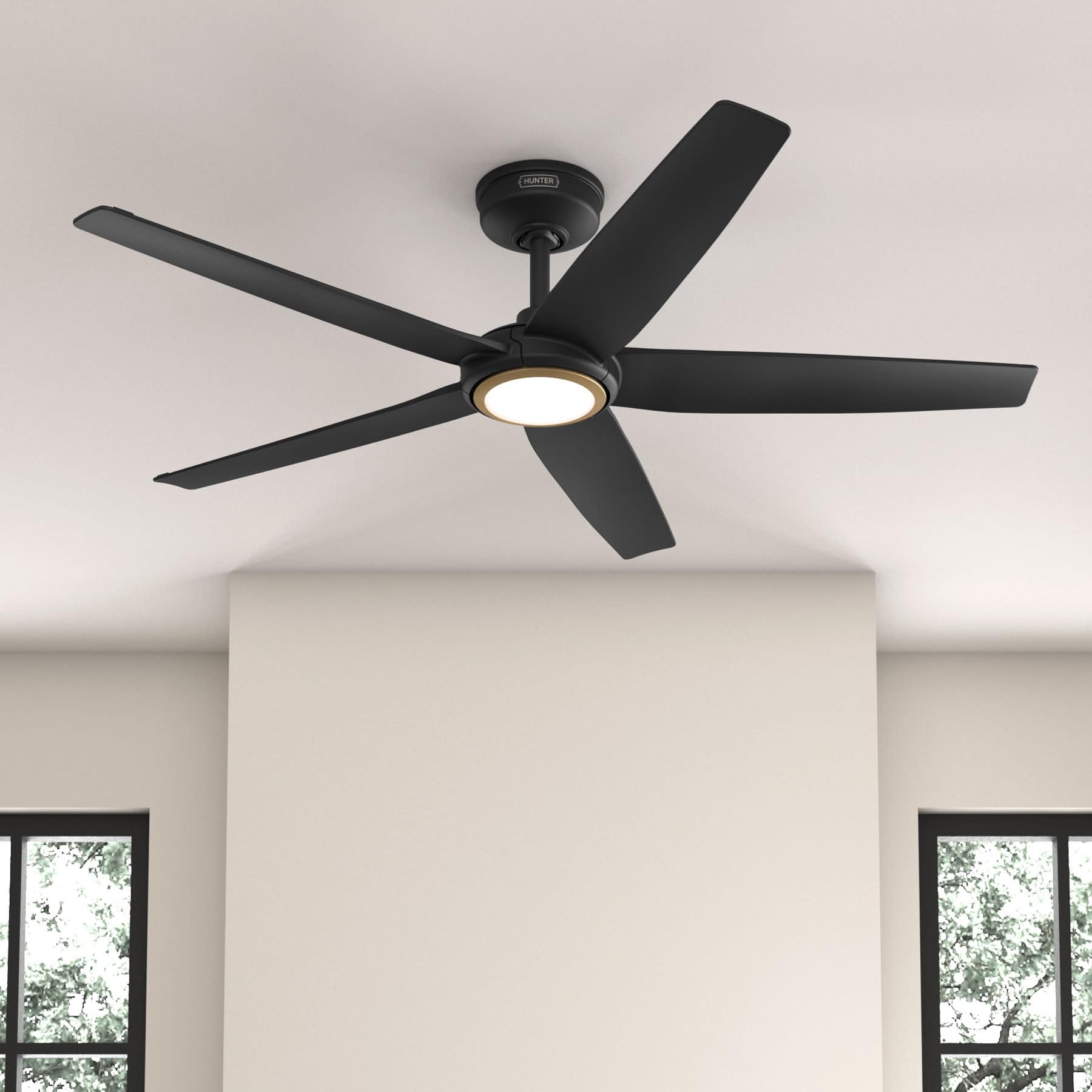
Figure 1: Hunter ZenTech 52 Inch Smart Ceiling Fan (Matte Black)
Principais características:
- Design avançado: Ultra-slim DC motor for powerful, quiet airflow and a modern aesthetic.
- Integração de casa inteligente: HunterSMART technology for app and voice control via Amazon Alexa, Google Assistant, and Apple HomeKit.
- Iluminação LED ajustável: TrueLight LED offers 10 brightness levels and 10 color temperatures, protected by a durable Duralight lens.
- SureSpeed Guarantee: Delivers strong, consistent airflow with quiet, wobble-free performance.
- Eficiência energética: ENERGY STAR certified reversible 6-speed DC motor.
- Damp Classificado: Suitable for indoor and covered outdoor areas.
2. Instruções importantes de segurança
Leia atentamente todas as instruções antes de iniciar a instalação. O não cumprimento destas instruções pode resultar em choque elétrico, incêndio ou ferimentos.
- Desligue sempre a energia no disjuntor principal antes da instalação ou manutenção.
- Certifique-se de que todas as conexões elétricas estejam em conformidade com as normas e regulamentações locais. Se você não estiver familiarizado com fiação elétrica, consulte um eletricista qualificado.
- The mounting structure must be capable of supporting the fan's weight (approximately 14.11 lbs).
- Do not bend blade brackets during installation or cleaning.
- Mantenha as mãos afastadas das pás do ventilador quando ele estiver em funcionamento.
- Este ventilador é damp-rated for use in covered outdoor areas but should not be exposed directly to water.
3. Conteúdo da embalagem
Verifique se todos os componentes listados abaixo estão presentes na sua embalagem antes de iniciar a instalação.
- Carcaça do motor do ventilador de teto
- Lâminas de ventilador 5
- Light Kit with Duralight Lens
- Haste de 6 polegadas
- Cobertura e suporte de montagem
- Controle remoto portátil
- Kit de ferragens (parafusos, arruelas, conectores de fio)

Figure 2: ZenTech 52 Inch Fan Components
4. Guia de instalação
Professional installation is recommended. Ensure the power is OFF at the circuit breaker before starting.
4.1 Montagem do ventilador
- Secure the mounting bracket to the ceiling junction box. The junction box must be listed for fan support.
- Assemble the downrod (6-inch included, compatible with up to 24-inch downrods) to the fan motor housing.
- Hang the fan assembly from the mounting bracket.
- Complete electrical wiring connections as per the wiring diagram provided in the full manual.
- Fixe as pás do ventilador à carcaça do motor.
- Install the light kit and Duralight lens.

Figure 3: ZenTech Fan installed in a covered outdoor space
5. Instruções de operação
The ZenTech fan can be operated using the included handheld remote control or through the HunterSMART app.
5.1 Operação de controle remoto
- Ventilador ligado / desligado: Pressione o botão do ventilador para ligá-lo ou desligá-lo.
- Velocidade do ventilador: Use the speed buttons to cycle through 6 fan speeds.
- Luz ligada / desligada: Pressione o botão de luz para ligar ou desligar a luz.
- Escurecimento da luz: Hold the light button to dim or brighten the light.
- Temperatura de cor: Press the color temperature button to cycle through different color temperatures (warm to cool).
- Função reversa: Press the reverse button to change the fan's direction for seasonal use.
5.2 LED Light Control (TrueLight Technology)
The TrueLight LED system allows for precise control over your lighting environment. You can select from 10 brightness levels and 10 color temperatures to match your preference.

Figure 4: TrueLight LED Technology for adjustable lighting
6. Integração de casa inteligente
The ZenTech fan features HunterSMART technology, enabling seamless integration with popular smart home ecosystems.
6.1 Connecting to HunterSMART App
- Download the HunterSMART app from your device's app store.
- Follow the in-app instructions to create an account and add your ZenTech fan.
- Ensure your fan is powered on and your mobile device is connected to a 2.4 GHz Wi-Fi network during setup.
6.2 Voice Control Compatibility
Once connected to the HunterSMART app, you can link your fan to:
- Amazon Alexa
- Assistente do Google
- Apple HomeKit
Refer to the respective smart home platform's instructions for linking smart devices.

Figure 5: HunterSMART Control Options
7. Cuidados e Manutenção
A manutenção regular garante o desempenho ideal e a longevidade do seu ventilador de teto.
- Limpeza: Dust the fan blades and motor housing periodically with a soft, lint-free cloth. For damp-rated areas, wipe down with a slightly damp cloth, then dry thoroughly. Do not use abrasive cleaners or solvents.
- Verificação de estanqueidade: Annually, check all screws and connections for tightness. Vibrations can cause them to loosen over time.
- Kit de iluminação: The LED light source is designed for long life and is not user-serviceable.
8. Guia de solução de problemas
If you encounter issues with your ZenTech ceiling fan, refer to the table below for common problems and solutions.
| Problema | Possível causa | Solução |
|---|---|---|
| Ventilador não inicia | O ventilador não liga; conexões de fios soltas; bateria do controle remoto fraca. | Verifique o disjuntor; verifique se todas as conexões dos fios estão seguras; troque a bateria do controle remoto. |
| A luz não funciona | No power to the light kit; Loose wire connection; Light kit malfunction. | Check circuit breaker; Verify light kit wiring; Contact customer support if LED is faulty. |
| O ventilador balança | Loose blades or blade holders; Improperly balanced blades; Loose mounting bracket. | Ensure all blade screws are tight; Use a blade balancing kit (not included); Tighten mounting bracket screws. |
| Smart features not connecting | Incorrect Wi-Fi network (not 2.4 GHz); Incorrect app setup; Router issues. | Ensure connection to 2.4 GHz Wi-Fi; Re-attempt app setup; Restart router and fan. |
9. Especificações técnicas
| Especificação | Detalhe |
|---|---|
| Marca | Caçador |
| Nome do modelo | ZenTech |
| Número do modelo | 53638 |
| Tamanho | 52 polegadas |
| Cor | Preto fosco |
| Dimensões do produto | 52"P x 52"L x 11.78"A |
| Peso do item | 14.11 libras |
| Número de lâminas | 5 |
| Tipo de motor | DC |
| Número de velocidades | 6 |
| Capacidade de fluxo de ar | 5443.94 pés cúbicos por minuto |
| O quetage | 17 watts |
| Volumetage | 120 Volts |
| Uso interno/externo | Indoor, Covered Outdoor (Damp Classificado) |
| Características especiais | LED Light, Quiet Operation, Water Resistant, Wi-Fi Enabled |
| Tipo de controlador | Controle de aplicativo, controle remoto |
| Certificações | ETL, Energy Star, FCC |
| Comprimento da haste | 6 Inches (included) |
10. Informações de garantia
The Hunter ZenTech 52 Inch Smart Ceiling Fan is backed by Hunter's commitment to quality. It includes a limited lifetime motor warranty, ensuring long-term confidence in your product. For full warranty details and terms, please refer to the documentation included with your fan or visit the official Hunter Fan Company website.
11. Suporte ao cliente
If you require further assistance, have questions about installation, operation, or troubleshooting that are not covered in this manual, please contact Hunter Fan Company customer support. You can typically find contact information on the official Hunter Fan Company website ou dentro da embalagem do produto.


