
1. Produto acabadoview
The Edifier W280NB Pro are neckband wireless headphones designed for immersive audio experiences with advanced features. They offer hybrid active noise cancellation, Hi-Res Audio support with LDAC, and a durable, comfortable design suitable for various activities.

Image: Edifier W280NB Pro headphones with key features highlighted.
Principais características:
- Deep Hybrid Active Noise Cancellation: Up to -45dB noise reduction with 4 selectable modes (High ANC, Medium ANC, Ambient Aware, Wind Reduction).
- Studio-Quality Hi-Res Audio: 10mm dynamic drivers with titanium-coated composite diaphragms, supporting LDAC codec and Hi-Res Audio Wireless certification (20Hz-40KHz frequency response).
- Long-Lasting Battery & Fast Charging: Up to 23 hours of playback (ANC off), 14 hours (ANC on). 15 minutes of charging provides 5 hours of playtime. Full charge in 1.5 hours.
- Conexão Bluetooth 5.4 estável: Ensures stable transmission, low power consumption, and multipoint connection for seamless device switching.
- All-Day Comfort & Secure Fit: Lightweight, flexible neckband with skin-friendly material and multiple sizes of ear wings for a secure fit. Magnetic earbuds for tangle-free storage.
- Durable & Clear Calls: IP55 dust and water resistance. Built-in AI noise-canceling microphones for clear communication in noisy environments.
2. Guia de configuração
2.1 Conteúdo da embalagem
Antes de usar, verifique se todos os itens estão presentes na embalagem:
- Edifier W280NB Pro Neckband Wireless Headphones
- Cabo de carregamento USB-C
- Multiple sizes of ear tips and ear wings
- Manual do usuário (este documento)
2.2 Carregando os fones de ouvido
Charge the headphones fully before first use to ensure optimal battery performance.
- Connect the provided USB-C charging cable to the charging port on the neckband.
- Conecte a outra extremidade do cabo a um adaptador de energia USB (não incluído) ou à porta USB de um computador.
- The indicator light will show charging status (refer to the LED indicator section for details).
- A full charge takes approximately 1.5 hours. A 15-minute quick charge provides approximately 5 hours of playback.

Image: Visual representation of battery life (23 hours ANC off, 14 hours ANC on) and fast charging (15 mins = 5 hours).
2.3 Fitting the Headphones
Proper fit is crucial for comfort, sound quality, and effective noise cancellation.
- Select the ear tips and ear wings that best fit your ears. Experiment with different sizes for the most secure and comfortable seal.
- Coloque a faixa em volta do pescoço.
- Insert the earbuds into your ear canals and adjust the ear wings to sit snugly in your outer ear for stability.

Image: Diagram showing various ear tip and ear wing sizes for a secure and comfortable fit.
2.4 Emparelhamento Bluetooth
Pair your Edifier W280NB Pro headphones with your device via Bluetooth.
- Certifique-se de que os fones de ouvido estejam carregados e desligados.
- Press and hold the multi-function button (usually the power button) until the indicator light flashes rapidly (e.g., blue and red alternately), indicating pairing mode.
- No seu dispositivo (smartphone, tablet, laptop), ative o Bluetooth e procure por dispositivos disponíveis.
- Select "Edifier W280NB Pro" from the list of found devices.
- Once connected, the indicator light will typically show a steady blue light or flash slowly.
Conexão multiponto:
The W280NB Pro supports multipoint connection, allowing you to connect to two Bluetooth devices simultaneously.
- Emparelhe os fones de ouvido com o primeiro dispositivo conforme descrito acima.
- Desative o Bluetooth no primeiro dispositivo.
- Coloque os fones de ouvido de volta no modo de emparelhamento e emparelhe-os com o segundo dispositivo.
- Re-enable Bluetooth on the first device. The headphones should now be connected to both devices, allowing seamless switching.

Image: Illustration of Bluetooth 5.4 technology for stable transmission and multipoint connection.
3. Instruções de operação
3.1 Ligar/Desligar
- Ligar: Press and hold the multi-function button for approximately 3 seconds until the indicator light illuminates.
- Desligar: Press and hold the multi-function button for approximately 5 seconds until the indicator light turns off.
3.2 Controles de botão
The Edifier W280NB Pro features intuitive button controls on the neckband for easy management of music, calls, and noise cancellation modes.

Image: Diagram illustrating the functions of each button on the neckband for calls, music playback, and mode switching.
| Ação | Função |
|---|---|
| Multi-function Button (Power) | Press and hold 3s: Power On Press and hold 5s: Power Off Press and hold (pairing mode): Enter Bluetooth pairing Single press (during call): Answer/End Call Double press (during call): Reject Call |
| Aumentar volume (+) | Single press: Increase Volume Press and hold: Next Track |
| Volume baixo (-) | Single press: Decrease Volume Press and hold: Previous Track |
| Botão Reproduzir/Pausar | Single press: Play/Pause Music |
| Botão de modo ANC | Single press: Cycle through ANC modes (High ANC, Medium ANC, Ambient Aware, Wind Reduction, ANC Off) |
3.3 Modos de Cancelamento Ativo de Ruído (ANC)
The W280NB Pro offers four distinct noise cancellation modes to adapt to your environment.

Image: Visual guide to the four ANC modes and their typical use cases.
- High ANC: Provides maximum noise reduction, ideal for very noisy environments like airplanes or subways.
- Medium ANC: Offers a balanced level of noise cancellation, suitable for offices or cafes.
- Consciência Ambiental: Allows you to hear your surroundings while still enjoying your audio, useful for urban environments or when needing to be aware of announcements.
- Redução do vento: Projetado especificamente para minimizar o ruído do vento durante atividades ao ar livre.
3.4 Fazendo e recebendo chamadas
The headphones feature AI noise-canceling microphones for clear call quality.
- Atender chamada: Basta pressionar o botão multifuncional uma única vez.
- Encerrar chamada: Basta pressionar o botão multifuncional uma única vez.
- Rejeitar chamada: Pressione duas vezes o botão multifuncional.

Image: A person using the headphones for a call, highlighting the AI-enhanced clear call feature.
3.5 Aplicativo Edifier Connect
For advanced settings and customization, download the Edifier Connect app from your device's app store. The app allows you to:
- Renomeie seu dispositivo.
- Personalize ANC levels.
- Fine-tune audio with preset EQs or custom EQs.
- Locate lost headphones.
4. Manutenção
4.1 Limpeza
The W280NB Pro headphones are IP55 rated for dust and water resistance, but proper cleaning helps maintain their condition.
- Limpe a faixa de pescoço e os fones de ouvido com um pano macio, seco e sem fiapos.
- For ear tips, gently remove them and clean with a damp Se necessário, use um pano e sabão neutro. Certifique-se de que estejam completamente secos antes de recolocá-los.
- Avoid using harsh chemicals, abrasive materials, or submerging the headphones in water.
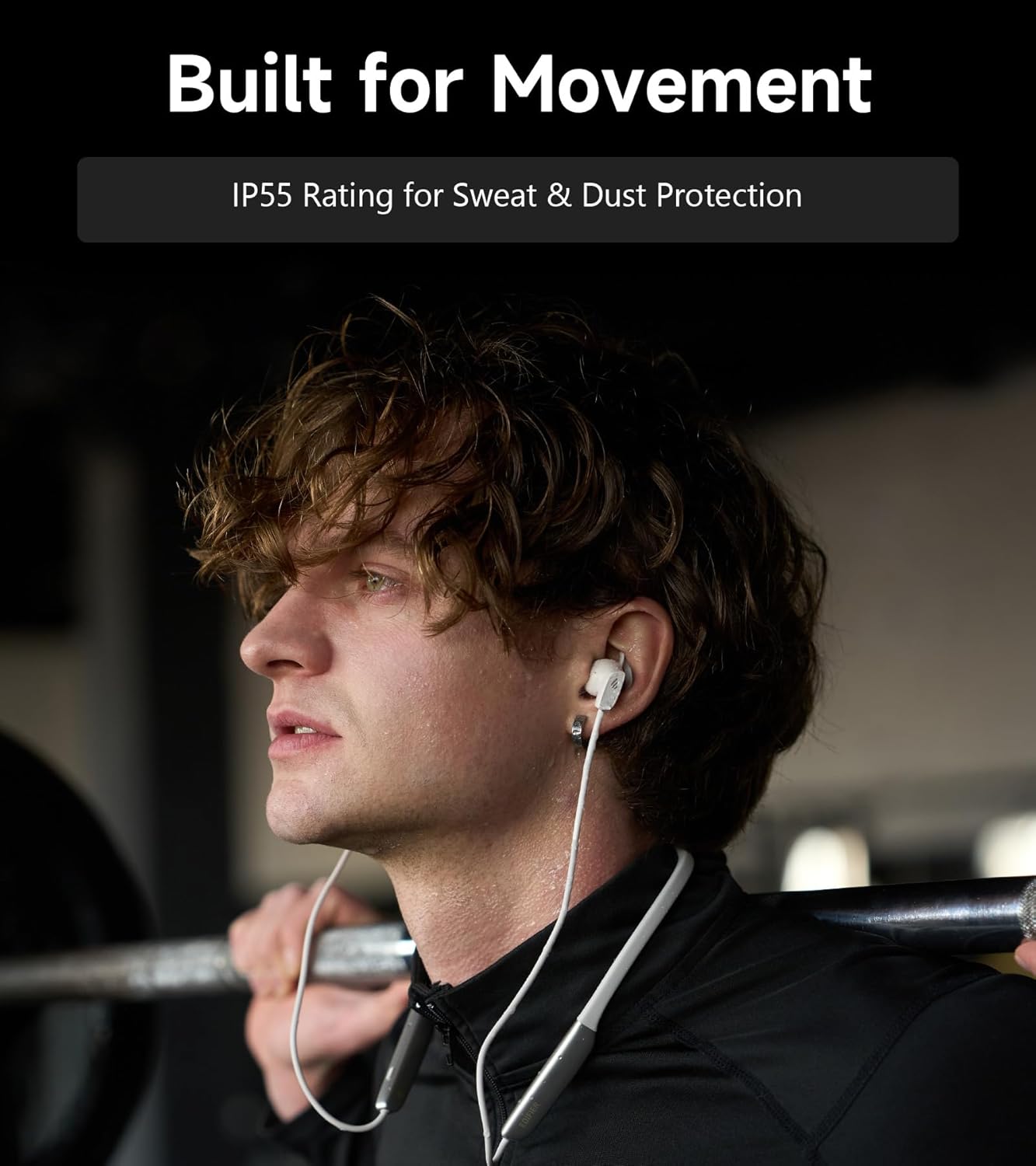
Image: A person wearing the headphones during a workout, illustrating the IP55 sweat and dust protection.
4.2 Armazenamento
When not in use, store your headphones properly to prevent damage.
- The earbuds are magnetic, allowing them to snap together for tangle-free storage around your neck or in a bag.
- Armazene em local fresco e seco, longe da luz solar direta e de temperaturas extremas.
4.3 Cuidados com a bateria
- Evite descarregar completamente a bateria com frequência.
- Carregue os fones de ouvido regularmente, mesmo que não sejam usados por longos períodos, para manter a saúde da bateria.
5. Solução De Problemas
If you encounter issues with your Edifier W280NB Pro headphones, refer to the following common problems and solutions.
| Problema | Possível causa | Solução |
|---|---|---|
| Os fones de ouvido não ligam. | Bateria fraca. | Carregue os fones de ouvido completamente. |
| Não foi possível emparelhar com o dispositivo. | Headphones not in pairing mode. Bluetooth disabled on device. Device too far from headphones. | Ensure headphones are in pairing mode (flashing indicator). Ative o Bluetooth no seu dispositivo. Move device closer to headphones (within 10 meters). Try resetting the headphones (refer to manual for specific reset procedure if available, or power cycle). |
| Sem som ou volume muito baixo. | Volume too low on headphones or device. Headphones not connected. Saída de áudio incorreta selecionada no dispositivo. | Increase volume on both headphones and device. Ensure headphones are successfully paired and connected. Check your device's audio settings to ensure output is set to Edifier W280NB Pro. |
| Má qualidade de som. | Conexão Bluetooth ruim. Ajuste inadequado das pontas auriculares. Qualidade da fonte de áudio. | Aproxime-se do dispositivo conectado. Ensure ear tips provide a secure seal. Experimente uma fonte de áudio diferente ou file. |
| O cancelamento ativo de ruído não é eficaz. | Ajuste inadequado das pontas auriculares. Incorrect ANC mode selected. Extreme noise conditions. | Ensure ear tips provide a secure seal. Cycle through ANC modes to select the most appropriate one. ANC works best for low-frequency, constant noise. |
| O microfone não funciona durante as chamadas. | Headphones not selected as input device. Microfone silenciado no dispositivo. | Check your device's call settings to ensure Edifier W280NB Pro is selected for microphone input. Ensure microphone is not muted on your device. |
6. Especificações
Detailed technical specifications for the Edifier W280NB Pro Neckband Wireless Headphones.
| Recurso | Detalhe |
|---|---|
| Marca | Edificador |
| Nome do modelo | W280NB Pro |
| Cor | Preto |
| Colocação da orelha | No ouvido |
| Fator de forma | Faixa de pescoço |
| Impedância | 24 Ohms |
| Controle de Ruído | Cancelamento de ruído ativo |
| Faixa de frequência | 20Hz-40KHz |
| Tipo de driver de áudio | Dynamic Driver (10mm with Titanium-Coated Diaphragm) |
| Tecnologia de Conectividade | Wireless (Bluetooth) |
| Versão Bluetooth | 5.4 |
| Alcance Bluetooth | 10 metros (33 pés) |
| Battery Average Life (Playback) | 23 horas (ANC desligado), 14 horas (ANC ligado) |
| Tempo de carga da bateria | 1.5 horas |
| Nível de resistência à água | IP55 (Dust & Waterproof) |
| Dispositivos compatíveis | Smartphones, tablets, laptops, alto-falantes inteligentes |
| Material | Silicone (Enclosure) |
| UPC | 628430220005 |
7. Informações de garantia
The Edifier W280NB Pro Neckband Wireless Headphones come with a Garantia do fabricante de 1 anos.
Esta garantia cobre defeitos de materiais e de fabricação sob uso normal. Não cobre danos causados por uso indevido, acidentes, modificações não autorizadas ou desgaste normal. Guarde seu comprovante de compra para eventuais solicitações de garantia.
8. Suporte ao cliente
For further assistance, technical support, or warranty inquiries, please contact Edifier customer service.
- Website: Visit the official Edifier webSite com perguntas frequentes, recursos de suporte e informações de contato.
- E-mail/Telefone: Refer to the Edifier website or your product packaging for specific contact details in your region.