
Introdução
The Roku Hiro 32-inch 720p HD Smart TV offers an integrated Roku streaming experience. This television features an HD display for clear picture quality and speakers with enhanced audio. It supports Bluetooth for private listening with headphones and includes Wi-Fi for internet connectivity. The Roku operating system provides a customizable home screen, access to numerous streaming channels, and automatic updates, making it suitable for various living spaces.
O que está na caixa
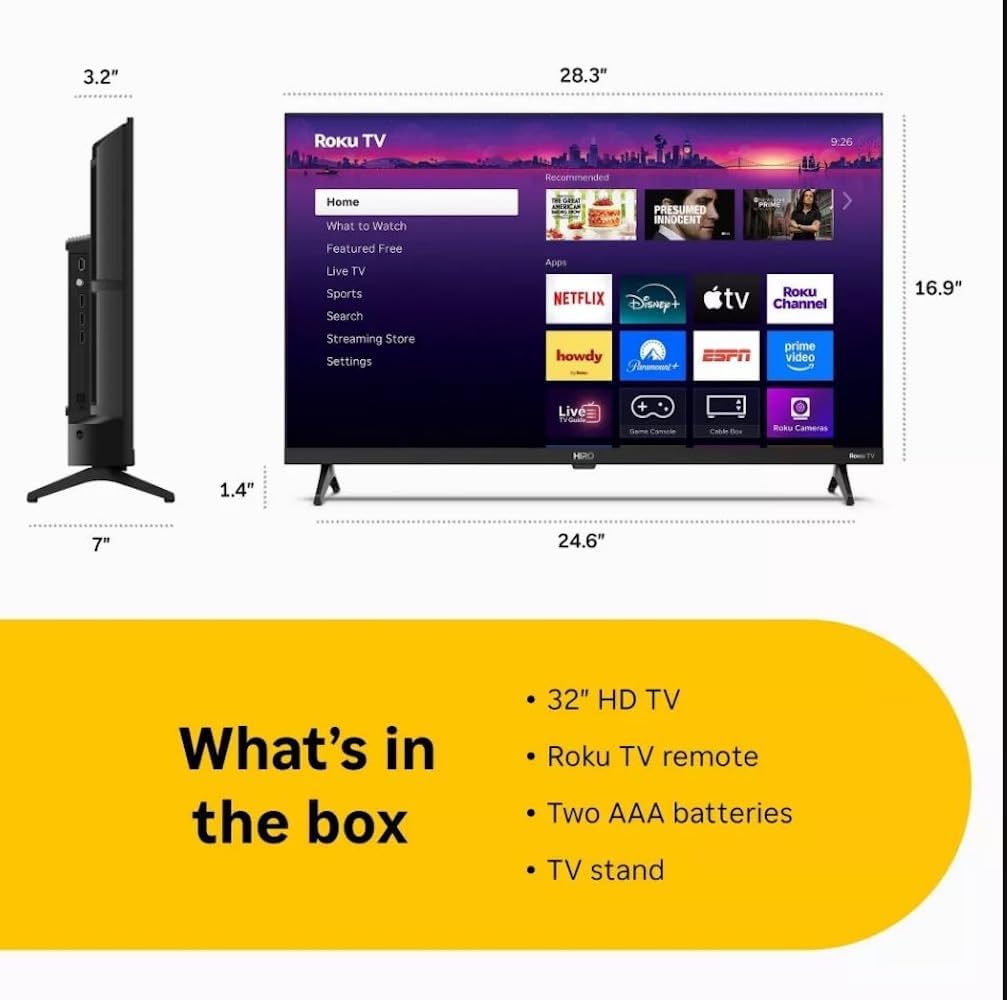
Diagram showing the dimensions of the Roku Hiro 32-inch TV and a list of included accessories: 32-inch HD TV, Roku TV remote, two AAA batteries, and TV stand.
- Hiro 32" 720p HD Smart TV Flat Screen LED Television with Roku TV
- Controle remoto
- TV stand
- Cabo de energia
- Guia do usuário
Configurar
1. Instalação do suporte
Carefully place the TV screen-down on a soft, clean surface to prevent damage. Align the TV stand with the designated slots on the bottom of the TV. Secure the stand using the provided screws. Ensure the stand is firmly attached before proceeding.
2. Dispositivos de conexão

Traseira view of the Roku Hiro TV, showing the input/output ports including USB, HDMI, and antenna connections.
- Poder: Conecte o cabo de alimentação à entrada de energia da TV e, em seguida, a uma tomada de parede.
- HDMI: Connect external devices such as Blu-ray players, game consoles, or cable boxes to the HDMI ports. This TV features 3 HDMI ports.
- USB: Utilize a porta USB para reproduzir conteúdo multimídia a partir de um dispositivo USB.
- Áudio Óptico: Connect an external sound system using an optical audio cable for enhanced sound.
- Antena/Cabo: Connect an antenna or cable TV feed to the RF input for over-the-air or cable channels.
3. Configuração inicial
After connecting all necessary cables, power on the TV. Follow the on-screen instructions to:
- Selecione seu idioma.
- Conecte-se à sua rede Wi-Fi.
- Activate your Roku account (or create a new one).
- Scan for available channels if an antenna is connected.
Instruções de operação
Funções do controle remoto

Close-up of the Roku TV remote control, highlighting buttons for TV power, volume, mute, sleep timer, instant replay, options, and app shortcuts.
- Botão de energia: Liga ou desliga a TV.
- Pad direcional (D-Pad): Navega pelos menus e seleciona itens.
- Botão OK: Confirma seleções.
- Botão Home: Retorna à tela inicial do Roku.
- Botão Voltar: Retorna à tela anterior.
- Aumentar/diminuir volume: Ajusta o volume da TV.
- Botão Mudo: Silencia ou ativa o som da TV.
- Botões de atalho do aplicativo: Direct access to popular streaming services (e.g., Netflix, Disney+, Apple TV+, Prime Video).
- Despertador: Define um temporizador para que a TV desligue automaticamente.
- Replay instantâneo: Jumps back a few seconds in supported content.
- Opções: Accesses additional settings or information for the current content.
Navigating the Roku OS

The Roku TV home screen interface, showing recommended content and various streaming applications.
The Roku home screen provides access to all your streaming channels, inputs, and settings. Use the D-Pad on your remote to navigate through the menu options on the left and the app grid on the right. You can customize the order of your channels by highlighting an app, pressing the * (Options) button, and selecting 'Move channel'.
Conteúdo de streaming
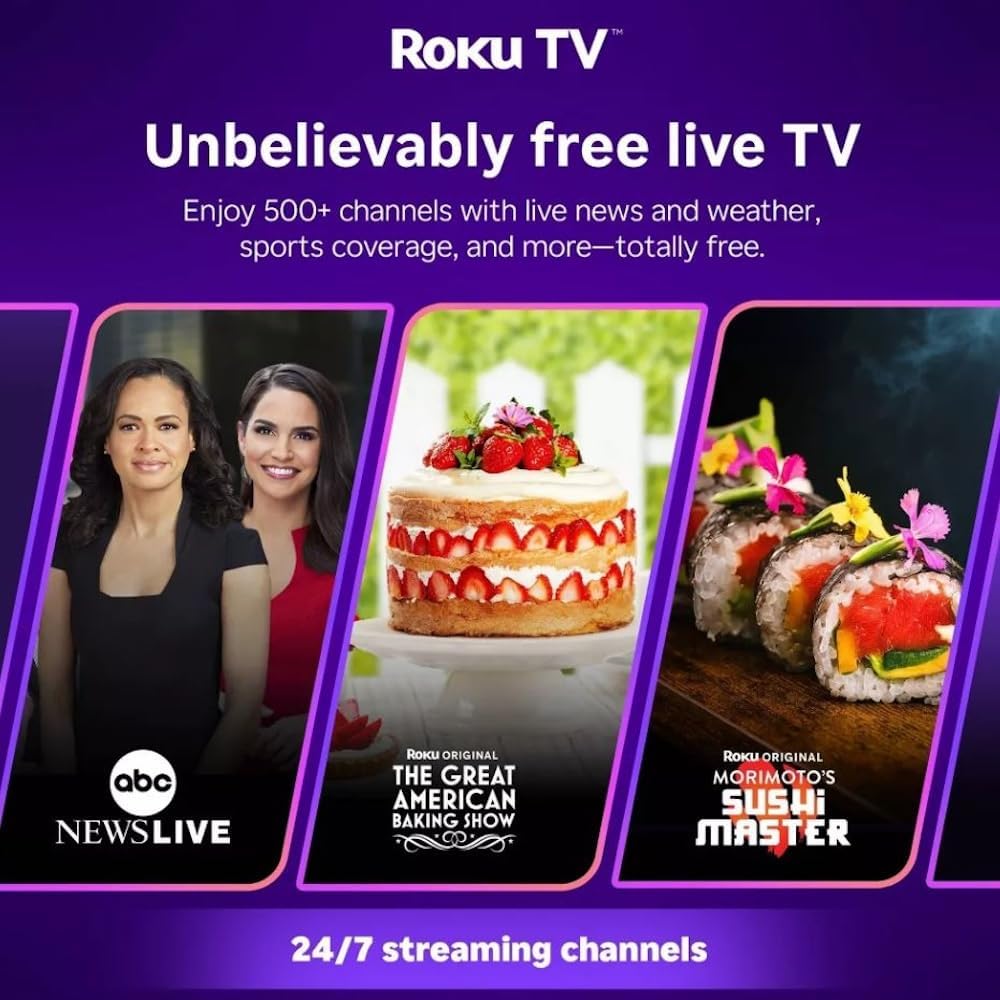
Roku TV interface promoting free live TV channels, featuring examples like ABC News Live, The Great American Baking Show, and Morimoto's Sushi Master.
Access a wide range of streaming services and free content through the Roku Channel Store. The Roku platform offers over 500 free channels, including live television, movies, and news. Use the 'Search' function on the home screen to find specific titles or channels.
Recursos de áudio

Roku Hiro TV displaying the home screen with various streaming apps, emphasizing enhanced audio quality.
The TV features enhanced audio quality. For private listening, you can pair Bluetooth headphones directly with the TV. Navigate to Settings > Remotes & devices > Bluetooth devices > Pair new device to connect your headphones.
Manutenção
Limpando a TV
- Desligue sempre a TV da tomada antes de limpá-la.
- Use um pano macio e sem fiapos para limpar delicadamente a tela e o gabinete.
- Para manchas persistentes, aplique levementeampMolhe o pano com água ou um limpador de telas suave e não abrasivo. Não borrife o limpador diretamente na tela.
- Evite usar produtos químicos agressivos, esponjas abrasivas ou solventes.
Atualizações de software
The Roku TV automatically checks for and installs software updates when connected to the internet. To manually check for updates, go to Configurações > Sistema > Atualização de software.
Solução de problemas
| Problema | Solução |
|---|---|
| Sem energia | Verifique se o cabo de alimentação está firmemente conectado tanto à TV quanto a uma tomada elétrica em funcionamento. Tente usar outra tomada. |
| Sem imagem, mas com som. | Verifique a fonte de entrada. Pressione o Lar button on the remote and select the correct input. Ensure all HDMI cables are securely connected. |
| Sem som, mas com imagem. | Verifique o nível de volume e certifique-se de que a TV não esteja no mudo. Se estiver usando um dispositivo de áudio externo, verifique as conexões e configurações. |
| Não é possível conectar ao Wi-Fi | Verify your Wi-Fi password. Restart your router and modem. Go to Configurações > Rede > Configurar conexão to reconfigure. |
| Controle remoto não funciona | Substitua as pilhas do controle remoto. Certifique-se de que não haja obstruções entre o controle remoto e o sensor infravermelho da TV. |
Especificações
| Nome do modelo | H32C2C4 |
| Tamanho da tela | 32 polegadas |
| Tecnologia de exibição | LIDERADO |
| Resolução | 720p |
| Taxa de atualização | 60 Hz |
| Sistema operacional | Roku OS |
| Tecnologia de Conectividade | Bluetooth, HDMI, Optical Audio, USB, Wi-Fi |
| Total Number of HDMI Ports | 3 |
| Total de portas USB | 1 |
| Dimensões do produto (P x L x A) | 3.2"P x 28.3"L x 16.9"A |
| Peso do item | 7.5 libras |
| Volumetage | 120 Volts (CA) |
| Tipo de montagem | Montagem de mesa |
| Cor | Preto |
Informações de garantia
This Roku Hiro TV is covered by a 90-day Replacement Warranty. Please retain your proof of purchase for any warranty claims. For detailed terms and conditions, refer to the warranty documentation included with your product or visit the official Roku support website.
Apoiar
For further assistance, troubleshooting guides, or to contact customer support, please visit the official Roku support website. You can find comprehensive FAQs and contact information there.