
1. Introdução
The IMILAB EC6 Dual 2K+2K is a plug-in outdoor security camera designed for comprehensive home surveillance. It features a unique dual-lens system, offering wide-angle coverage and intelligent tracking capabilities. This manual provides detailed instructions for setting up, operating, and maintaining your camera to ensure optimal performance and security.

Figure 1: IMILAB EC6 Dual 2K+2K Camera highlighting its dual-lens design for extensive coverage.
2. O que está na caixa
Verifique se todos os componentes estão presentes no seu pacote:
- IMILAB EC6 Dual 2K+2K Plug-in Camera x 1
- Mounting Kit x 1 (includes screws and expansion nuts)
- Power Cable 10ft & Adapter x 1
- User Manual & Card x 1

Figure 2: Contents of the IMILAB EC6 Dual 2K+2K camera package.
3. Configuração
3.1 Instalação Física
The EC6 Dual camera can be mounted on walls, ceilings, or columns. Ensure the installation location provides a clear view and stable Wi-Fi signal.
- Prepare a superfície de montagem: Use the provided positioning sticker to mark the drill holes on your chosen surface.
- Furos de perfuração: Drill holes approximately 30mm deep at the marked positions.
- Insert Expansion Nuts: Gently tap the four expansion nuts into the drilled holes.
- Cabos de rota: Embed the power cable and Ethernet cable (if using wired connection) into the bracket slot for a neat installation.
- Monte a câmera: Align the camera's mounting bracket with the holes and secure it using the screws. Tighten the nuts to ensure stability.
- Ajustar ângulo: Adjust the camera to your desired surveillance angle. The bullet camera (upper lens) can be tilted by hand up to 10 degrees. The turret camera (lower lens) can be panned and tilted using the app.

Figure 3: Versatile installation options for the EC6 Dual camera.
Video 1: EC6 Dual Setup Guide. This video demonstrates the unboxing, physical setup, app connection, and installation process for the IMILAB EC6 Dual camera.
3.2 Conexão do aplicativo
To connect your camera to the app:
- Baixe o aplicativo: Download the Xiaomi Home/Mi Home app from your smartphone's app store.
- Ligar: Connect the power cable to the camera and plug it into a power outlet. Wait for a voice prompt indicating initial activation.
- Adicionar dispositivo: Open the app, click the '+' icon in the upper right corner, and select 'Scan'.
- Leia o código QR: Scan the QR code located on the label of the power cord.
- Selecione o tipo de conexão: Choose between 'Wired Network Connection' or 'Wireless Connection (Wi-Fi)'.
3.2.1 Conexão de rede com fio
- Conecte um cabo Ethernet do seu roteador à porta Ethernet da câmera.
- Siga as instruções na tela do aplicativo para concluir a conexão.

Figure 4: Power and Ethernet ports for wired connection.
3.2.2 Conexão Wi-Fi
- Select your Wi-Fi network from the list, enter the password, and click 'Next Step'.
- The app will automatically complete the Wi-Fi connection.
4. Instruções de operação
4.1 Dual Angle Surveillance
The EC6 Dual camera features two independent lenses for simultaneous monitoring of two angles. The lower lens can pan 360° and tilt 135° via the app, while the upper lens maintains a fixed view. This allows for comprehensive coverage and intelligent tracking of moving objects.

Figure 5: Dual angle surveillance providing two live feeds simultaneously.
4.2 2K+2K Day/Night Full-Color Vision
Both camera lenses support 2K resolution, delivering clear and detailed footage. Equipped with four LED lights and four infrared lights, the camera provides vivid full-color vision during the day and at night.

Figure 6: Clear 2K+2K live view with two-way audio and smart color night vision.
4.3 Smart Deterrence
The camera features subscription-free smart deterrence. Upon motion detection, it can automatically trigger a siren, spotlight, or a custom voice alert to deter potential threats.
- Sirene: Ativa um alarme sonoro.
- Destaque: Turns on bright LED lights.
- Custom Voice Alert: Plays a pre-recorded message.

Figure 7: Smart deterrence features in action.
Video 2: 'Catching Santa' - Demonstrates the camera's ability to detect and record activity, highlighting its dual-lens surveillance and deterrence features.
Video 3: 'You almost got me!' - Illustrates the camera's detection and two-way audio capabilities in a simulated scenario.
Áudio bidirecional 4.4
Communicate with visitors or deter intruders in real-time using the built-in two-way audio feature accessible through the app.

Figure 8: Two-way audio functionality via the app.
4.5 Detecção de Movimento e Notificações
Set up to two customizable motion zones within the Xiaomi Home/Mi Home app. The camera will continuously monitor these areas and send immediate push notifications to your phone when motion is detected, ensuring you stay connected and informed.

Figure 9: App interface for motion zones and notifications.
4.6 Opções de armazenamento flexíveis
The camera offers versatile storage solutions for your footage:
- Cartão MicroSD: Supports local storage on a MicroSD card up to 256GB (not included) for continuous 24/7 recording and enhanced privacy.
- Armazenamento em nuvem: A 3-month free trial is available for new users, providing cloud storage for motion-triggered clips.
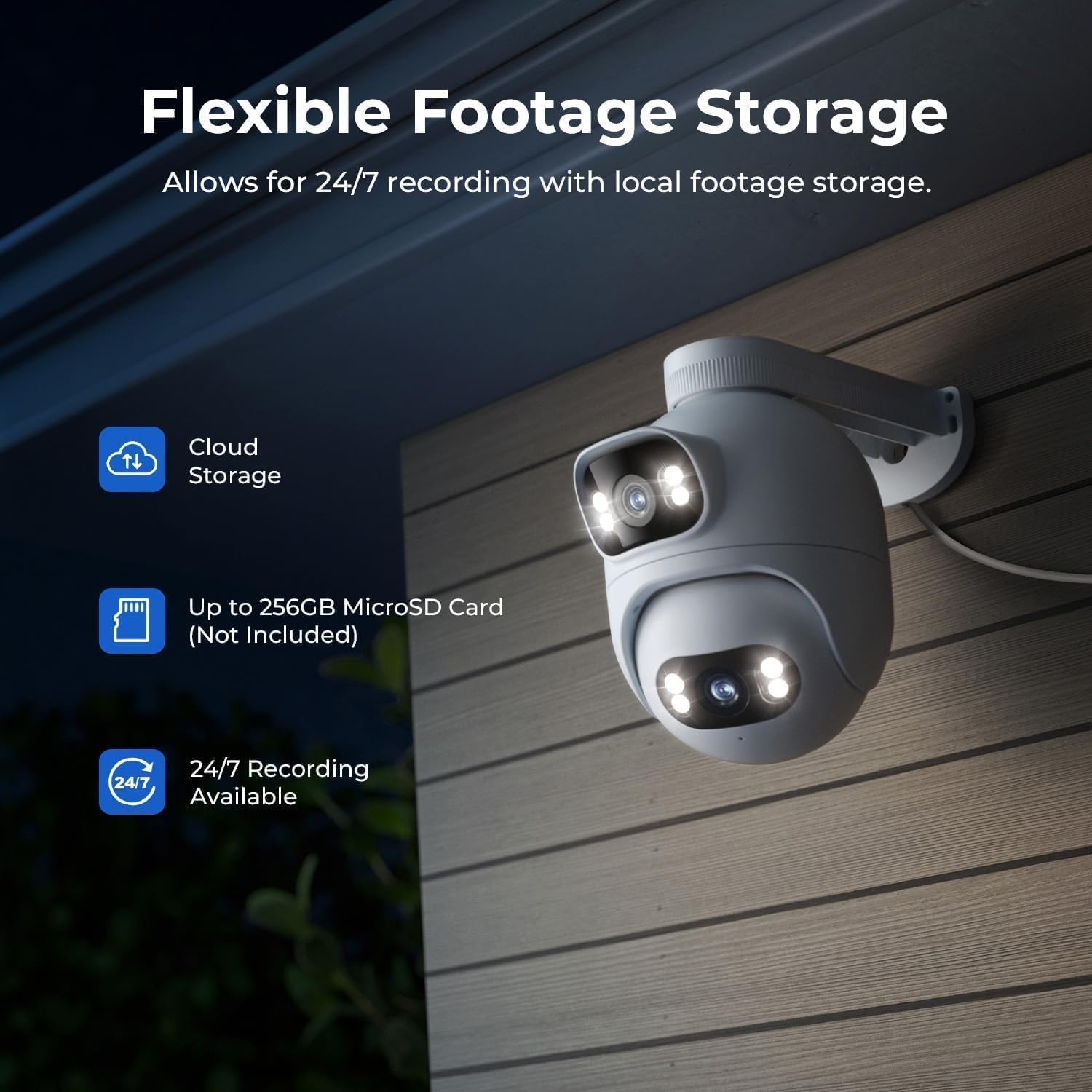
Figure 10: Flexible storage options for recorded footage.

Figure 11: Location of the MicroSD card slot.
Video 4: 'EC6 Dual 2K+2K Outdoor Camera, 24/7 Surveillance' - Highlights the camera's continuous recording and surveillance capabilities.
4.7 Panorâmica e Inclinação Remota
Control the lower lens's pan (360°) and tilt (135°) movements remotely through the app. You can also set preset angles for quick access to specific viewáreas de cultivo.

Figure 12: 360-degree pan functionality.
4.8 Night Vision Settings
Adjust night vision settings in the app's 'Camera Settings' menu. Options include:
- Visão noturna em preto/branco: Displays a black and white image.
- Visão noturna colorida: Displays a color image with spotlights on at night or in low light.
- Visão noturna colorida inteligente: When a person is detected, the spotlights turn on automatically, providing a color image at night or in low light, while conserving power when no motion is detected.
5. Manutenção
- Limpeza: Limpe regularmente as lentes da câmera com um pano macio e seco.amp Use um pano para garantir uma imagem nítida. Evite produtos de limpeza abrasivos.
- Atualizações de firmware: Check the Xiaomi Home/Mi Home app periodically for firmware updates to ensure your camera has the latest features and security enhancements.
- Fonte de energia: Ensure the camera is connected to a stable power source. Avoid frequent power interruptions.
- Inspeção de cabos: Periodically inspect the power and Ethernet cables for any signs of wear or damage.
6. Solução De Problemas
| Problema | Possível causa | Solução |
|---|---|---|
| Câmera não liga | Adaptador de energia não está conectado ou está com defeito. | Verifique as conexões elétricas. Tente usar outra tomada. |
| Não é possível conectar ao Wi-Fi | Incorrect Wi-Fi password; camera too far from router; Wi-Fi signal interference. | Verify Wi-Fi password. Move camera closer to router. Reduce interference from other devices. Ensure 2.4GHz Wi-Fi is used. |
| Baixa qualidade de imagem | Dirty lens; low network bandwidth. | Clean the camera lens. Check your internet speed and network stability. |
| A detecção de movimento não funciona | Motion detection disabled; incorrect motion zone settings. | Enable motion detection in the app. Adjust motion zone sensitivity and areas. |
| Problemas de áudio bidirecional | Microphone/speaker muted; network issues. | Check app settings for audio mute. Ensure stable network connection. |
7. Especificações
| Recurso | Especificação |
|---|---|
| Nome do modelo | EC6 Dual 2K+2K |
| Número do modelo | CMSXJ68A |
| Resolução de captura de vídeo | 2K + 2K |
| Tecnologia de Conectividade | Com fio, sem fio (Wi-Fi) |
| Características especiais | Dual Lens, 24/7 Recording, 800LM Adjustable Lights, 360° PTZ, 3X Zoom, Local Storage, No Monthly Fee |
| Uso interno/externo | Ar livre |
| Tipo de controlador | Amazon Alexa, Google Assistant, Xiaomi Home/Mi Home App |
| Tipo de montagem | Wall/Ceiling/Pole Mount |
| Nível de resistência à água | Resistente à água (IP65) |
| Visão noturna | Starlight, Color Night Vision |
| Tipo de Memória Flash | Micro SD (até 256 GB) |
| Fonte de energia | Elétrico com fio |
| Temperatura de operação | -30°C a 60°C |
8. Garantia e Suporte
Your IMILAB EC6 Dual 2K+2K Outdoor Security Camera comes with a Garantia do fabricante de 2 anosAlém disso, um Política de devolução gratuita de 30 dias is available. For technical support, troubleshooting assistance, or warranty claims, please refer to the contact information provided in the 'User Manual & Card' included in your package or visit the official IMILAB website.