
1. Introdução
This manual provides essential information for using your new XIAOMI 17T smartphone. Please read it carefully before using the device to ensure proper operation and to maximize its features. Keep this manual for future reference.

Image: The XIAOMI 17T smartphone, showcasinseu design elegante.
2. Conteúdo da embalagem
Verifique se todos os itens estão presentes na embalagem do seu produto:
- XIAOMI 17T Smartphone
- Cabo USB-C
- SIM Eject Tool (SIM-Pin)
- Silicone Cover (may vary by region/bundle)
- Guia de início rápido (este manual)

Image: Contents of the XIAOMI 17T package, including the smartphone, USB-C cable, and SIM eject tool.
3. Configuração
3.1 Inserindo o cartão SIM
- Localize a bandeja do cartão SIM na lateral do seu dispositivo.
- Insira a ferramenta de ejeção do SIM no pequeno orifício ao lado da bandeja e pressione firmemente até que a bandeja se solte.
- Insira o(s) seu(s) cartão(ões) Nano-SIM na bandeja com os contatos dourados voltados para baixo. Certifique-se de que esteja(m) na posição correta.
- Empurre cuidadosamente a bandeja de volta para o slot até que ela se encaixe no lugar.
3.2 Inicialização e Configuração
- Mantenha pressionado o botão Liga/Desliga até que o logotipo da XIAOMI apareça.
- Siga as instruções na tela para selecionar seu idioma, região, conectar-se ao Wi-Fi e configurar sua conta do Google.
- Você poderá ser solicitado a transferir dados de um dispositivo antigo. Siga as instruções, se desejar.
- Conclua o processo de configuração para acessar a tela inicial.
4. Operating Your XIAOMI 17T
4.1 Recursos de exibição
The XIAOMI 17T features a 6.59-inch 120Hz Eye-Care Display. This display offers a high refresh rate for smooth visuals and includes intelligent visual protection features adapted to environment, time, and usage.
- Taxa de atualização de 120Hz: Provides fluid scrolling and gaming experience.
- Super Sunlight Display: Enhances visibility in bright outdoor conditions.
- Wet Touch 2.0: Improves touch responsiveness even with wet fingers.
- Low Blue Light Certification: Reduz o cansaço visual durante o uso prolongado.

Image: The XIAOMI 17T display, highlighting its eye-care features.
4.2 sistema de câmera
The device is equipped with a Leica 5x Telephoto lens, offering advanced photography capabilities.
- Leica 5x Telephoto: Provides 5x optical zoom and 10x optical-level lossless zoom.
- AI Ultra Zoom: Achieve up to 120x digital zoom for distant subjects.
- Leica Live Moment: Captures decisive moments and the story leading up to them with authentic Leica imagery.
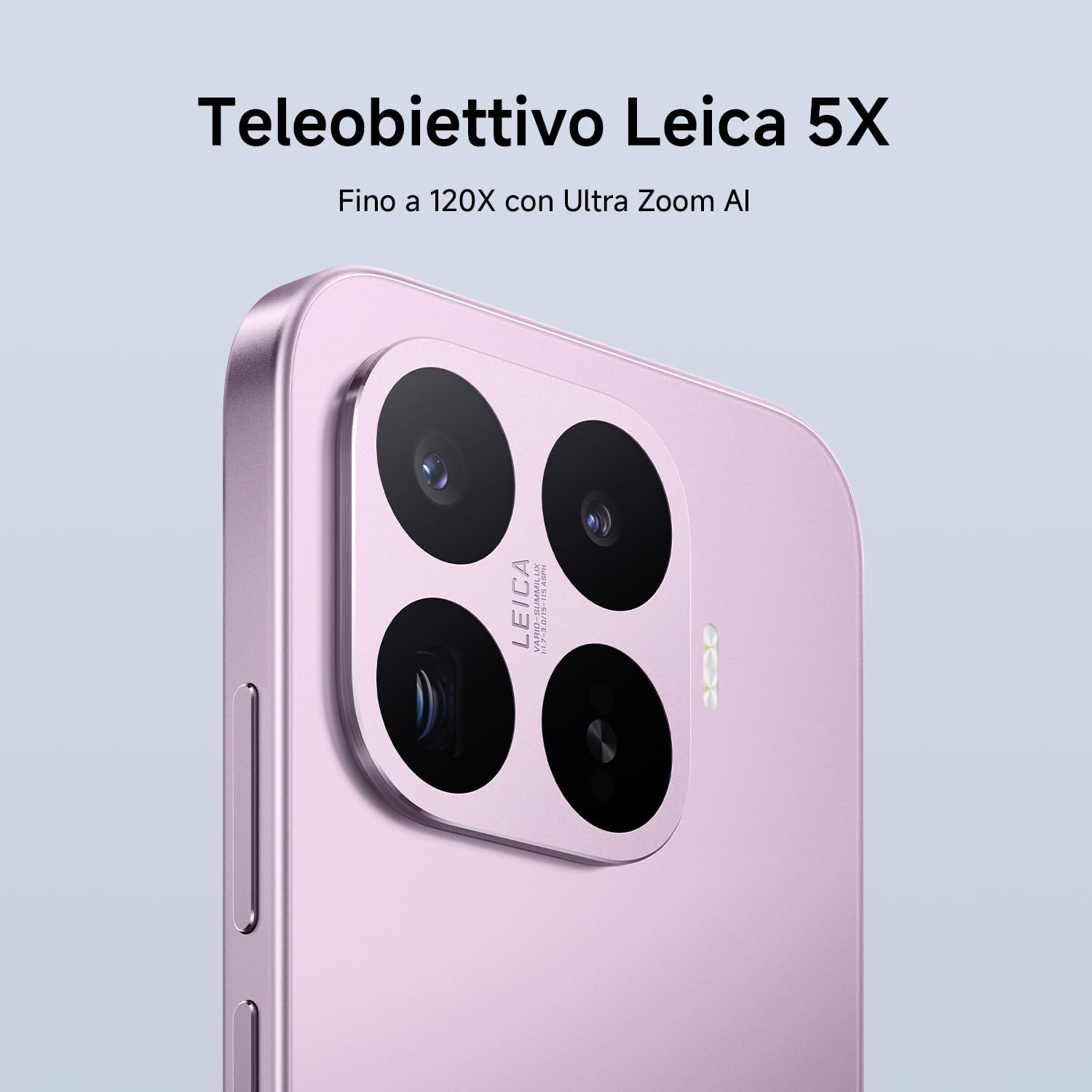
Image: Close-up of the XIAOMI 17T's Leica camera module.

Imagem: Um example of photography using the Leica Live Moment feature, capturing dynamic motion.
4.3 Bateria e carregamento
The XIAOMI 17T is equipped with a 6500mAh Silicon-Carbon battery, designed for extended usage.
- 6500mAh (typ) Battery: Offers up to 17.2 hours of continuous use.
- HyperCharge de 67 W: Achieve 100% charge in approximately 58 minutes.
- Suporte para carregamento rápido: Supports 50W PD/PPS fast charging and other third-party protocols.
- Wired Reverse Charging: Up to 22.5W for charging other devices.

Image: Diagram illustrating the internal structure and capacity of the 6500mAh Silicon-Carbon battery.
4.4 Desempenho
Powered by the MediaTek Dimensity 9500 processor, the XIAOMI 17T delivers robust performance.
- MediaTek Dimensity 9500: Built on a 4nm TSMC process for high performance and efficiency.
- 8-core GPU: Ensures smooth multitasking and intense gaming experiences.
- Sistema Xiaomi 3D IceLoop: An efficient cooling system designed to maintain optimal performance by dissipating heat rapidly.

Image: Representation of the MediaTek Dimensity 9500-Ultra processor chip.

Image: Diagram showing the Xiaomi 3D IceLoop System for efficient heat dissipation within the smartphone.
4.5 Software (Xiaomi HyperOS)
The XIAOMI 17T runs on Xiaomi HyperOS, providing a seamless and intuitive user experience.
- HyperOS: An advanced operating system designed for enhanced performance and efficiency.
- Recursos de IA: Availability of AI features may vary by region. Check your local website para mais informações.

Image: The Xiaomi HyperOS logo, indicating the operating system of the device.
5. Manutenção
- Limpeza: Use um pano macio e sem fiapos para limpar a tela e a carcaça. Evite materiais abrasivos ou produtos químicos agressivos.
- Resistência à água: The device may have a degree of water resistance, but it is not waterproof. Avoid submerging it in water.
- Temperatura: Operate the device within recommended temperature ranges (typically 0°C to 35°C).
- Atualizações de software: Atualize regularmente o software do seu dispositivo para garantir o melhor desempenho e segurança.
6. Solução De Problemas
| Problema | Solução possível |
|---|---|
| O dispositivo não liga. | Certifique-se de que a bateria esteja carregada. Conecte o dispositivo ao carregador por pelo menos 10 minutos e tente ligá-lo novamente. |
| A tela não responde. | Perform a forced restart by holding the Power button for about 10-15 seconds. |
| Pouca vida útil da bateria. | Check background app usage, reduce screen brightness, disable unnecessary features like GPS or Bluetooth when not in use. |
| Camera issues. | Clear the camera app's cache and data. Ensure there are no obstructions on the camera lenses. |
| Network connectivity problems. | Check SIM card insertion. Restart the device. Reset network settings in the phone's settings menu. |
If problems persist, contact customer support or visit an authorized service center.
7. Especificações
| Recurso | Detalhe |
|---|---|
| Marca | XIAOMI |
| Nome do modelo | Xiaomi 17T |
| Capacidade de armazenamento | 256 GB |
| Cor | Preto |
| Mostrar | 6.59" Eye-Care Display, 120Hz |
| Bateria | 6500mAh Silicon-Carbon (typ) |
| Carregando | 67W HyperCharge, 50W PD/PPS, 22.5W Wired Reverse Charging |
| Câmera Traseira | Leica 5x Telephoto, AI Ultra Zoom up to 120x |
| Processador | MediaTek Dimensity 9500 (4nm TSMC process, 8-core GPU) |
| Sistema operacional | Xiaomi HyperOS |
8. Garantia e Suporte
Your XIAOMI 17T smartphone comes with a standard warranty. Please refer to the warranty card included in your package or visit the official XIAOMI webConsulte o site para obter os termos e condições detalhados da garantia específicos para a sua região.
- Período de garantia: Typically 2-3 years, depending on local regulations.
- Suporte ao cliente: For technical assistance, troubleshooting, or service requests, please contact XIAOMI customer support through their official website or local service centers.
- Recursos on-line: Visit the official XIAOMI webSite com perguntas frequentes, atualizações de software e materiais de suporte adicionais.
Note: This product is not a medical device. Its functions are not intended for medical purposes and are not designed to predict, diagnose, prevent, or cure any disease.


