
1. Introdução
The Monster TVLink 300 wireless TV headphones are designed to provide a personal audio experience for television viewing. This system includes comfortable over-ear headphones and a transmitter charging base, allowing for clear, synchronized sound without disturbing others. The headphones feature Bluetooth 5.3 for stable connectivity and a long battery life for extended listening sessions.
2. Conteúdo da embalagem
Por favor, verifique se todos os itens estão presentes em sua embalagem:
- Monster TVLink 300 Wireless Headphones
- Base de carregamento do transmissor
- Cabo de áudio óptico
- Cabo de áudio AUX 3.5 mm
- Cabo Adaptador RCA
- Cabo de carregamento USB-C
- Manual do usuário

Image: Components of the Monster TVLink 300 system, including headphones, charging base, and various audio cables.
3. Produto acabadoview
Familiarize yourself with the main components and controls of your Monster TVLink 300 headphones and transmitter base.
Image: Labeled diagram of the headphones and transmitter base, indicating buttons, ports, and indicator lights.
Fones de ouvido
- Botão liga/desliga: Liga ou desliga os fones de ouvido.
- Botão de aumentar o volume: Increases audio volume. Also functions as 'previous song' in Bluetooth mode.
- Botão de diminuir o volume: Decreases audio volume. Also functions as 'next song' in Bluetooth mode.
- Multi-function button (MFB): Controls playback (play/pause), answers/ends calls.
- Porta de carregamento USB C: For direct charging of headphones.
- Luz indicadora: Mostra o estado da alimentação e da conexão.
- Microfone: Microfone embutido para chamadas.
Base de carregamento do transmissor
- Porta de carregamento USB C: Powers the transmitter base.
- Entrada óptica: Connects to TV via optical cable.
- Aux-in port: Connects to TV via 3.5mm AUX cable.
- Luz indicadora LED: Mostra o estado da conexão e o estado do carregamento.
- Interface de carregamento: For automatic charging of headphones when placed on the base.
4. Instruções de configuração
Follow these steps to set up your Monster TVLink 300 system:
- Power the Transmitter Base: Connect the USB-C charging cable to the transmitter base and plug the other end into a power adapter (not included) or a USB port on your TV. The LED indicator on the base will light up.
- Conecte à sua TV: Escolha um dos seguintes métodos de conexão de áudio:
- Óptico (Recomendado): Connect the optical audio cable from the transmitter's optical input to your TV's optical audio output (often labeled 'Digital Audio Out' or 'Optical Out'). Ensure your TV's audio output is set to 'PCM' format if necessary.
- AUXILIAR: Connect the 3.5mm AUX audio cable from the transmitter's Aux-in port to your TV's 3.5mm audio output (headphone jack).
- RCA: If your TV has RCA audio outputs (red and white ports), use the RCA adapter cable with the 3.5mm AUX cable to connect to the transmitter's Aux-in port.
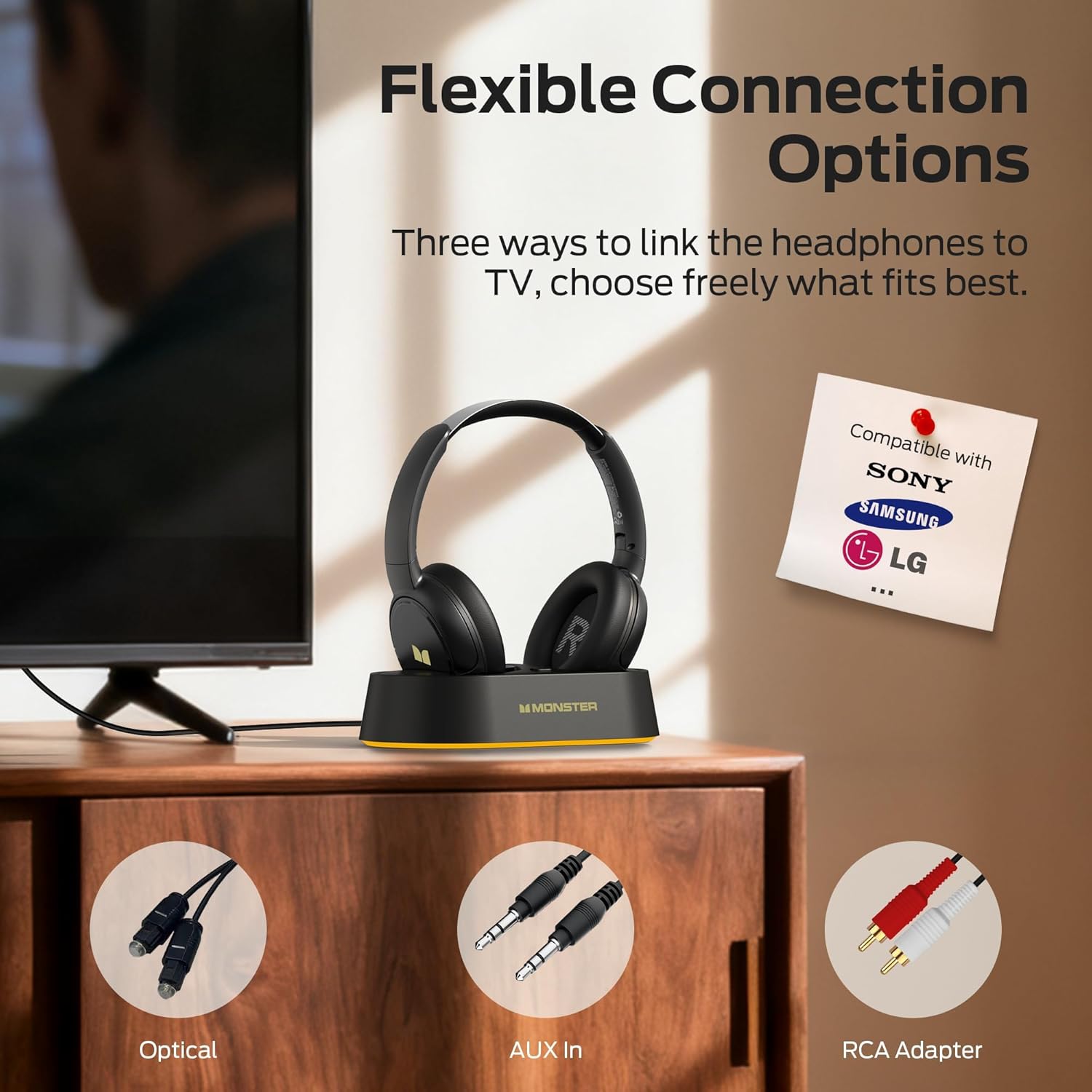
Image: Flexible connection options for the transmitter base, including Optical, AUX, and RCA.
- Carregue os fones de ouvido: Place the headphones onto the transmitter charging base. Ensure the charging contacts align. The headphone indicator light will show charging status. A full charge provides up to 45 hours of playback.
- Ligue os fones de ouvido: Press and hold the On/Off button on the headphones until the indicator light illuminates. The headphones will automatically connect to the transmitter base.
Once connected, audio from your TV will be transmitted wirelessly to your headphones.
5. Instruções de operação
5.1 Operação básica
- Ligar/desligar: Press and hold the On/Off button on the headphones for approximately 3 seconds.
- Controle de volume: Use the Volume Up (+) and Volume Down (-) buttons on the headphones to adjust the listening volume.
- Conexão automática: After initial setup, the headphones will automatically connect to the transmitter base when powered on and within range.
5.2 Carregamento
To charge the headphones, simply place them onto the transmitter charging base. The headphones will begin charging automatically. The indicator light on the headphones will show charging status (e.g., red for charging, off or blue for fully charged, refer to specific LED behavior in the quick start guide if available). You can also charge the headphones directly using a USB-C cable connected to their USB-C port.
5.3 Bluetooth Mode (Independent Use)
The headphones can also be used independently via Bluetooth 5.3 with other devices like smartphones or tablets.
- Emparelhamento: With the headphones powered off, press and hold the On/Off button for approximately 5-7 seconds until the indicator light flashes rapidly (indicating pairing mode).
- Conectar: On your device, enable Bluetooth and select "Monster TVLink 300" from the list of available devices.
- Controle de reprodução: Use the Multi-function button (MFB) for play/pause, and the Volume Up/Down buttons for next/previous track.

Image: The Monster TVLink 300 system demonstrating compatibility with various devices including TV, laptop, and smartphone.
6. Manutenção
Os cuidados adequados garantem a longevidade e o bom desempenho dos seus fones de ouvido:
- Limpeza: Use a soft, dry cloth to clean the headphones and transmitter base. Do not use abrasive cleaners or solvents.
- Armazenar: Quando não estiverem em uso, guarde os fones de ouvido na base de carregamento ou em um local fresco e seco. O design dobrável permite um armazenamento compacto.
- Cuidados com a bateria: To maintain battery health, avoid fully discharging the headphones frequently. Charge them regularly, even if not used for extended periods.
- Evite umidade: Mantenha o dispositivo longe da água e da umidade excessiva.
7. Solução De Problemas
Caso encontre algum problema, consulte as seguintes soluções comuns:
| Problema | Possível causa | Solução |
|---|---|---|
| Nenhum som nos fones de ouvido. | Headphones not powered on or not connected. TV audio output settings incorrect. Cables loose or incorrect. | Ensure headphones are powered on and charged. Check that the transmitter base is powered and connected to the TV. Verify TV audio output is set to the correct source (e.g., PCM for optical). Re-seat all audio cables. |
| Audio lag or delay. | Interference or distance from transmitter. | Ensure headphones are within optimal range of the transmitter. Minimize obstacles between headphones and transmitter. |
| Headphones not charging on base. | Improper placement on base. Base not powered. Dirty charging contacts. | Ensure headphones are correctly seated on the base and contacts align. Verify the transmitter base is powered. Clean charging contacts on both headphones and base with a dry cloth. |
| Cannot pair headphones via Bluetooth. | Headphones not in pairing mode. Device Bluetooth off. | Ensure headphones are powered off, then press and hold the On/Off button for 5-7 seconds to enter pairing mode. Verify Bluetooth is enabled on your device. |
8. Especificações
| Recurso | Detalhe |
|---|---|
| Nome do modelo | Monster TVLink 300 |
| Tecnologia de Conectividade | Wireless (Bluetooth) |
| Versão Bluetooth | 5.3 |
| Colocação da orelha | Sobre a orelha |
| Fator de forma | Sobre a orelha |
| Duração da bateria | Até 45 horas |
| Dispositivos compatíveis | Televisão |
| Características adicionais | Dobrável |
| Entrada para fone de ouvido | Sem Jack |
| Cor | Preto |
| Fabricante | Monstro |
| Dimensões da parcela | 21.3 x 19.8 x 8.4 cm; 680 g |
9. Garantia e Suporte
Para informações sobre garantia e suporte ao cliente, consulte o cartão de garantia incluído na embalagem do produto ou visite o site oficial da Monster. website. Guarde o recibo de compra para reclamações de garantia.