Introdução
This manual serves as a comprehensive guide to learning SOLIDWORKS 2022, the industry-standard 3D parametric modeling software. It is specifically designed for new users, guiding them from basic functionalities to more advanced capabilities through hands-on tutorials and practical examples.
The content is structured to help you understand engineering graphics concepts while modeling real-world parts and assemblies. Each chapter includes important commands and features, highlighted for easy reference.
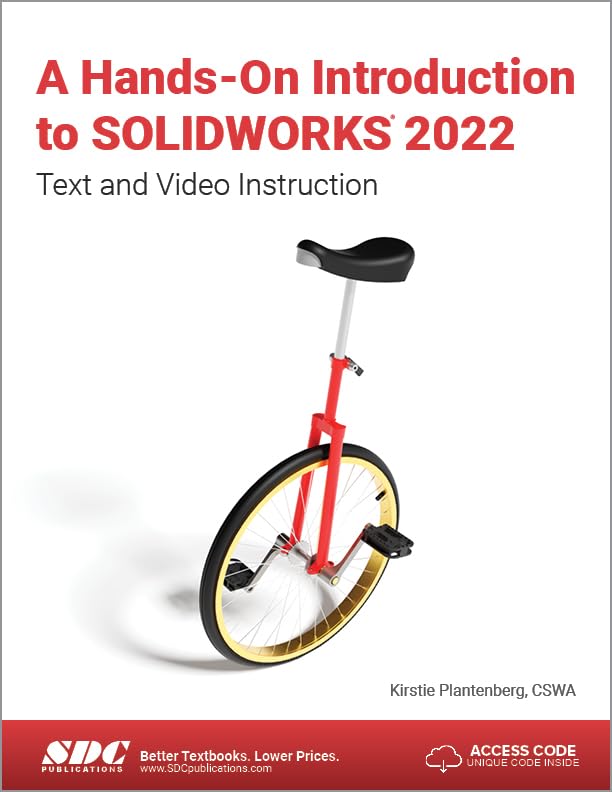
Figura 1: Front cover of "A Hands-On Introduction to SOLIDWORKS 2022" book. The cover displays the title prominently, along with a graphic of a unicycle, and indicates "Text and Video Instruction." The authors and publisher details are also visible.
Getting Started: Software Setup
Before you begin, ensure you have SOLIDWORKS 2022 installed on your computer. This book assumes a standard installation. If you encounter installation issues, please refer to the official SOLIDWORKS installation guide or your institution's IT support.
Requisitos do sistema
- Compatible operating system (Windows 10/11 recommended).
- Sufficient RAM (16GB or more recommended for optimal performance).
- Dedicated graphics card with SOLIDWORKS certified drivers.
- Adequate disk space for installation and project files.
For detailed system requirements, visit the official SOLIDWORKS website.
Operating Principles and Tutorials
This book is structured around hands-on tutorials that guide you through various SOLIDWORKS functionalities. Each chapter builds upon previous knowledge, introducing new concepts and commands.
Key Learning Areas:
- Part Modeling: Creating 2D sketches and extruding them into 3D features.
- Assembly Design: Combining multiple parts into functional assemblies using mates.
- Drawing Creation: Generating 2D engineering drawings from 3D parts and assemblies.
- Configurações: Managing multiple variations of a part or assembly within a single file.
- Finite Element Analysis (FEA): Introduction to simulation for design validation.
- Parametric Modeling: Understanding and utilizing design intent and relationships.
Each tutorial is accompanied by instructional videos, accessible via the unique code provided with the book. These videos offer visual guidance and reinforce the concepts taught in the text.
Nota importante:
Some problems are intentionally open-ended to simulate real-life design scenarios, encouraging critical thinking and problem-solving. There may be multiple valid solutions.
Manutenção e Melhores Práticas
While this book focuses on software operation, maintaining good practices is crucial for efficient SOLIDWORKS usage:
- Poupança regular: Save your work frequently to prevent data loss.
- File Gerenciamento: Organize your SOLIDWORKS files and projects in a logical folder structure.
- Controle de versão: Consider using version control systems for complex projects or collaborative work.
- Atualizações de software: Keep your SOLIDWORKS software updated to benefit from bug fixes and new features.
- Manutenção de Hardware: Ensure your computer hardware meets or exceeds recommended specifications for optimal performance.
Solução de problemas comuns
The book anticipates common issues and provides tips to address them. Here are some general troubleshooting guidelines:
- Wrong Standard/Layer: If your drawings or sketches appear incorrect, verify that you are using the correct drafting standard or layer settings.
- Unexpected Windows: If an unexpected dialog box or error message appears, read the message carefully. Often, it provides clues for resolution.
- Feature Errors: If a feature fails to build, check the sketch for open contours or self-intersecting geometry. Review the feature parameters.
- Problemas de desempenho: If SOLIDWORKS is slow, check your system's RAM usage, graphics card drivers, and ensure other demanding applications are closed.
- Refer to Index: The book includes a command index at the back for quick reference to specific commands and their explanations.
For more in-depth troubleshooting, consult the official SOLIDWORKS help documentation or online forums.
Especificações
| Atributo | Detalhe |
|---|---|
| Título | A Hands-On Introduction to SOLIDWORKS 2022: Text and Video Instruction |
| Autor | Kirstie Plantenberg |
| Editor | SDC Publications |
| Data de publicação | 7 de maio de 2022 |
| Edição | 1º |
| Linguagem | Inglês |
| Comprimento de impressão | 576 páginas |
| ISBN-10 | 1630574732 |
| ISBN-13 | 978-1630574734 |
| Peso do item | 2.92 libras |
| Dimensões | 12.87 x 1.22 x 8.62 polegadas |
Garantia e Suporte
This book is a publication by SDC Publications. For any issues related to the content, access codes for videos, or errata, please contact the publisher directly. Information regarding access codes and support resources is typically found within the first few pages of the book or on the publisher's website.
Contato com a editora:
- SDC Publications: www.SDCpublications.com
For technical support related to SOLIDWORKS software itself, please refer to Dassault Systèmes' official support channels or your licensed SOLIDWORKS reseller.


