1. Introdução
The Genie GT912-1BL 9/12 Switch Remote Controller is designed to operate Genie garage door openers manufactured between 1980 and 1995 that utilize 9 or 12 dip switches. This remote provides a convenient way to control your garage door system. It is compatible with non-Intellicode openers only.
2. Informações de segurança
Please read and understand all safety instructions before operating this remote control. Failure to follow these instructions may result in property damage, injury, or death.
- Mantenha os controles remotos fora do alcance das crianças.
- Acione a porta da garagem somente quando ela estiver totalmente aberta. view, livre de obstruções e o abridor está devidamente ajustado.
- Never allow children to play with or operate the garage door controls.
- Ensure the garage door path is clear before activating the opener.
- Do not attempt to repair the remote control if it is damaged. Contact customer support.
3. Conteúdo da embalagem
Verifique se todos os itens estão presentes no seu pacote:
- Genie GT912-1BL 9/12 Switch Remote Controller
- One 9V Alkaline Battery (pre-installed or included separately)
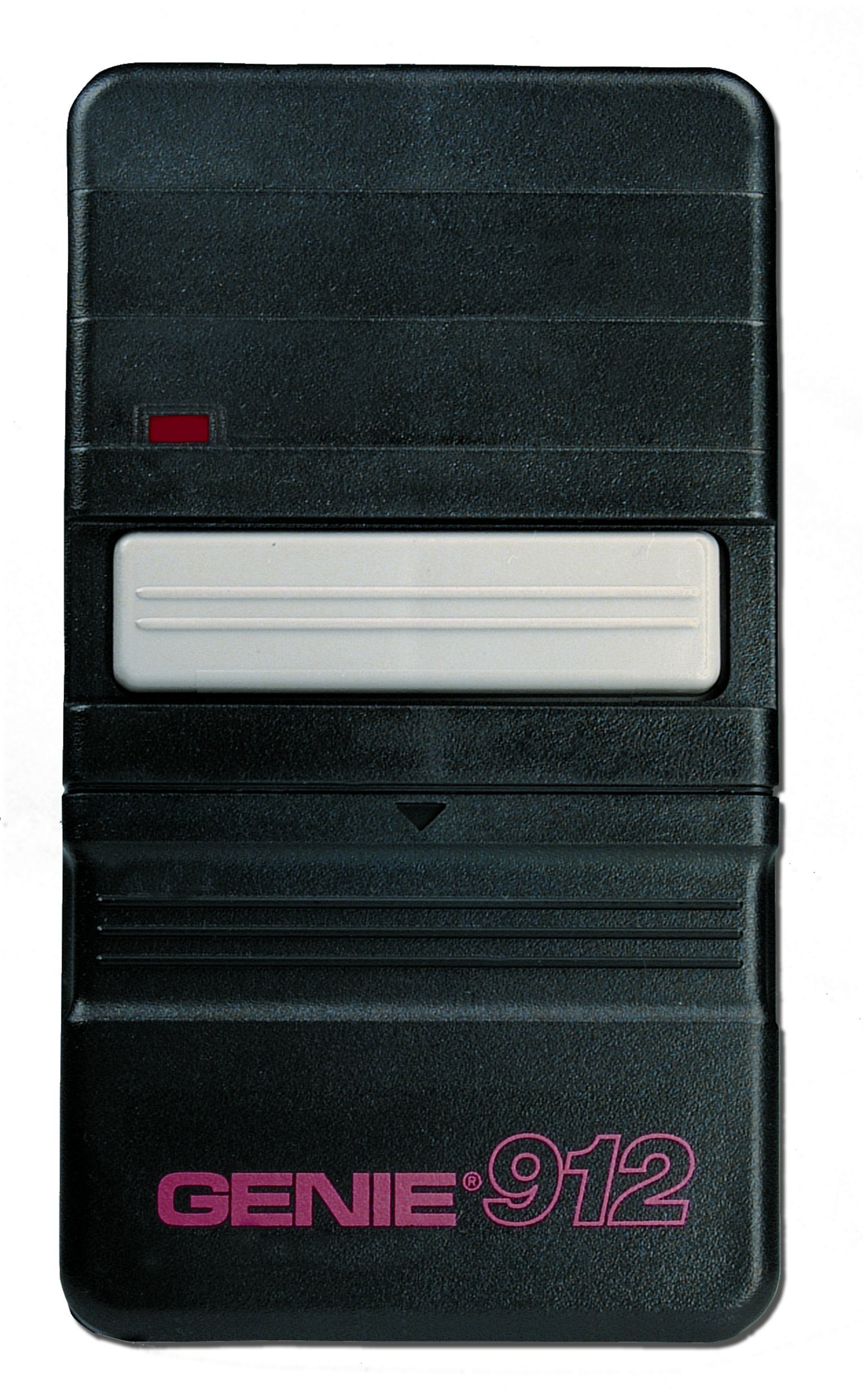
Image: The Genie GT912-1BL 9/12 Switch Remote Controller, showing its compact design and single button.
4. Configuração e Programação
The GT912-1BL remote is designed for easy programming by matching its internal dip switches to your existing remote or garage door opener unit.
- Locate Existing Dip Switches: Identify the dip switches on your existing Genie remote control or directly on the garage door opener power head unit. These switches are typically small, numbered, and can be set to 'ON', 'OFF', or 'MIDDLE' positions. Note the exact pattern of these settings.
- Access New Remote's Dip Switches: Open the battery compartment cover on the back of your new GT912-1BL remote controller. The dip switches will be visible inside.
- Match Switch Settings: Using a small screwdriver or pen, carefully adjust the dip switches on your new GT912-1BL remote to exactly match the pattern you observed on your existing remote or garage door opener unit. Ensure each switch is set to the correct 'ON', 'OFF', or 'MIDDLE' position.
- Instale a bateria: If not already installed, insert the 9V battery into the compartment, observing the correct polarity (+/-).
- Fechar a tampa: Recoloque a tampa do compartimento da bateria com segurança.
- Operação de teste: Stand within a reasonable range of your garage door opener and press the button on the new remote. The garage door should activate. If it does not, re-check the dip switch settings.
5. Instruções de operação
To operate your garage door:
- Ensure the garage door path is clear of any obstructions.
- Point the remote control towards the garage door opener.
- Press and release the large button on the remote control. The garage door will begin to open or close.
- Press the button again to stop the door's movement.
6. Manutenção
Substituição da bateria
The GT912-1BL remote uses one 9V alkaline battery. When the remote's range decreases significantly or it stops responding, it is likely time to replace the battery.
- Abra o compartimento da bateria: Slide or unclip the battery compartment cover on the back of the remote.
- Remova a bateria antiga: Carefully remove the old 9V battery.
- Insira a bateria nova: Insert a new 9V alkaline battery, ensuring the positive (+) and negative (-) terminals are correctly aligned.
- Fechar a tampa: Recoloque a tampa do compartimento da bateria com segurança.
- Teste: Test the remote's operation to ensure it functions correctly with the new battery.
7. Solução De Problemas
-
Remoto não funciona:
- Check the battery. Replace it if it is weak or dead.
- Verify that the dip switch settings on the remote exactly match those on your garage door opener or original remote.
- Ensure your garage door opener is a non-Intellicode model manufactured between 1980 and 1995. This remote is not compatible with newer Intellicode systems or very old systems operating on 325 MHz (modern systems typically use 390 MHz).
-
Alcance limitado:
- Substitua a bateria de 9V por uma nova.
- Ensure there are no large metal objects or other sources of interference between the remote and the garage door opener.
8. Especificações
| Número do modelo | GT912-1BL |
| Compatibilidade | Genie non-Intellicode openers (1980-1995) with 9 or 12 dip switches |
| Tipo de Bateria | 1 x 9V Alcalina (incluída) |
| Volumetage | 9 Volts |
| Peso do item | 5.6 onças |
| Dimensões do produto | 1 x 7 x 8 polegadas |
| Cor | Preto |
| Recurso especial | Ergonômico |
9. Informações de garantia
This Genie GT912-1BL Remote Controller comes with a garantia de um ano from the date of purchase. This warranty covers defects in materials and workmanship under normal use. It does not cover damage caused by misuse, accidents, unauthorized repairs, or normal wear and tear. Please retain your proof of purchase for warranty claims.
10. Suporte
For further assistance, technical support, or to inquire about warranty service, please visit the official Genie website or contact Genie customer service through their provided channels. Refer to your product packaging or the Genie website para obter as informações de contato mais atualizadas.


