1. Introdução
Thank you for choosing the Hunter 44760 Multi-Stage Heat Pump Thermostat. This device is designed to provide efficient and precise control over your home's heating and cooling system. It is compatible with single and multi-stage heat pump systems, controlling one stage of cooling and two stages de calor.
Key features of your Hunter 44760 thermostat include:
- Auto Season Changeover: Automatically switches between heating and cooling modes.
- INDIGLO Backlit Display: Proporciona visibilidade nítida em diversas condições de iluminação.
- Pre-Programmed Temperature & Vacation Overrides: Allows temporary adjustments or extended holds.
- Monitor de energia: Tracks system usage time to help manage energy consumption.
- Indicador de alteração do filtro: Reminds you when to replace your system's air filter.
- Recuperação automática: Helps maintain comfort while optimizing energy use.
- Aviso de bateria fraca: Avisa quando as baterias precisam ser substituídas.
- Reserva de bateria: Mantém as configurações durante o desligamentotages (requer 2 pilhas AAA, não incluídas).
2. Instalação
The Hunter 44760 thermostat is designed for easy do-it-yourself installation. Please follow these instructions carefully to ensure proper setup and operation.
2.1 Antes de começar
- Desligar a energia to your heating and cooling system at the main circuit breaker or fuse box before beginning installation.
- Ensure you have the necessary tools: screwdriver, wire stripper/cutter, and electrical tape.
- Confirm your system is compatible with a multi-stage termóstato da bomba de calor.
2.2 Removing Your Old Thermostat and Wiring
- Carefully remove the cover of your existing thermostat.
- Before disconnecting any wires, label each wire with the corresponding terminal letter from your old thermostat. This is crucial for correct wiring of the new thermostat.
- Disconnect the wires and remove the old thermostat's wall plate.
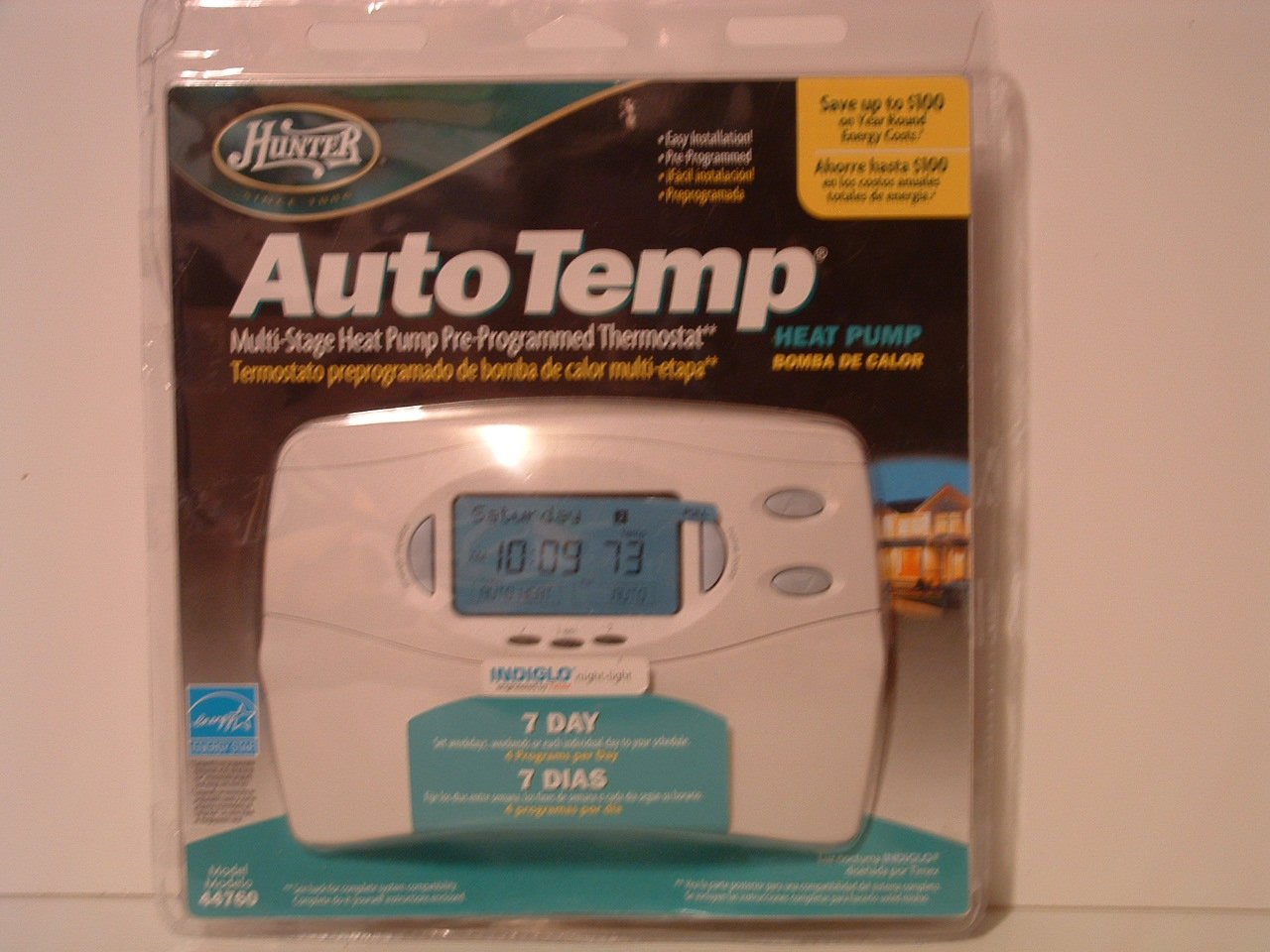
Image: Hunter 44760 Thermostat packaging illustrating key features and simplified installation steps. The top right corner shows a visual guide for removing the existing thermostat, labeling wires, installing the new wall plate, and attaching the cover.
2.3 Montagem do novo termostato
- Install the new wall plate provided with your Hunter 44760 thermostat. Secure it to the wall using the included screws.
- Conecte os fios identificados aos terminais correspondentes na nova placa de parede. Consulte o diagrama de fiação no manual completo para obter instruções específicas de conexão.
- Insert 2 AAA batteries (not included) into the battery compartment.
- Attach the thermostat cover to the wall plate, ensuring it clicks securely into place.
- Restore power to your heating and cooling system at the circuit breaker.
3. Operação
This section details how to operate your Hunter 44760 thermostat, including basic controls and programming features.
3.1 Exibiçãoview
The thermostat features an INDIGLO backlit display that shows the current temperature, set temperature, time, and system status. The display is designed for clear readability.
Image: Hunter 44760 Thermostat packaging showing the thermostat's front panel with its digital display (showing 10:09 and 73 degrees) and various control buttons below it.
3.2 Controles Básicos
- Temperature UP/DOWN Buttons: Use these buttons to adjust the desired temperature setting.
- Interruptor do ventilador:
- CARRO: The fan runs only when the heating or cooling system is operating.
- EM: O ventilador funciona continuamente, independentemente de o sistema de aquecimento ou de refrigeração estar ativo.
- Interruptor do sistema:
- AQUECER: O termostato controla o sistema de aquecimento.
- LEGAL: O termostato controla o sistema de refrigeração.
- OFF: Os sistemas de aquecimento e refrigeração estão desligados.
3.3 Recursos de Programação
The Hunter 44760 offers advanced programming options for energy efficiency and comfort.
- Auto Season Changeover: This feature automatically switches between heating and cooling modes as needed, eliminating the need for manual adjustment.
- Home Today & Vacation Overrides: Use these functions for temporary temperature adjustments or to set an extended hold for vacation periods.
- Monitor de energia: Acesse esse recurso para view the run time of your heating and cooling system, helping you understand and manage energy usage.
- Indicador de alteração do filtro: A reminder will appear on the display when it's time to check or replace your system's air filter.
- Recuperação automática: This intelligent feature ensures your home reaches the desired temperature by the start of a programmed period, optimizing system operation.
- Permanent and Vacation Hold: These settings allow you to maintain a specific temperature indefinitely or for a set vacation duration, overriding the regular program.
- Returns to Programmed Settings: The thermostat can easily revert to your pre-programmed schedule.
4. Manutenção
A manutenção adequada garante a longevidade e o desempenho ideal do seu termostato.
4.1 Substituição da bateria
The thermostat requires two AAA batteries (not included) for operation and to maintain settings during power outages. A low battery warning will appear on the display when replacement is needed.
- Gently pull the thermostat body away from the wall plate to access the battery compartment.
- Remove the old batteries and insert two new AAA alkaline batteries, ensuring correct polarity (+/-).
- Reattach the thermostat body to the wall plate.
4.2 Limpeza
Limpe a parte externa do termostato com um pano macio e seco.amp pano. Não utilize produtos de limpeza abrasivos ou solventes, pois estes podem danificar o acabamento ou os componentes internos.
5. Solução De Problemas
If you encounter issues with your thermostat, refer to the following common problems and solutions.
- Thermostat Display is Blank:
- Check if the power to your HVAC system is on at the circuit breaker.
- Replace the AAA batteries in the thermostat.
- Sistema não responde (sem aquecimento/resfriamento):
- Certifique-se de que o interruptor do sistema esteja configurado para AQUECIMENTO ou RESFRIAMENTO, e não DESLIGADO.
- Verify the fan switch is set to AUTO or ON.
- Check if the set temperature is above (for heat) or below (for cool) the current room temperature.
- Confirme se todas as conexões de fiação estão seguras.
- Leitura de temperatura incorreta:
- Certifique-se de que o termostato não esteja exposto à luz solar direta, correntes de ar ou fontes de calor.
- Allow time for the thermostat to acclimate to the room temperature after installation.
- Filter Change Indicator Remains On:
- Replace your system's air filter.
- Reset the filter change indicator through the thermostat's settings menu (refer to the full manual for specific steps).
6. Especificações
Below are the technical specifications for the Hunter 44760 Multi-Stage Heat Pump Thermostat.
| Recurso | Especificação |
|---|---|
| Marca | Caçador |
| Número do modelo | 44760 |
| Volumetage | 24 Volts |
| Cor | Branco |
| Características especiais | Low Battery Indicator, INDIGLO Backlight, Energy Star Compliant |
| Dimensões do produto | 2 x 7 x 5 polegadas |
| Peso do item | 1.1 libras |
| Pilhas necessárias | 2 pilhas AAA (não incluídas) |
| Tipo de controle | Controle de botão |
7. Informações de garantia
The Hunter 44760 Multi-Stage Heat Pump Thermostat comes with a Garantia limitada de um ano from the date of purchase. This warranty covers defects in materials and workmanship under normal use. Please retain your proof of purchase for warranty claims. For full details regarding warranty terms and conditions, refer to the documentation included with your product or contact Hunter Fan Company customer support.
8. Suporte ao cliente
If you have any questions, require technical assistance, or need further support regarding your Hunter 44760 thermostat, please contact the Hunter Fan Company customer service. Contact information can typically be found on the manufacturer's website ou na embalagem original do produto.


