1. Introdução
Thank you for choosing the Zipro Pacemaker Treadmill. This manual provides essential information for the safe assembly, operation, and maintenance of your new fitness equipment. Please read this manual thoroughly before using the treadmill and keep it for future reference.
The Zipro Pacemaker Treadmill is designed for home use, offering a robust construction, a wide running belt, and a powerful motor for various training intensities. Its folding design and transport wheels ensure convenient storage and mobility.
2. Instruções de segurança
WARNING: Before starting any exercise program, consult your physician, especially if you have pre-existing health conditions.
- Always place the treadmill on a flat, stable surface with adequate clearance around it (at least 2 meters behind and 0.6 meters on each side).
- Mantenha crianças e animais de estimação longe da esteira durante a operação.
- Use calçado e roupas esportivas apropriadas. Evite roupas largas que possam ficar presas em partes móveis.
- Always use the safety key/clip. Attach the clip to your clothing before starting your workout. In case of an emergency, pulling the safety key will immediately stop the treadmill.
- Do not step on or off the treadmill while the belt is moving. Start at a slow speed and gradually increase.
- Hold onto the handrails for balance, especially when starting or adjusting speed/incline.
- Do not attempt to service the treadmill yourself. Refer to qualified service personnel for repairs.
- Verifique se o cabo de alimentação não está danificado ou colocado embaixo da esteira.
- Maximum user weight capacity: 150 kg.
3. Conteúdo da embalagem
Verifique se todos os componentes estão presentes na embalagem:
- 1 x Zipro Pacemaker Treadmill (main unit)
- 1 x Manual do Usuário
- Assembly tools (if applicable)
- Chave de segurança
4. Configuração e montagem
The Zipro Pacemaker Treadmill features a convenient folding design for easy setup and storage. Follow these general steps for assembly:
- Desembalagem: Remova cuidadosamente todos os componentes da embalagem.
- Posicionamento: Place the treadmill on a level surface in your desired workout area. Ensure sufficient space around the unit.
- Desdobramento: Gently lower the running deck from its folded position until it locks into place. Refer to the specific instructions in your included manual for the exact unfolding mechanism.
- Componentes de fixação: Attach any loose components such as the console, handrails, or safety key holder as per the detailed assembly instructions.
- Conexão de energia: Conecte o cabo de alimentação a uma tomada elétrica aterrada.


5. Instruções de operação
5.1 Console Overview
The treadmill features an intuitive LED display console that shows key workout metrics.


5.2 Iniciando um treino
- Certifique-se de que a esteira esteja conectada à tomada e que a chave de segurança esteja inserida.
- Suba nas barras laterais da esteira.
- Pressione o COMEÇAR button on the console. The belt will begin to move at a low speed.
- Suba com cuidado na esteira rolante e comece a caminhar.
5.3 Ajustando a velocidade e a inclinação
- Velocidade: Use o VELOCIDADE + e VELOCIDADE - buttons to adjust the belt speed from 1 km/h to 22 km/h. Quick speed buttons may also be available for instant adjustments.
- Inclinar: Use o INCLINAÇÃO + e INCLINAÇÃO - buttons to adjust the incline level (0-15 levels). Quick incline buttons may also be available.
5.4 Interrompendo um treino
- Pressione o PARAR button to gradually slow down and stop the treadmill.
- In an emergency, pull the safety key to immediately stop the treadmill.
5.5 Using Bluetooth and USB
- Bluetooth: The treadmill supports Bluetooth connectivity. Pair your device to stream audio through the integrated speakers or connect to compatible fitness applications like Kinomap for interactive workouts.
- USB: Use the USB port to charge your mobile devices during your workout.
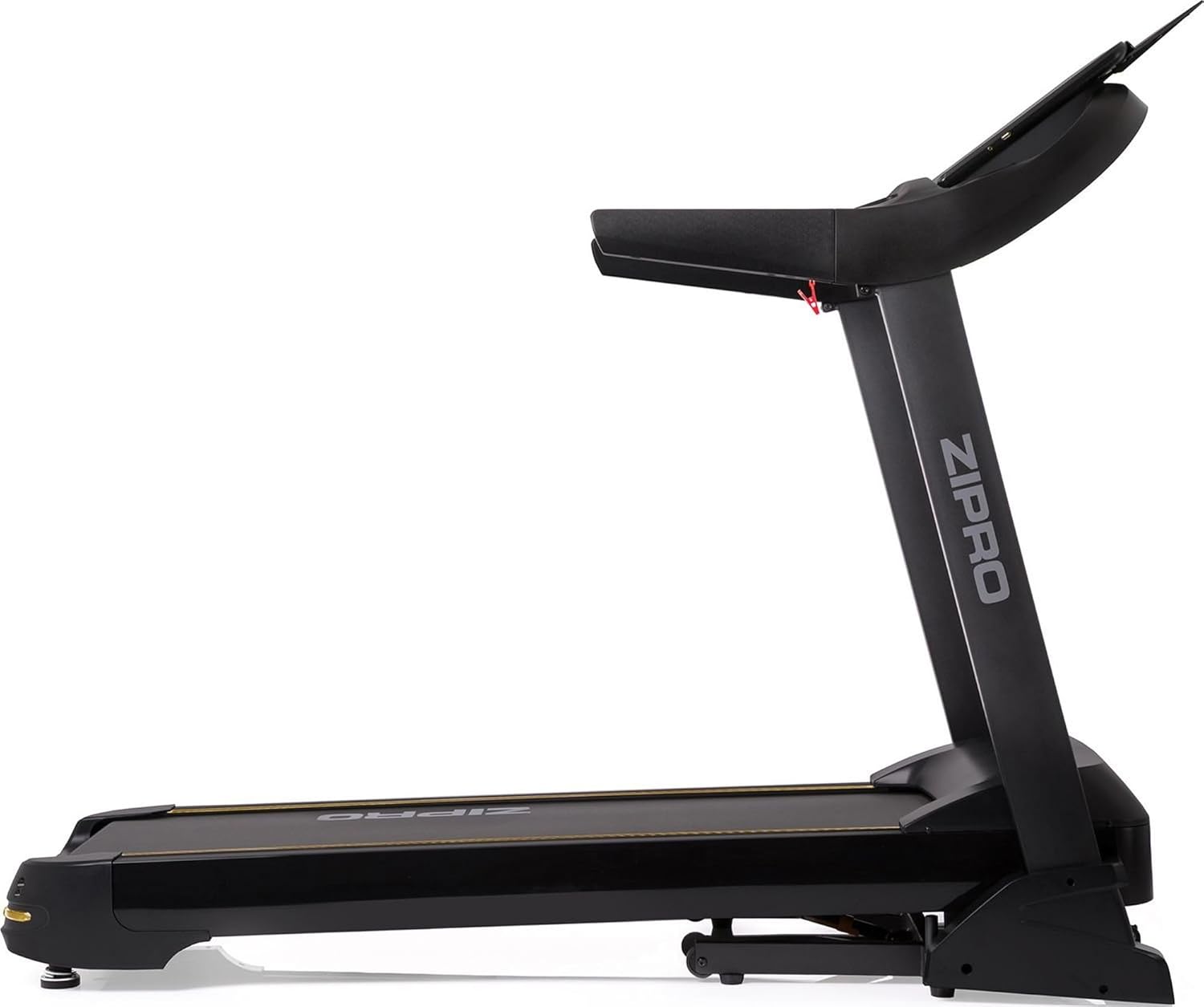

6. Programas e Recursos
The Zipro Pacemaker Treadmill offers a variety of training options to suit your fitness goals:
- Programas pré-definidos: The computer is equipped with 99 pre-set workout programs designed for various fitness levels and goals.
- Programas do usuário: Create and save up to 3 individual user programs to customize your training experience.
- Monitorização da frequência cardíaca: Integrated pulse sensors in the handrails allow you to monitor your heart rate during your workout.
- Inclinação ajustável: Simulate uphill running with 15 levels of electronic incline adjustment.
- Ampla faixa de velocidade: Speeds from 1 to 22 km/h accommodate walking, jogging, and high-intensity running.
7. Manutenção
A manutenção regular garante a longevidade e o desempenho ideal da sua esteira.
- Limpeza: Limpe o console e outras superfícies com um produto de limpeza.amp Limpe com um pano após cada uso. Evite produtos de limpeza abrasivos.
- Lubrificação da correia: Periodically lubricate the running belt according to the instructions in your specific manual (usually every few months depending on usage). This reduces friction and extends belt life.
- Tensão e alinhamento da correia: Check the running belt tension and alignment regularly. Adjust if necessary to prevent slipping or rubbing.
- Tampa do motor: Mantenha a tampa do motor limpa e livre de poeira para garantir uma ventilação adequada.
- Inspeção: Regularly inspect all nuts, bolts, and moving parts for tightness and wear. Tighten or replace as needed.


8. Solução De Problemas
If you encounter issues with your Zipro Pacemaker Treadmill, refer to the following common problems and solutions:
- A esteira não liga:
- Verifique se o cabo de alimentação está firmemente conectado a uma tomada em funcionamento.
- Ensure the safety key is correctly placed in its slot.
- Check the circuit breaker or fuse in your home.
- Running belt slips or hesitates:
- The running belt may need lubrication. Refer to the maintenance section.
- The running belt may be too loose. Adjust the tension according to your specific manual.
- Console display is not working correctly:
- Certifique-se de que todas as conexões de cabos ao console estejam seguras.
- Try turning the treadmill off and on again.
- Ruídos incomuns durante o funcionamento:
- Verifique se há peças soltas ou objetos estranhos sob a correia.
- Certifique-se de que a esteira esteja em uma superfície nivelada.
For persistent issues not covered here, please contact customer support or refer to the full troubleshooting guide in your included manual.
9. Especificações
| Recurso | Especificação |
|---|---|
| Número do modelo | 5942805 |
| Marca | ZIPRO |
| Dimensões (desdobradas) | 188 x 82 x 151 cm (C x L x A) |
| Dimensões (dobradas) | 118 x 82 x 151 cm (C x L x A) |
| Peso | 81 kg |
| Peso máximo do usuário | 150 kg |
| Faixa de velocidade | 1 - 22 km/h |
| Níveis de Inclinação | 15 (ajustável) |
| Potência do motor | 5 HP (pico) |
| Tipo de exibição | LED (7 windows) |
| Programas de treino | 99 Pre-set + 3 User Programs |
| Conectividade | Bluetooth, USB |
| Material | Polyethylene (PE), Metal, Plastic |
| Características especiais | Adjustable incline, Bluetooth app compatibility, Elegant design, Transport wheels |
10. Garantia e Suporte
For information regarding warranty coverage, product registration, or technical support, please refer to the warranty card included with your purchase or visit the official ZIPRO webGuarde seu comprovante de compra para eventuais solicitações de garantia.