Introdução
This manual provides detailed instructions for the setup, operation, and maintenance of your MARATHON Travel and Desktop Alarm Clock, Model CL030023. Please read this manual thoroughly before using the device to ensure proper function and longevity.

The MARATHON Travel Alarm Clock features an easy-to-read display with a backlight, designed for convenience during travel.
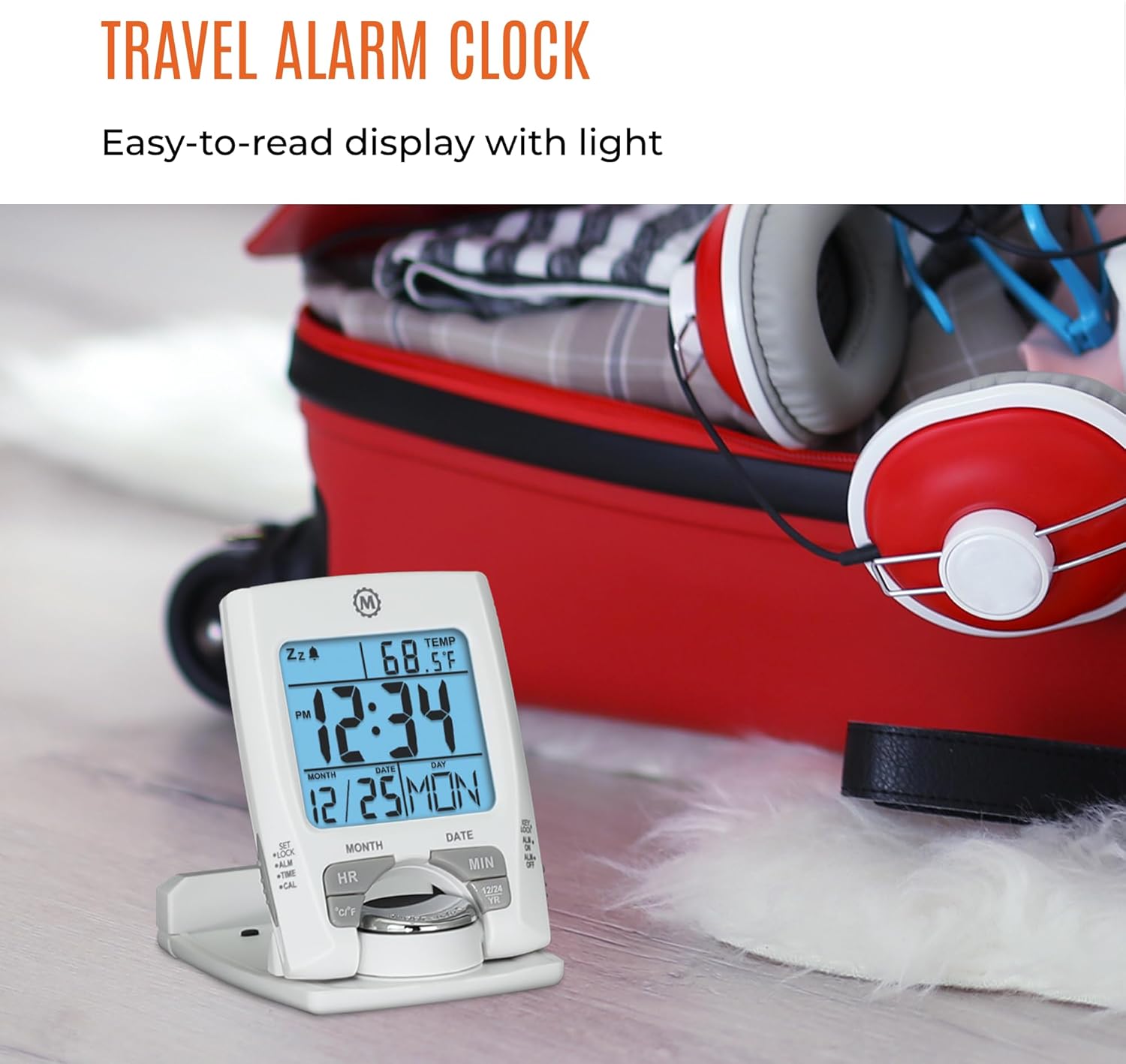
Frente view of the MARATHON Travel and Desktop Alarm Clock, displaying current time, date, and indoor temperature.
Controles e visor sobreview
Familiarize yourself with the clock's buttons and display elements:
- SET/LOCK/ALM/TIME/CAL Button: Used to enter setting modes for time, alarm, and calendar, and to lock settings.
- HR (Hour) Button: Adjusts the hour in setting modes.
- MIN (Minute) Button: Adjusts the minute in setting modes.
- Botão °C/°F: Alterna entre a exibição da temperatura em Celsius e Fahrenheit.
- 12/24 YR Button: Toggles between 12-hour and 24-hour time format, and adjusts the year in calendar setting.
- Botão de luz/soneca: Activates the backlight and the snooze function when the alarm sounds.
- ALM ON/OFF Switch: Ativa ou desativa o alarme.

Close-up of the control buttons located on the front and side of the alarm clock.
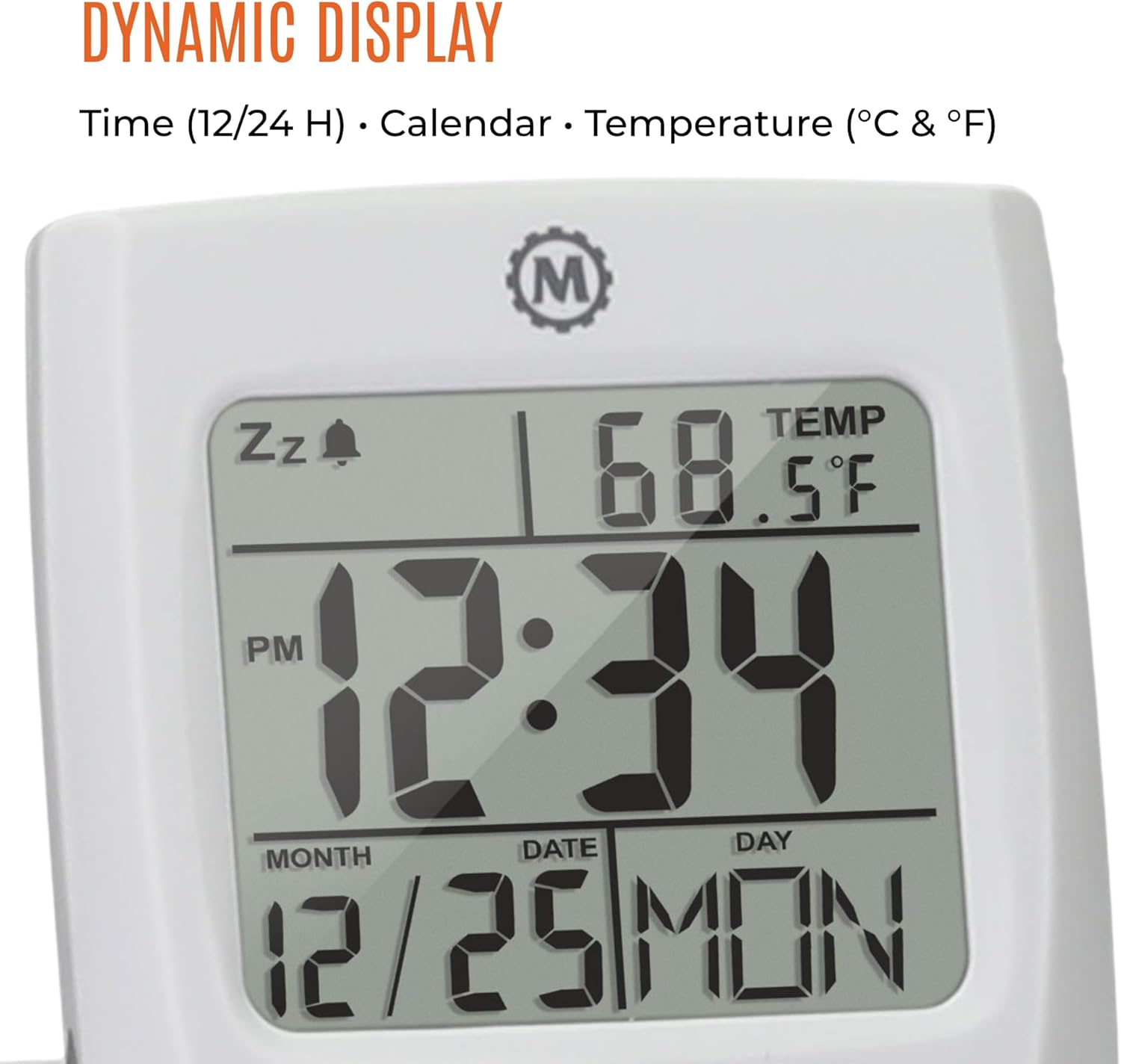
The dynamic display shows time, calendar information (month, date, day), and indoor temperature.
Configurar
1. Instalação da bateria
- Localize o compartimento da bateria na parte traseira do relógio.
- Abra a tampa do compartimento da bateria.
- Insira uma pilha AAA, certificando-se da polaridade correta (+/-).
- Feche bem a tampa do compartimento da bateria.
2. Configuração inicial de data e hora
- Pressione e segure o DEFINIR Pressione o botão até que o visor do relógio comece a piscar.
- Use o HR e MÍNIMO buttons to set the current hour and minute.
- Imprensa DEFINIR again to move to the date setting. Use HR e MÍNIMO to set the month, date, and year. The 12/24 YR button can be used to adjust the year.
- Imprensa DEFINIR once more to confirm and exit the setting mode.
3. Setting 12/24-Hour Format and Temperature Unit
- To switch between 12-hour and 24-hour time display, press the 12/24 YR botão quando não estiver no modo de configuração.
- To switch between Celsius (°C) and Fahrenheit (°F) temperature display, press the ° C / ° F botão.
Instruções de operação
1. Configurando o Alarme
- Deslize o ALM ON/OFF switch to the 'ON' position. An alarm icon will appear on the display.
- Pressione e segure o ALM button until the alarm time begins to flash.
- Use o HR e MÍNIMO buttons to set your desired alarm time.
- Imprensa ALM again to confirm and exit the alarm setting mode.
2. Utilizando a função soneca
Quando o alarme tocar, pressione o botão grande. Luz/Soneca button to activate the snooze function. The alarm will temporarily stop and sound again after a few minutes.
3. Ativando a luz de fundo
Pressione o grande Luz/Soneca button to illuminate the display for approximately five seconds. This provides maximum illumination while being gentle on the eyes.
4. Folding and Positioning
The clock features a built-in stand. To position the clock, flip out the stand and rotate the clock face 180 degrees. This allows for stable placement on a desk or bedside table, and makes it compact for travel.

The compact design of the alarm clock makes it easy to hold and transport.
Manutenção
Substituição da bateria
When the display dims or the clock stops functioning, it is time to replace the AAA battery. Follow the battery installation steps in the Setup section. The clock's low power consumption ensures a maximum lifespan for the included AAA battery.
Limpeza
Wipe the clock with a soft, dry cloth. Avoid using abrasive cleaners or solvents, as these may damage the display or casing.
Solução de problemas
- A tela está em branco ou com brilho reduzido: Substitua a pilha AAA. Certifique-se de que a pilha esteja inserida com a polaridade correta.
- Alarme não soa: Verifique se o ALM ON/OFF switch is in the 'ON' position. Verify the alarm time is set correctly.
- Data ou hora incorretas: Re-enter the time and date settings as described in the Setup section.
- A leitura da temperatura está incorreta: Ensure the clock is placed in an area with stable ambient temperature, away from direct heat sources or drafts.
Especificações
| Recurso | Detalhe |
|---|---|
| Marca | MARATHON |
| Número do modelo | CL030023 |
| Cor | Branco |
| Tipo de exibição | Digital |
| Recurso especial | Dobrável |
| Dimensões do produto | 2.5"L x 4"A |
| Fonte de energia | Alimentado por bateria (1 bateria AAA incluída) |
| Tipo de quarto | Quarto |
| Tipo de montagem | Mesa |
| Peso do item | 4 onças |
| Despertador | Sim |
| Material | Plástico |
Garantia e Suporte
This MARATHON product comes with a Garantia limitada. For specific details regarding warranty coverage, terms, and conditions, please refer to the warranty card included with your purchase or visit the official MARATHON website.
For technical support, troubleshooting assistance, or inquiries about your product, please contact MARATHON customer service through their official channels.
About MARATHON
MARATHON has been manufacturing precision timing instruments since 1941. The company continues its legacy by combining modern design with Swiss engineering and craftsmanship to produce high-quality products. MARATHON is a family-owned and operated business, committed to providing reliable tools.
Official video detailing the 80-year history of Marathon Watch Company, highlighting its Canadian roots, military supply, and Swiss craftsmanship in watchmaking.


