1. Introdução
The Divoom Voombox Outdoor Speaker is a rugged, water-resistant portable audio device designed for outdoor use. It offers advanced audio performance and a long-lasting rechargeable battery, providing a full-range listening experience. This manual provides detailed instructions for setting up, operating, maintaining, and troubleshooting your Voombox Outdoor Speaker.

Figure 1: Divoom Voombox Outdoor Speaker, showcasingraças ao seu design robusto.
2. O que está na caixa
Por favor, verifique o conteúdo da embalagem para garantir que todos os itens estejam presentes:
- (1) Divoom Voombox Outdoor Speaker
- (1) Alça de pulso
- (1) Auxiliary Connection Cable
- (1) Micro-USB Charging Cable
3. Recursos do Produto
The Divoom Voombox Outdoor Speaker is equipped with several features for an enhanced audio experience:
- Booming Dual Speakers: Oferece uma saída de áudio potente e nítida.
- Reprodução sem fio: Connects wirelessly via Bluetooth 4.0 from up to 10 meters away.
- Microfone embutido: Enables hands-free calls and conference calls.
- Bateria de longa duração: Features a 3200 mAh rechargeable battery providing up to 12 hours of playback.
- Sturdy and Weather-Resistant Design: Built to withstand outdoor conditions with an IP44 rating.

Figura 2: parte superior view of the Voombox Outdoor Speaker, highlighting its control panel.

Figure 3: The Voombox Outdoor Speaker demonstrating its IP44 weather resistance against splashes.
4. Configuração
4.1 Carregando o alto-falante
- Locate the Micro-USB charging port on the speaker.
- Connect the Micro-USB charging cable to the speaker and the other end to a USB power source (e.g., computer USB port, USB wall adapter).
- The charging indicator light will illuminate. A full charge typically takes 3 to 4 hours.
- Quando estiver totalmente carregada, a luz indicadora mudará de cor ou se apagará, dependendo do modelo.

Figure 4: Visual representation of the Voombox Outdoor Speaker's 12-hour battery life.
5. Instruções de operação
5.1 Ligar/Desligar
- To power on, press and hold the Power button until you hear an audible cue or see the indicator light.
- To power off, press and hold the Power button again until the device shuts down.
5.2 Emparelhamento Bluetooth
- Certifique-se de que a caixa de som esteja ligada e a uma distância de até 10 metros do seu dispositivo Bluetooth.
- O alto-falante entrará automaticamente no modo de emparelhamento (indicado por um LED piscando).
- No seu smartphone, tablet ou outro dispositivo Bluetooth, ative o Bluetooth e procure por dispositivos disponíveis.
- Select "Voombox Outdoor" from the list of devices.
- Após o emparelhamento, o alto-falante emitirá uma confirmação sonora e o indicador LED ficará aceso continuamente.
- O alto-falante se reconectará automaticamente ao último dispositivo emparelhado ao ser ligado, caso o dispositivo esteja dentro do alcance.
5.3 Reprodução de áudio
- Reproduzir/Pausar: Pressione o botão Reproduzir/Pausar.
- Aumentar o volume: Pressione o botão "+".
- Volume baixo: Pressione o botão "-".
- Próxima faixa: Pressione e mantenha pressionado o botão "+".
- Faixa anterior: Pressione e mantenha pressionado o botão "-".
5.4 Chamadas em modo mãos-livres
- Atender chamada: Press the Call button (often the Play/Pause button) when a call comes in.
- Encerrar chamada: Press the Call button again to end the call.
- Rejeitar chamada: Pressione e mantenha pressionado o botão Chamar para rejeitar uma chamada recebida.
- Rediscar último número: Pressione duas vezes o botão Chamar.
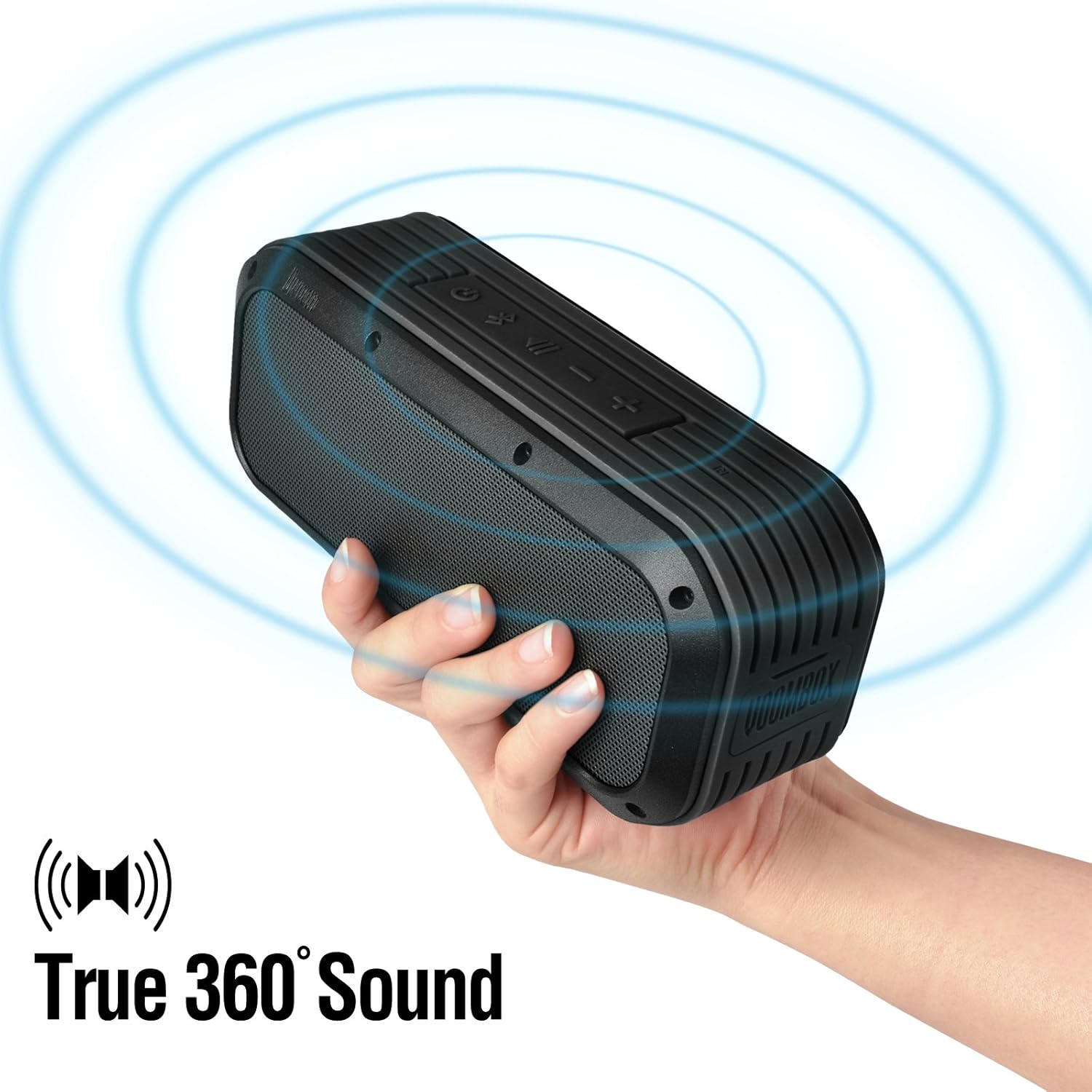
Figure 5: The Voombox Outdoor Speaker's ability to project 360-degree sound.
6. Manutenção
Proper care will extend the life of your Divoom Voombox Outdoor Speaker:
- Limpeza: Use um pano macio e macioamp cloth to wipe the speaker's surface. Do not use harsh chemicals or abrasive cleaners.
- Resistência à água: While the speaker is weather-resistant (IP44), it is not designed for submersion. Ensure all port covers are securely closed before exposure to water splashes.
- Armazenar: Guarde a caixa de som em local fresco e seco, longe da luz solar direta e de temperaturas extremas.
- Cuidados com a bateria: Para manter a saúde da bateria, evite descarregá-la completamente com frequência. Carregue o alto-falante regularmente, mesmo que não o utilize por longos períodos.
7. Solução De Problemas
| Problema | Possível causa | Solução |
|---|---|---|
| A caixa de som não liga. | A bateria está esgotada. | Carregue a caixa de som por 3 a 4 horas. |
| Não é possível emparelhar com o dispositivo Bluetooth. | Speaker is not in pairing mode or too far. | Ensure speaker is on and within 10m. Turn Bluetooth off/on on your device. Forget previous pairings. |
| Sem som ou volume muito baixo. | Volume too low on speaker or source device. | Aumente o volume tanto no alto-falante quanto no dispositivo conectado. |
| Distorção de som. | Volume too high or weak Bluetooth signal. | Reduza o volume. Aproxime a caixa de som do dispositivo de origem. |
8. Especificações
| Recurso | Detalhe |
|---|---|
| Tamanho do driver | 2-inches x 2-inches |
| Potência de saída | 7.5 W x 2 (Total 15 Watts) |
| Dimensões do alto-falante | 165L x 52D x 70 H (mm) |
| Relação sinal-ruído | ≥75 dB |
| Capacidade da bateria | 3200 mAh |
| Bateria Voltage | 3.7 V |
| Tempo de carga da bateria | 3 a 4 horas |
| Distância wireless | Até 10 metros |
| Conformidade Bluetooth | Bluetooth 4.0 |
| Bluetooth Profissionalfile Apoiar | A2DP stereo |
| Tempo de conversação | Até 12 horas |
| Sensibilidade do microfone | -40 dB |
| Dimensões do produto | 18.49 x 5.99 x 7.8 cm |
| Peso do item | 698.53 g |
| Número do modelo | 17620 |

Figure 6: Internal components of the Voombox Outdoor Speaker, illustrating its robust construction.
9. Garantia e Suporte
Divoom products are designed for durability and performance. For warranty information and technical support, please refer to the official Divoom webAcesse o site ou entre em contato diretamente com o atendimento ao cliente. Guarde o recibo de compra como comprovante para solicitações de garantia.
Para obter suporte adicional ou esclarecer dúvidas, visite o Divoom Official Website.