1. Introdução
This manual provides essential instructions for the installation, operation, maintenance, and troubleshooting of your Antec TruePower Classic TP-750C 750W 80 PLUS GOLD Certified Power Supply. Please read this manual thoroughly before installation and retain it for future reference. This power supply is designed to provide stable and efficient power to your personal computer system.
2. Informações de segurança
- Certifique-se de que a fonte de alimentação esteja desconectada da tomada antes da instalação ou manuseio.
- Não abra a fonte de alimentação casing. Alto volumetagOs componentes internos representam um risco de choque elétrico.
- Instale a fonte de alimentação em uma área bem ventilada para evitar superaquecimento.
- Utilize apenas os cabos fornecidos com a fonte de alimentação.
- Evite expor a fonte de alimentação à umidade ou a temperaturas extremas.
- This product is intended for use in personal computer systems only.
3. Conteúdo da embalagem
Verifique se todos os itens estão presentes na embalagem antes de prosseguir com a instalação.
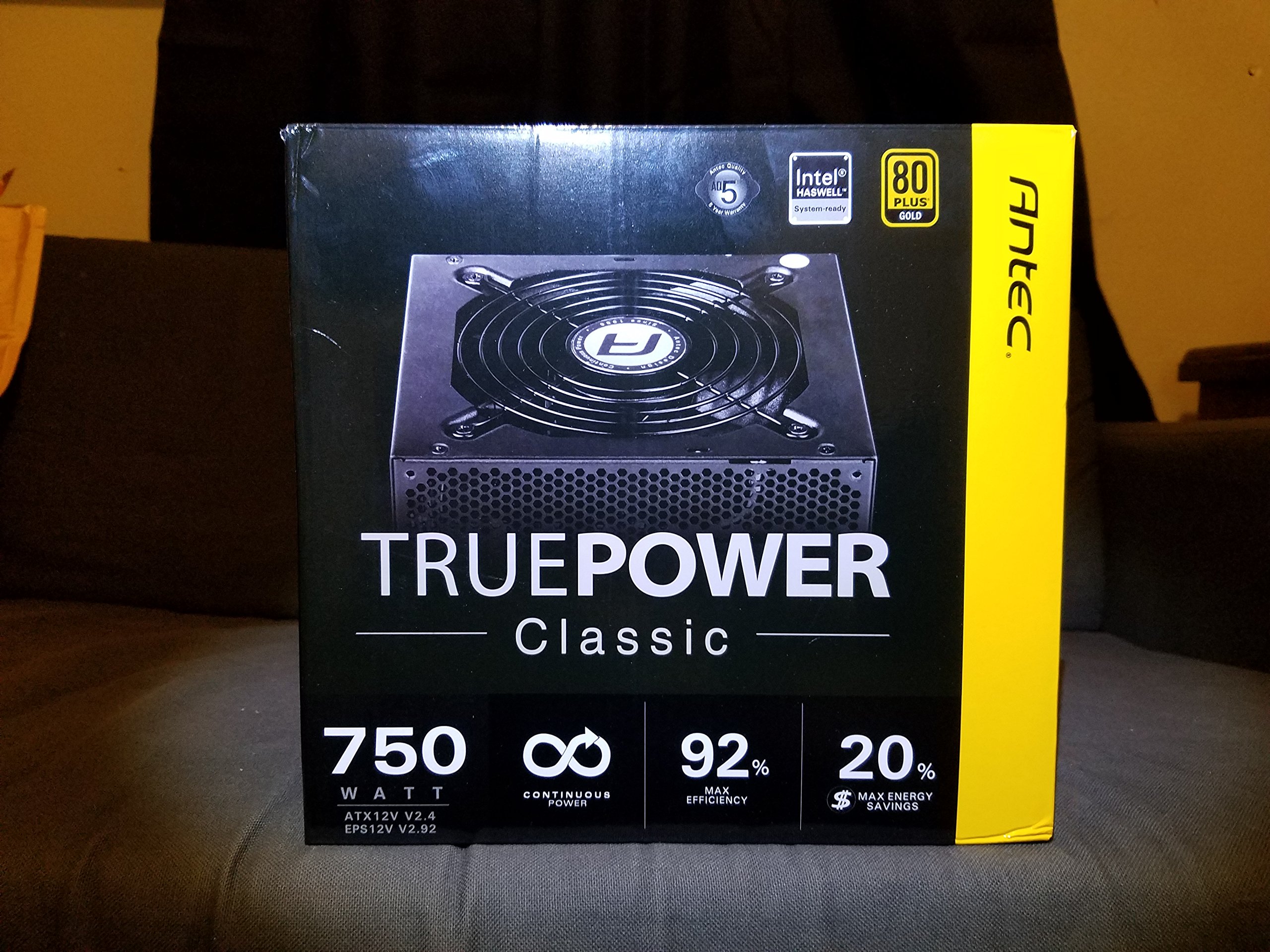
Image 1: Contents of the Antec TruePower Classic TP-750C package. The image displays the power supply unit, various power cables (including a main AC power cable), and user documentation neatly packed within a cardboard box.
- Antec TruePower Classic TP-750C Power Supply Unit
- Modular Cable Set (PCI-E, SATA, Molex, etc.)
- Cabo de alimentação CA
- Parafusos de montagem
- Manual do Usuário / Documentação
4. Configuração e instalação
Follow these steps to properly install your power supply into your computer chassis.
- Preparar o chassi: Ensure your computer chassis is powered off and disconnected from all power sources. Open the side panel of your computer case.
- Monte a fonte de alimentação: Carefully slide the Antec TP-750C power supply into the designated power supply bay in your chassis. Align the screw holes on the power supply with those on the chassis. Secure the power supply using the provided mounting screws.
- Conecte a alimentação da placa-mãe: Connect the 24-pin ATX main power connector from the power supply to the corresponding port on your motherboard. Ensure it clicks into place.
- Conecte a alimentação da CPU: Connect the 4+4-pin (or 8-pin) EPS12V CPU power connector to the CPU power socket on your motherboard.
- Connect Graphics Card Power (PCI-E): If your graphics card requires external power, connect the appropriate 6+2-pin PCI-E power cables from the power supply to your graphics card.
- Connect Peripheral Power (SATA/Molex): Conecte os cabos de alimentação SATA às suas unidades de armazenamento (SSDs, HDDs) e unidades ópticas. Use conectores Molex para outros periféricos, conforme necessário.
- Gerenciamento de cabos: Route cables neatly to improve airflow and aesthetics within your chassis.
- Verificações finais: Double-check all connections to ensure they are secure. Close the chassis side panel.
- Conecte a alimentação CA: Connect the AC power cord to the power supply and then to a wall outlet or surge protector.
5. Instruções de operação
The Antec TP-750C power supply operates automatically once correctly installed and connected to an AC power source. It provides stable DC power to all connected components.
- Ligar: After connecting the AC power cord, flip the power switch on the back of the power supply to the "ON" (I) position.
- Inicialização do sistema: Press the power button on your computer chassis to start your system.
- Desligar: Shut down your computer through the operating system. For complete power disconnection, flip the power switch on the power supply to the "OFF" (O) position and unplug the AC power cord.
6. Manutenção
A manutenção adequada garante a longevidade e o desempenho ideal da sua fonte de alimentação.
- Limpeza de pó: Periodically clean dust from the power supply's fan and ventilation grilles using compressed air. Ensure the power supply is disconnected from AC power before cleaning.
- Ventilação: Ensure adequate airflow around the power supply. Do not block the intake or exhaust vents.
- Integridade do cabo: Regularly check power cables for any signs of damage or fraying. Replace damaged cables immediately.
- Ambiente operacional: Operate the power supply within recommended temperature and humidity ranges.
7. Solução De Problemas
Se você encontrar problemas com sua fonte de alimentação, consulte os problemas comuns e suas soluções a seguir.
| Problema | Possível causa | Solução |
|---|---|---|
| O sistema não liga. | AC power cord not connected, power switch off, loose internal connections, faulty components. |
|
| O sistema liga, mas desliga imediatamente. | Overload, overheating, short circuit, faulty component. |
|
| Unusual noise from the power supply. | Fan obstruction, faulty fan bearing, coil whine. |
|
If troubleshooting steps do not resolve the issue, contact Antec customer support for further assistance.
8. Especificações
| Nome do modelo | TruePower Classic TP-750C |
| Marca | Antec |
| O quetage | 750 Watts |
| Certificação 80 PLUS | Ouro |
| Fator de forma | ATX |
| Tipo de conector | ATX |
| Volume mínimo de entradatage | 100 Volts |
| Dispositivos compatíveis | Computador pessoal |
| Peso do item | 6.24 libras (2.83 kg) |
| Dimensões da embalagem | 9.7 x 9 x 5.5 polegadas (24.6 x 22.9 x 14 cm) |
| ASIN | B00JOFALL0 |
| UPC | 132018316306 |
9. Garantia e Suporte
The Antec TruePower Classic TP-750C Power Supply comes with a Garantia do fabricante de 3 anos. Esta garantia cobre defeitos de materiais e de fabricação sob uso normal.
For technical support, warranty claims, or further inquiries, please visit the official Antec webVisite o site ou entre em contato com o departamento de atendimento ao cliente. Guarde o comprovante de compra para validação da garantia.
Please note: Opening the power supply casinO uso do g anulará a garantia.


