1. Introdução
This user manual provides detailed instructions for the setup, operation, and maintenance of your VIZIO S2120w-E0 2.0 Sound Stand. Designed to enhance your home audio experience, this sound stand delivers powerful sound in a compact form factor. Please read this manual thoroughly before using the product to ensure proper installation and optimal performance.
2. Conteúdo da embalagem
Verifique se todos os itens listados abaixo estão incluídos em seu pacote:
- VIZIO S2120w-E0 2.0 Sound Stand
- Controle remoto (com 2 pilhas AAA)
- Cabo de energia
- Cabo de áudio óptico
- RCA para cabo de áudio de 3.5 mm
- Guia de início rápido
Note: The provided cables facilitate a simple, one-cable setup for most televisions.
3. Produto acabadoview
The VIZIO S2120w-E0 Sound Stand is designed to sit directly under your television, providing enhanced audio without requiring additional space. It features integrated speakers and controls for a streamlined home theater experience.
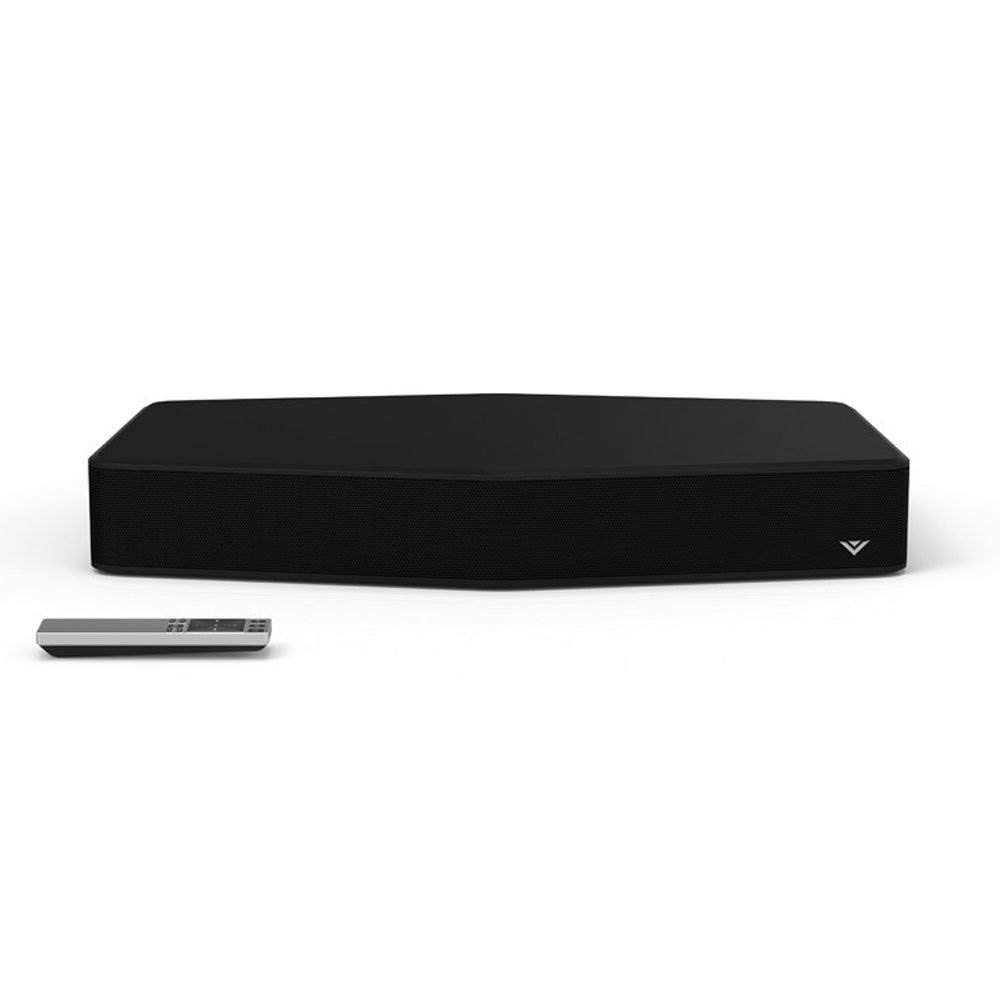
Figure 3.1: VIZIO S2120w-E0 2.0 Sound Stand with its remote control. The sound stand is black with a subtle VIZIO logo on the front right, and the remote is silver and black.

Figura 3.2: Lateral view of the VIZIO S2120w-E0 Sound Stand, highlighting the control buttons located on the right side. These buttons include Power, Input, Bluetooth, Volume Up, Volume Down, and Mute.
Indicadores do painel frontal
The front panel of the sound stand features a series of LED lights that indicate the current input, volume level, and active audio modes. These indicators are crucial for understanding the unit's status and adjusting settings.
Conexões do painel traseiro
The rear panel houses various input ports for connecting your television and other audio sources, along with the power input. Refer to the Configurar section for detailed connection instructions.
4. Configuração
4.1 Colocação Física
Place the VIZIO S2120w-E0 Sound Stand on a stable, flat surface directly beneath your television. This unit is designed to support TVs up to 55 inches and weighing up to 60 lbs. Ensure there is adequate ventilation around the unit.
4.2 Conectando à sua televisão
Before connecting, ensure your TV's sound is set to a low volume or muted. The sound stand offers multiple connection options. Choose the best available option for your television:
- Optical Digital Audio (Recommended):
Connect one end of the included optical cable to the SAÍDA ÓPTICA port on your TV and the other end to the ENTRADA ÓPTICA port on the sound stand. This connection provides the best audio quality and supports Dolby Digital decoding.
- RCA to 3.5mm Audio:
If your TV has RCA audio output jacks (red and white), connect the RCA ends of the included cable to your TV's SAÍDA DE ÁUDIO ports. Connect the 3.5mm end to the AUX IN port on the sound stand.
- 3.5mm to 3.5mm Audio:
If your TV has a 3.5mm audio output jack (headphone jack), connect a 3.5mm to 3.5mm audio cable (not included) from your TV's output to the AUX IN port on the sound stand.
Após a conexão, pode ser necessário ajustar as configurações de saída de áudio da sua TV para "Alto-falantes externos" ou "PCM" para conexões ópticas.
4.3 Conexão de Energia
Conecte o cabo de alimentação ao PODER input on the rear of the sound stand, then plug the other end into a working electrical outlet.
5. Instruções de operação
The VIZIO S2120w-E0 can be controlled using the included remote control or the buttons on the side of the unit.
5.1 Ligar/Desligar
Pressione o PODER button on the remote or the side of the sound stand to turn the unit on or off. The LED indicators on the front will illuminate when the unit is powered on.
5.2 Seleção de entrada
Pressione o ENTRADA button on the remote or the side of the sound stand to cycle through available audio inputs (Optical, AUX, Bluetooth). The front panel LEDs will indicate the currently selected input. Allow a few seconds for the sound to engage after changing inputs.
5.3 Controle de volume
Use o AUMENTAR VOLUME (+) e VOLUME BAIXO (-) buttons on the remote or the side of the unit to adjust the sound level. Press the MUDO botão para silenciar temporariamente o áudio.
5.4 Emparelhamento Bluetooth
To stream audio wirelessly from a smartphone or tablet:
- Pressione o BLUETOOTH button on the remote or the side of the sound stand. The Bluetooth LED indicator will begin to flash.
- On your mobile device, enable Bluetooth and search for new devices. Select "VIZIO S2120w-E0" from the list.
- Once paired, the Bluetooth LED indicator on the sound stand will glow solid. You can now play audio from your device through the sound stand.
5.5 Modos e melhorias de áudio
The sound stand features several audio technologies to optimize your listening experience:
- DTS TruVolume: This feature helps maintain consistent volume levels, preventing sudden jumps in loudness during commercials or scene changes. Press the TVOL button on the remote to activate/deactivate.
- DTS Studio Sound: Enhances audio fidelity and provides a wider sound stage.
- Controle de graves/agudos: Use o BASS e AGUDOS buttons on the remote, followed by the arrow keys, to adjust these levels. Adjusting the bass too high may result in distorted sound.
- DTS TruSurround: Provides a virtual surround sound experience. Experiment with this setting to determine if it enhances your specific content. Some users find it can muddy the sound depending on the room acoustics.
6. Manutenção
To ensure the longevity and optimal performance of your VIZIO S2120w-E0 Sound Stand:
- Limpeza: Gently wipe the unit with a soft, dry, lint-free cloth. Do not use liquid cleaners or abrasive materials, as they may damage the finish.
- Ventilação: Ensure that the ventilation openings are not blocked. Do not place the unit on soft surfaces that may obstruct airflow.
- Poder: Disconnect the power cable from the electrical outlet if the unit will not be used for an extended period.
7. Solução De Problemas
If you encounter issues with your sound stand, refer to the following common problems and solutions:
| Problema | Solução possível |
|---|---|
| Sem energia |
|
| Sem som |
|
| Som distorcido |
|
| Controle remoto não funciona |
|
| Problemas de emparelhamento Bluetooth |
|
8. Especificações
| Recurso | Detalhe |
|---|---|
| Número do modelo | S2120w-E0 |
| Marca | VÍZIO |
| Tipo de alto-falante | Soundbar (Sound Stand) |
| Canais de áudio | 2.0 canais |
| Nível de pressão sonora | Até 95 dB |
| Distorção harmônica | Menos de 1% |
| Conectividade | Bluetooth, Optical Digital, RCA, 3.5mm Aux |
| Decodificação de áudio | Dolby Digital, DTS TruVolume, DTS Studio Sound |
| Dimensões do produto | 21 x 15.5 x 3 polegadas (L x P x A) |
| Peso do item | 7.26 libras |
| Cor | Preto |
| Suporte para TV | Up to 55 inches, up to 60 lbs |
| Pilhas (Controle Remoto) | 2 pilhas AAA (incluídas) |
9. Garantia e Suporte
For warranty information and technical support, please refer to the documentation included with your product at the time of purchase or visit the official VIZIO support website. VIZIO provides customer support and resources to assist with any questions or issues you may encounter.
Suporte VIZIO Website: www.vizio.com/support


