Introdução
This manual provides instructions for the setup, operation, maintenance, and troubleshooting of your RCA Remote Control RCR 192AA10. This remote is designed to function as a replacement for various RCA devices, ensuring seamless control of your entertainment system.
Dispositivos compatíveis: RTD3131, RTD3133, RTD3136, RT2781H, RT2870R, RT2906, RT2910.
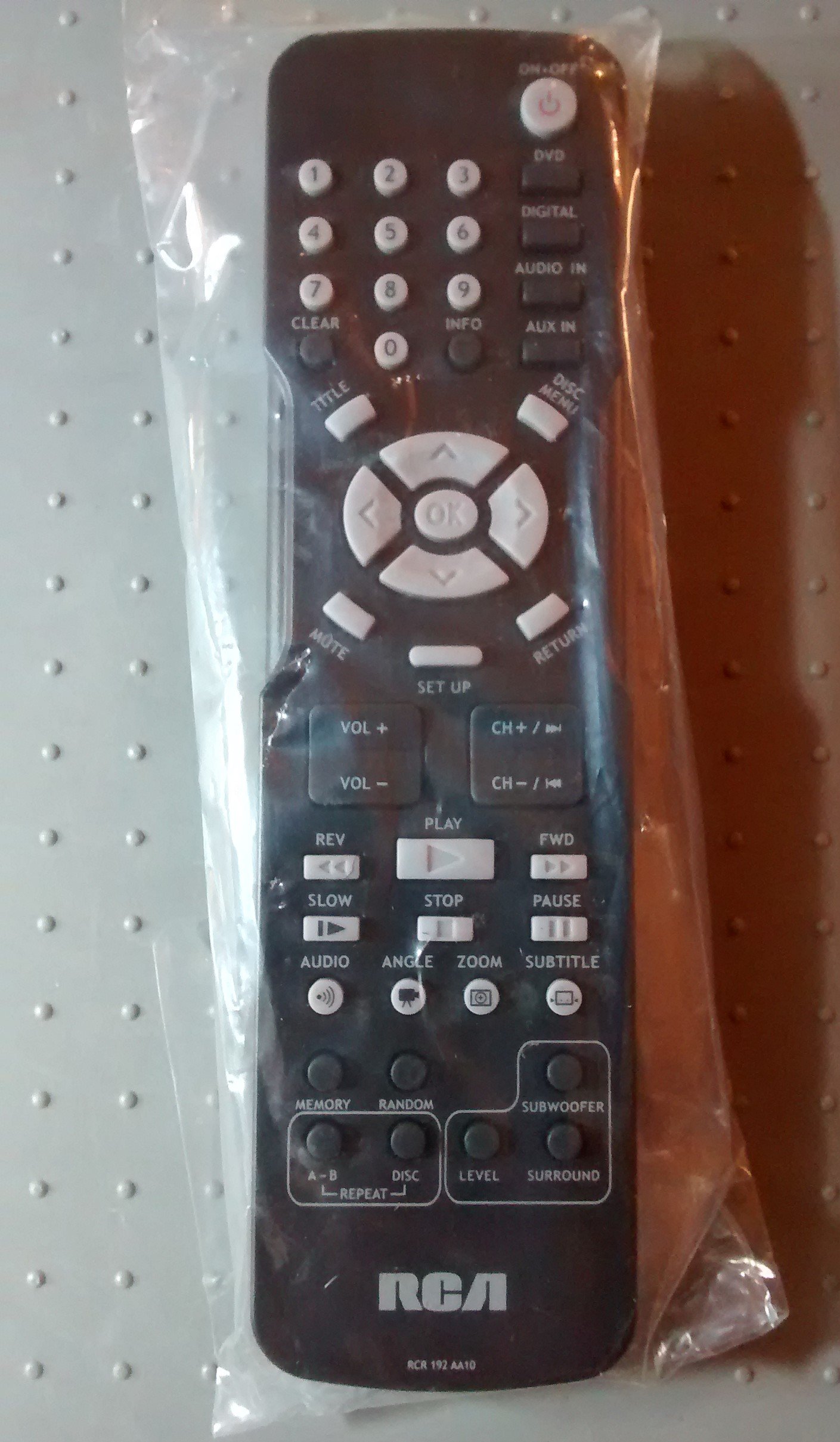
Image: The RCA Remote Control RCR 192AA10, shown sealed in its clear plastic packaging.
Configurar
1. Instalação da bateria
- Localize o compartimento da bateria na parte traseira do controle remoto.
- Slide the battery compartment cover downwards or outwards to open.
- Insira duas pilhas AAA (não incluídas), certificando-se de que os terminais positivo (+) e negativo (-) estejam alinhados corretamente com as marcações dentro do compartimento.
- Recoloque a tampa do compartimento da bateria deslizando-a de volta para a posição até ouvir um clique.
2. Uso inicial
This remote control is typically pre-programmed for compatible RCA devices. No additional programming steps are usually required. Simply point the remote at your device and begin operation.
Instruções de operação
The RCA Remote Control RCR 192AA10 features standard buttons for controlling your compatible RCA audio/video equipment. Familiarize yourself with the button layout for optimal use.
- Botão de energia: Liga ou desliga o dispositivo.
- Aumentar/diminuir volume: Ajusta o nível de saída de áudio.
- Canal para cima/para baixo: Changes the television channel (if applicable).
- Botão Mudo: Silencia a saída de áudio.
- Botão de entrada/fonte: Cycles through available input sources (e.g., HDMI 1, AV, Component).
- Botão de menu: Accesses the device's on-screen menu.
- Navigation Buttons (Arrow Keys, OK/Enter): Utilizado para navegar pelos menus e confirmar as seleções.
- Teclado numérico: Para entrada direta no canal ou outras entradas numéricas.
For specific functions related to your device model, refer to the original device's user manual.
Manutenção
Limpeza
- Limpe o controle remoto com um pano macio e seco.
- Para sujeira teimosa, d levementeampUmedeça o pano com água ou um limpador suave e não abrasivo. Evite umidade excessiva.
- Do not use harsh chemicals, solvents, or abrasive cleaning pads, as these can damage the remote's surface or internal components.
Substituição da bateria
Replace batteries when the remote's performance degrades or it stops responding. Always replace both batteries at the same time with new AAA batteries. Do not mix old and new batteries or different types of batteries.
Armazenar
Store the remote control in a cool, dry place away from direct sunlight and extreme temperatures. If storing for an extended period, remove the batteries to prevent leakage.
Solução de problemas
| Problema | Possível causa | Solução |
|---|---|---|
| O controle remoto não está funcionando | Baterias descarregadas ou instaladas incorretamente. | Substitua as pilhas por novas, certificando-se da polaridade correta (+/-). |
| Remoto sem resposta | Obstruction between remote and device; remote too far from device. | Ensure a clear line of sight to the device's IR receiver. Move closer to the device. |
| Specific buttons not functioning | Button stuck or dirty; device incompatibility for that function. | Clean the remote. Verify the function is supported by your specific device model. |
If issues persist after attempting these solutions, consult the user manual for your specific RCA device or contact RCA customer support.
Especificações
- Marca: RCA
- Modelo: RCR 192AA10
- Tecnologia de conectividade: Infravermelho
- Cor: Preto
- Recurso especial: Design ergonômico
- Dimensões do produto: 7.7 x 6.2 x 1.2 polegadas (aproximadamente)
- Peso do item: 3.19 onças (aproximadamente)
- Fonte de energia: 2 x pilhas AAA (não incluídas)
- Data da primeira disponibilidade: 30 de março de 2015
Garantia e Suporte
For information regarding warranty coverage or technical support, please refer to the documentation provided with your original RCA device or visit the official RCA website. Specific warranty terms may vary based on the retailer and purchase date.


