1. Introdução
This manual provides comprehensive instructions for the safe and proper installation, operation, and maintenance of your Vogel's WALL 2145 B TV wall mount. Please read all instructions carefully before beginning installation to ensure optimal performance and safety.
1.1 Informações de segurança
- Ensure the wall structure can support the combined weight of the mount and your television. Consult a professional if unsure.
- Use only the provided mounting hardware or suitable alternatives recommended by Vogel's.
- Não exceda a capacidade máxima de peso de 15 kg (33 lbs).
- Certifique-se de que todos os parafusos estejam bem apertados antes de usar.
- Mantenha crianças e animais de estimação afastados da área de instalação.
- Always follow local building codes and regulations.
2. Recursos do Produto
The Vogel's WALL 2145 B TV wall mount is designed to provide a secure and flexible viewing experience for your television. Key features include:
- Montagem segura na parede: Sturdy bracket safely secures TVs weighing up to 15 kg (33 lbs).
- Swivel and Tilt Functionality: Allows for smooth rotation up to 180 degrees and tilt up to 20 degrees to optimize viewAjustar os ângulos e reduzir o brilho.
- Braço extensível: Extends the TV up to 41 cm (16.1 inches) from the wall for flexible positioning.
- Compatibilidade Universal: Compatible with flat screen TVs ranging from 19 to 40 inches (48-104 cm), supporting VESA mounting patterns up to 200x200 mm.
- Fácil instalação: Pre-assembled design with all required screws and a detailed manual for straightforward setup. An instruction video is also available from the manufacturer.
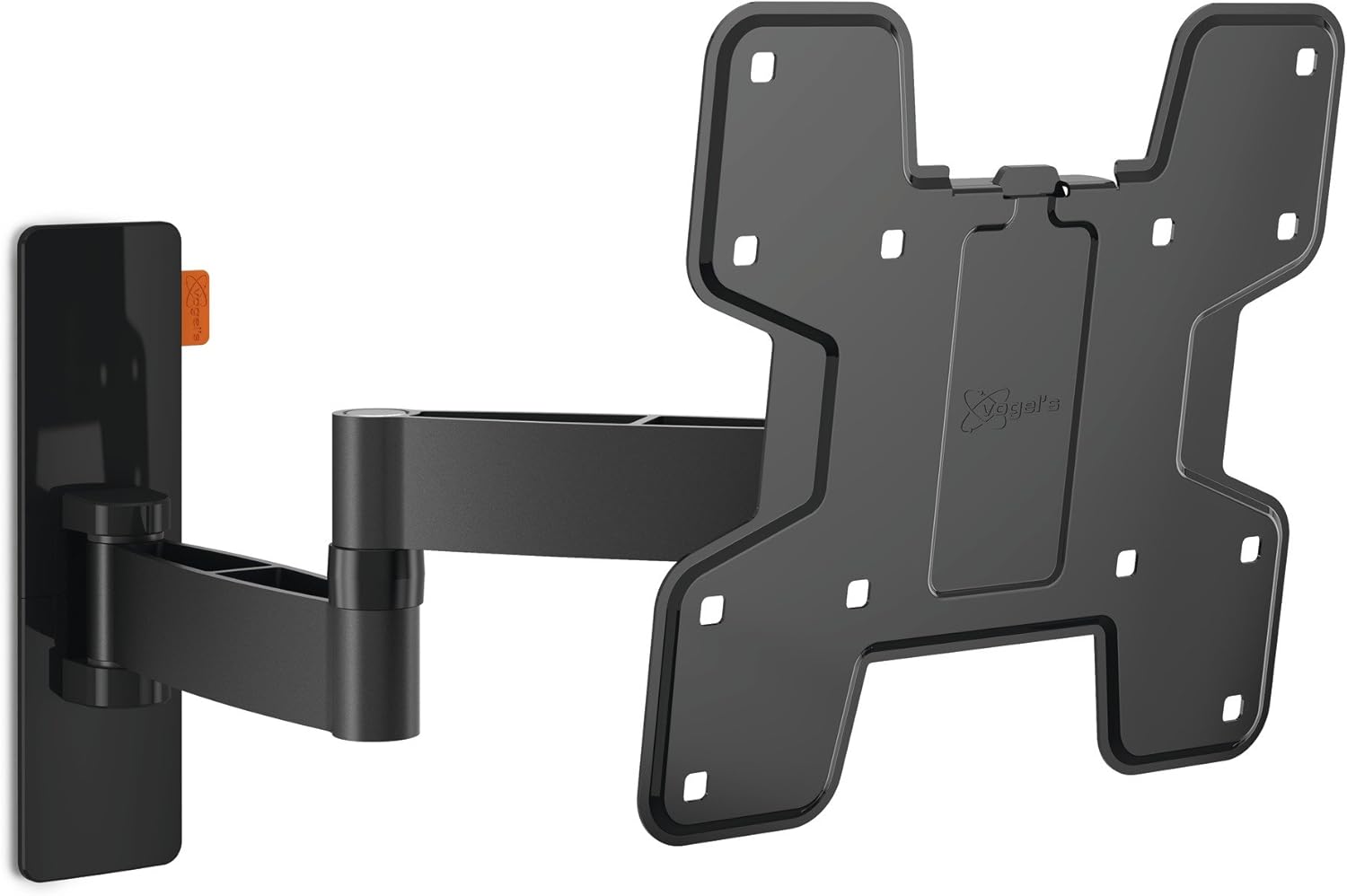
Image: The Vogel's WALL 2145 B TV wall mount, showcasing its articulated arm and TV mounting plate.
3. Conteúdo da embalagem
Verifique se todos os componentes estão presentes antes de iniciar a instalação:
- Vogel's WALL 2145 B Wall Mount Assembly (pre-assembled)
- TV Attachment Plate
- Mounting Hardware Kit (various screws, anchors, washers for wall and TV attachment)
- Modelo de instalação (se incluído)
- Manual do usuário
4. Configuração e instalação
Follow these steps for a secure installation. It is recommended to have a second person assist during certain stages de instalação.
4.1 Ferramentas necessárias (não incluídas)
- Furar
- Drill bits appropriate for wall material and anchor size
- Localizador de vigas (para instalação de drywall)
- Nível
- Lápis
- Chave de fenda Phillips
- Socket wrench (if applicable)
4.2 Etapas de instalação
- Determine o local de montagem: Escolha um local adequado na sua parede, considerando viewing angles, power outlets, and cable management. Ensure the wall material is appropriate for mounting.
- Locate Wall Studs (for wood stud walls): Use a stud finder to locate the center of two adjacent wooden studs. Mark these locations with a pencil. For concrete or brick walls, no studs are required, but ensure the wall is solid.
- Marque os pontos de perfuração: Hold the wall plate of the mount against the wall at the desired height and position. Use a level to ensure it is perfectly horizontal. Mark the drilling points through the mounting holes on the wall plate. Refer to the dimension diagram for precise measurements.

Image: Technical diagram showing the dimensions and VESA mounting hole patterns (Min 100/3.9 - Max 200/7.9 mm/inch) and wall extension (Min 70/2.7 - Max 410/16.1 mm/inch) of the WALL 2145 B mount.
- Furos piloto de perfuração: Drill pilot holes at the marked locations. The size of the drill bit will depend on the type of wall anchors being used (e.g., for wood studs, concrete anchors).
- Fixar placa de parede: Secure the wall plate to the wall using the appropriate screws and anchors from the hardware kit. Ensure it is firmly attached and level.
- Fixe os suportes de TV à TV: Carefully place your TV face down on a soft, clean surface. Attach the TV attachment plate to the back of your television using the screws that fit your TV's VESA mounting holes. Ensure the brackets are centered and securely fastened.

Imagem: Lado view of the Vogel's WALL 2145 B TV wall mount with a television attached, demonstrating its extension from the wall.
- Mount TV onto Wall Mount: With assistance, carefully lift the television and hook the TV attachment plate onto the wall mount arm. Ensure the TV is securely seated on the mount.
- TV segura: Use the provided safety screws or locking mechanisms to secure the TV to the mount, preventing accidental dislodgement.

Image: The Vogel's WALL 2145 B TV wall mount installed in a living space, showcasing its integration with a television.
5. Operando o suporte
The Vogel's WALL 2145 B mount offers flexible positioning for your TV:
- Giratório: Gently grasp the sides of your TV and pivot it left or right. The mount allows for a full 180-degree swivel range (90 degrees left and 90 degrees right from center), depending on TV size and wall clearance.
- Inclinar: Para ajustar a vertical viewing angle, gently push the top or bottom of your TV forward or backward. The mount supports a tilt range of up to 20 degrees (typically +10 degrees up and -10 degrees down).
- Extensão/Retração: Pull the TV gently away from the wall to extend the arm, or push it back towards the wall to retract. The arm extends up to 41 cm (16.1 inches) from the wall.
Always move the TV smoothly and avoid sudden jerks. Do not force the mount beyond its intended range of motion.
6. Manutenção
Regular maintenance ensures the longevity and safe operation of your TV wall mount:
- Limpeza: Limpe a superfície com um pano macio e seco. Não utilize produtos de limpeza abrasivos ou solventes, pois podem danificar o acabamento.
- Verificação do fixador: Periodically check all screws and bolts to ensure they remain tight. Re-tighten if necessary, but do not overtighten.
- Verificação de movimento: Occasionally test the swivel and tilt mechanisms to ensure they move smoothly. If movement becomes stiff, check for any obstructions or debris.
7. Solução De Problemas
If you encounter issues with your Vogel's WALL 2145 B mount, refer to the following common problems and solutions:
| Problema | Possível causa | Solução |
|---|---|---|
| A TV não está nivelada. | Wall plate not level during installation; TV not properly seated. | Carefully remove TV, re-level wall plate, or adjust TV on mount if possible. |
| O suporte parece solto na parede. | Wall screws/anchors are not fully tightened or wall material is insufficient. | Re-tighten all wall screws. If problem persists, consult a professional to assess wall integrity. |
| Dificuldade em girar ou inclinar a TV. | Over-tightened joints; obstruction; exceeding weight limit. | Check for obstructions. Ensure TV weight is within limits. Do not force movement. |
| TV attachment screws are loose. | Screws not fully tightened during TV attachment. | Carefully re-tighten screws connecting the TV to the mount. |
If you continue to experience issues, please contact Vogel's customer support.
8. Especificações
| Recurso | Especificação |
|---|---|
| Número do modelo | 8353060 |
| Tamanhos de TV compatíveis | 19 - 40 polegadas (48 - 104 cm) |
| Capacidade máxima de peso | 15 kg (33 libras) |
| Compatibilidade VESA | Max 200 x 200 mm (Min 100 x 100 mm) |
| Faixa de inclinação | Up to 20 degrees (e.g., +10°/-10°) |
| Alcance giratório | Até 180 graus |
| Distância da parede (mín.-máx.) | 70 mm (2.7 inches) - 410 mm (16.1 inches) |
| Dimensões do produto (C x L x A) | 28.33 x 27.93 x 8.42 cm |
| Peso do produto | 2.34 kg |
| Cor | Preto |
| Tipo de montagem | Montagem na parede |
9. Garantia e Suporte
Vogel's stands by the quality of its products.
9.1 Lifetime Guarantee
This Vogel's product comes with a Lifetime Guarantee, reflecting over 40 years of experience in designing and manufacturing high-quality mounts for home electronics. This warranty covers defects in materials and workmanship under normal use.

Image: Graphic seal indicating Vogel's Lifetime Guarantee, highlighting certified quality, strong & secure mounting, all materials included, and clear instructions.
9.2 Suporte ao cliente
For technical assistance, warranty claims, or further inquiries, please visit the official Vogel's website or contact their customer support department. Contact information can typically be found on the Vogel's website ou embalagem do produto.
Website: www.vogels.com


