Introdução
Obrigado pela compra.asing the OttLite CY4009-FFP LED Desk Lamp. This manual provides important information regarding the setup, operation, maintenance, and troubleshooting of your new desk lampLeia atentamente estas instruções antes de usar e guarde-as para futuras consultas.
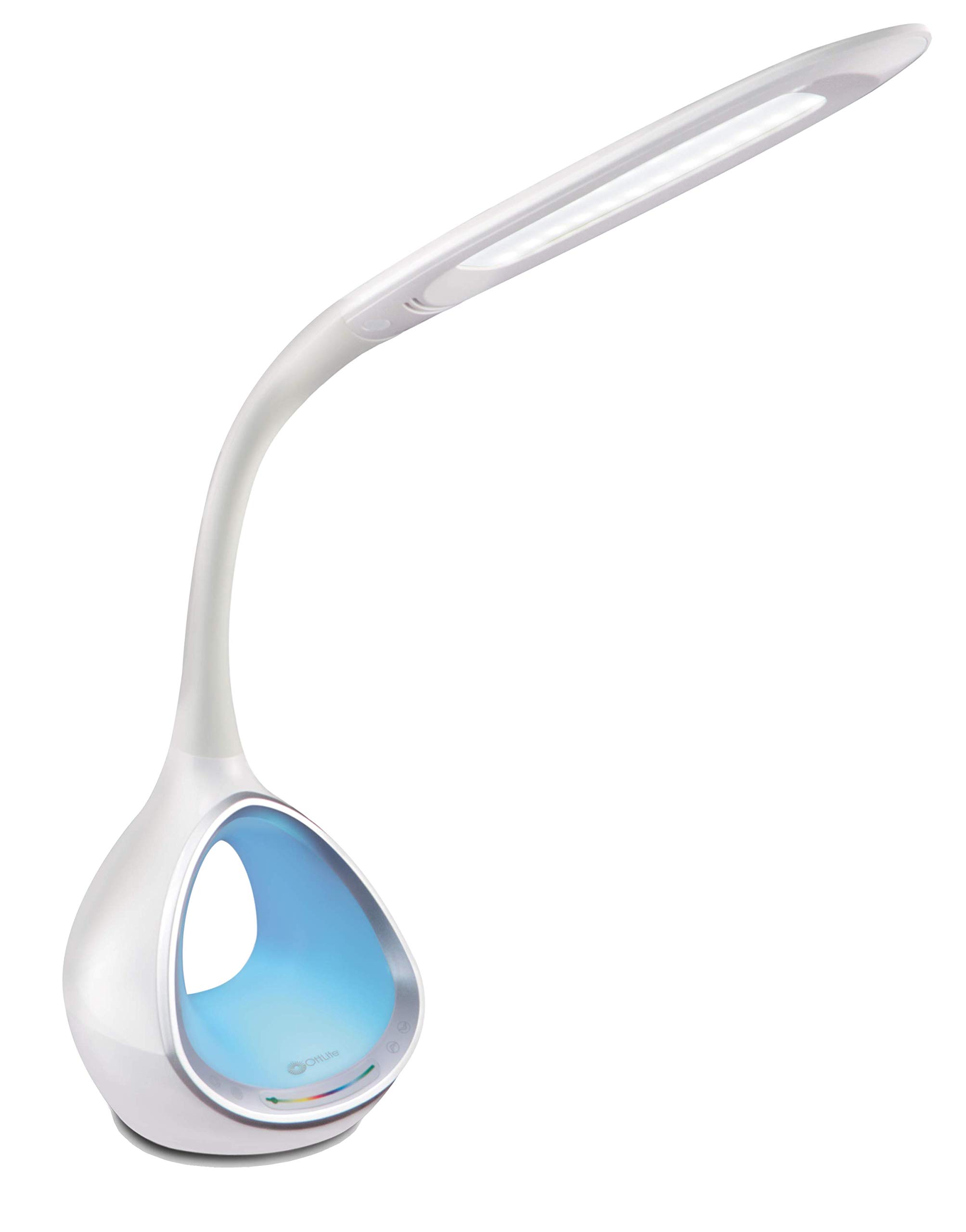
Image: The OttLite CY4009-FFP LED Desk Lamp, mostrarasing its sleek white design and flexible neck.
Instruções de segurança
Para garantir uma operação segura, observe as seguintes precauções:
- Não opere o lamp com um cabo ou plugue danificado.
- Não modifique o lamp ou seus componentes.
- Mantenha o lamp away from water or other liquids. This product is not water resistant.
- Garantir o lamp é colocado sobre uma superfície plana e estável.
- Desligue o lamp antes de limpar ou realizar qualquer manutenção.
- Este euamp é apenas para uso interno.
Conteúdo da embalagem
Verifique se todos os itens estão presentes na embalagem:
- OttLite CY4009-FFP LED Desk Lamp
- Adaptador de energia CA/CC
Produto acimaview
Familiarize yourself with the main components of your desk lamp:
- Pescoço flexível: Allows adjustment of the light head position.
- Cabeça de luz LED: Provides natural daylight illumination with adjustable brightness and color temperature.
- Painel de controle: Touch-sensitive buttons for power, brightness, color temperature, and color-changing base.
- Color Changing Tunnel Base: Illuminates with a choice of colors or cycles through the spectrum.
- Porta de carregamento USB: Located on the side of the base for charging devices.

Image: The OttLite CY4009-FFP LED Desk Lamp illustrating its adjustable height (11.75 to 16 inches) and base diameter (4.375 inches).
Configurar
- Remova cuidadosamente o lamp e todos os componentes da embalagem.
- Coloque o lamp em uma superfície estável e plana.
- Connect the AC/DC power adapter to the power input port located at the back of the lamp base.
- Conecte o adaptador de alimentação a uma tomada elétrica padrão.
- O lamp agora está pronto para operação.
Instruções de operação
Operação da luz principal

Imagem: Close-up do lamp base showing touch-activated controls for brightness and color settings.
- Ligar/desligar: Toque o Botão de energia on the control panel to turn the main light on or off.
- Ajustar brilho: O lamp features 4 brightness settings. Repeatedly touch the Botão de brilho para percorrer os níveis de brilho.
- Alterar temperatura da cor: O lamp offers 3 color temperature modes. Repeatedly touch the Botão de modo to switch between different light temperatures (e.g., warm white, bright white, cool white).

Image: Three different light outputs from the lamp head, demonstrating the warm, neutral, and cool color temperature settings.
Color Changing Tunnel Base Operation

Imagem: Quatro examples do lamp's base glowing in different colors: blue, red, purple, and green.
- Activate Color Base: Toque o Botão de cor on the control panel to turn on the color-changing base.
- Selecione uma cor: Once activated, touch the color spectrum bar on the base to select a specific color.
- Cores do ciclo: To have the base continuously cycle through the entire color spectrum, touch and hold the Botão de cor until the colors begin to transition automatically.
- Turn Off Color Base: Toque o Botão de cor again to turn off the color-changing base.
Porta de carregamento USB
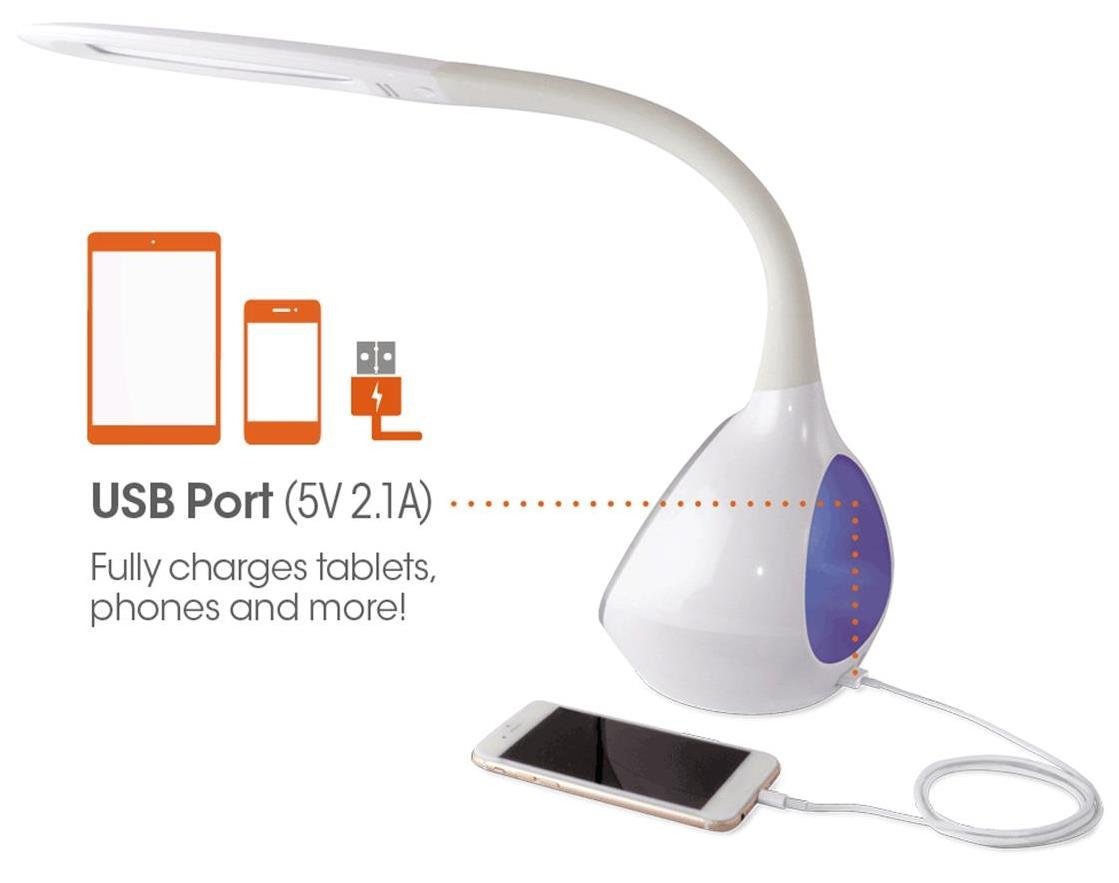
Imagem: O lamp's base with a smartphone connected to the 5V 2.1A USB charging port, illustrating its charging capability for phones and tablets.
O lamp includes a 5V, 2.1A USB charging port located on the side of the base. This port can be used to charge smartphones, tablets, and other USB-powered devices. Simply connect your device's USB charging cable to the port.
Manutenção
- Limpeza: Garantir o lamp Desligue o aparelho da tomada antes de limpá-lo. Use um pano macio e seco para limpar o...amp. Não use produtos de limpeza abrasivos ou solventes.
- LEDs: The integrated LEDs are designed to last up to 40,000 hours and are not replaceable.
- Armazenar: Se armazenar o lamp Se não for utilizá-lo por um período prolongado, desligue-o da tomada e guarde-o em local fresco e seco.
Solução de problemas
| Problema | Possível causa | Solução |
|---|---|---|
| Lamp não liga. | Adaptador de energia não conectado corretamente ou sem energia na tomada. | Verifique se o adaptador de energia está conectado firmemente em ambas as tomadas.amp e a tomada da parede. Teste a tomada com outro aparelho. |
| Main light works, but color-changing base does not. | Color button not activated. | Ensure the Color button on the control panel has been touched to activate the base light. |
| A porta de carregamento USB não está funcionando. | Dispositivo incompatível ou cabo com defeito. | Ensure your device is compatible with 5V, 2.1A charging. Try a different USB cable. |
| Os controles de toque não respondem. | Temporary electrical interference or power issue. | Desligue o lamp from the power outlet for 30 seconds, then plug it back in. |
Especificações
| Número do modelo: | CY4009-FFP |
| Marca: | OttLiteName |
| Tipo de fonte de luz: | LIDERADO |
| O quetage: | 10 Watts |
| Configurações de brilho: | 4 (up to 500 lumens) |
| Temperaturas de cor: | 3 |
| Saída da Porta USB: | 5 V, 2.1 A |
| Tempo de vida do diodo emissor de luz: | Até 40,000 horas |
| Dimensões do produto (CxLxA): | 24.1 cm de profundidade x 7 cm de largura x 29.8 cm de altura |
| Peso do item: | 1.32 kg (2.91 libras) |
| Fonte de energia: | Elétrico com fio |
| Tipo de interruptor: | Tocar |
| Cor: | Branco |
| Resistência à água: | Não resistente à água |
| Código UPC: | 761712012346 |
Garantia e Suporte
For warranty information or technical support, please refer to the documentation provided with your purchase or visit the official OttLite website. Guarde o comprovante de compra para solicitações de garantia.
Fabricante: Environmental Lighting Concepts


