1. Introdução
This manual provides comprehensive instructions for the setup, operation, and maintenance of your Anderic RR7096T Thermostatic Remote Control. This remote is designed as a direct replacement for original Hampton Bay and Harbor Breeze ceiling fan remotes, specifically those with FCC IDs such as CHQ7096T, UC7096T, CHQ8BF7096T, and CHQ8BT7096T.
The RR7096T offers control over fan speeds, light functions (including dimming), and thermostatic settings. It is important to note that this remote operates only the down-lights of a ceiling fan and does not include a 'Reverse' key for fan direction. For proper light dimming functionality, incandescent bulbs are required.
2. Informações de segurança
- Mantenha as pilhas fora do alcance das crianças.
- Não misture pilhas velhas e novas, ou tipos diferentes de pilhas.
- Descarte as baterias usadas de acordo com os regulamentos locais.
- Avoid exposing the remote control to extreme temperatures, moisture, or direct sunlight.
3. Conteúdo da embalagem
Verifique se seu pacote contém os seguintes itens:
- Anderic RR7096T Thermostatic Remote Control
- Suporte de montagem em parede
- Two screws for wall mount installation
4. Configuração
4.1. Instalação da bateria
- Remova a tampa do compartimento da bateria na parte traseira do controle remoto.
- Insert four (4) AAA batteries, ensuring correct polarity (+/-).
- Recoloque a tampa do compartimento da bateria.
4.2. Dip-Switch Matching
The RR7096T remote control operates by matching its dip-switch settings to those of your ceiling fan's receiver. This is the primary method of pairing the remote with your fan.
- Locate the dip-switches inside the battery compartment of your new RR7096T remote.
- Identify the dip-switches on your existing ceiling fan receiver or original remote control. The receiver is typically located in the ceiling fan's canopy.
- Carefully match the position of the dip-switches (ON/OFF or UP/DOWN) on the new RR7096T remote to the exact pattern of your fan's receiver or original remote.
- Once the dip-switches are matched, the remote should operate your ceiling fan without further programming.

Figura 1: Back of the Anderic RR7096T remote control, illustrating the battery compartment and the internal dip-switches that must be matched to your ceiling fan receiver for proper operation.
4.3. Instalação de montagem em parede
The included wall mount bracket allows for convenient storage of your remote control.
- Choose a suitable location on a wall, away from direct heat or moisture.
- Use the two provided screws to securely attach the wall mount bracket to the wall.
- Slide the remote control into the bracket for storage.
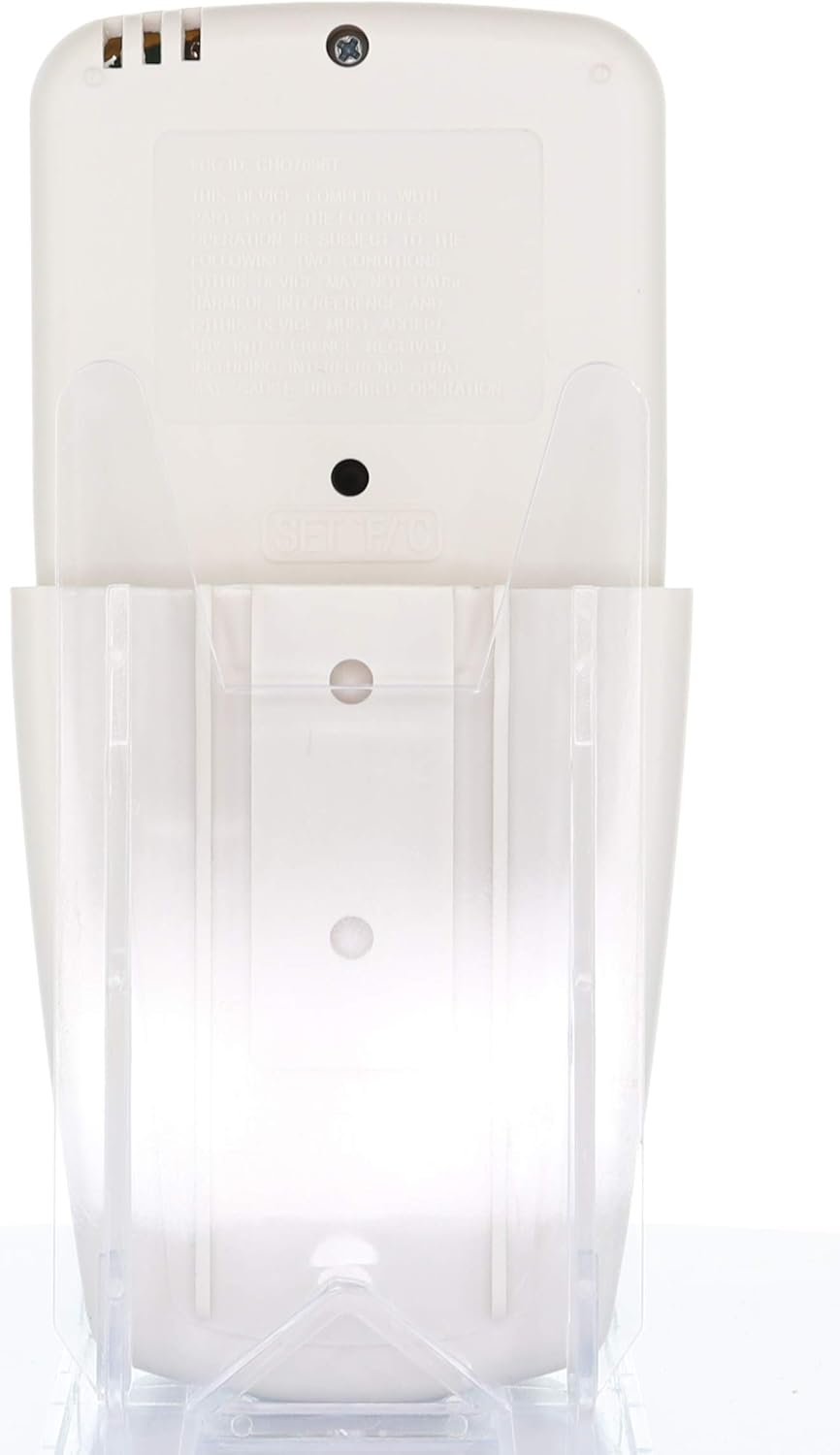
Figura 2: The Anderic RR7096T remote control securely placed in its transparent wall mount bracket, demonstrating how it can be stored when not in use.
5. Instruções de operação
The Anderic RR7096T remote control features a clear LCD display and dedicated buttons for various functions. Refer to the image below for button identification.

Figura 3: Frente view of the Anderic RR7096T remote control, displaying its LCD screen and various control buttons for fan and light functions.
5.1. Controle do ventilador
- Ventilador ligado / desligado: Press the blue fan button to cycle through fan speeds (Low, Medium, High) and turn the fan off.
- VENTILADOR AUTOMÁTICO: Activates the thermostatic fan control. The fan will automatically adjust its speed based on the room temperature and your set temperature.
- TEMPORIZADOR DO VENTILADOR: Sets a timer for the fan to operate for a specified duration.
- TEMP./SET HOUR (Up/Down Arrows): Adjusts the desired temperature for FAN AUTO mode or sets the hour for timer functions.
5.2. Controle de Luz
- Luz ligada / desligada / escurecimento: Press the yellow light button to turn the down-lights on or off. Hold the button to dim or brighten the lights.
- TEMPORIZADOR DE LUZ: Sets a timer for the light to turn off after a specified duration.
- ATRASO DE LUZ: Activates a delay for the light to turn off, allowing time to exit the room.
Nota importante: This remote control is designed to operate only the down-lights of your ceiling fan. It will not control separate up-lights if your fan is equipped with them. For proper dimming functionality, ensure your fan uses incandescent bulbs.
6. Manutenção
6.1. Substituição da bateria
When the remote's display becomes dim or its response time slows, it is time to replace the batteries. Follow the battery installation steps in Section 4.1.
6.2. Limpeza
Limpe o controle remoto com um pano macio e seco. Não use produtos de limpeza abrasivos nem mergulhe o controle remoto em água.
7. Solução De Problemas
- O controle remoto não está respondendo:
- Verifique os níveis da bateria e substitua-a se necessário.
- Verify that the dip-switches in the remote match the settings of your ceiling fan receiver (refer to Section 4.2).
- Certifique-se de que não haja obstruções entre o controle remoto e o receptor do ventilador.
- Lights not dimming properly:
- Confirm that your ceiling fan uses incandescent bulbs. LED or CFL bulbs may not dim correctly with this remote.
- Fan not operating at desired speed in AUTO mode:
- Check the set temperature on the remote's display and adjust using the TEMP./SET HOUR buttons.
8. Especificações
| Nome do modelo | RR7096T |
| Marca | Andérico |
| Cor | Marfim |
| Fonte de energia | Alimentado por bateria (4 pilhas AAA necessárias) |
| Dimensões do produto | 1"P x 3"L x 6"A |
| Peso do item | 4.8 onças |
| Método de controle | Remoto |
| Compatible FCC IDs | CHQ7096T, UC7096T, CHQ8BF7096T, CHQ8BT7096T |
| Componentes incluídos | Remote control, Wall mount bracket (with two screws) |
9. Informações de garantia
The Anderic RR7096T Thermostatic Remote Control comes with a Garantia de substituição de 1 ano. Please retain your proof of purchase for warranty claims. For details on how to claim your warranty, refer to the manufacturer's official website ou entre em contato com o suporte ao cliente.
10. Suporte
For further assistance, troubleshooting tips, or to inquire about compatible receivers (such as UC7067FCRX or UC70960TX if needed), please visit the official Anderic webou entre em contato com o departamento de suporte ao cliente. As informações de contato geralmente podem ser encontradas na embalagem do produto ou no site do fabricante. website.