Introdução
Thank you for choosing the Night Cat Electric Fly Swatter. This device is designed to effectively eliminate flying insects such as flies and mosquitoes using a high-voltage electric grid. Its portable and rechargeable design makes it suitable for both indoor and outdoor use. Please read this manual carefully before use to ensure safe and optimal performance.
Instruções de segurança
- Mantenha fora do alcance de crianças e animais de estimação.
- Do not touch the inner electric grid when the device is active or charging. The protective outer grids are designed for safety, but direct contact with the inner grid can cause an electric shock.
- Não use perto de gases ou líquidos inflamáveis.
- Do not use in wet environments or allow the device to get wet. This can cause electric shock or damage.
- Do not insert metal objects into the grid.
- Turn off the device before cleaning or storing.
- Se o dispositivo estiver danificado, não tente repará-lo você mesmo. Entre em contato com o suporte ao cliente.
- This device is intended for insect control only. Do not use for any other purpose.
Produto acimaview
The Night Cat Electric Fly Swatter features a robust design with multiple safety and convenience features.
Componentes e Recursos

Figura 1: Key components and features of the Night Cat Electric Fly Swatter. This diagram highlights the triple-layer safety mesh, durable ABS material construction, a dual-action safety switch, an indicator light for operation and charging status, a convenient USB charging port, and an ergonomic anti-slip handle design.
Dimensões e Peso

Figura 2: The Night Cat Electric Fly Swatter is designed to be portable and lightweight. It measures approximately 43 cm (17 inches) in length and 22 cm (9 inches) in width, with a weight of 300 grams. For comparison, its size is similar to a standard 10-inch tablet, making it easy to handle and carry.
Configurar
Carregando o dispositivo
Before first use, fully charge the electric fly swatter. The device is equipped with a 1200 mAh lithium-polymer battery for extended use.
- Locate the USB charging port on the handle of the fly swatter.
- Connect the provided USB charging cable to the swatter's port.
- Connect the other end of the USB cable to a compatible USB power source, such as a USB adapter (not included) or a power bank.
- During charging, the indicator light will turn vermelho.
- Quando estiver totalmente carregado, o indicador luminoso acenderá. verde.
- Desconecte o cabo de carregamento assim que o carregamento estiver completo.
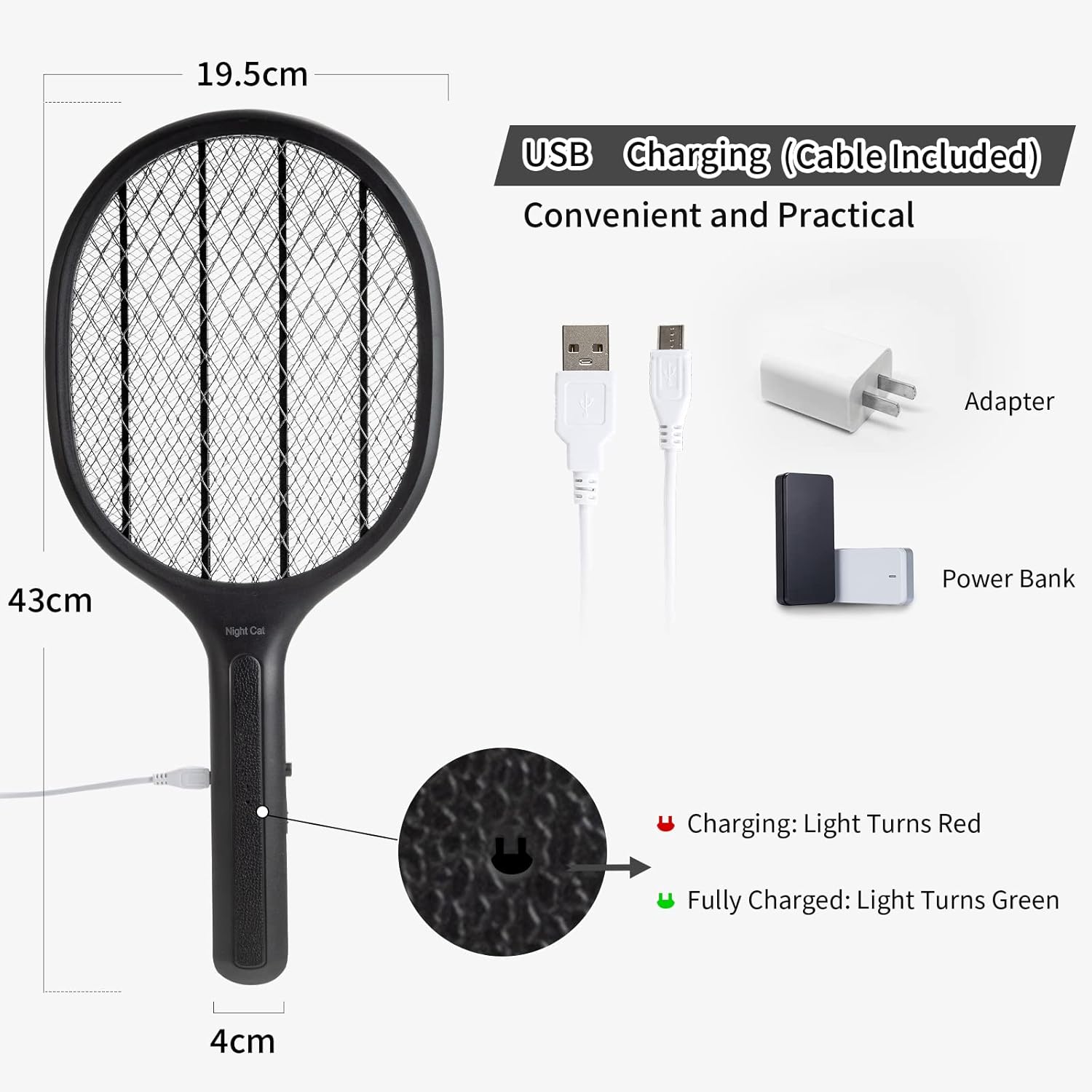
Figura 3: USB charging setup for the Night Cat Electric Fly Swatter. The image illustrates how to connect the device to a USB adapter or power bank for charging. The charging indicator light turns red when charging and green when fully charged.
Instruções de operação
Ligar/desligar
The device features a double switch for enhanced safety.
- To activate the electric grid, slide the main power switch to the "ON" position.
- Press and hold the activation button located on the side of the handle. The indicator light will illuminate, signifying that the grid is active and ready for use.
- Release the activation button to deactivate the grid.
- For storage or when not in use, slide the main power switch to the "OFF" position.
Uso eficaz
The 3000V output voltage ensures effective insect elimination.
- Once the grid is active, swing the swatter towards the target insect.
- Ensure the insect makes contact with the electric grid. A distinct "zap" sound indicates successful elimination.
- For best results, aim for a direct hit.
- The device is effective against various flying insects, including flies, mosquitoes, and other small pests.
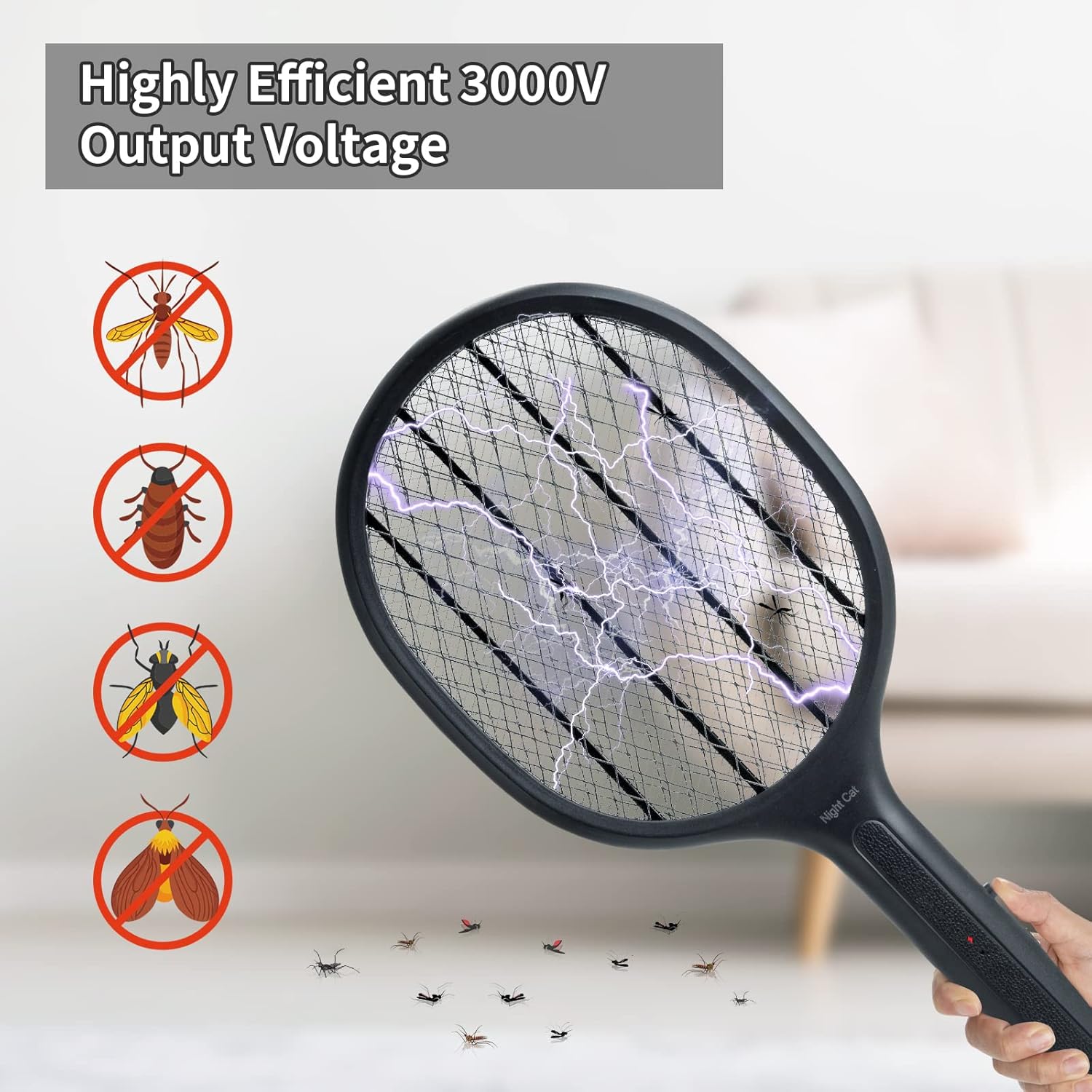
Figura 4: The Night Cat Electric Fly Swatter in action, illustrating its highly efficient 3000V output voltage. The image shows the electric discharge as it eliminates various insects, including mosquitoes, flies, and other small pests.
Manutenção
Limpeza
- Always ensure the device is turned OFF and disconnected from any charging source before cleaning.
- Use a soft, dry brush or cloth to gently remove any insect debris from the grid.
- Do not use water or any cleaning liquids on the electric grid.
- Wipe the handle and exterior with a clean, damp Se necessário, passe um pano e depois seque bem.
Armazenar
- Store the fly swatter in a cool, dry place, away from direct sunlight and moisture.
- Certifique-se de que o dispositivo esteja totalmente carregado antes de armazená-lo por um longo período para preservar a saúde da bateria.
- Keep the device in its original packaging or a protective cover to prevent damage.
Solução de problemas
| Problema | Possível causa | Solução |
|---|---|---|
| Dispositivo não liga. | A bateria está fraca ou descarregada. | Carregue totalmente o dispositivo usando o cabo USB fornecido. |
| Indicator light not illuminating. | Main power switch is OFF or activation button not pressed. | Ensure the main switch is ON and the activation button is pressed and held. |
| No "zap" sound when hitting an insect. | Insect did not make full contact with the inner grid; grid is dirty; battery is low. | Ensure direct contact. Clean the grid. Recharge the device. |
| Device appears damaged or overheated. | Internal malfunction or improper use. | Immediately turn off the device and discontinue use. Contact customer support. |
Especificações
| Recurso | Detalhe |
|---|---|
| Número do modelo | 8835-EU-BLK |
| Marca | Gato da noite |
| Dimensões (C x L x A) | 49 x 22 x 4 cm (19.3 x 8.7 x 1.6 polegadas) |
| Peso | 300 gramas (0.66 libras) |
| Material | Acrilonitrila Butadieno Estireno (ABS) |
| Volume de saídatage | 3000V |
| Tipo de Bateria | 1200 mAh Lithium-Polymer (Rechargeable) |
| Método de carregamento | USB |
| Espécies alvo | Flies, Mosquitoes, and other small flying insects |
Garantia e Suporte
Night Cat products are manufactured with high-quality materials and undergo strict quality control. For any issues or inquiries regarding your Night Cat Electric Fly Swatter, please contact our customer support team. We are committed to providing a satisfactory solution.
Consulte a documentação de compra para obter os termos específicos da garantia e as informações de contato.


