1. Introdução
Obrigado pela compra.asing the SMART SENSOR Digital Anemometer AS806. This compact and lightweight device is designed for accurate measurement of wind speed and wind temperature. It features multiple functions including current, maximum, minimum, and average value display, data hold, manual/auto power off, low battery indication, and backlight. Please read this manual thoroughly before use to ensure proper operation and to extend the life of your device.
2. Informações de segurança
- Não tente desmontar ou modificar o dispositivo.
- Mantenha o dispositivo longe da água e de ambientes com alta umidade.
- Evite expor o dispositivo a temperaturas extremas ou à luz solar direta por períodos prolongados.
- Remova a bateria se o dispositivo não for usado por um longo período para evitar vazamentos.
- Handle the impeller carefully to prevent damage.
3. Produto acabadoview
3.1 Componentes
The SMART SENSOR AS806 Digital Anemometer consists of a main body with an LCD display and an integrated impeller for wind speed measurement.
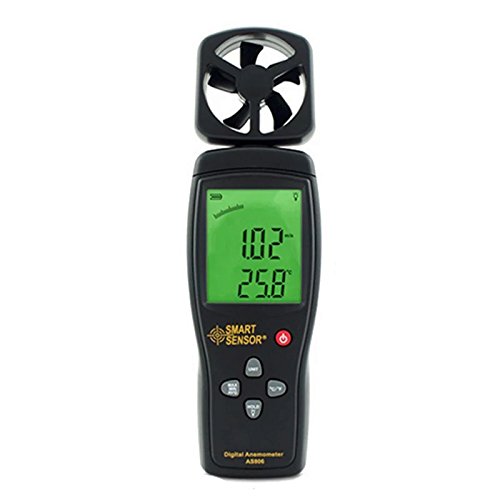
Figura 1: Frente view of the SMART SENSOR AS806 Digital Anemometer.
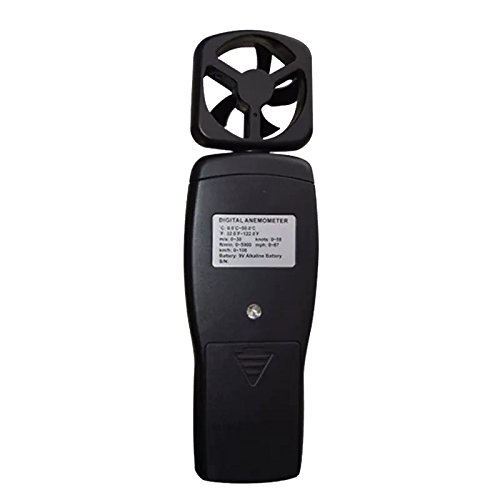
Figura 2: Voltar view of the device, showing the battery compartment.
3.2 Visor e botões
The device features an LCD display that shows measurement readings and various indicators. Control buttons allow for mode selection, unit conversion, data hold, and backlight activation.
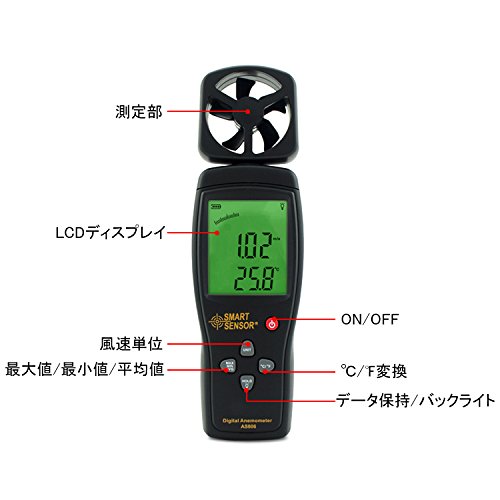
Figura 3: Detalhado view of the LCD display and control buttons. Key elements include the measurement section (impeller), LCD display, ON/OFF button, wind unit selection, Max/Min/Avg function, °C/°F conversion, and Data Hold/Backlight button.
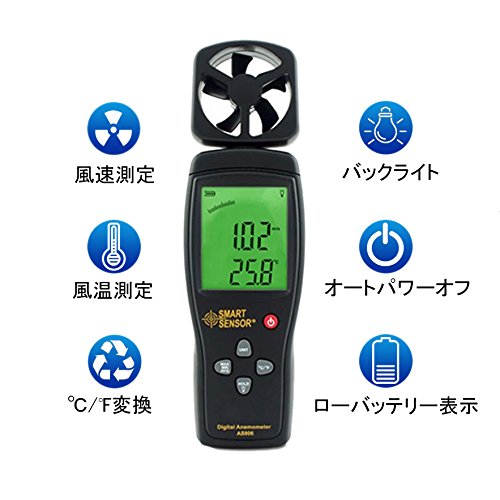
Figura 4: Overview of key features: Wind Speed Measurement, Wind Temperature Measurement, °C/°F Conversion, Backlight, Auto Power Off, and Low Battery Indicator.
4. Especificações
4.1 Parâmetros técnicos
| Parâmetro | Valor |
|---|---|
| Faixa de velocidade do vento | 0.3 ~ 45 m / s |
| Precisão da velocidade do vento | ±3% + 0.1 |
| Unidades de velocidade do vento | m/s, Ft/min, Knots, km/h, Mph |
| Faixa de temperatura do vento | 0 ~ 45 °C |
| Wind Temperature Accuracy | ±2 °C |
| Resolução | 0.001 m/s |
| Max/Min/Average Value | Sim |
| Conversão °C/°F | Sim |
| Luz de fundo | Sim |
| Desligamento manual/automático | Sim |
| Display Analógico | Sim |
| Função de retenção de dados | Sim |
4.2 Especificações Gerais
- Fonte de energia: Bateria 9V
- Peso: 170g
- Dimensões: 220 x 65 x 30 mm
- Material: Plastic PCB
- Código UPC: 799789670206
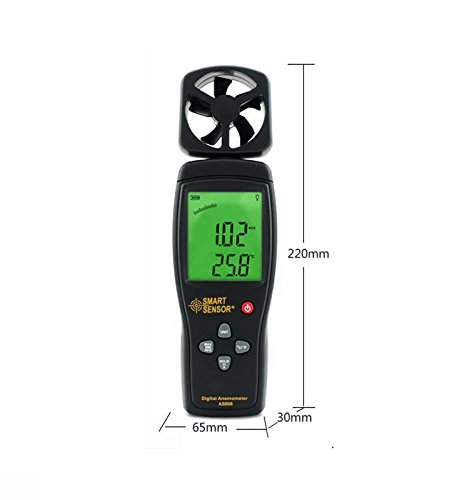
Figure 5: Device dimensions: 220mm (height), 65mm (width), 30mm (depth).
5. Configuração
5.1 Instalação da bateria
- Locate the battery compartment cover on the back of the device (refer to Figure 2).
- Deslize a tampa para baixo para abrir o compartimento.
- Insert a 9V battery, ensuring the correct polarity (+/-).
- Feche a tampa do compartimento da bateria deslizando-a para cima até ouvir um clique.
Observação: A low battery indicator will appear on the display when the battery needs replacement.
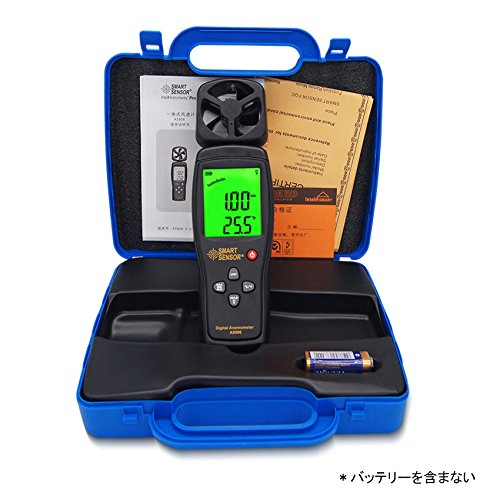
Figure 6: Package contents, including the anemometer and user manual. Note: Battery is not included.
6. Instruções de operação
6.1 Ligar/Desligar
- Para ligar o dispositivo, pressione o botão LIGADO/DESLIGADO botão.
- Para desligar o dispositivo, pressione e segure o LIGADO/DESLIGADO botão por alguns segundos.
- The device also features an auto power-off function to conserve battery life. It will automatically shut down after a period of inactivity.
6.2 Wind Speed and Temperature Measurement
Once powered on, the device will immediately begin measuring wind speed and temperature. Hold the device so that the impeller faces the wind source for accurate readings. The current wind speed and temperature will be displayed on the LCD.
6.3 Conversão de Unidades
- Unidades de velocidade do vento: Pressione o UNIDADE button to cycle through available wind speed units: m/s, Ft/min, Knots, km/h, Mph.
- Unidades de temperatura: Pressione o ° C / ° F button to switch between Celsius and Fahrenheit for temperature display.
6.4 Função de retenção de dados
To freeze the current readings on the display, press the SEGURAR botão. Pressione-o novamente para liberar a trava e retomar a medição em tempo real.
6.5 Luz de fundo
To activate the display backlight for better visibility in low-light conditions, press the LUZ button (often combined with HOLD). Press it again to turn off the backlight.
6.6 Medição Máxima/Mínima/Média
The device can display the maximum, minimum, and average wind speed values recorded during a measurement session. Refer to the specific button labeled for these functions (e.g., MAX / MIN / AVG or similar) and press it to cycle through these modes.
7. Manutenção
- Limpeza: Limpe o dispositivo com um pano macio e seco. Não utilize produtos de limpeza abrasivos ou solventes.
- Armazenar: Store the device in a cool, dry place when not in use. Remove the battery for long-term storage.
- Manutenção do impulsor: Ensure the impeller is free from dust and debris for accurate readings. Avoid touching the impeller blades directly.
8. Solução De Problemas
| Problema | Possível causa | Solução |
|---|---|---|
| O dispositivo não liga. | Bateria fraca ou descarregada; instalação incorreta da bateria. | Substitua a bateria de 9V; certifique-se da polaridade correta. |
| Leituras imprecisas. | Impeller obstructed; device not positioned correctly. | Clear any obstructions from the impeller; ensure impeller faces the wind directly. |
| A tela está escura ou em branco. | Bateria fraca; luz de fundo desligada. | Replace battery; press the backlight button. |
9. Garantia e Suporte
This product comes with a manufacturer's warranty. Please refer to the warranty card included in the package for details regarding coverage and duration. For technical support or warranty claims, please contact your retailer or the manufacturer directly.


