1. Introdução
This manual provides essential instructions for the setup, operation, and maintenance of your Korg PA700 61-Key Arranger Keyboard bundle. This bundle includes the Korg PA700 keyboard, an adjustable X-style keyboard bench, and an adjustable double X keyboard stand. Please read this manual thoroughly before using the product to ensure proper and safe operation.
The Korg PA700 features KORG’s advanced EDS-X (Enhanced Definition Synthesis-eXpanded) sound engine, offering over 1,700 ready-to-play sounds. It includes a capacitive TouchView display for intuitive control and 2x25 Watt amplifiers driving two loudspeakers in a bass-reflex enclosure for a rich sound experience. The instrument also provides 148 studio-quality effect types for sound customization.
2. Conteúdo da embalagem
Verifique se todos os itens listados abaixo estão presentes em sua embalagem:
- Korg PA700 61-Key Arranger Keyboard
- Adjustable X Style Keyboard Bench
- Adjustable Double X Keyboard Stand
- Cabo de energia
- Estante de música
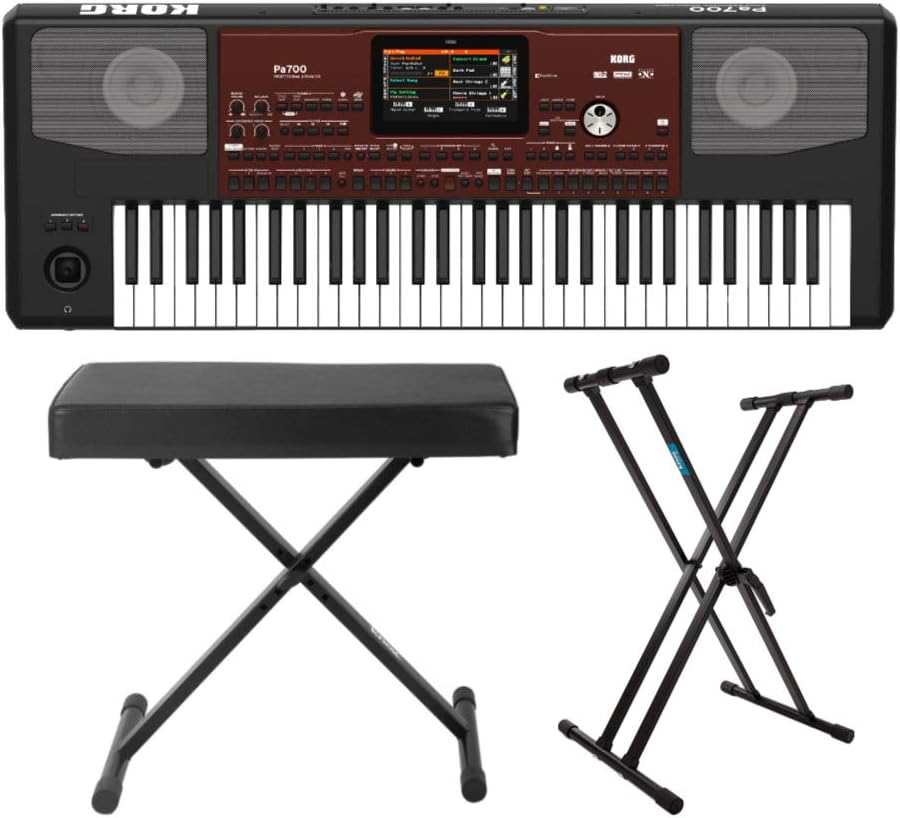
Figura 2.1: Overview of the Korg PA700 Arranger Keyboard, adjustable bench, and double X stand included in the bundle.
3. Instruções de configuração
3.1 Montagem do suporte do teclado
- Unfold the adjustable double X keyboard stand.
- Adjust the height to your preferred playing position using the locking mechanism. Ensure the stand is stable before placing the keyboard.

Figure 3.1: The adjustable double X keyboard stand, ready for assembly and height adjustment.
3.2 Assembling the Keyboard Bench
- Unfold the adjustable X-style keyboard bench.
- Ensure all legs are securely locked into place for stability.

Figure 3.2: The adjustable X-style keyboard bench in its unfolded, ready-to-use state.
3.3 Connecting the Korg PA700 Keyboard
- Place the Korg PA700 keyboard securely on the assembled stand.
- Insert the power cable into the AC IN port on the rear panel of the keyboard.
- Connect the other end of the power cable to a suitable power outlet.
- If using external audio equipment, connect audio cables to the appropriate output jacks (e.g., L/MONO, R) on the rear panel.
- For headphones, connect to the headphone jack on the front left side of the keyboard.

Figure 3.3: The rear panel of the Korg PA700, showing various input and output ports including AC IN, audio outputs, and USB connections.
4. Instruções de operação
4.1 Ligar/Desligar
- To power on, press the POWER button located on the left side of the keyboard.
- Para desligar, pressione e mantenha pressionado o botão POWER até que o aparelho desligue.
4.2 Navegando no TouchView Mostrar
The Korg PA700 features a capacitive TouchView display. Interact with the display by touching icons and menus directly with your finger. The redesigned graphical interface is designed for ease of use and readability.

Figura 4.1: parte superior view of the Korg PA700, highlighting the central TouchView display and surrounding control panel.
4.3 Sound Selection and Customization
The PA700 includes over 1,700 ready-to-play sounds, powered by the EDS-X sound engine. These include a wide range of instruments from classic keyboards to orchestral sounds. Use the TouchView display to browse and select sounds.
4.4 Using Studio-Quality Effects
The keyboard offers 148 effect types. For accompaniment tracks, two insert effects and two master effects can be applied. For real-time keyboard tracks, one insert effect and two master effects are available. Access and adjust these effects through the TouchView display's effect section.
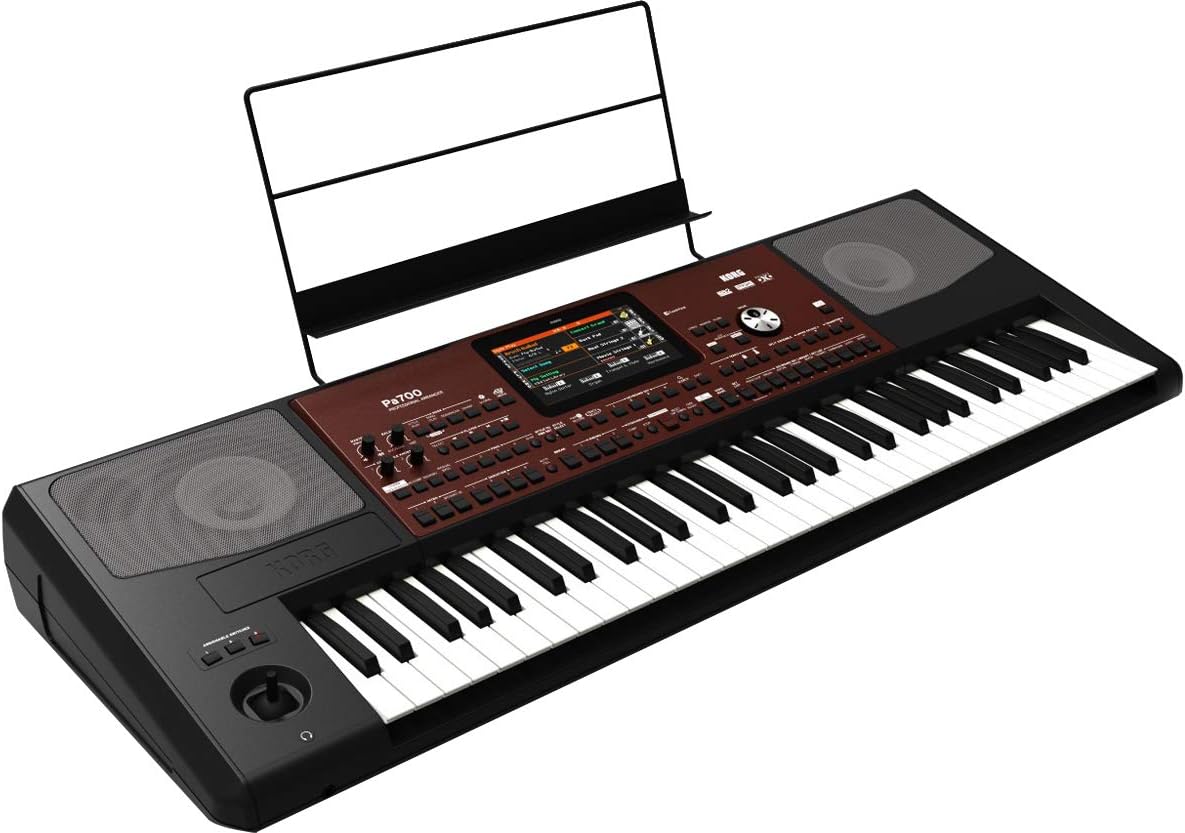
Figura 4.2: Angulado view of the Korg PA700, showing the keyboard, control panel, and an installed music rest.
5. Manutenção
5.1 Limpeza
- Use a soft, dry cloth to clean the surface of the keyboard, stand, and bench.
- Para sujeira persistente, levementeampen the cloth with water and a mild, non-abrasive cleaner, then wipe dry immediately.
- Evite usar produtos de limpeza abrasivos, solventes ou ceras, pois estes podem danificar o acabamento.
5.2 Armazenamento
- Guarde o teclado em local fresco e seco, longe da luz solar direta e de temperaturas extremas.
- If storing for extended periods, cover the keyboard to protect it from dust.
6. Solução De Problemas
6.1 Sem energia
- Ensure the power cable is securely connected to both the keyboard and a working power outlet.
- Verifique se a tomada está funcionando conectando outro aparelho.
6.2 Sem som
- Verifique se o botão de volume principal está girado para cima.
- If using headphones, ensure they are properly plugged in and test with another audio source.
- If using external speakers, check their power and connections.
6.3 O monitor não responde
- Try restarting the keyboard by powering it off and on again.
- Ensure your fingers are clean and dry when interacting with the TouchView mostrar.
7. Especificações
| Recurso | Especificação |
|---|---|
| Nome do modelo | PA700 |
| Marca | CORO |
| Número de Chaves | 61 |
| Tipo de Instrumento | Electronic Keyboard (Arranger) |
| Motor de som | EDS-X (Enhanced Definition Synthesis-eXpanded) |
| Sons | Over 1,700 ready-to-play sounds |
| Efeitos | 148 types (2 Insert/2 Master for accompaniment, 1 Insert/2 Master for real-time) |
| Ampelevadores | 2 x 25 watts |
| Oradores | 2 loudspeakers in bass-reflex enclosure |
| Mostrar | Toque capacitivoView mostrar |
| Tecnologia de Conectividade | Auxiliary, 3.5mm Jack (Headphone) |
| Fonte de energia | Elétrico com fio |
| Peso do item | 30.8 pounds (Keyboard only) |
| Dimensões do produto | 9.1 x 9.1 x 9.1 inches (Packaging/Shipping dimensions, actual keyboard dimensions may vary) |
| Cor | Black, Wine Red |
| UPC | 657379010538 |
8. Garantia e Suporte
Para informações sobre garantia e suporte técnico, consulte o site oficial da Korg. website or contact Korg customer service directly. Specific warranty terms may vary by region and retailer.
You can find more information and support resources by visiting the official KORG store online: KORG Official Store.


