1. Introdução
This manual provides essential information for the safe and efficient use of your Gardena Smart Watering Kit Irrigation Control Kit, Model 19108-20. Please read these instructions carefully before installation and operation to ensure proper functionality and to prevent damage to the product or your irrigation system. Keep this manual for future reference.
2. Informações de segurança
- Segurança elétrica: Ensure all electrical connections are made in a dry environment and protected from moisture. Do not immerse the power adapter or control unit in water. Disconnect power before performing any maintenance.
- Pressão da água: Ensure your irrigation system operates within the recommended water pressure limits for the Gardena Smart Irrigation Control. Refer to your irrigation system's specifications.
- Temperatura: Do not expose the device to extreme temperatures. Protect the unit from frost during winter months by disconnecting and storing it indoors.
- Crianças e animais de estimação: Mantenha o dispositivo e seus componentes fora do alcance de crianças e animais de estimação.
- Uso pretendido: This product is designed exclusively for controlling irrigation systems in private gardens. Any other use is considered improper.
3. Conteúdo da embalagem
Verifique se todos os itens estão presentes no seu pacote:
- Gardena Smart Irrigation Control Unit
- Gardena Smart Gateway
- Power Adapter for Smart Gateway
- Connection Cable (Ethernet) for Smart Gateway
- Manual do usuário (este documento)
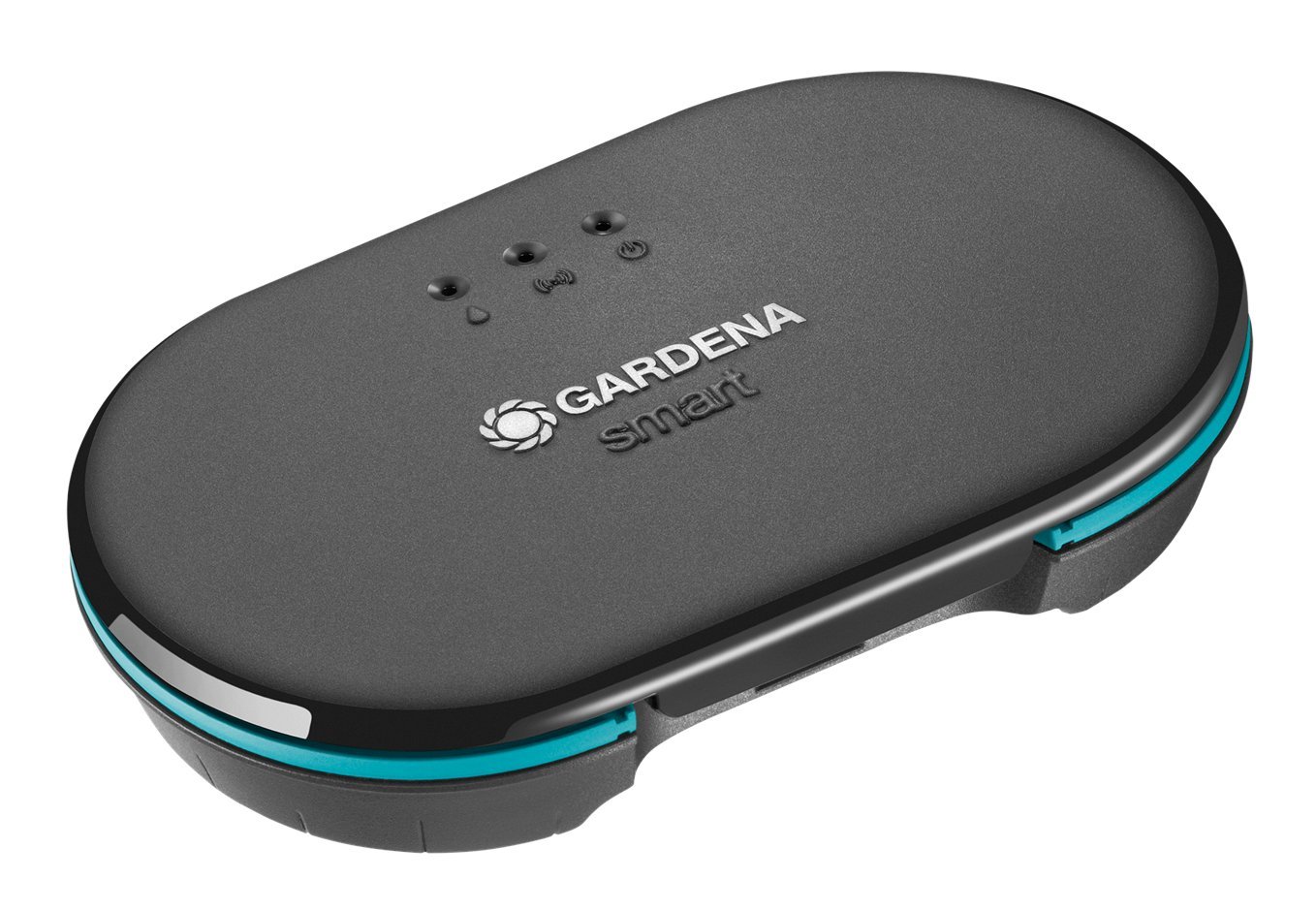
Image 1: Gardena Smart Irrigation Control Unit. This unit connects to your existing irrigation valves to enable smart control.

Image 2: Gardena Smart Gateway. This device connects to your home internet router and communicates wirelessly with the Smart Irrigation Control Unit.
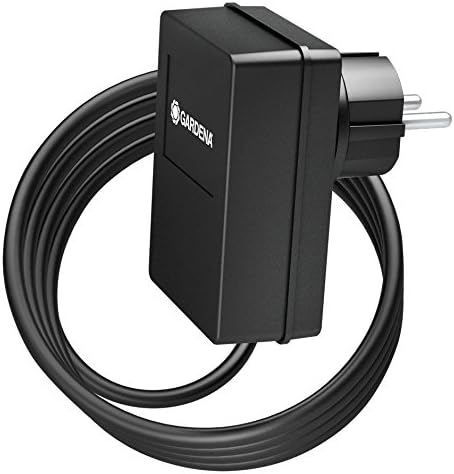
Image 3: Power Adapter for the Gardena Smart Gateway. Provides power to the gateway unit.
4. Configuração
4.1. Download the Gardena Smart App
Download the official Gardena Smart App from your smartphone's app store (iOS App Store or Google Play Store). Create an account or log in if you already have one.
4.2. Install the Smart Gateway
- Place the Smart Gateway indoors, close to your internet router and within wireless range of your Gardena Smart devices.
- Connect the Smart Gateway to your internet router using the provided Ethernet cable.
- Connect the power adapter to the Smart Gateway and plug it into a power outlet. The gateway's indicator lights will show its status.
- Follow the in-app instructions to add and configure your Smart Gateway.
4.3. Install the Smart Irrigation Control Unit
- Mount the Smart Irrigation Control Unit in a protected outdoor location, away from direct sunlight and heavy rain, but accessible to your irrigation valves.
- Connect the control unit to your existing irrigation valves. Ensure proper wiring according to your valve type and the control unit's terminals. Refer to the wiring diagram in the app or a more detailed product manual if available.
- Power the Irrigation Control Unit. (Note: The product specifications indicate "Batteries required: False", implying it's likely powered by an external source or integrated power, or receives power from the irrigation system itself. Consult the full product manual for specific power requirements.)
- Open the Gardena Smart App and follow the instructions to add the Smart Irrigation Control Unit. The app will guide you through the pairing process with the Smart Gateway.
- Assign zones and configure initial watering schedules within the app.
5. Operando o Sistema
5.1. Using the Gardena Smart App
The Gardena Smart App is the primary interface for controlling your irrigation system. Through the app, you can:
- Create and Manage Schedules: Set up automatic watering schedules for different zones based on time, day, and duration.
- Rega manual: Manually start or stop watering for individual zones or the entire system at any time.
- View Status: Monitor the current status of your irrigation system, including active zones and upcoming schedules.
- Ajustar configurações: Modify device settings, such as zone names, watering durations, and system preferences.
- Integrate Sensors (Optional): If you have additional Gardena Smart Sensors (e.g., soil moisture sensors), you can integrate them to enable adaptive watering based on actual soil conditions, optimizing water usage.
5.2. System Indicators
The Smart Gateway and Irrigation Control Unit may have LED indicators to show their operational status (e.g., power, connection, watering activity). Refer to the full product manual for a detailed explanation of each indicator light.
6. Manutenção
6.1. Limpeza
Wipe the exterior of the Smart Gateway and Irrigation Control Unit with a soft, damp cloth. Do not use abrasive cleaners or solvents. Ensure no moisture enters the device openings.
6.2. Preparação para o inverno
Before the first frost, disconnect the Smart Irrigation Control Unit from your irrigation system and power supply. Drain any remaining water from the unit and store it in a frost-free environment indoors. The Smart Gateway can typically remain connected indoors.
6.3. Atualizações de firmware
Gardena regularly releases firmware updates to improve performance and add new features. Ensure your Smart Gateway and Irrigation Control Unit are connected to the internet, and the Gardena Smart App will notify you of available updates. Follow the in-app instructions to perform updates.
7. Solução De Problemas
| Problema | Possível causa | Solução |
|---|---|---|
| Smart Gateway not connecting to internet. | Ethernet cable loose; Router issue; No internet connection. | Check Ethernet cable connection. Restart your internet router. Verify your home internet connection is active. |
| Irrigation Control Unit not pairing with Gateway. | Out of range; Interference; Unit not in pairing mode. | Move the control unit closer to the Gateway. Reduce wireless interference. Ensure the control unit is in pairing mode as per app instructions. |
| Watering schedule not starting. | Schedule incorrectly set; System paused; Low water pressure; Valve issue. | Verify schedule settings in the app. Check if the system is paused. Ensure adequate water pressure. Inspect irrigation valves for proper function. |
| O aplicativo mostra o dispositivo offline. | Gateway offline; Device power issue; Wireless communication loss. | Check Gateway status. Ensure the Irrigation Control Unit has power. Restart the device and Gateway. |
For more detailed troubleshooting, refer to the Gardena Smart App's help section or the official Gardena support website.
8. Especificações
- Marca: Gardena
- Número do modelo: 19108-20
- Peso do item: 3.83 libras (aproximadamente 1.74 kg)
- Material: Plástico
- Cor: Branco, Preto
- Conectividade: Gardena Smart System (requires Gardena Smart Gateway)
- Fonte de energia: External (specifics in full product manual)
- Interface de controle: Gardena Smart App (iOS/Android)
9. Garantia
Gardena products are manufactured with high-quality materials and undergo rigorous quality control. This product is covered by Gardena's manufacturer warranty. For specific warranty terms, conditions, and duration, please refer to the warranty card included with your product or visit the official Gardena website. Guarde o comprovante de compra para solicitações de garantia.
10. Suporte
If you encounter any issues or have questions regarding your Gardena Smart Watering Kit Irrigation Control Kit, please contact Gardena Customer Support:
- Suporte online: Visit the official Gardena weblocal (www.gardena.com) and navigate to the 'Support' or 'Contact Us' section.
- Suporte por telefone: Refer to the Gardena website or product packaging for local customer service telephone numbers.
- App Help: The Gardena Smart App often includes a comprehensive help section and FAQs.
Ao entrar em contato com o suporte, tenha em mãos o número do modelo do seu produto (19108-20) e o comprovante de compra.


