1. Introdução
The Audio-Technica PRO24CM is a lightweight, compact stereo condenser microphone designed for digital recording with high-fidelity stereo sound. It is optimized for use with camcorders that feature an accessory shoe and a stereo microphone input. The microphone utilizes a pair of cardioid elements in an X-Y configuration to capture the spatial impact and realism of a live sound field.
This manual provides essential information for the proper setup, operation, and maintenance of your PRO24CM microphone.
2. Conteúdo da embalagem
Verifique se todos os seguintes itens estão incluídos em seu pacote:
- PRO24CM Stereo Condenser Microphone with permanently attached 6-12 inch coiled cable and right-angle 3.5 mm stereo mini plug
- Video-camera shoe mount
- LR44 battery (1.5V)
- Pára-brisas
- Bolsa protetora macia

Image: Included accessories for the PRO24CM microphone.
3. Configuração
3.1 Instalação da bateria
The PRO24CM can operate on a 1.5V LR44 battery or via plug-in power from your camcorder. If your camcorder does not provide plug-in power, battery installation is required.
- Locate the battery compartment on the microphone body.
- Abra o compartimento com cuidado.
- Insert one LR44 battery, ensuring correct polarity (+/-).
- Feche o compartimento da bateria com segurança.
Image: The LR44 battery for microphone power.
3.2 Montagem do Microfone
The PRO24CM is designed to attach to a camcorder's accessory shoe.
- Slide the video-camera shoe mount onto your camcorder's accessory shoe.
- Secure the mount by tightening its locking mechanism.
- Insert the microphone into the shoe mount.
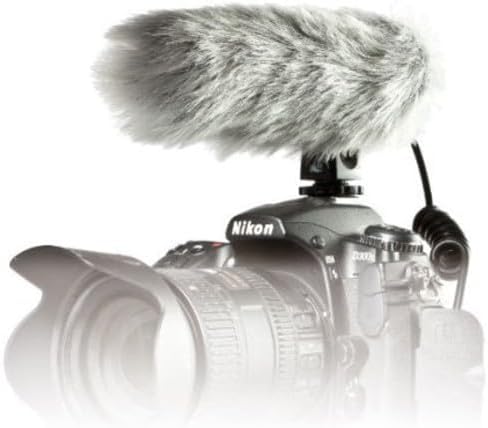
Image: PRO24CM microphone attached to a camcorder.
3.3 Connecting to a Camcorder
Connect the microphone to your camcorder's stereo microphone input.
- Locate the 3.5 mm stereo mini plug on the microphone's coiled cable.
- Insert the plug firmly into the microphone input jack on your camcorder.

Image: The PRO24CM microphone showing its coiled cable and 3.5mm connector.
3.4 Using the Windscreen
For outdoor recording or in windy conditions, attach the included windscreen to reduce wind noise and plosives.
- Gently slide the foam windscreen over the microphone's capsule.
- Ensure it fits snugly without obstructing the microphone elements.
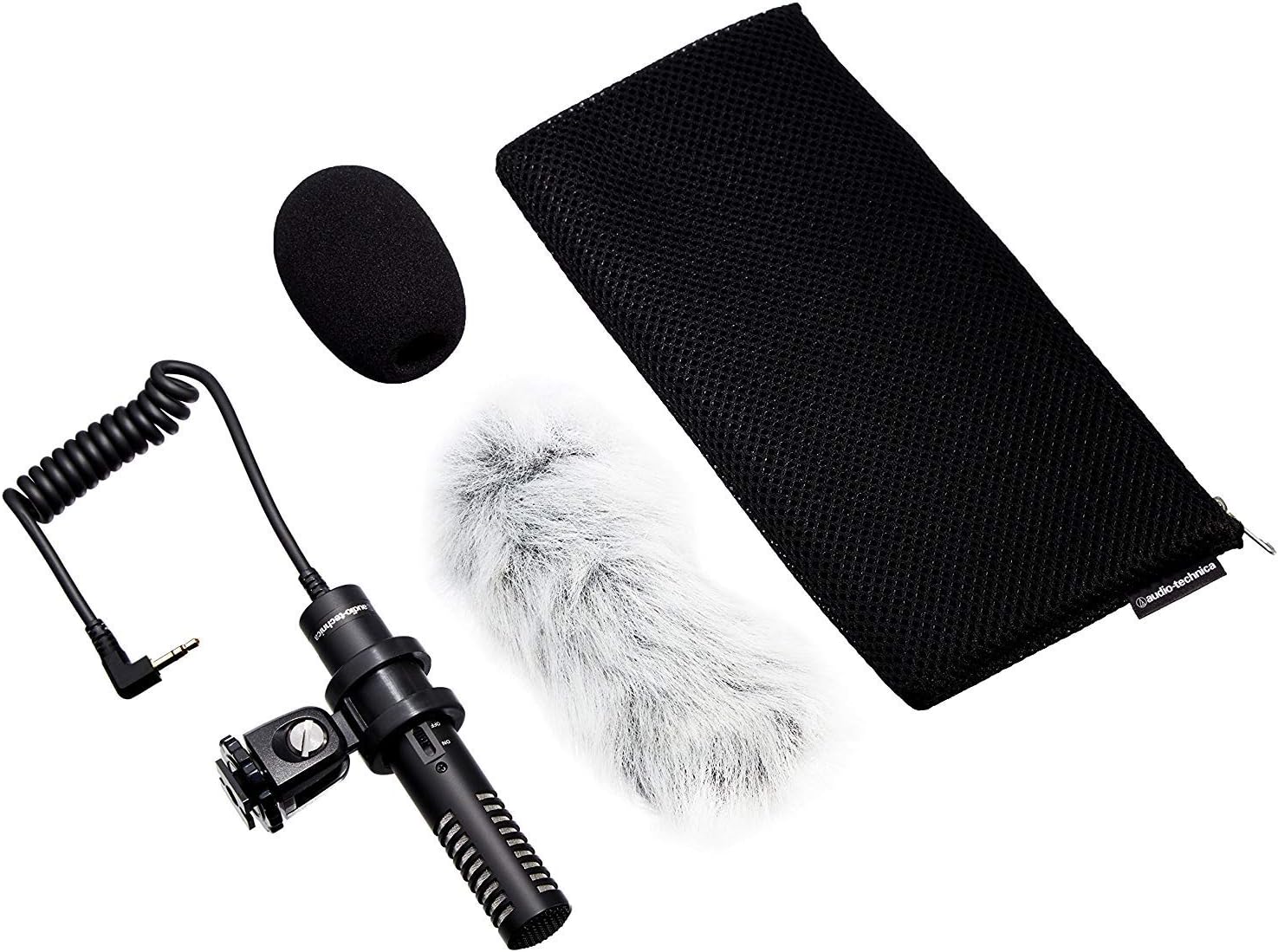
Image: PRO24CM microphone with windscreen and other accessories.
4. Operação
4.1 Ligar/Desligar
The PRO24CM features an on/off switch for convenient operation.
- To turn the microphone ON, slide the switch to the "ON" position.
- To turn the microphone DESLIGADO, deslize o interruptor para a posição "DESLIGADO".
When using plug-in power from your camcorder, the microphone will draw power directly from the camcorder, and battery operation is not required. However, it is still recommended to turn the microphone off when not in use to conserve battery life if a battery is installed.
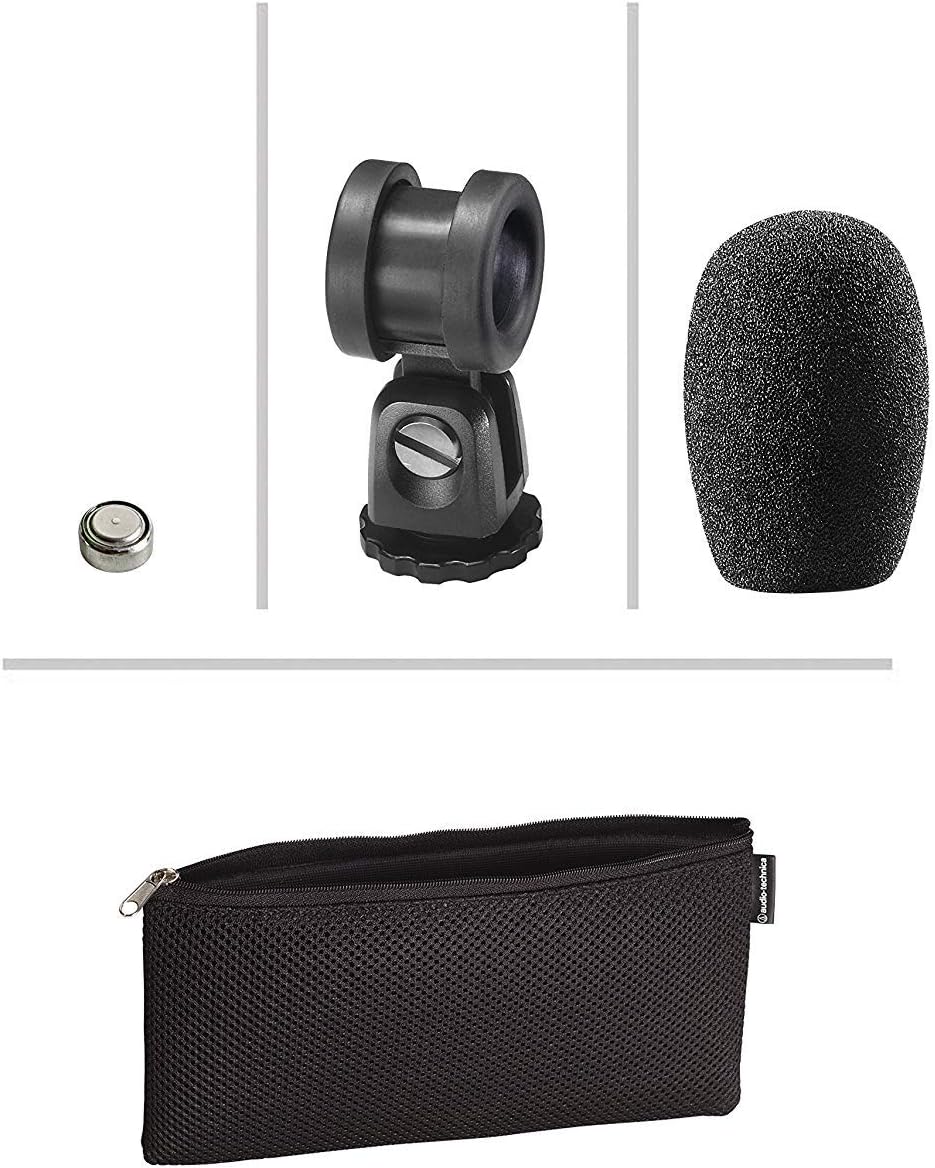
Image: The PRO24CM microphone with its on/off switch visible.
4.2 Recording Considerations
- Colocação: Position the microphone to capture the desired sound source. The X-Y stereo configuration is designed to provide a natural stereo image.
- Monitoramento: Always monitor your audio through headphones connected to your camcorder to ensure optimal sound quality and to detect any unwanted noise.
- Níveis de ganho: Adjust the input gain on your camcorder to prevent clipping (distortion) while ensuring a strong signal.
5. Manutenção
- Limpeza: Use um pano macio e seco para limpar o corpo do microfone. Evite usar produtos químicos agressivos ou materiais abrasivos.
- Armazenar: When not in use, store the microphone in its protective pouch to prevent dust and damage. Remove the battery if storing for extended periods to prevent leakage.
- Cuidados com os cabos: Avoid sharp bends or kinks in the microphone cable.
6. Solução De Problemas
- Sem som:
- Ensure the microphone's on/off switch is in the "ON" position.
- Verifique se a bateria está instalada corretamente e se possui carga suficiente. Substitua-a, se necessário.
- Verify the 3.5 mm plug is fully inserted into the camcorder's microphone input.
- Confirm the camcorder's audio input settings are correct and the input gain is not set to zero.
- Som distorcido:
- Reduce the input gain on your camcorder.
- Certifique-se de que o microfone não esteja muito perto da fonte sonora, para evitar sobrecarga.
- Ruído excessivo do vento:
- Ensure the windscreen is properly installed.
- Consider using an additional furry wind muff for extreme conditions (not included).
7. Especificações
| Recurso | Especificação |
|---|---|
| Elemento | Placa traseira de carga fixa condensador permanentemente polarizado |
| Padrão polar | X/Y Stereo |
| Resposta de frequência | 100-17,000 Hz |
| Sensibilidade de circuito aberto | -50 dB (3.1 mV) re 1V a 1 Pa |
| Impedância | 600 ohms |
| Nível de Som Máximo de Entrada | 119 dB SPL, 1 kHz a 1% THD |
| Dynamic Range (typical) | 82 dB, 1 kHz em SPL máximo |
| Sinal-Ruído | 57 dB, 1 kHz a 1 Pa |
| Requisitos de energia | 2-10V DC plug-in power or 1.5V LR44 battery |
| Tipo de Bateria | 1.5 V LR44 |
| Corrente / vida útil da bateria | 0.6 mA / 200 horas típico |
| Trocar | Ligado/desligado |
| Peso | 3.9 oz (111 g) / 120 Grams |
| Dimensions (L x Max Body Dia.) | 4.59" (116.5 mm) long, 0.83" (21.0 mm) maximum body diameter |
| Conector de saída | 3.5 mm stereo mini plug on cable |
| Cabo | Permanently attached 152.4 mm - 304.8 mm (6"-12") coiled cable with right-angle molded 3.5 mm stereo mini-plug |
8. Informações de segurança
- Não exponha o microfone a temperaturas extremas, umidade ou luz solar direta.
- Evite deixar o microfone cair ou submetê-lo a impactos fortes.
- Mantenha o microfone longe de campos magnéticos fortes.
- Do not attempt to disassemble or modify the microphone. This will void any warranty.
- Descarte as baterias usadas de maneira responsável, de acordo com os regulamentos locais.
9. Garantia e Suporte
For warranty information or technical support, please contact Audio-Technica customer service or visit their official webGuarde o comprovante de compra como prova de aquisição.
Audio-Technica Contact Information:
- Official Audio-Technica Website
- Consulte a embalagem do produto ou o manual oficial. website for specific regional contact details.


