Introdução
Thank you for choosing the PRORECK UK-2000 UHF 2 Channel Wireless Microphone System. This system is designed to provide clear, distortion-free audio for various applications, including parties, weddings, church events, conferences, and speeches. It features a stable UHF signal transmission and offers 560 selectable frequencies for optimal performance. This manual provides detailed instructions for setting up, operating, and maintaining your wireless microphone system.
Conteúdo da embalagem
Verifique se todos os itens listados abaixo estão incluídos no seu pacote:
- 1 x unidade receptora
- 2 x Microfones de Mão
- 1 x 6.35mm TS Cable
- 1 x Power Charger
- 1 x Manual do Usuário (este documento)
Produto acimaview
Receiver Unit (Rear Panel)
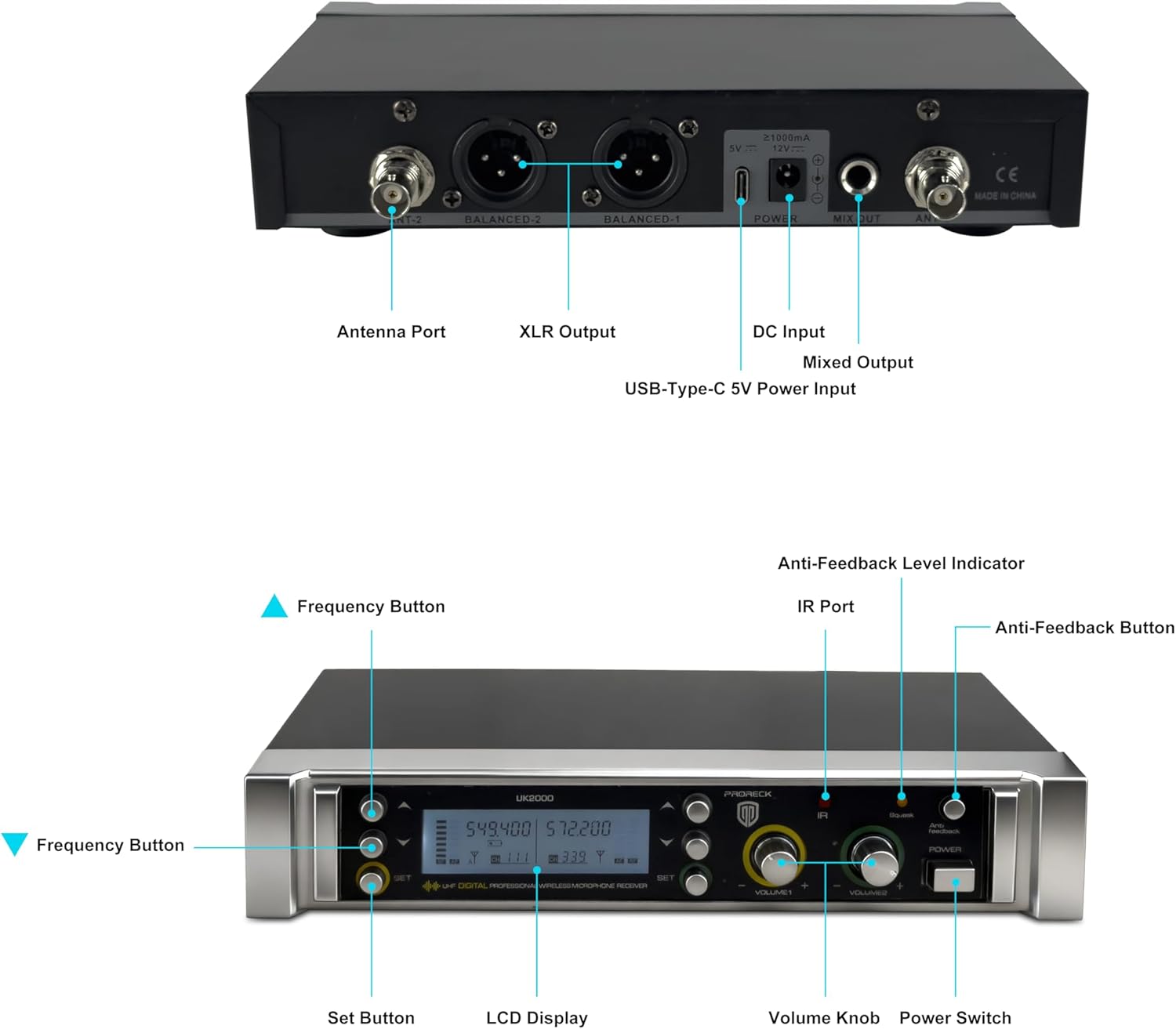
Image: Rear panel of the PRORECK UK-2000 receiver. This view highlights the Antenna Ports, Balanced XLR Outputs (1 and 2), DC Input for power, Mixed Output (6.35mm), and USB-Type-C 5V Power Input.
- Porta da antena: Connect the included antennas for signal reception.
- XLR Output (BALANCED 1/2): Balanced audio outputs for connecting to a mixer or ampmais vivo.
- Entrada DC: Connect the provided power charger.
- Mixed Output (MIX OUT): Unbalanced 6.35mm (1/4") audio output for connecting to various audio devices.
- USB-Type-C 5V Power Input: Alternative power input, useful with a portable power bank.
Receiver Unit (Front Panel)

Image: Front panel of the PRORECK UK-2000 receiver. This view shows the Frequency Buttons, Set Button, LCD Display, IR Port, Volume Knobs, Power Switch, Anti-Feedback Level Indicator, and Anti-Feedback Button.
- Frequency Buttons: Used to adjust the operating frequency.
- Botão de configuração: Confirms frequency selection and other settings.
- Tela LCD: Shows channel, frequency, signal strength, and battery status.
- IR Port: Infrared sensor for syncing frequencies with microphones.
- Botão de volume: Adjusts the output volume for each microphone channel.
- Interruptor de alimentação: Turns the receiver unit on or off.
- Anti-Feedback Level Indicator: Displays the level of anti-feedback processing.
- Anti-Feedback Button: Activates or deactivates the anti-feedback function.
Microfone de mão

Imagem: Explodida view of the handheld microphone. This shows the Mic Grill, LCD Display, Metal Construction, Battery Compartment, and Battery Cover.
- Mic Grill: Protege a cápsula do microfone.
- Tela LCD: Shows frequency and battery status.
- Construção Metálica: Durable housing for the microphone.
- Compartimento da bateria: Utiliza duas pilhas AA.
- Tampa da bateria: Secures the batteries in place.
- IR Sync Sensor: Located on the microphone body, used for automatic frequency synchronization with the receiver.
Instruções de configuração
1. Install Batteries in Microphones
- Unscrew the battery cover at the bottom of each handheld microphone.
- Insert two AA batteries into the battery compartment, ensuring correct polarity (+/-).
- Screw the battery cover back on securely.
Observação: Each microphone requires 2xAA batteries (not included).
2. Conecte o receptor
- Attach the antennas to the Antenna Ports on the rear panel of the receiver. Position them vertically for optimal signal reception.
- Connect the power charger to the DC Input on the receiver and plug it into a power outlet. Alternatively, you can use a portable power bank with the USB-Type-C 5V Power Input.
- Connect the receiver to your audio system (mixer, amplifier, powered speaker) using either the Balanced XLR Outputs or the Mixed Output (6.35mm TS cable).
3. Power On and Sync
- Turn on the receiver unit using the Power Switch on the front panel. The LCD display will illuminate.
- Turn on each handheld microphone.
- To synchronize the microphone with the receiver, press the DEFINIR button on the receiver. The display will show "IR---".
- Align the IR Sync Sensor on the microphone with the IR Port on the receiver (within a few inches). The frequency will automatically sync. Repeat for the second microphone.

Image: Connectivity diagram illustrating how the PRORECK UK-2000 system can connect to a mixer, TV, amplifier, PA system, computer, powered speaker, or pad/phone.
Instruções de operação
Seleção de freqüência
The PRORECK UK-2000 system offers 560 selectable UHF frequencies (280 per channel) to avoid interference.
- If you experience interference, press the Botão de frequência on the receiver to cycle through available frequencies.
- Once a clear frequency is selected on the receiver, perform the IR sync process again with the corresponding microphone to match its frequency.

Image: Microphone display showing frequency selection. The system offers 560 selectable frequencies, with each channel having 280 options, ranging from 539.000 MHz to 599.000 MHz.
Controle de volume
Adjust the output volume of each microphone independently using the dedicated Volume Knobs on the receiver's front panel. Start with a low volume and gradually increase it to prevent feedback.
Faixa de operação
The system has an operating range of up to 328 feet (100 meters) within the line of sight. Obstacles, walls, and other wireless devices may reduce this range.
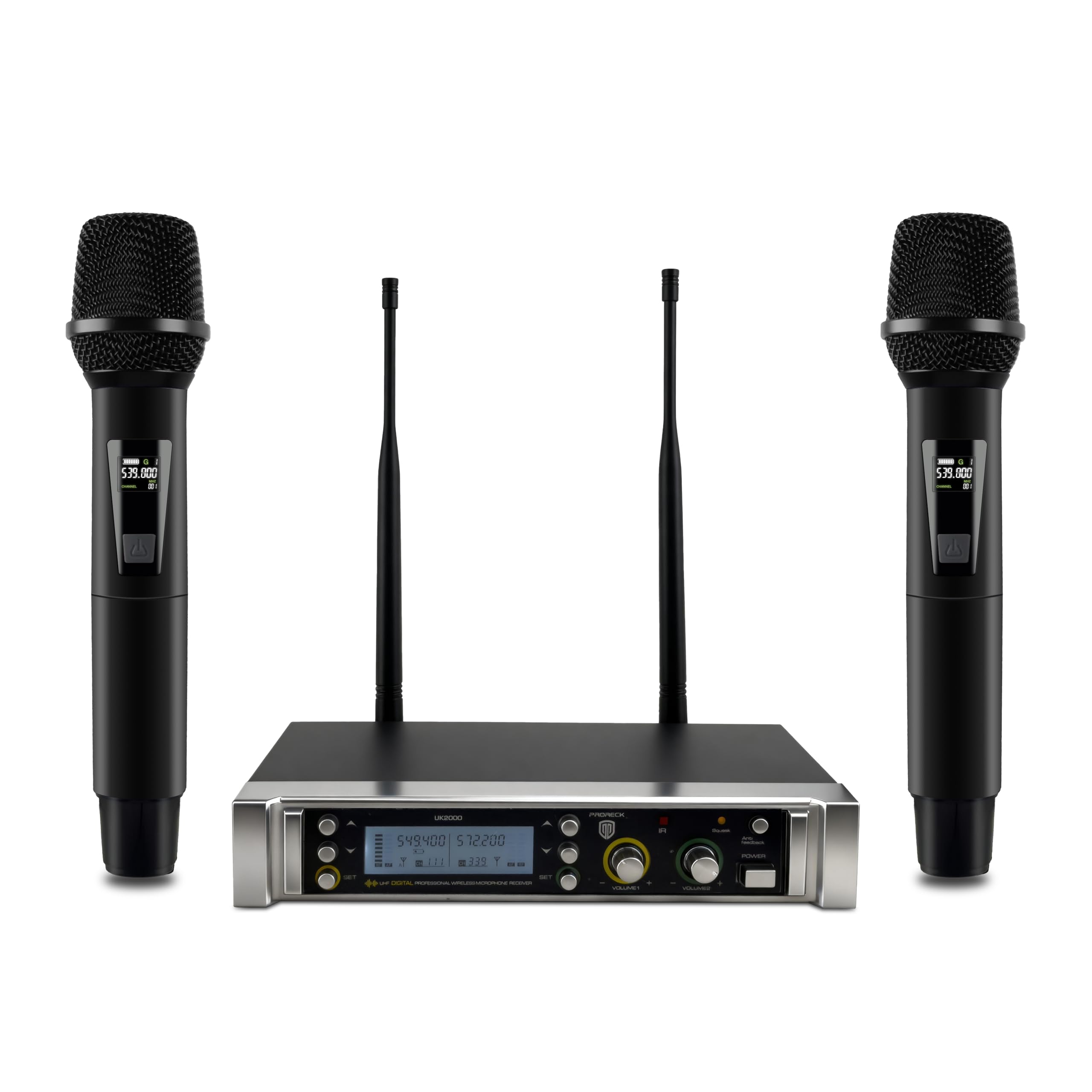
Image: Operating range diagram. A microphone wirelessly transmits to the receiver, indicating an effective operating range of up to 328 feet.
Anti-Feedback Function
The receiver includes an anti-feedback function to minimize unwanted audio feedback. Press the Anti-Feedback Button to activate or deactivate this feature. The Anti-Feedback Level Indicator will show its status.
Manutenção
- Keep the receiver and microphones clean by wiping them with a soft, dry cloth.
- Evite expor o sistema a temperaturas extremas, umidade ou luz solar direta.
- Remova as pilhas dos microfones se eles não forem usados por um longo período para evitar vazamentos.
- Store the system in a dry, dust-free environment.
Solução de problemas
| Problema | Possível causa | Solução |
|---|---|---|
| Nenhuma saída de som |
|
|
| Interferência ou estática |
|
|
| Som fraco ou distorcido |
|
|
| Feedback (som de uivo) |
|
|
Especificações
| Nome do modelo | Reino Unido-2000 |
| Marca | PRORECK |
| Número de canais | 2 |
| Faixa de frequência | 538.3MHz to 599MHz (560 selectable frequencies) |
| Faixa de operação | Até 328 pés (linha de visão) |
| Tecnologia de Conectividade | Sem fio UHF, XLR |
| Tipo de conector | XLR, 6.35mm (1/4") |
| Fonte de alimentação do microfone | 2 x AA batteries (per microphone) |
| Material | Metal (microphones) |
| Padrão polar | Unidirecional |
| Peso do item | 3.79 libras (sistema) |
| Dimensões da embalagem | 11 x 8 x 4 polegadas |
Garantia e Suporte
PRORECK products are designed for reliability and performance. For any questions, technical support, or warranty inquiries, please refer to the contact information provided with your purchase or visit the official PRORECK webPor favor, guarde seu comprovante de compra para acionar a garantia.


