1. Introdução e Produto Acimaview
The Hormann IT3b-1 Interior Push Button (Model 4511647) is designed for convenient and reliable operation of your garage door system from within your garage or home. This wired push button features a large, easy-to-press button with an illuminated ring for enhanced visibility and user comfort. It offers multiple functions for controlling your garage door and its associated lighting.
2. Instruções de segurança
Leia e compreenda todas as instruções de segurança antes da instalação e utilização do produto. O não cumprimento destas instruções pode resultar em ferimentos ou danos ao produto.
- Segurança elétrica: Installation should only be performed by qualified personnel or under the supervision of a qualified electrician. Ensure power to the garage door operator is disconnected before beginning any installation or wiring work.
- Uso pretendido: This device is intended for controlling Hormann garage door operators. Do not use it for purposes other than those specified.
- Crianças: Keep children away from the push button and garage door area.
- Ambiente: Do not expose the device to moisture, extreme temperatures, or corrosive substances.
3. Conteúdo da embalagem
Verifique se todos os componentes estão presentes na embalagem:
- Hormann IT3b-1 Interior Push Button
- Acessórios de montagem (parafusos, buchas)
- Connection cable (typically included)
- Multilingual instruction manual
4. Configuração e instalação
The IT3b-1 push button is designed for surface mounting and requires a wired connection to your garage door operator's control unit.
- Escolha a localização: Select a suitable indoor location for the push button, typically near the garage entrance, ensuring it is easily accessible but out of reach of small children.
- Desconecte a energia: Before proceeding, ensure the main power supply to your garage door operator is completely disconnected.
- Instale o botão de pressão:
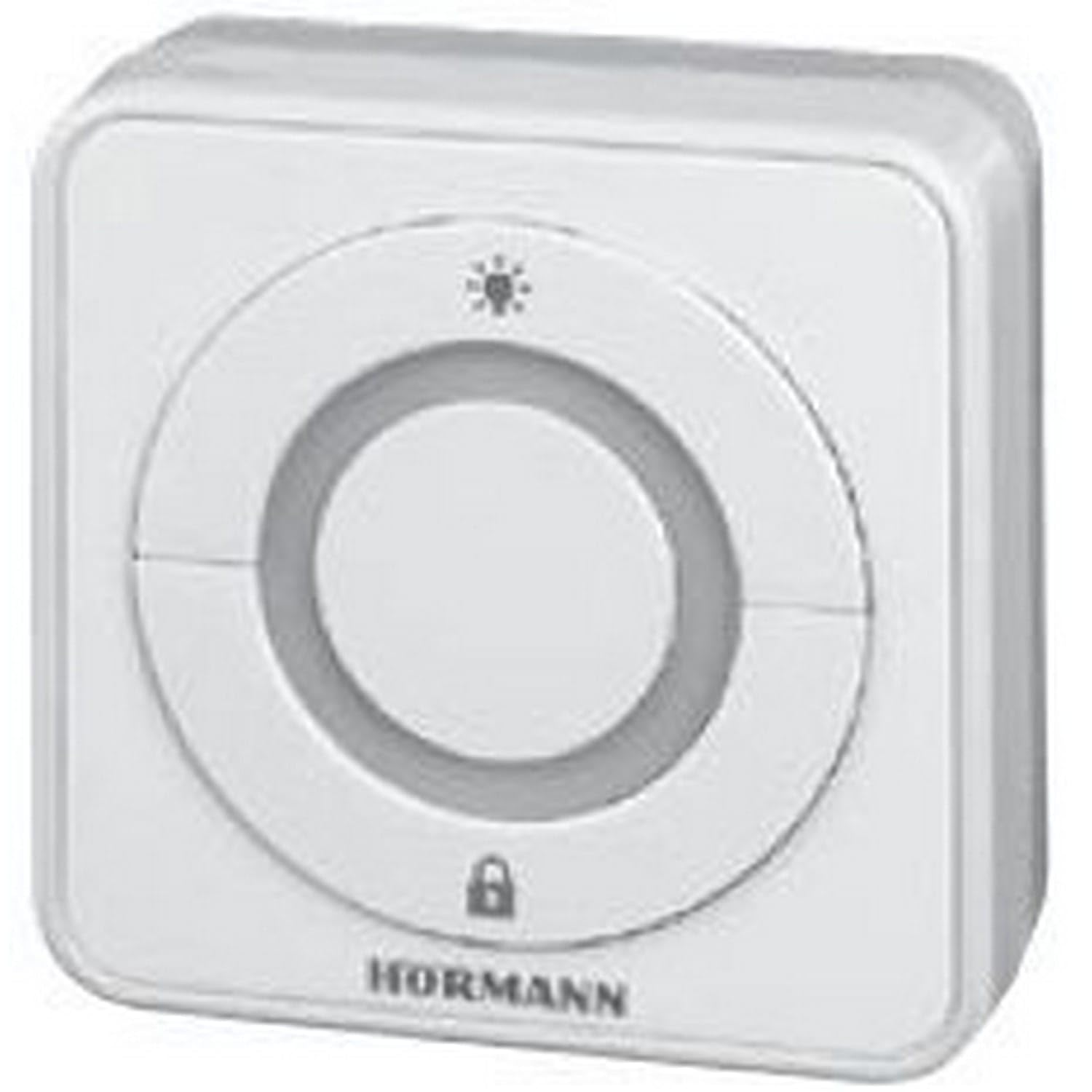
Image: The Hormann IT3b-1 Interior Push Button, showing its compact design and large central button with an illuminated ring. This image illustrates the product's appearance when mounted.
Use the provided mounting hardware to securely attach the push button housing to the wall. - Conecte os fios: Connect the provided cable from the push button to the designated terminals on your Hormann garage door operator's control unit. Refer to your garage door operator's manual for specific wiring diagrams and terminal assignments. The push button uses screw terminals for connection.
- Restaurar energia: Once wiring is complete and secure, restore power to the garage door operator.
5. Instruções de operação
The IT3b-1 push button offers intuitive control over your garage door system.
- Operação da porta da garagem: Press the large central button once to initiate the garage door movement (open or close). Pressing it again during movement will stop the door. A third press will reverse the door's direction.
- Anel iluminado: The illuminated ring around the button provides visual feedback and makes the button easy to locate in low light conditions.
- Drive Light Control: The push button may also include a function to control the drive unit's integrated lighting. Consult your garage door operator's manual for specific instructions on activating this feature.
- Remote Control Stop Function: This button can be used to stop or deactivate remote control access, providing an added security feature. Refer to your garage door operator's manual for details on configuring and using this function.
6. Manutenção
The Hormann IT3b-1 Interior Push Button requires minimal maintenance.
- Limpeza: Clean the surface of the push button with a soft, damp pano. Não use produtos de limpeza abrasivos ou solventes.
- Inspeção: Verifique periodicamente as conexões da fiação para garantir que estejam seguras.
- Nenhuma peça que possa ser reparada pelo usuário: The device contains no user-serviceable parts. Do not attempt to open or repair the unit yourself.
7. Solução De Problemas
If you experience issues with your IT3b-1 Interior Push Button, consider the following:
- Botão não responde:
- Check if the garage door operator has power.
- Verify all wiring connections are secure at both the push button and the operator's control unit.
- Ensure there are no obstructions preventing the garage door from moving.
- Illuminated Ring Not Working:
- Confirm the push button is correctly wired and receiving power.
- If the button functions but the light does not, the internal LED may be faulty. Contact customer support.
- Operação intermitente:
- Inspecione a fiação para verificar se há conexões soltas ou danos.
- Ensure the push button is not exposed to excessive vibration or impact.
If problems persist, consult your garage door operator's manual or contact Hormann customer support.
8. Especificações
| Recurso | Especificação |
|---|---|
| Número do modelo | 4511647 |
| Dimensões (C x L x A) | 8 x 8 x 4.5 cm (3.15 x 3.15 x 1.77 polegadas) |
| Peso | 200 gramas (0.44 libras) |
| Material | Acrilonitrila Butadieno Estireno (ABS) |
| Cor | Branco |
| Tipo de interruptor | Push Button, 3-way |
| Tipo de montagem | Montagem em superfície |
| Modo de operação | LIGADO DESLIGADO |
| Classificação atual | 1 UMA |
| Vol operacionaltage | 1 Volt (Please refer to your operator's manual for compatible voltage requisitos) |
| Tipo de contato | Normalmente aberto |
| Tipo de conector | Plug-in |
| Tipo de terminal | Parafuso |
| Pilhas necessárias/incluídas | Não |
9. Garantia e Suporte
For warranty information and technical support, please refer to the documentation provided with your Hormann garage door operator or visit the official Hormann website. Guarde o comprovante de compra para solicitações de garantia.
Fabricante: Hormann


