Manual do Usuário do Mouse Óptico Sem Fio BYTECH
Model: BYTECH Wireless Optical Mouse
Introdução
This manual provides detailed instructions for the setup, operation, maintenance, and troubleshooting of your BYTECH Wireless Optical Mouse. Please read this manual thoroughly before using the device to ensure optimal performance and longevity.
Produto acimaview
The BYTECH Wireless Optical Mouse is designed for comfortable and efficient navigation. It features a precise optical sensor, a scroll wheel, and a DPI adjustment button for customizable sensitivity. Its ergonomic design and wireless connectivity provide a clutter-free workspace.

Figura 1: Visão de cima para baixo view of the BYTECH Wireless Optical Mouse. The mouse is black with a silver stripe along its sides. A scroll wheel and a DPI button are visible on the top surface.
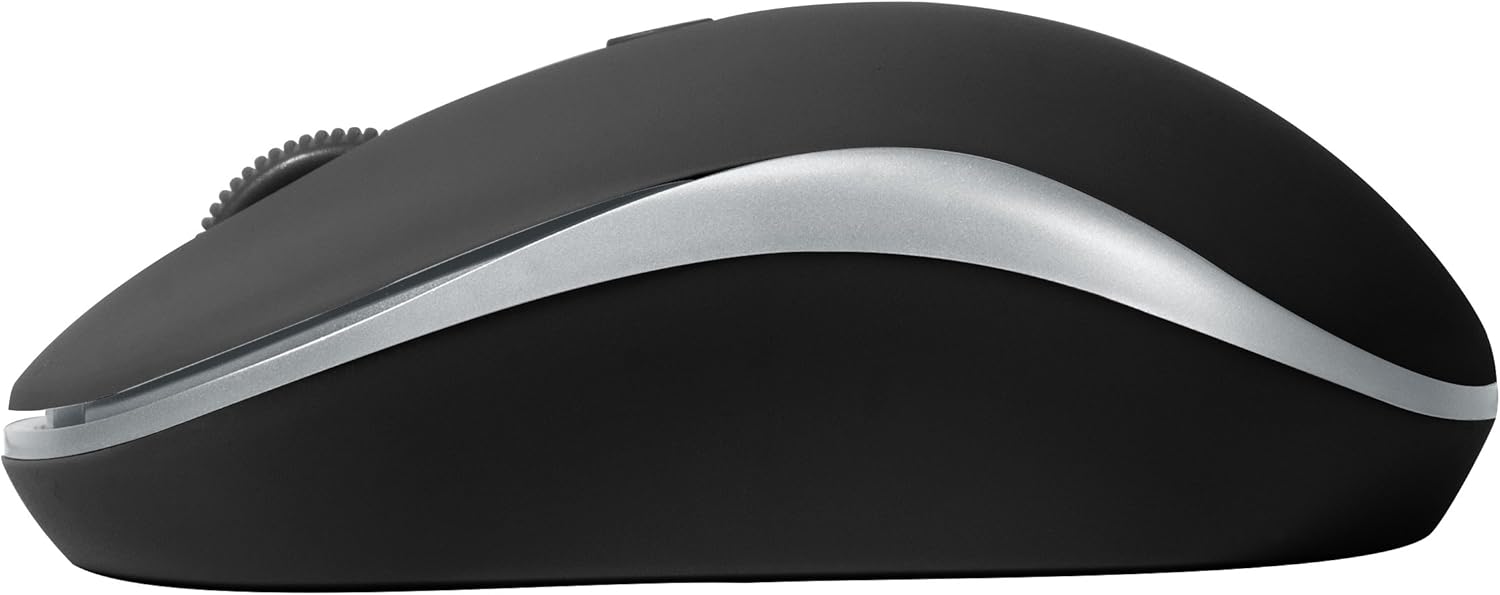
Figura 2: Lateral view of the BYTECH Wireless Optical Mouse. This angle highlights the ergonomic curve and the silver accent line that runs along the side of the mouse.
Configurar
1. Instalação da bateria
- Localize o compartimento da bateria na parte inferior do mouse.
- Abra a tampa do compartimento da bateria.
- Insert one AA battery (not included) into the compartment, ensuring the correct polarity (+/-) as indicated inside.
- Feche bem a tampa do compartimento da bateria.
2. Conexão do receptor USB
- Remove the USB receiver from its storage slot, usually located inside the battery compartment or near it.
- Conecte o receptor USB a uma porta USB disponível no seu computador ou laptop.
- Seu sistema operacional deve detectar e instalar automaticamente os drivers necessários. Isso pode levar alguns instantes.
3. Ligando
- Locate the On/Off switch on the underside of the mouse.
- Slide the switch to the "On" position. The mouse should now be ready for use.
Instruções de operação
Funções básicas
- Clique esquerdo: Pressione o botão esquerdo para selecionar itens, abrir links ou ativar funções.
- Clique com o botão direito: Pressione o botão direito para abrir os menus de contexto ou acessar opções adicionais.
- Rodinha do mouse: Gire a roda para cima ou para baixo para percorrer os documentos ou web pages. Press the scroll wheel for middle-click functionality (e.g., opening links in new tabs).
Ajuste de DPI
The mouse features a DPI (Dots Per Inch) button, typically located behind the scroll wheel. Press this button to cycle through different sensitivity settings. Each press will change the cursor speed, allowing you to find the optimal setting for your task.
- Pressione o Botão DPI once to switch to the next sensitivity level.
- Repeat until you find your preferred cursor speed.
Modo de economia de energia
To conserve battery life, the BYTECH Wireless Optical Mouse is designed to automatically enter a sleep mode after a period of inactivity. To wake the mouse, simply move it or click any button.
Manutenção
Limpeza
- Certifique-se de que o mouse esteja desligado antes de limpar.
- Use um pano macio e sem fiapos levementeampcom água ou uma solução de limpeza suave.
- Wipe the surface of the mouse gently. Avoid excessive moisture.
- Para o sensor óptico, utilize um cotonete seco para remover cuidadosamente qualquer poeira ou resíduo.
- Não utilize produtos de limpeza abrasivos, álcool ou solventes, pois estes podem danificar a superfície.
Substituição da bateria
When the mouse performance degrades or the cursor becomes erratic, it may be time to replace the battery. Follow the battery installation steps outlined in the "Setup" section.
Armazenar
When not in use for an extended period, it is recommended to turn off the mouse to conserve battery life. The USB receiver can be stored in its dedicated slot on the mouse's underside to prevent loss.
Solução de problemas
- O mouse não responde:
- Certifique-se de que o mouse esteja ligado.
- Verifique o nível da bateria e substitua-a se necessário.
- Verifique se o receptor USB está conectado firmemente a uma porta USB funcional. Tente usar uma porta USB diferente.
- Reinicie o seu computador.
- Cursor erratic or jumping:
- Limpe o sensor óptico na parte inferior do mouse.
- Certifique-se de usar o mouse em uma superfície adequada (não reflexiva e não transparente). Recomenda-se o uso de um mousepad.
- Verifique se há forte interferência eletromagnética proveniente de outros dispositivos.
- Problemas de conectividade:
- Reduza a distância entre o mouse e o receptor USB.
- Remove any large metal objects or electronic devices that might be obstructing the wireless signal.
- Se estiver usando um hub USB, tente conectar o receptor diretamente ao computador.
Especificações
| Recurso | Detalhe |
|---|---|
| Marca | Bytech |
| Modelo | BYTECH Wireless Optical Mouse |
| Tecnologia de Conectividade | Sem fio (receptor USB) |
| Tecnologia de detecção de movimento | Óptico |
| Cor | Preto |
| Fonte de energia | Alimentado por bateria (1x AA, não incluídas) |
| Compatibilidade do sistema operacional | macOS, Android (and generally Windows) |
| Peso do item | 3.56 onças |
| Dimensões do produto (CxLxA) | 1 x 1 x 1 polegada (aproximadamente) |
Nota: as especificações estão sujeitas a alterações sem aviso prévio.
Garantia e Suporte
Bytech products are manufactured to the highest quality standards. For information regarding warranty coverage, technical support, or service, please refer to the warranty card included with your product or visit the official Bytech website. Guarde o recibo de compra como comprovante para solicitações de garantia.
For further assistance, please contact Bytech customer support through their official channels.


