1. Introdução
This manual provides detailed instructions for the setup, operation, and maintenance of your LMP USB Wired Keyboard with Numeric Keypad, Model 17203. This keyboard is designed for use with Mac computers and features a German (QWERTZ) layout.
Conteúdo da embalagem:
- LMP USB Wired Keyboard (Model 17203)
- Cabo USB integrado

2. Configuração
Follow these steps to connect your LMP USB Wired Keyboard to your Mac computer.
- Conecte o teclado: Locate an available USB port on your Mac computer. Insert the USB connector of the keyboard's integrated cable into the USB port.
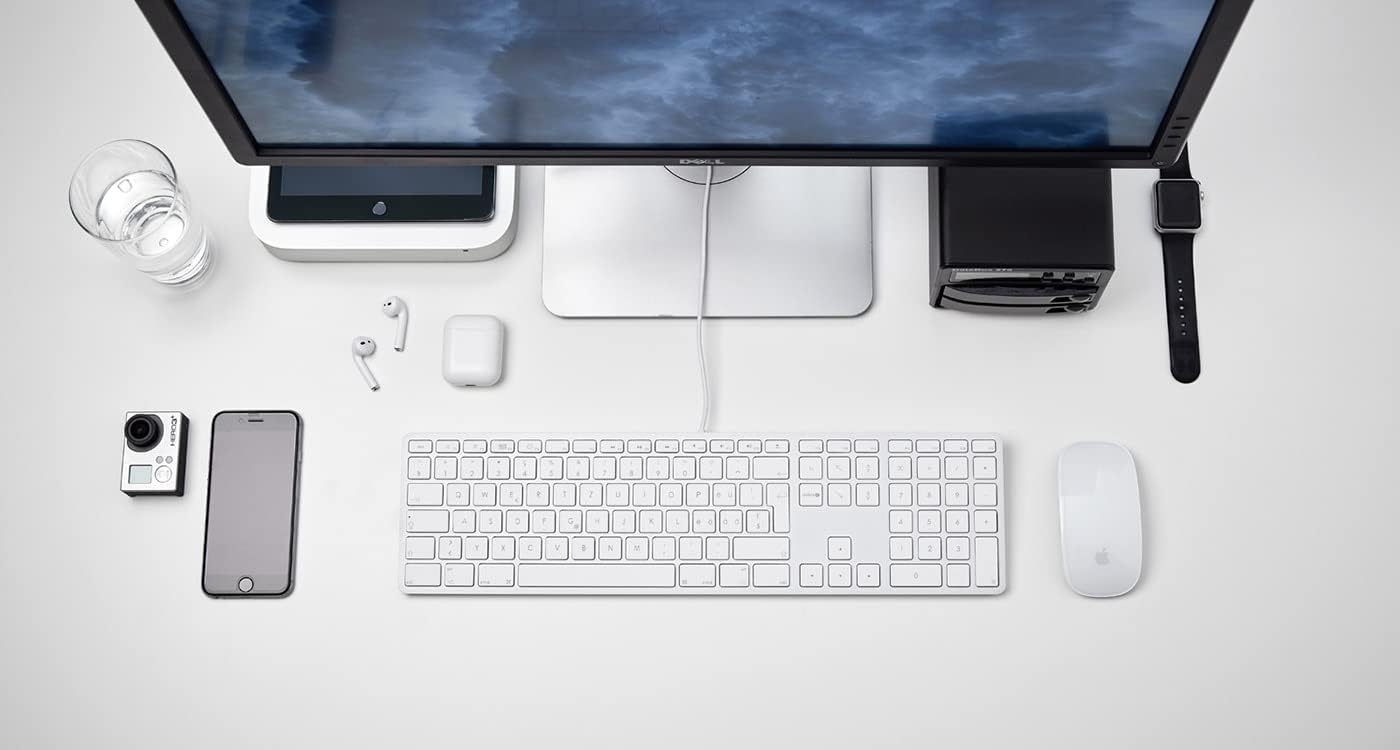
Figura 2.1: The LMP USB Wired Keyboard integrated into a typical Mac desktop setup, demonstrating its connection via USB. - Reconhecimento do sistema: Your Mac operating system (macOS 10.5 or higher is required) should automatically detect and configure the keyboard. No additional drivers are typically needed.
- Teste inicial: Open a text editor or any application where you can type to confirm the keyboard is functioning correctly.
3. Instruções de operação
This section details the primary functions and features of your LMP USB Wired Keyboard.
3.1 Digitação padrão
The keyboard features a full German (QWERTZ) layout with 110 laser-engraved keys, providing a familiar typing experience. All standard alphanumeric, symbol, and modifier keys function as expected on macOS.
3.2 Teclas de função (F1-F12)
The top row of keys includes dedicated function keys (F1-F12) that control various macOS features:
- Controle de brilho: F1 (decrease), F2 (increase)
- Mission Control/App Exposé: F3
- Plataforma de lançamento: F4
- Keyboard Backlight (if applicable): F5 (decrease), F6 (increase) - Note: This keyboard does not feature backlighting.
- Controles de mídia: F7 (previous track), F8 (play/pause), F9 (next track)
- Controle de volume: F10 (mute), F11 (decrease), F12 (increase)
To use F-keys as standard function keys (e.g., F5 for refresh in a browser), you may need to hold the Fn key simultaneously or adjust settings in System Preferences > Keyboard.
3.3 Teclado Numérico
The integrated numeric keypad on the right side of the keyboard allows for efficient data entry and calculations. It includes standard number keys, arithmetic operators, and navigation keys.
3.4 Integrated USB Hubs
The keyboard features two USB 2.0 hubs, one on each side, allowing you to connect low-power USB devices directly to your keyboard. These are suitable for devices such as USB mice, flash drives, or other peripherals that do not require significant power.

Importante: High-power devices (e.g., external hard drives, some webcams) may not function correctly when connected to the keyboard's USB hubs due to power limitations. Connect such devices directly to your Mac's USB ports.
4. Design e recursos
The LMP USB Wired Keyboard is crafted with a focus on functionality and aesthetic integration with Mac environments.
- Aluminum Top Cover: The keyboard features a durable aluminum top cover, contributing to its robust construction and sleek appearance.
- Teclas gravadas a laser: All keycaps are laser-engraved, ensuring long-lasting legibility and resistance to wear.
- German (QWERTZ) Layout: Specifically designed for users requiring a German keyboard layout, including special characters and key placements.
- Design em tamanho real: Includes a full complement of 110 keys, including a dedicated numeric keypad and a full set of function keys.


5. Manutenção
Proper care will extend the lifespan of your keyboard.
- Limpando a Superfície: Use um pano macio e sem fiapos levementeampened with water or a mild, non-abrasive cleaning solution. Avoid spraying liquids directly onto the keyboard.
- Cleaning Between Keys: Use ar comprimido para remover poeira e detritos entre as teclas. Uma escova macia também pode ser usada.
- Evite derramamentos: Mantenha líquidos longe do teclado para evitar danos aos componentes internos.
- Armazenar: Quando não estiver em uso por longos períodos, guarde o teclado em um local limpo e seco.
6. Solução De Problemas
Se você tiver problemas com o teclado, consulte as seguintes soluções comuns:
| Problema | Possível causa/solução |
|---|---|
| O teclado não está respondendo. |
|
| Keys are not typing correctly or are sticky. |
|
| Devices connected to the keyboard's USB hubs are not working. |
|
| Function keys (F1-F12) are not performing expected macOS actions. |
|
7. Especificações
| Recurso | Detalhe |
|---|---|
| Marca | DUM |
| Nome do modelo | KB-1243 |
| Número do modelo | 17203 |
| Tecnologia de Conectividade | USB (com fio) |
| Descrição do teclado | QWERTZ (Layout Alemão) |
| Número de Chaves | 110 (ISO) |
| Características especiais | Integrated Numeric Keypad, 2x USB 2.0 Hubs, Laser-engraved keys |
| Dispositivos compatíveis | Mac computers with USB port (macOS 10.5 or higher) |
| Material | Aluminum (top cover) |
| Cor | Prata |
| Componentes incluídos | Cabo USB |
8. Garantia e Suporte
For warranty information and technical support, please refer to the documentation provided with your purchase or visit the official LMP website. Guarde o comprovante de compra para solicitações de garantia.


