1. Introdução
The GameMax Expedition is a compact Micro ATX PC gaming case designed for efficient cooling and component compatibility. This manual provides instructions for the proper installation, operation, and maintenance of your PC case.

Figure 1.1: GameMax Expedition MATX PC Gaming Case, White.
2. Informações de segurança
- Desligue sempre a alimentação de todos os componentes antes da instalação ou manutenção.
- Use uma pulseira antiestática para evitar danos por descarga eletrostática (ESD) aos componentes.
- Be cautious of sharp edges inside the chassis.
- Mantenha as peças pequenas e os parafusos longe do alcance de crianças.
- Ensure proper ventilation around the case during operation.
3. Conteúdo da embalagem
Verifique se todos os itens estão presentes na embalagem:
- GameMax Expedition MATX PC Gaming Case
- Accessory box (screws, standoffs, cable ties)
- 1 x 120mm Blue LED Fan (pre-installed at rear)
- Manual do usuário (este documento)
4. Recursos do Produto
- Micro Gaming Chassis: Compact design optimized for gaming components.
- Portas de E/S: 1 x USB 3.0, 2 x USB 2.0, and HD Audio ports located on the top panel.
- Resfriamento: Includes 1 x 120mm Blue LED fan. Supports additional fans for enhanced airflow.
- Janela lateral: Full side window panel allows visibility of internal components.
- Magnetic Dust Filter: Removable dust filter on the top panel for easy cleaning and improved system longevity.
- GPU Bracket: Integrated bracket provides support for graphics cards, preventing sag and accommodating larger cards.
5. Componente acimaview
5.1 Externo Views

Figure 5.1: Front panel design with air intake and included 120mm fan illustration.

Figure 5.2: Top I/O panel featuring USB 3.0, USB 2.0, and audio ports.
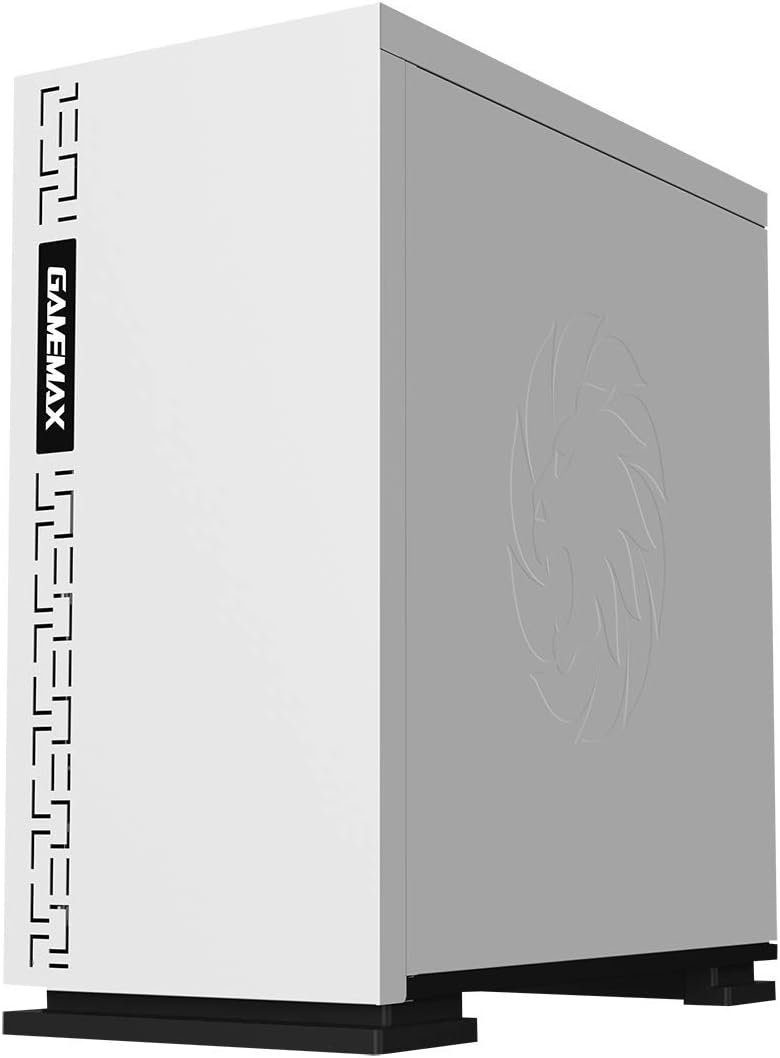
Figura 5.3: parte superior view showing the magnetic dust filter for fan ventilation.
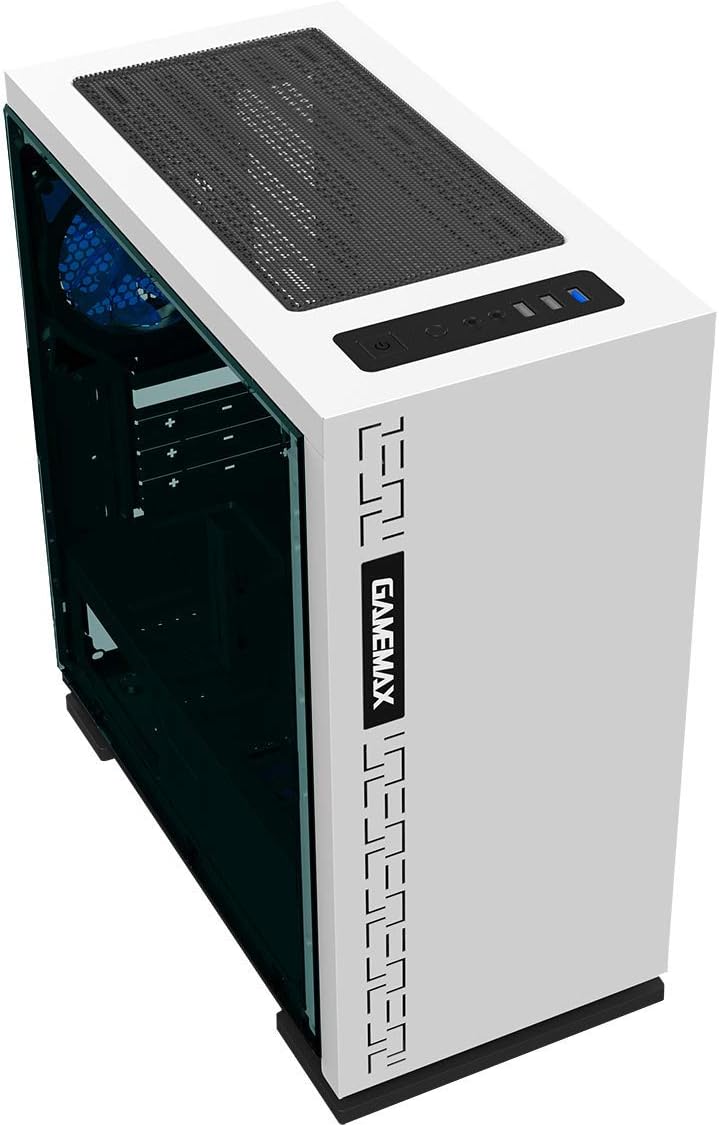
Figura 5.4: Traseira view displaying expansion slots and the pre-installed 120mm fan.
5.2 Layout interno

Figura 5.5: interno view with the side panel removed, showing the motherboard tray and cable routing options.

Figure 5.6: Illustration of fan and radiator mounting points within the chassis.
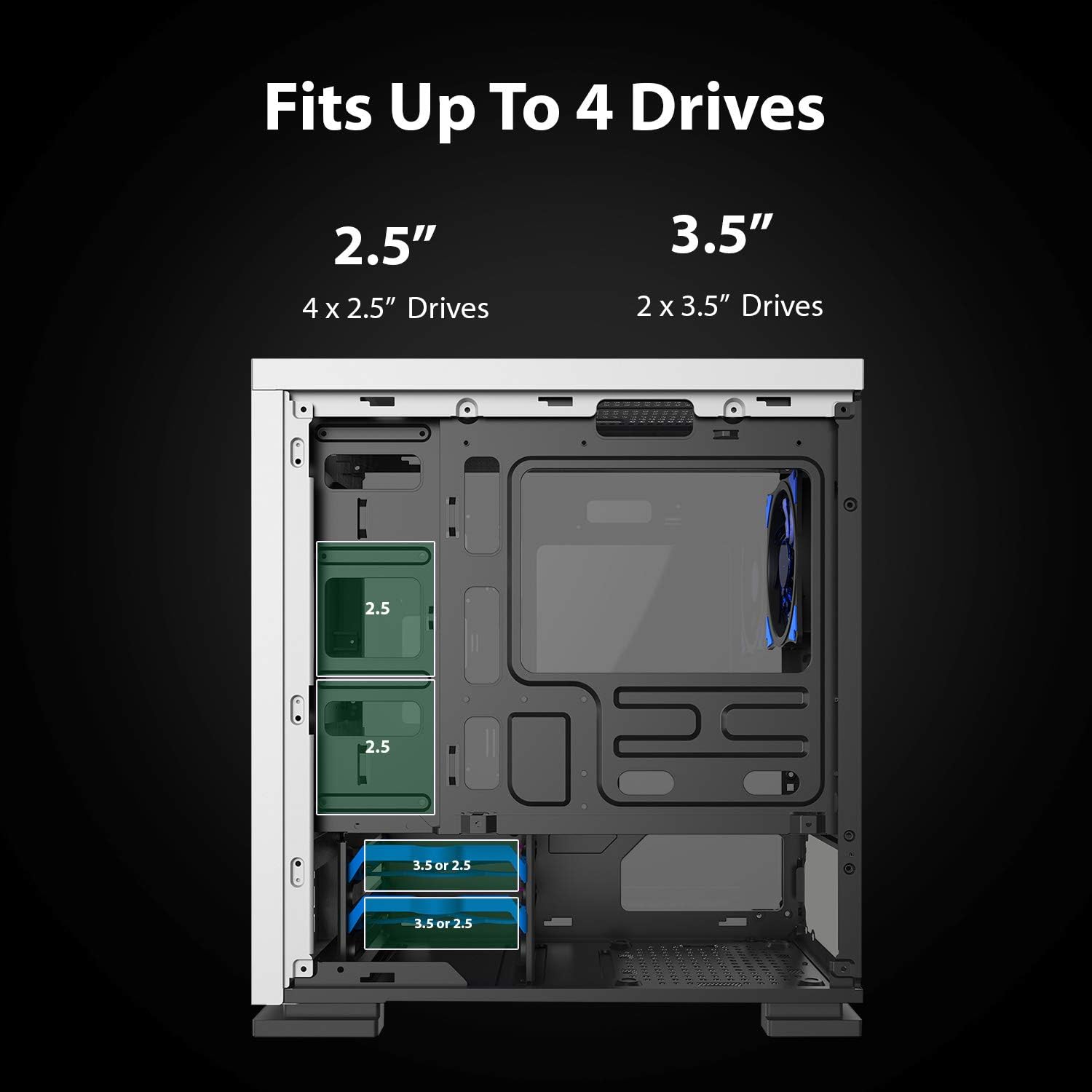
Figure 5.7: Drive bay locations supporting 2.5" and 3.5" storage devices.
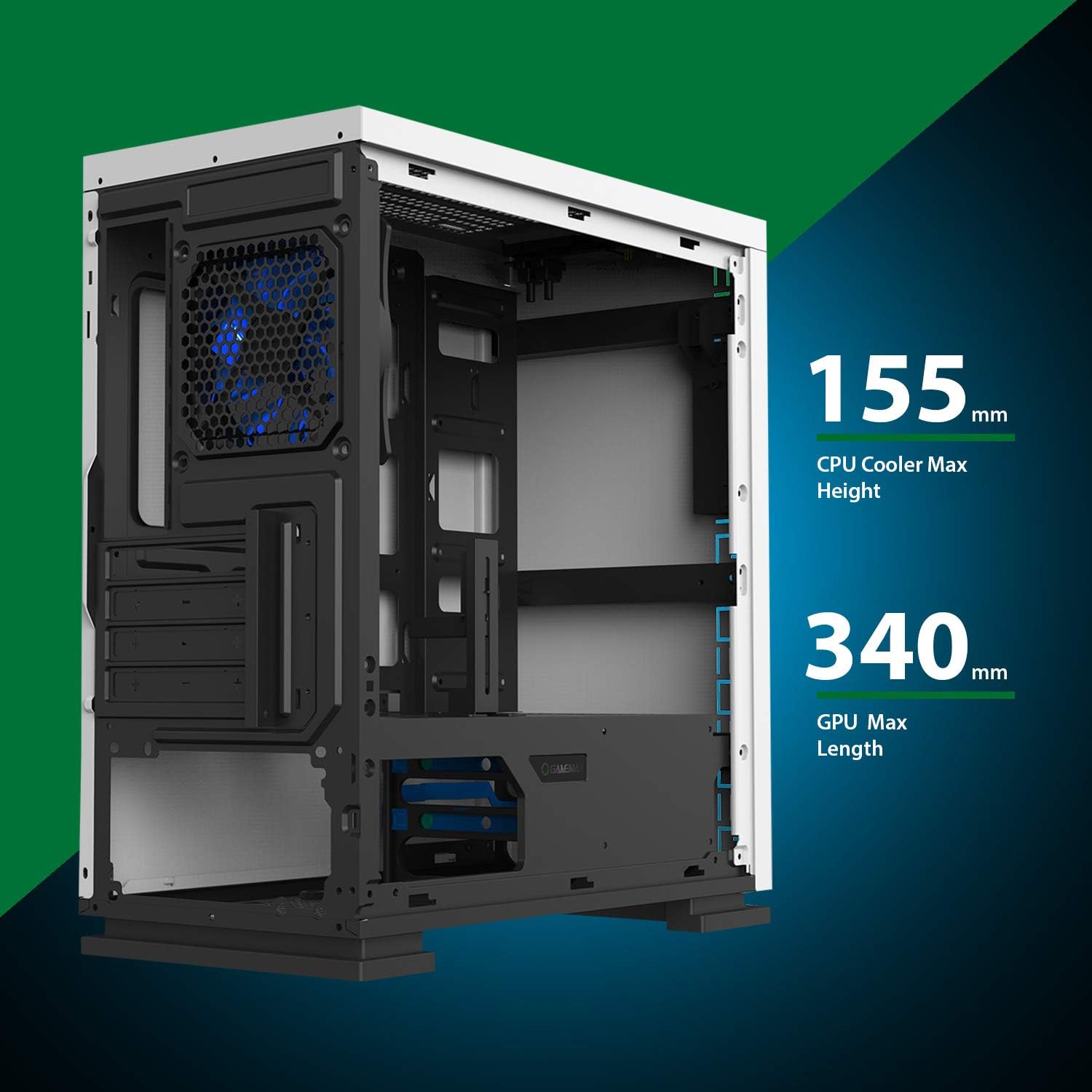
Figure 5.8: Maximum clearance for CPU coolers (155mm) and GPUs (340mm).
6. Configuração e instalação
6.1 Preparação
- Unpack the chassis and remove all packaging materials.
- Remove the side panels by unscrewing the thumbscrews at the rear.
- Gather necessary tools: Phillips head screwdriver, cable ties.
6.2 Instalação da placa-mãe
- Install the I/O shield into the rear opening of the chassis.
- Align the motherboard with the pre-installed standoffs. Ensure the standoffs match your Micro ATX motherboard's mounting holes.
- Fixe a placa-mãe com os parafusos fornecidos.
6.3 Instalação da fonte de alimentação
- Place the power supply unit (PSU) into the dedicated compartment at the bottom rear of the case.
- Align the PSU with the screw holes on the rear of the chassis.
- Secure the PSU with the provided screws.
6.4 Instalação da unidade de armazenamento
- 2.5" Drives: Mount 2.5" SSDs/HDDs to the dedicated mounting points on the motherboard tray or within the drive cage using the provided screws.
- 3.5" Drives: Install 3.5" HDDs into the drive cage located beneath the PSU shroud. Slide the drive into the tray and secure it.
6.5 Expansion Card (GPU) Installation
- Remova as tampas dos slots de expansão necessárias da parte traseira do chassi.
- Insert your graphics card or other expansion card into the appropriate PCIe slot on the motherboard.
- Prenda o cartão com um parafuso.
- Utilize the adjustable GPU bracket to provide additional support for heavier graphics cards.
6.6 Fan and Cooling Installation
- The case comes with one 120mm Blue LED fan pre-installed at the rear.
- Additional 120mm fans can be installed at the top and front positions as needed.
- Ensure fans are oriented correctly for optimal airflow (intake or exhaust).
6.7 Front Panel Connector Installation
Connect the front panel cables (USB 3.0, USB 2.0, HD Audio, Power SW, Reset SW, Power LED, HDD LED) to their corresponding headers on your motherboard. Refer to your motherboard manual for exact pin layouts.
7. Operação
Once all components are installed and cables are connected, replace the side panels. Connect your monitor, keyboard, mouse, and power cable. Press the power button on the top panel to start your system. The pre-installed LED fan will illuminate upon power-on.
8. Manutenção
- Limpeza do filtro de poeira: Regularly remove and clean the magnetic dust filter located on the top panel to maintain optimal airflow and prevent dust buildup inside the case.
- Limpeza geral: Use um pano macio e macioamp cloth to clean the exterior surfaces of the case. Avoid abrasive cleaners.
- Remoção interna de poeira: Periodically use compressed air to clear dust from internal components and fans. Ensure the system is powered off and unplugged before performing internal cleaning.
9. Solução De Problemas
- Sistema não liga: Check all power connections, including the PSU to the wall outlet, PSU to motherboard, and front panel power switch cable to the motherboard.
- Ventiladores não estão girando: Verify fan cables are securely connected to the motherboard or fan controller.
- Portas USB não funcionam: Ensure the front panel USB cables are correctly connected to the motherboard's USB headers.
- Sem saída de vídeo: Confirm the graphics card is properly seated and connected to power, and the monitor cable is connected to the graphics card, not the motherboard's integrated graphics port (unless using integrated graphics).
10. Especificações
| Recurso | Especificação |
|---|---|
| Nome do modelo | GMX EXPEDITION |
| Marca | JOGO MÁXIMO |
| Tipo de caso | Micro Tower (MATX) |
| Compatibilidade da placa-mãe | Micro ATX |
| Cor | Expedition White |
| Material | Policarbonato (PC) |
| Dimensões do produto (CxLxA) | 14.96 x 7.4 x 13.78 polegadas (380 x 188 x 350 mm) |
| Peso do item | 8.58 libras (3.9 kg) |
| Portas USB 3.0 | 1 |
| Portas USB 2.0 | 2 |
| Método de resfriamento | Ar, Água |
| Ventilador Incluído | 1 x 120mm Blue LED (Rear) |
| Altura máxima do cooler da CPU | 155 mm |
| Comprimento máximo da GPU | 340 mm |
11. Garantia e Suporte
For warranty information and technical support, please visit the official GameMax webou entre em contato com seu revendedor local.
Oficial Website: gamemaxpc.com


