1. Introdução
Thank you for choosing the Amazon Basics Over-Ear Studio Monitor Headphones. These headphones are designed to provide clear audio reproduction and comfort for extended listening sessions, making them suitable for studio monitoring, field recording, and general audio enjoyment. This manual provides essential information for the proper use and care of your headphones.
2. Conteúdo da embalagem
- Amazon Basics Over-Ear Studio Monitor Headphones
- Detachable Audio Cable (3.5mm to 3.5mm with 6.35mm adapter)
3. Produto acabadoview
The Amazon Basics Over-Ear Studio Monitor Headphones feature a robust design with user comfort and audio clarity in mind.
- Design sobre a orelha: Helps isolate sound and minimize external noise, ideal for focused listening environments.
- Ajuste confortável: Contoured ear-cups and a self-adjustable, flexible leather headband ensure comfort during prolonged use.
- Swivel Ear-cups: 90-degree swivel functionality allows for single-ear monitoring.
- Design dobrável: Ear-cups fold inward for compact storage and easy transport.
- Drivers de alta qualidade: Equipped with 40 mm diameter drivers for clear audio output.
- Cabo destacável: Features a DJ-style 9.8-foot coiled cable with a detachable standard 6.3mm plug adapter for versatile connectivity.

Figura 1: Angulado view of the Amazon Basics Over-Ear Studio Monitor Headphones.
4. Instruções de configuração
- Descompacte o conteúdo: Retire cuidadosamente os fones de ouvido e todos os acessórios da embalagem.
- Conecte o cabo de áudio: Insert the smaller 3.5mm end of the detachable audio cable into the audio jack located on the left earcup of the headphones. Ensure it is securely seated.
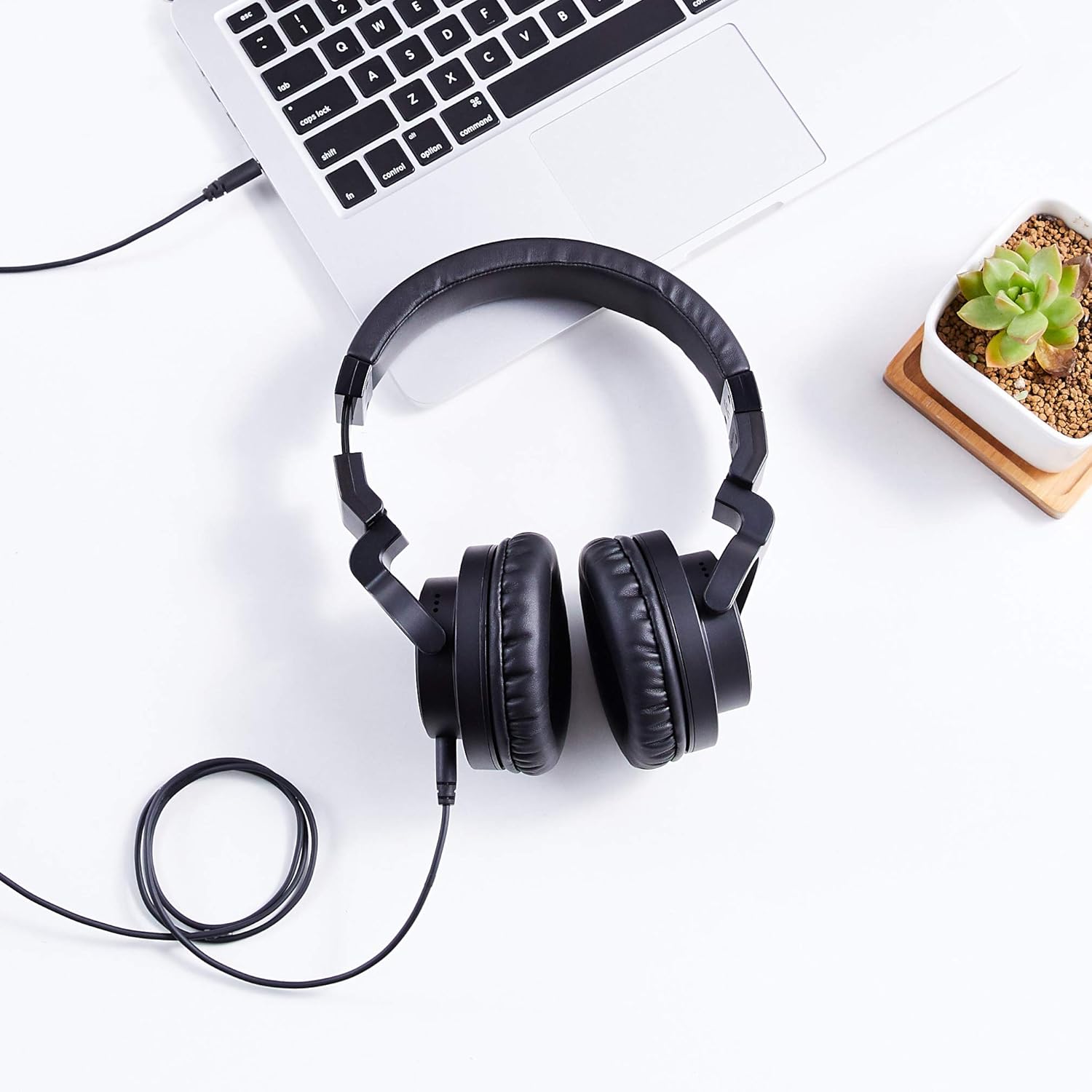
Figure 2: The detachable coiled audio cable with 3.5mm and 6.35mm connectors.
- Conecte-se à fonte de áudio:
- For devices with a 3.5mm audio output (e.g., smartphones, laptops, MP3 players), connect the larger 3.5mm end of the cable directly to the device's audio jack.
- For devices with a 6.35mm audio output (e.g., audio interfaces, mixing consoles, amplifiers), attach the included 6.35mm adapter to the larger 3.5mm end of the cable, then connect it to the device's audio jack.

Figure 3: Headphones connected to a laptop via the audio cable.
- Ajustar a faixa de cabeça: Place the headphones on your head. Adjust the headband by sliding the earcups up or down until they fit comfortably over your ears. The headband is self-adjustable for optimal fit.
- Posicione os fones de ouvido: Ensure the earcups fully enclose your ears for the best sound isolation and comfort. The earcups are designed to swivel 90 degrees for single-ear monitoring if needed.

Figure 4: Earcup swiveled for single-ear monitoring.
5. Instruções de operação
- Fonte de áudio ao ligar: Certifique-se de que seu dispositivo de origem de áudio esteja ligado e reproduzindo áudio.
- Ajustar volume: Control the audio volume directly from your connected audio source device. These headphones do not feature inline volume controls.
- Monitoramento de ouvido único: For situations requiring awareness of your surroundings or specific audio monitoring techniques, rotate one earcup 90 degrees to listen with a single ear.
- Optimal Listening: For the best audio experience, ensure both earcups are fully covering your ears and the headband is adjusted for a secure yet comfortable fit.
6. Manutenção
A manutenção adequada garante a longevidade e o bom desempenho dos seus fones de ouvido.
- Limpeza dos fones de ouvido: Gently wipe the earcups and headband with a soft, dry cloth. For stubborn dirt, a slightly damp Pode-se usar um pano, mas evite o excesso de umidade. Não utilize produtos químicos agressivos ou abrasivos.
- Cuidados com os cabos: Avoid sharply bending or twisting the audio cable. When storing, coil the cable loosely. The detachable design allows for easy replacement if the cable becomes damaged.
- Armazenar: When not in use, store the headphones in a clean, dry place. The foldable design allows for compact storage. Avoid exposing them to extreme temperatures, humidity, or direct sunlight.
- Evite quedas: Protect the headphones from drops and impacts, which can damage internal components.
7. Solução De Problemas
Se você tiver problemas com seus fones de ouvido, consulte os problemas e soluções comuns a seguir:
| Problema | Possível causa | Solução |
|---|---|---|
| Sem som ou volume baixo |
|
|
| Qualidade de som distorcida ou ruim |
|
|
| Os fones de ouvido são desconfortáveis. |
|
|
8. Especificações
| Recurso | Detalhe |
|---|---|
| Marca | Noções básicas sobre a Amazon |
| Número do modelo | MHP-1190-01A |
| Tecnologia de Conectividade | Com fio |
| Entrada para fones de ouvido | 3.5 mm (with detachable 6.35 mm adapter) |
| Tamanho do driver | 40 milímetros |
| Colocação da orelha | Sobre a orelha |
| Fator de forma | Sobre a orelha |
| Material | Leather (earcups and headband) |
| Cor | Preto |
| Peso do item | 8 onças (0.5 libras) |
| Dimensões do produto | 7.88 x 3.78 x 7.09 polegadas |
| Recurso de cabo | Detachable, Coiled |
9. Garantia e Suporte
These Amazon Basics Over-Ear Studio Monitor Headphones are backed by an Amazon Basics 1-year limited warranty. For detailed warranty information or support, please refer to the official Amazon Basics webou entre em contato com o serviço de atendimento ao cliente da Amazon.
Para obter mais assistência, visite o Loja Amazon Basics.